在HTTP中,缓存是一个性能优化的关键点。本次来讲解目前使用Cache-Control字段的最佳实践。
强缓存
第一个场景,在根目录中加载了一个网页,网页中引入一个js脚本资源。对于js脚本的请求,设置Cache-Control中max-age为20,未加入其他参数。服务器代码如下:
const http = require('http')
const fs = require('fs')
http.createServer(function(request, response){
  console.log('request come', request.url)

  if(request.url === '/'){
    const html = fs.readFileSync('test.html', 'utf8')
      response.writeHead(200, {
        'Content-Type': 'text/html'
      })
    response.end(html)
  }

  if(request.url === '/script.js'){
    response.writeHead(200, {
      'Content-Type': 'text/javascript',
      'Cache-Control': 'max-age=20'
    })
    response.end('console.log("script loaded")')
  }
}).listen(8888)

console.log('server listening on 8888')
所加载的test.html文本内容如下,通过script标签来加载script.js文件,将请求发送到服务器中:
<html>
  <head>
    <title>Document</title>
  </head>
<body>
</body>
<script src="/script.js"></script>
</html>
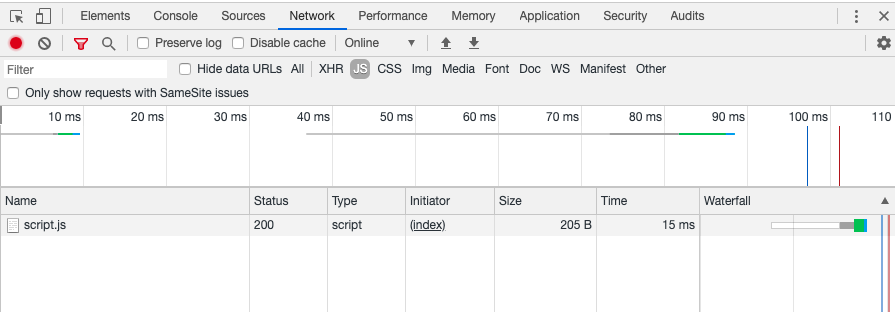
网页所加载的script.js文件如下所示,返回的状态码为200,网络传输总大小为205字节,时间为15ms:
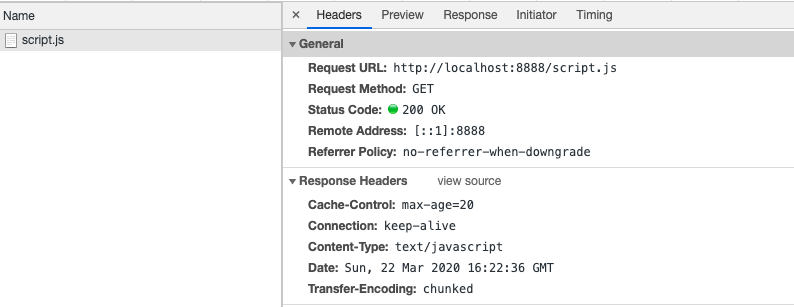
而请求的response中也可以看到Cache-Control字段:
在20s内第二次请求script.js可以看到网络请求的时长为0ms,大小为memory cached说明,第二次的请求已经走了浏览器缓存,并没有真正发出请求。此时的返回状态码是200:
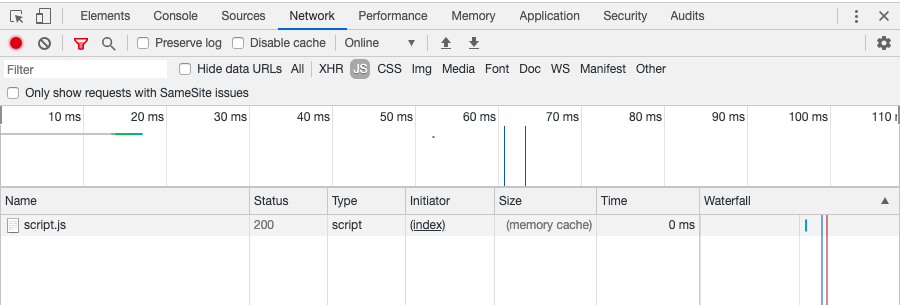
说明,单独为Cache-Control设置max-age时,属于强缓存,如果没超时,浏览器就直接走缓存。
协商缓存
如果我们不确定,在max-age这段时间,文档会不会更新,那么我们可以改一种缓存策略,不以时间为规则。想让浏览器先到服务端检查一下文件是否有更新,如果没有更新就走缓存。如果有更新,就重新加载文件。就可以使用Last-Modified和Etag这两个头字段。
对服务器脚本作如下修改,在Cache-Control中加入no-cache即为协商缓存(覆盖了之前的时间规则,超出时间同样可以协商缓存),此时还需添加两个响应头,Last-Modified为123,Etag为777。如果后续从请求头中取到的if-none-match字段等于777,那么就把状态码改成304,并且返回字符串cached。如果if-none-match不等于777,就正常返回:
const http = require('http')
const fs = require('fs')
http.createServer(function(request, response){
  console.log('request come', request.url)

  if(request.url === '/'){
    const html = fs.readFileSync('test.html', 'utf8')
    response.writeHead(200, {
      'Content-Type': 'text/html'
    })
    response.end(html)
  }

  if(request.url === '/script.js'){
    const etag = request.headers['if-none-match']
    if(etag === '777'){
      response.writeHead(304, {
        'Content-Type': 'text/javascript',
        'Cache-Control': 'max-age=20, no-cache',
        'Last-Modified': '123',
        'Etag': '777'
      })
      response.end('cached')
    }else{
      response.writeHead(200, {
        'Content-Type': 'text/javascript',
        'Cache-Control': 'max-age=20, no-cache',
        'Last-Modified': '123',
        'Etag': '777'
      })
    }
    response.end('console.log("script loaded")')
  }
}).listen(8888)

console.log('server listening on 8888')
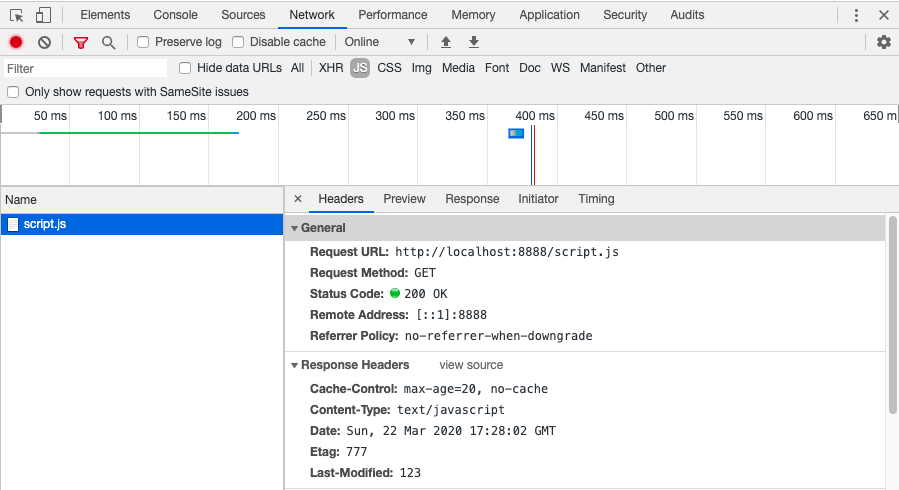
第一次请求后的返回头可以看到Last-Modified和Etag。
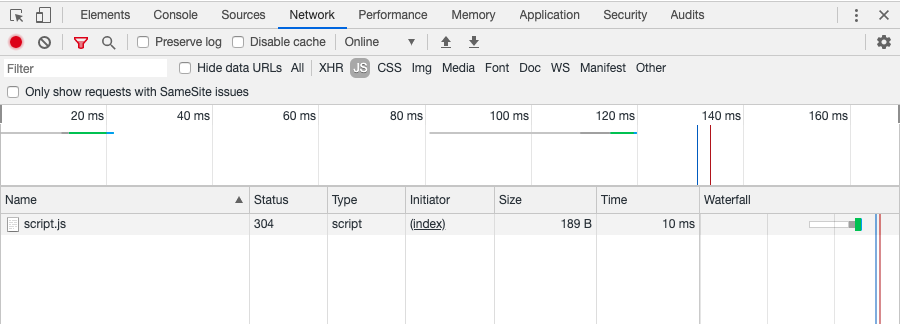
在第二次请求时,可以看到状态码为304:
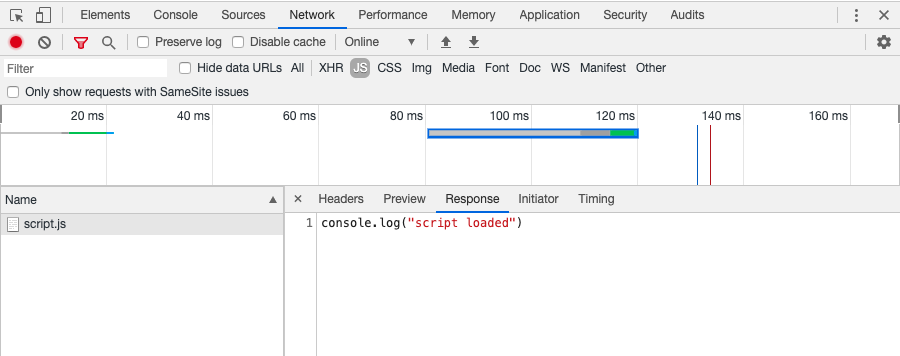
再看请求的返回内容,服务器返回的‘cached’字符串并没有生效,浏览器还是用之前返回的结果:
最佳实践:
缓存的意义就在于减少请求,更多地使用本地的资源,尽量命中缓存。那我们每次通过打包软件打完包以后,怎样才能使用户最大限度地利用缓存呢?
办法就是让用户原来的缓存失效,通过内容hash算法取一个新的名字,再通过入口文件引入。而入口文件,就用协商缓存的方式。
更多精彩文章请关注: