

最近做了一个国家地区码的界面,想起来前几年自己刚毕业那会折腾这个需求还弄了好几天。虽然是个小玩意,但是再实现这个需求现在只要3行代码搞定。
github地址:github.com/Jackdx/DXCo… 支持pod集成。
DXCountryCode
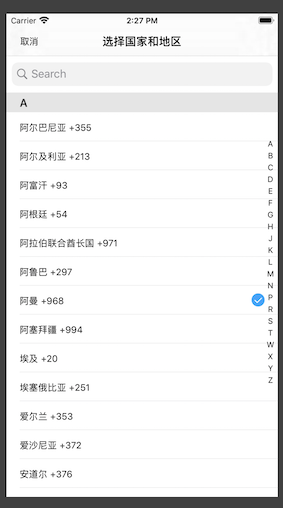
国家和地区码选择控制器,支持present或push方式跳转,两三行代码搞定。适配iphone和ipad。
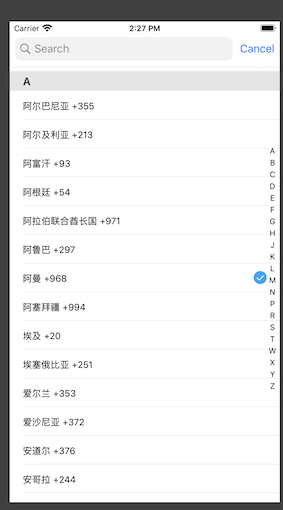
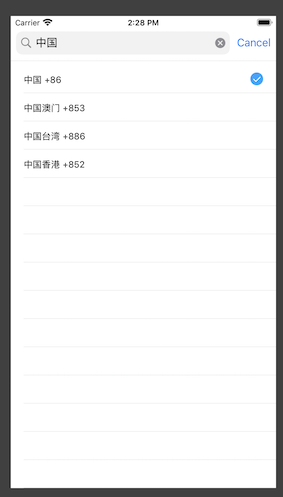
默认效果是可以自动滚动到选择的国家;右边带字母索引条,长按索引条的字母可以滚动到相应的组,而且长按会出现一个气泡。带一个搜索框,进入搜索状态会隐藏导航栏。如果对默认效果不满意,还支持各种自定义。
效果演示:
安装
pod 'DXCountryCode'
如何使用
present方式
    DXCountryCodeController *countryCodeVC = [[DXCountryCodeController alloc] initWithCountryCode:@"86"];
    UINavigationController *nav = [[UINavigationController alloc] initWithRootViewController:countryCodeVC];
    countryCodeVC.returnCountryCodeBlock = ^(NSString *countryName, NSString *code) {
        NSLog(@"countryName:%@, code:%@",countryName,code);
    };
    [self presentViewController:nav animated:YES completion:nil];
push方式
    DXCountryCodeController *countryCodeVC = [[DXCountryCodeController alloc] initWithCountryCode:@"86"];
    countryCodeVC.returnCountryCodeBlock = ^(NSString *countryName, NSString *code) {
        NSLog(@"countryName:%@, code:%@",countryName,code);
    };
    [self.navigationController pushViewController:countryCodeVC animated:YES];
联系我
如果用着有小问题或者有其他建议,可以联系我。
- 邮箱:871077947@qq.com
感谢
如果大家觉得好用的话,麻烦点个星星,多谢。
