步骤一:
修改工程cat-client的
com.dianping.cat.status.StatusInfoCollector.visitStatus方法
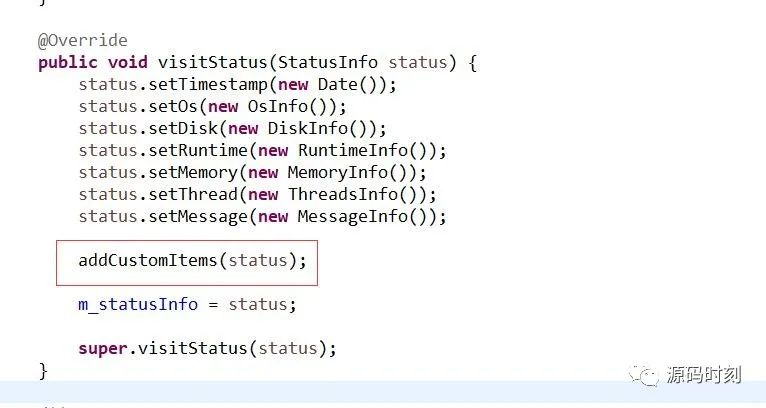
/** * 自定义指标 * @param status */ private void addCustomItems(StatusInfo status) { ServerInfo serverInfo = ServerInfoService.instance().calcServerInfo(); //生成了CPU、内存数据 CustomInfo cpuRate = new CustomInfo(); cpuRate.setKey("cpuRate"); //自定义指标的KEY cpuRate.setValue(serverInfo.getCpuPercent() + ""); //自定义指标的值 status.addCustomInfo(cpuRate); //在statusInfo CustomInfo memoryRate = new CustomInfo(); memoryRate.setKey("memoryRate"); memoryRate.setValue(serverInfo.getMemoryPercent() + ""); status.addCustomInfo(memoryRate); }这样客户端在发心跳的时候,就会把cpuRate、memoryRate发送到服务端了。
步骤二:
修改工程cat-consumer的
com.dianping.cat.consumer.heartbeat.HeartbeatAnalyzer.
translateHeartbeat()方法
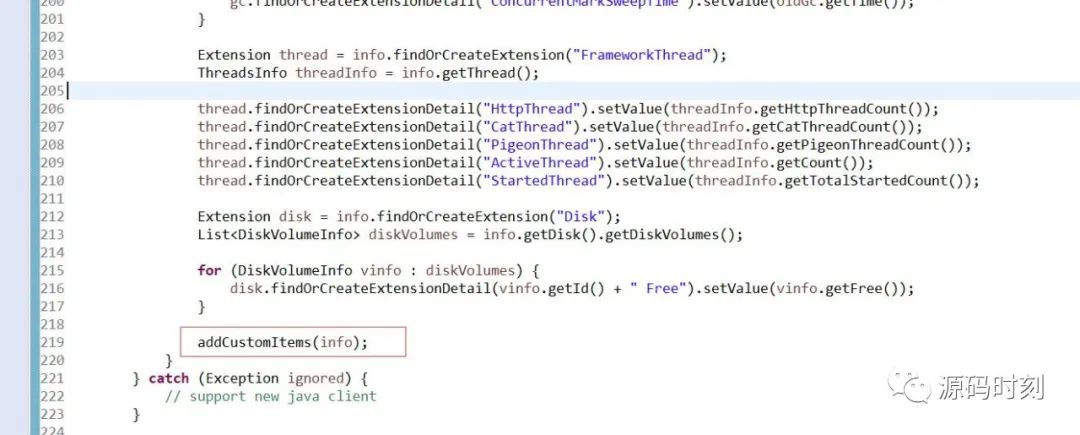
/** * 自定义指标 * @param info */ private void addCustomItems(StatusInfo info) { Extension customExtension = info.findOrCreateExtension("ServerInfo"); //这个是指标的类型 CustomInfo cpuRate = info.getCustomInfos().get("cpuRate"); customExtension.findOrCreateExtensionDetail(cpuRate.getKey()) .setValue(ServerInfoUtils.str2Double(cpuRate.getValue())); CustomInfo memoryRate = info.getCustomInfos().get("memoryRate"); customExtension.findOrCreateExtensionDetail(memoryRate.getKey()) .setValue(ServerInfoUtils.str2Double(memoryRate.getValue())); }步骤三:
修改工程cat-consumer
com.dianping.cat.consumer.heartbeat.HeartbeatReportMerger
.mergePeriod()方法
@Override protected void mergePeriod(Period old, Period period) { old.setCatMessageOverflow(period.getCatMessageOverflow()); old.setCatMessageProduced(period.getCatMessageProduced()); old.setCatMessageSize(period.getCatMessageSize()); old.setCatThreadCount(period.getCatThreadCount()); old.setDaemonCount(period.getDaemonCount()); old.setHeapUsage(period.getHeapUsage()); old.setHttpThreadCount(period.getHttpThreadCount()); old.setMemoryFree(period.getMemoryFree()); old.setMinute(period.getMinute()); old.setNewGcCount(period.getNewGcCount()); old.setNoneHeapUsage(period.getNoneHeapUsage()); old.setOldGcCount(period.getOldGcCount()); old.setPigeonThreadCount(period.getPigeonThreadCount()); old.setSystemLoadAverage(period.getSystemLoadAverage()); old.setThreadCount(period.getThreadCount()); old.setTotalStartedCount(period.getTotalStartedCount()); //新增的两个指标 old.setDynamicAttribute("cpuRate", period.getDynamicAttribute("cpuRate")); old.setDynamicAttribute("memoryRate", period.getDynamicAttribute("memoryRate")); }步骤四:工程cat-home
修改内部类com.dianping.cat.report.page.heartbeat.service
.HeartbeatReportService.HeartbeatConvertor的visitPeriod方法
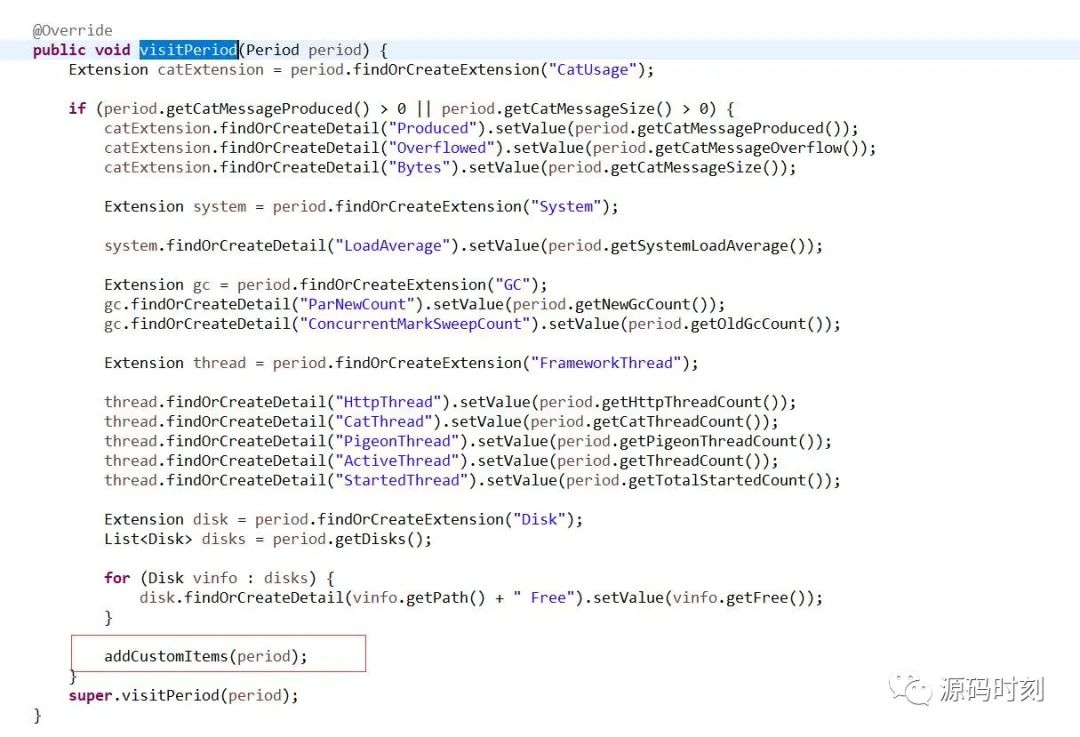
/** * 自定义指标 * @param period */ private void addCustomItems(Period period) { Extension customExtension = period.findOrCreateExtension("ServerInfo"); customExtension.findOrCreateDetail("cpuRate") .setValue(ServerInfoUtils.str2Double(period.getDynamicAttribute("cpuRate"))); customExtension.findOrCreateDetail("memoryRate") .setValue(ServerInfoUtils.str2Double(period.getDynamicAttribute("memoryRate"))); }至此,修改代码部分已经完成。
步骤五:配置[应用监控配置-心跳报表展示]增加一个group
<group id="ServerInfo" order="1"> <metric id="cpuRate" unit="1" delta="false" order="1" lable="%" alert="true"/> <metric id="memoryRate" unit="1" delta="false" order="2" lable="%" alert="true"/> </group>自定义指标就成功了,可以在心跳报表里看到效果。
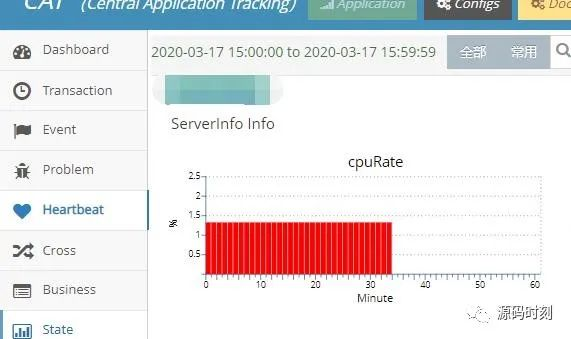
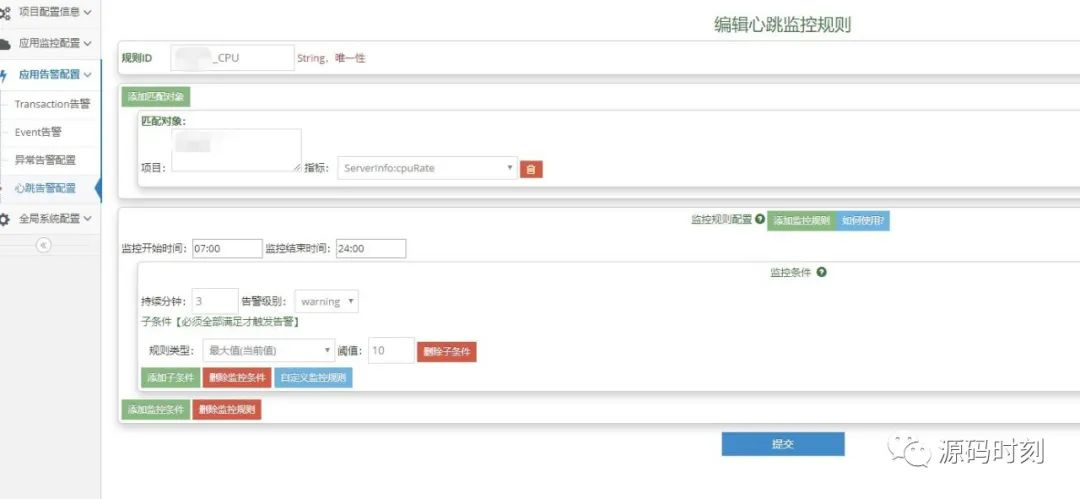
自定义的指标,也可以配置告警,这样就能在CPU异常的时候发送告警,非常实用。具体怎么配置告警,可以看这篇文章
大众点评CAT告警配置手把手教学
源码时刻,公众号:源码时刻大众点评CAT告警配置手把手教学
如果本文对你帮助,请关注并转发,感激不敬!