实际项目中,经常有这样一个需求,需要给用户填写的文件一个模板。实现思路通常是将该模板文件放入到resources目录下。然后通过classloader.getResourceAsStream()获取文件流,从而读取到文件内容并返回给客户端。在使用了Spring Boot过后,发现存在这样的一个问题:在本地开发环境下,从IDE里面启动,可以正常下载模板文件。而当把项目构建打包成jar后启动,访问下载接口,就会无法现在模板文件,(所下载的文件大小为0)。
经过调试发现,采用传统的方式读取spring boot打成jar包后里面的资源文件,inputstream.available()返回值为0,导致读取不到内容。
研究发现可采用如下方式读取classpath下的文件。
byte[] results = FileCopyUtils.copyToByteArray(inputStream);
示例代码:
public void downloadTemplate(HttpServletResponse response)
        throws IOException {
    ClassPathResource classPathResource =
            new ClassPathResource("template.xlsx");
    try (InputStream inputStream =classPathResource.getInputStream();
         OutputStream outputStream = response.getOutputStream();){
        response.setContentType("application/octet-stream;charset=UTF-8");
        response.setHeader("Content-Disposition",
                    "attachment;filename*=UTF-8''"
                    + URLEncoder.encode("模板.xlsx", "UTF-8"));response.addHeader("Pargam", "no-cache");
        response.addHeader("Cache-Control", "no-cache");
        // 传统的读取文件方式, 无法读取到内容
        // byte[] contents = new byte[inputStream.available()];
        //  inputStream.read(contents);
        //需要在读取文件内容时采用该API,可以读取到文件内容
        byte[] results = FileCopyUtils.copyToByteArray(inputStream);

        outputStream.write(results);
        outputStream.flush();
    } catch (Exception e){
        throw new RuntimeException("读取模板失败");}
}
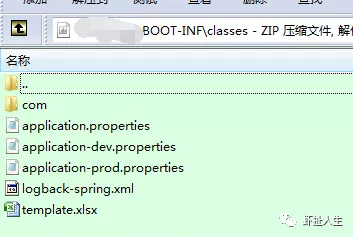
文件路径:classes目录下