需求:微信消息列表【长按||点击】一条消息会添加背景色灰色,并且进入聊天区
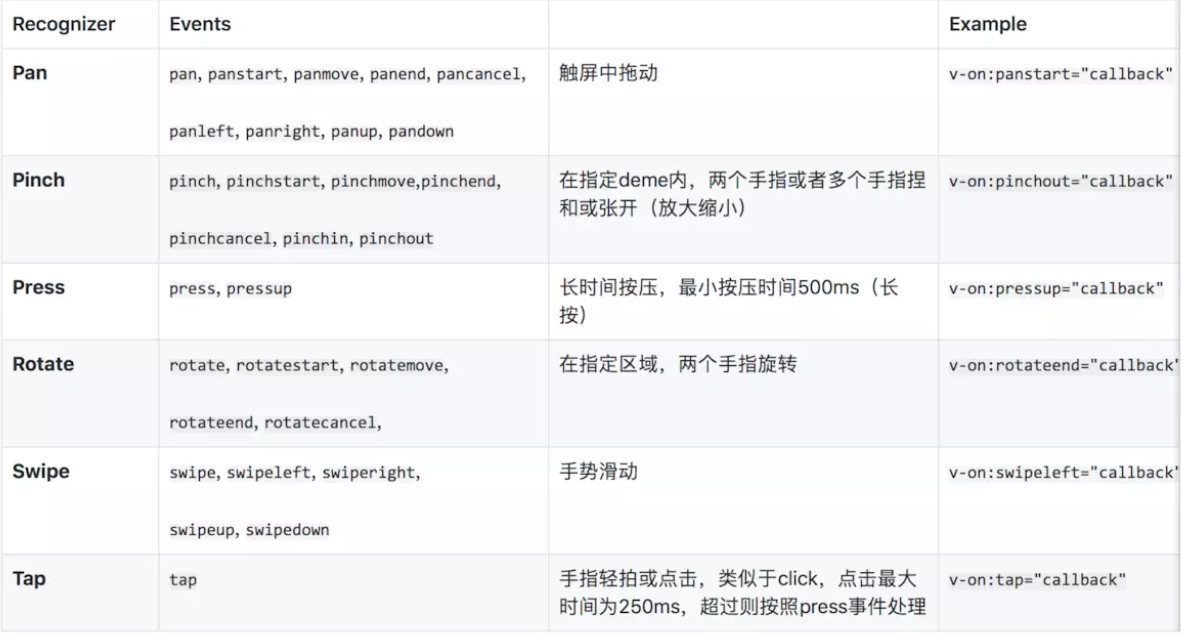
要想实现长按要用到 touchstart,touchmove,touchend 事件
注意几个执行顺序:
- 滑动时: start,move,end 都会进入
- 长按时: start 有时触发move 有时不触发, 没找到规律, 可能太过灵敏 ,end
- 短按时: start ,end
大概的思路: 利用setTimeout返回的数字ID,如果是0,说明是滑动,如果不是0 ,说明是跳转到聊天区 因为长按有时会触发move ,所以加个变量longlock,长按是为true,为false时才将数字ID设置为0
data(){
    return {
        timeOutEvent: 0,
        longlock: false
    }
}
methods:{
    touchstart(item, index, type) {
      this.longlock = false; // 每次点击都设置为false
      加背景颜色操作
      clearTimeout(this.timeOutEvent);
      this.timeOutEvent = setTimeout(() => {
        this.longlock = true; // 长按后将longlock设置为true
      }, 1000);//这里设置定时
    },
    touchmove() { // 短按不会走move
      if (!this.longlock) { //滑动的时候
        clearTimeout(this.timeOutEvent);//清除定时器
        this.timeOutEvent = 0;
        清除背景颜色
      }
    },

    touchend(item) {
      if (this.timeOutEvent != 0) { // 滑动的时候timeoutEvent会为0 ,则不会走进end
        跳到聊天区
      }
    },
}
方案二:可以使用插件vue-touch vue2.0 以上要使用next分支