What-is-an-API.png
引言
不知道你是否遇到过这种情况:线下开发的代码一切正常,放到生存环境,时不时给你来个 500 错误?
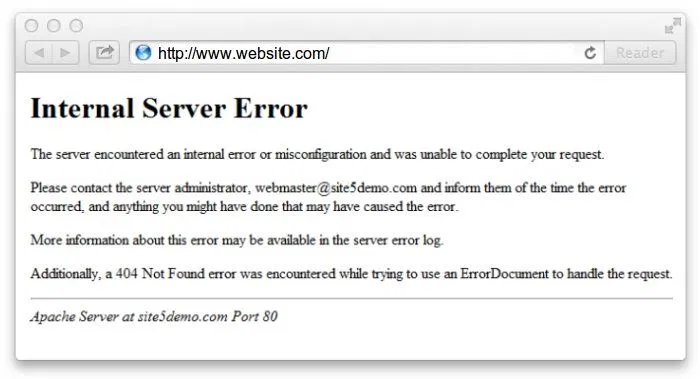
这种 500 错误让人非常头疼,因为没有具体的报错信息啊,具体哪错了只能靠猜。而且由于没有保存请求上下文,复现也很困难(由于复现难,又会出现“明明在我的电脑上能跑啊”的撕逼问题)。
这类 500 错误一般都是程序的 Bug 导致的。Bug 是永远不可避免的,不论你线下开发多么细致,生产环境总是有可能出问题。我们都不希望等用户反馈了才发现问题,所以:
- 如何尽快生产环境发现系统 Bug
- 以及如何保存触发此 Bug 的请求上下文
这两点非常重要。
本文使用的 web 框架为
Node.js的NestJS,原理可推广至所有软件系统。
常规情况下,我们记录的程序日志都是主动型的:
try{
    doSthMightFail()
} catch(error) {
    console.log(error)
}
这里我们有意识到 doSthMightFail() 调用有可能抛出异常。
但是还有一种情况,一些有可能抛出异常的调用你没有捕捉,有可能是因为没意识到,也有可能是闲麻烦,不想写那么多 try/catch。如下面这对代码:
@Get('/user')
async user(@Req() req, @Res() res) {
   const userId = req.query.id
   const user = await this.UserModel.find({ _id: userId })
}
当 userId 为不合法的的 ObjectId 的时候,这段代码是会抛出异常的!最终 HTTP Response 如下:
{
    "statusCode": 500,
    "message": "Internal server error"
}
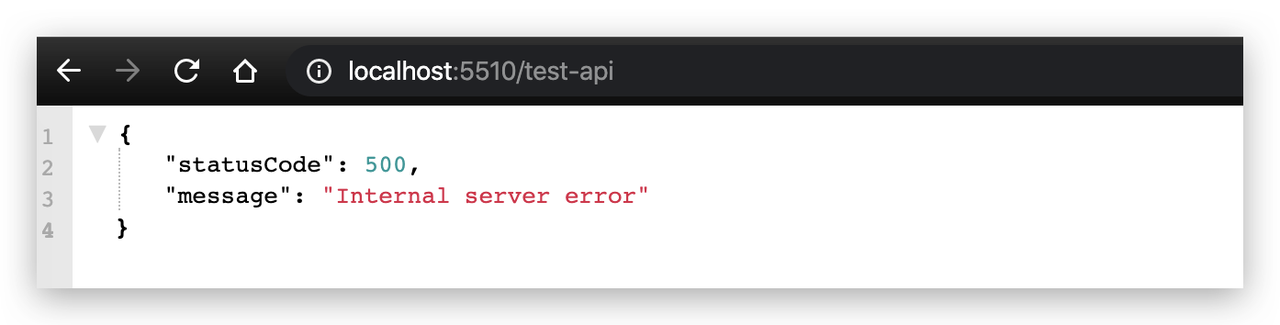
这是一个非常不友好的 Response,没有任何有效信息,看到这个报错,估计你会抓耳挠腮,因为也没有日志保存下来,半天都想不到是哪出问题了。
而这种情况非常普遍,永远会有你没意识到的异常抛出。
本文分享的方法能帮助你找到系统中所有的此类异常,并保留好触发此异常的请求信息,如 headers, query, body 等。本文的方法基于 Nest.JS 的 Exception filters,其他 framework 原理同样适用。
Nest.JS 中的请求大致分三类:REST API 请求、GraphQL API 请求、RPC 请求,三种请求异常处理方式相差较大,分开来讲。
REST API
前文给出的示例是一个典型的 REST API 没有正确捕获异常的场景,导致的结果是返回一个很不友好的 500 错误。但是我们肯定是做不到处处 try/catch 的,这里并不是说在只要有可能抛出异常的地方都 try/catch 一下不好,而是你 100% 无法做到覆盖所有 case ! 比如 JSON.parse() 一个空字符串会抛异常,这一点你考虑到了么。
所幸 NestJS 有 Exception filters 这个 feature,运行 controller 函数中抛出的所有异常,都会走到这里。详细的说明请看官方文档,这里给个小 Demo:这个接口直接 throw Error("test"),模拟有异常没有捕获的场景:
import { Controller, Get } from '@nestjs/common';

@Controller('test')
export class TestController {
  @Get("/test-api")
  async testAPI() {
    throw Error("test")
  }
}
请求 GET /test-api :
写一个 RestExceptionsFilter :
nest g f filters/rest-exceptions
简要说明一下代码:
- 15 - 21 以及 39-44 行均为官方文档给出的示例,从中可以获取到当前请求的 request obejct,这里面就包含了所有的 http 原始请求数据。
- 24 - 38 行:如果异常不是 Nest.JS 内置的标准异常(BadRequestException、UnauthorizedException、NotFoundException 等,详细列表见官方文档),也就是说是我们没有预料到的异常被抛出了,调用 loggerService.error 记录下异常。
- 43 行是给 response 加入了一个自定义字段 info,比如你可以把 request id 记录下来,这样前端拿着报错来找你的时候,你也能马上知道是怎么回事了。
import { ArgumentsHost, Catch, ExceptionFilter, HttpException, HttpStatus, Injectable } from '@nestjs/common';
import { LoggerService } from '../logger/logger.service';
import { Request, Response } from 'express';
import * as uuid from "uuid"

@Injectable()
@Catch()
export class RestExceptionsFilter<T> implements ExceptionFilter {

  constructor(
    private readonly loggerService: LoggerService
  ) { }

  catch(exception: any, host: ArgumentsHost) {
    const ctx = host.switchToHttp();
    const response = ctx.getResponse<Response>();
    const request = ctx.getRequest<Request>();
    const status =
      exception instanceof HttpException
        ? exception.getStatus()
        : HttpStatus.INTERNAL_SERVER_ERROR;

    // 记录日志
    if(!(exception instanceof HttpException)) {
        const id = uuid.v4()
        this.loggerService.error({
          id,
          error: exception,
          request: {
            url: request.url,
            body: request.body,
            query: request.query,
            params: request.params,
            headers: request.headers,
            currentUser: request.currentUser
          }
        })
    }

    response.status(status).json({
      statusCode: status,
      message: exception.message,
      info: `request id: ${id} . 你可以搜索公众号「Authing 认证云」联系我们。`,
      stackTrace: exception.stack
    });
  }
}
接着在 TestController 上应用此 Filter。
@Controller()
@UseFilters(RestExceptionsFilter)
export class TestController {
 // ...
}
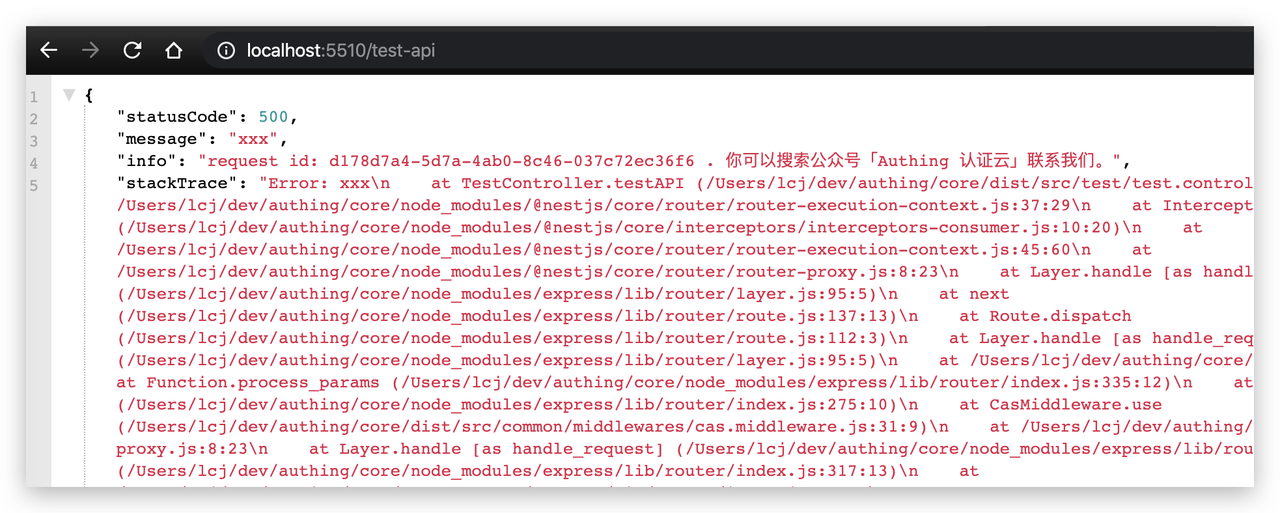
再次请求 GET /test-api : 现在的异常友好多了 !
loggerService.error 做了什么 两件事:
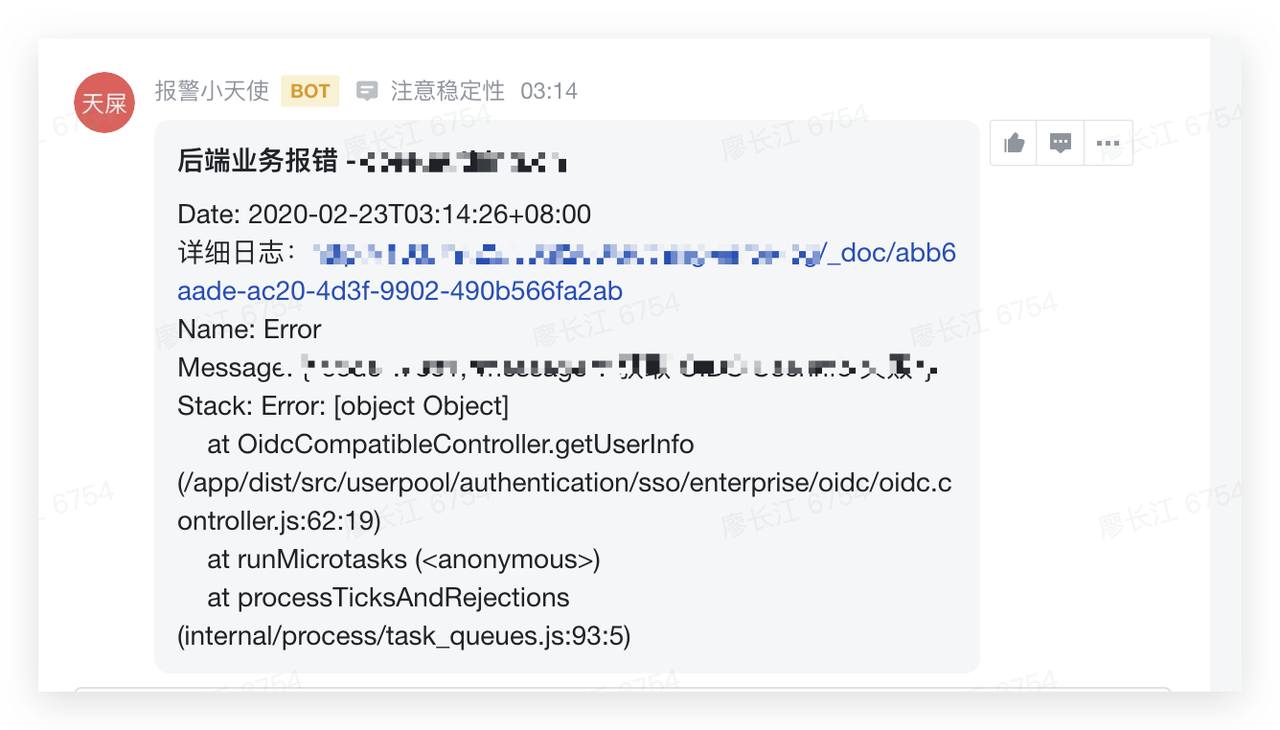
- 通过 Webhook 发送群通知
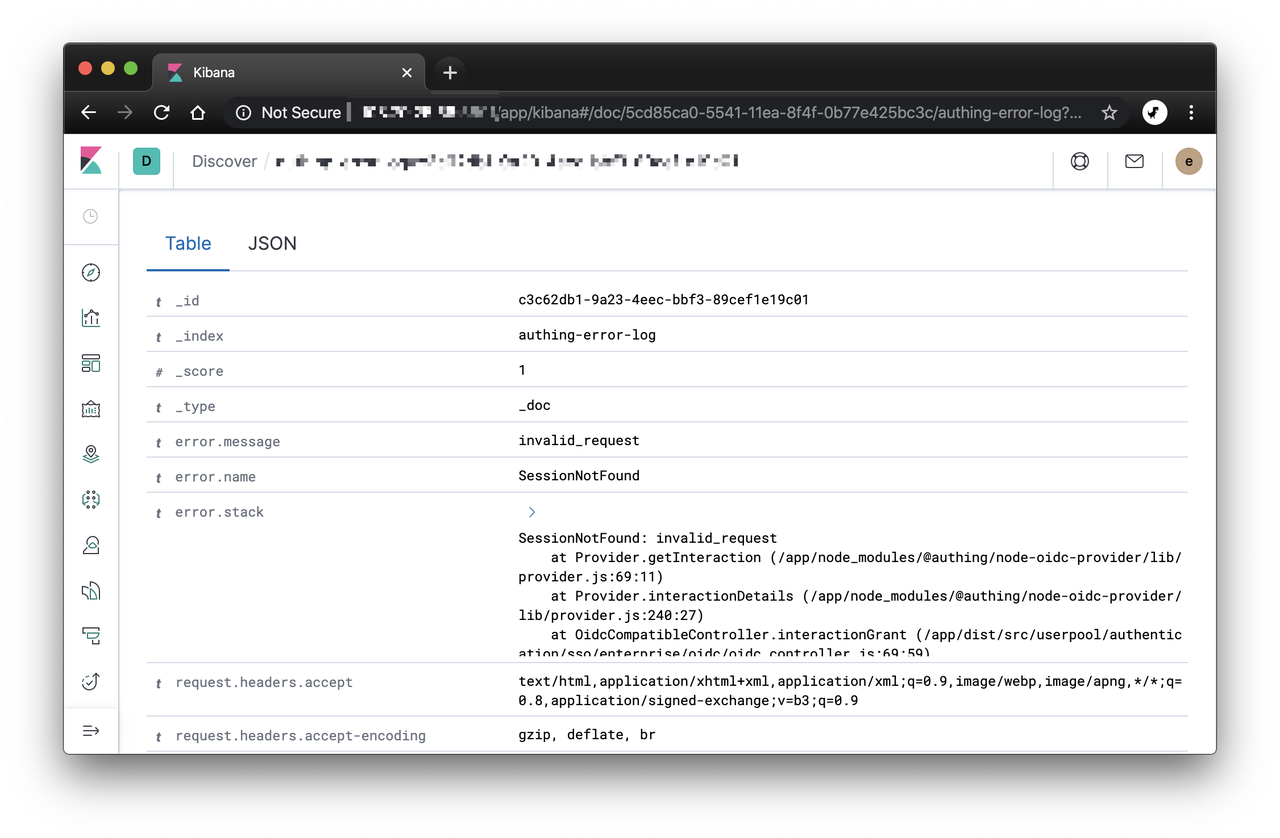
- 将日志详情写入 ELK 日志系统
Webhook 消息中会包含日志详情的查询链接。使用效果如下:
GraphQL API
在 GraphQL API 中抛出的所有异常,会被 GraphQL 捕获,同时它的 Exception Filter 不太一样,但是核心思想是一样的:
- 在 ExceptionsFilter 过滤出哪些异常程序异常导致的,哪些是开发者主动抛出的(如 UnauthorizedException)。比如在 REST API 中判断此异常是不是 HttpException 的子类。
- 在 ExceptionsFilter 中搜集 request 信息
- 对于那些想要记录的异常,进行 webhook 群通知,同时将 request 信息保存起来。
- 返回给前端的 response 里面带上 request id,方便 debug。(可选)
在此分享一段示例代码:
import { ArgumentsHost, Catch, ExceptionFilter, HttpException, Injectable } from '@nestjs/common';
import { GqlExceptionFilter, GqlArgumentsHost } from '@nestjs/graphql';
import { LoggerService } from '../logger/logger.service';
import * as uuid from "uuid"
import * as _ from "lodash"

@Injectable()
@Catch()
export class GqlExceptionsFilter implements GqlExceptionFilter {

  constructor(
    private readonly loggerService: LoggerService
  ) { }

  getRequestFromCtx(ctx) {
    for (let arg of ctx.args) {
      if (arg && arg.request && arg.request.url) {
        return arg.request
      }
    }
  }

  catch(exception: HttpException, host: ArgumentsHost) {
    const gqlHost = GqlArgumentsHost.create(host);
    // console.log(gqlHost)
    // console.log(gqlHost.getContext())
    let message = exception.message
    try {
      message = JSON.parse(message)
    } catch (error) {
      // 异常错误
      const ctx = host.switchToHttp();
      let request = {
        graphql: {
          args: gqlHost.getArgs(),
          root: gqlHost.getRoot(),
        },
      }

      // 尝试获取 http request 信息
      const id = uuid.v4()
      const httpRequest = this.getRequestFromCtx(ctx)
      if (httpRequest) {
        request = Object.assign(request, {
          url: httpRequest.url,
          body: httpRequest.body,
          query: httpRequest.query,
          params: httpRequest.params,
          headers: httpRequest.headers,
          currentUser: httpRequest.currentUser
        })
      }
      this.loggerService.error({
        id,
        error: exception,
        request,
      })

      message = `${message} . request id: ${id} . 你可以搜索公众号「Authing 认证云」联系我们。`
      // @ts-ignore
      exception.message = message
    }

    return exception;
  }
}
在 Resolver 中引用此 Filter:
@Resolver()
@UseFilters(GqlExceptionsFilter)
export class TestResolver {

}
RPC API
主要使用场景:监控 rabbitmq 异步任务中的异常。
如下所示:这里只是在 catch exception 之前调用 this.loggerService.error 记录一下异常。
import { Catch, ArgumentsHost, Injectable } from '@nestjs/common';
import { BaseRpcExceptionFilter } from '@nestjs/microservices';
import { LoggerService } from '../logger/logger.service';

@Injectable()
@Catch()
export class RpcExceptionsFilter extends BaseRpcExceptionFilter {

  constructor(
    private readonly loggerService: LoggerService
  ) {
    super()
  }

  catch(exception: any, host: ArgumentsHost) {
    this.loggerService.error({
      error: exception
    })
    return super.catch(exception, host);
  }
}
引用此 Filter:
@Controller('rabbit-mq')
@UseFilters(RpcExceptionsFilter)
export class RabbitMqController implements OnApplicationBootstrap {

}
更多相关内容请见:微服务 Exception Filter 相关文档。
其他异常
如果说 REST API 请求、GraphQL API 请求、RPC 请求还无法覆盖所有的情况,那就加一个全局 unhandledRejection、uncaughtException handler 吧(😊
以下代码可以加到 Nest.js bootstrap 函数里面。
const loggerService = app.select(CommonModule).get(LoggerService, { strict: true })
process.on('unhandledRejection', (reason: Error, promise) => {
    console.log('Unhandled Rejection at:', promise, 'reason:', reason);
    if (!(reason instanceof Error)) {
      reason = new Error(reason)
    }
    reason.message = `unhandledRejection: ${reason.message}`
    loggerService.error({ error: reason })
  });

// uncaughtException 避免程序崩溃
process.on('uncaughtException', function (err: Error) {
  err.message = `uncaughtException: ${err.message}`
  loggerService.error({ error: err })
});
总结
软件工程第一定律:永远会有你意想不到的 bug。
你永远无法写出完全没有任何 Bug 的代码,既然做不到,那么能够以最快的速度、最低的成本发现 bug、还原请求上下文,这是极好的!
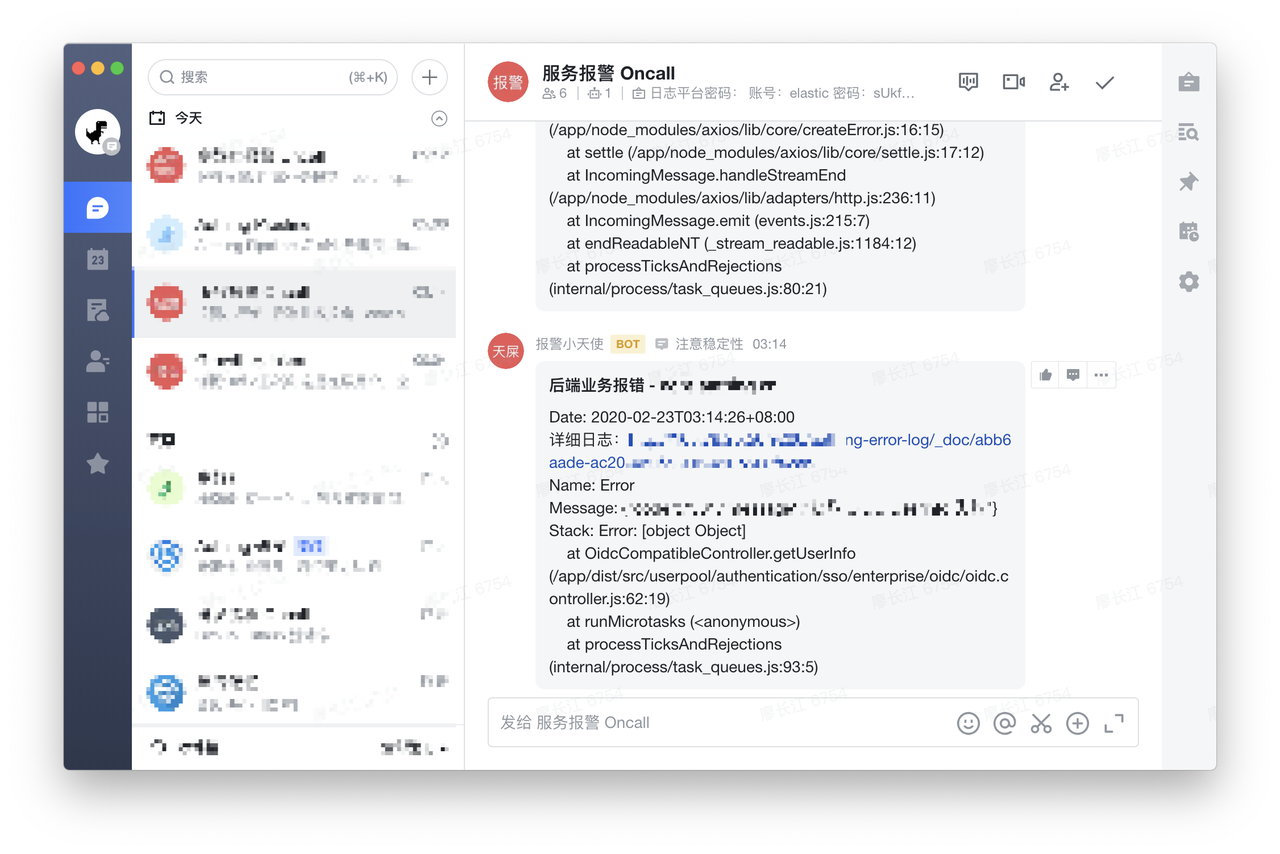
这是我们实践的成果:
- 程序异常请求实时通知
- 通知消息中包含:时间、message、stacktrack、详细日志链接
- 记录下每次异常请求的详细上下文,写入 elk 日志集群,可根据 request id 检索。
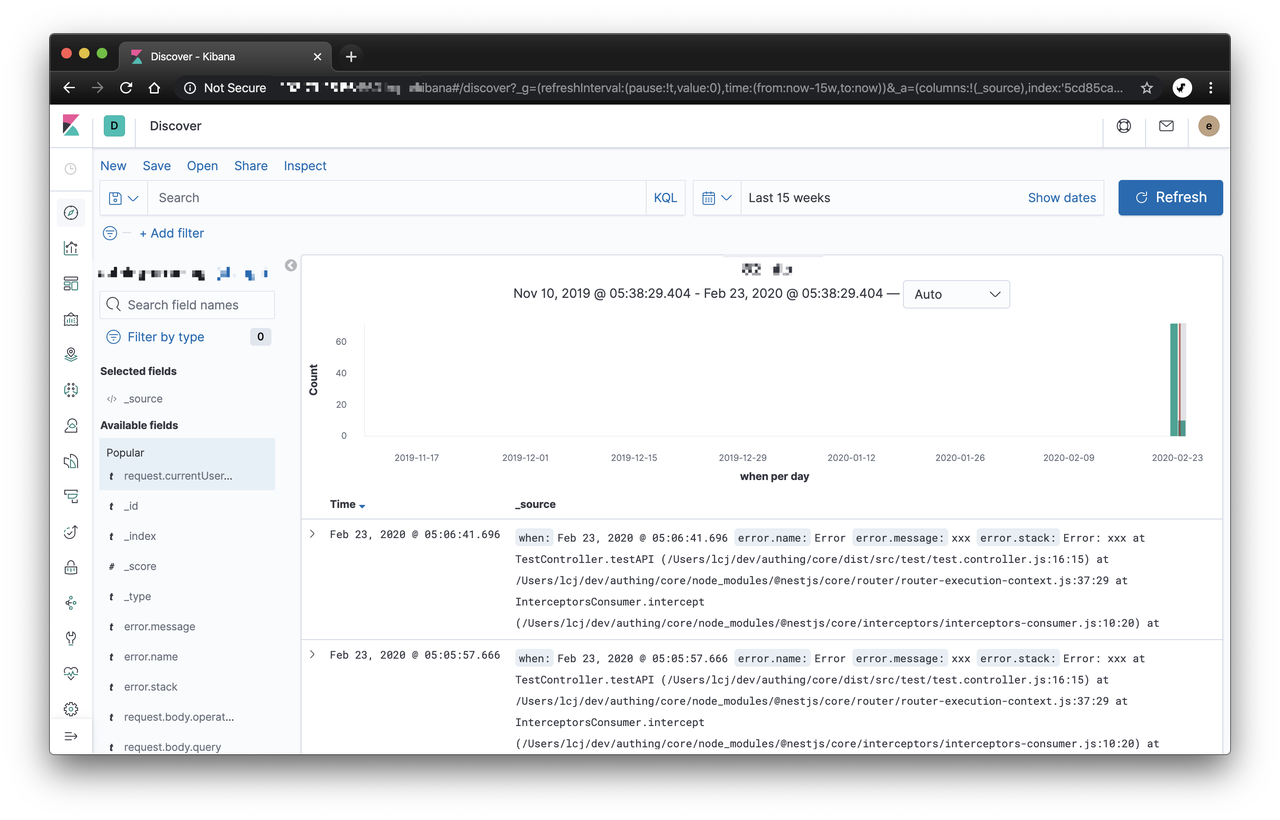
- 返回给前端的 response 中带上 request id,这样当开发者遇到问题来找我们的时候,能够以最快的速度定位问题。而不是一脸茫然,要求开发者复现一下。

本文技术细节基于 Nest.JS,但是原理都是通用的,希望对你有所帮助和启发。