

1、查看yum的版本信息命令
yum info yum
2、安装git
yum -y install git
(生成root账号的ssh key ,ssh-keygen -t rsa -C user@example.com,显示pub key的值
cat ~/.ssh/id_rsa.pub)
3、git colne 项目(建议把公钥加到配置中)
4、tree 命令 ,-L n 只显示 n 层目录 (n 为数字)
[root@liyao ~]# tree -L 25、安装 node yarn nginx
curl -sL https://rpm.nodesource.com/setup_10.x | bash -
yum install -y nodejs
yum install -y git
6、安装nginx
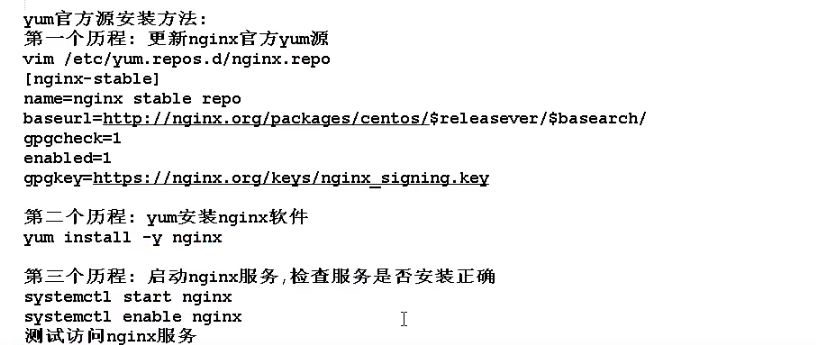
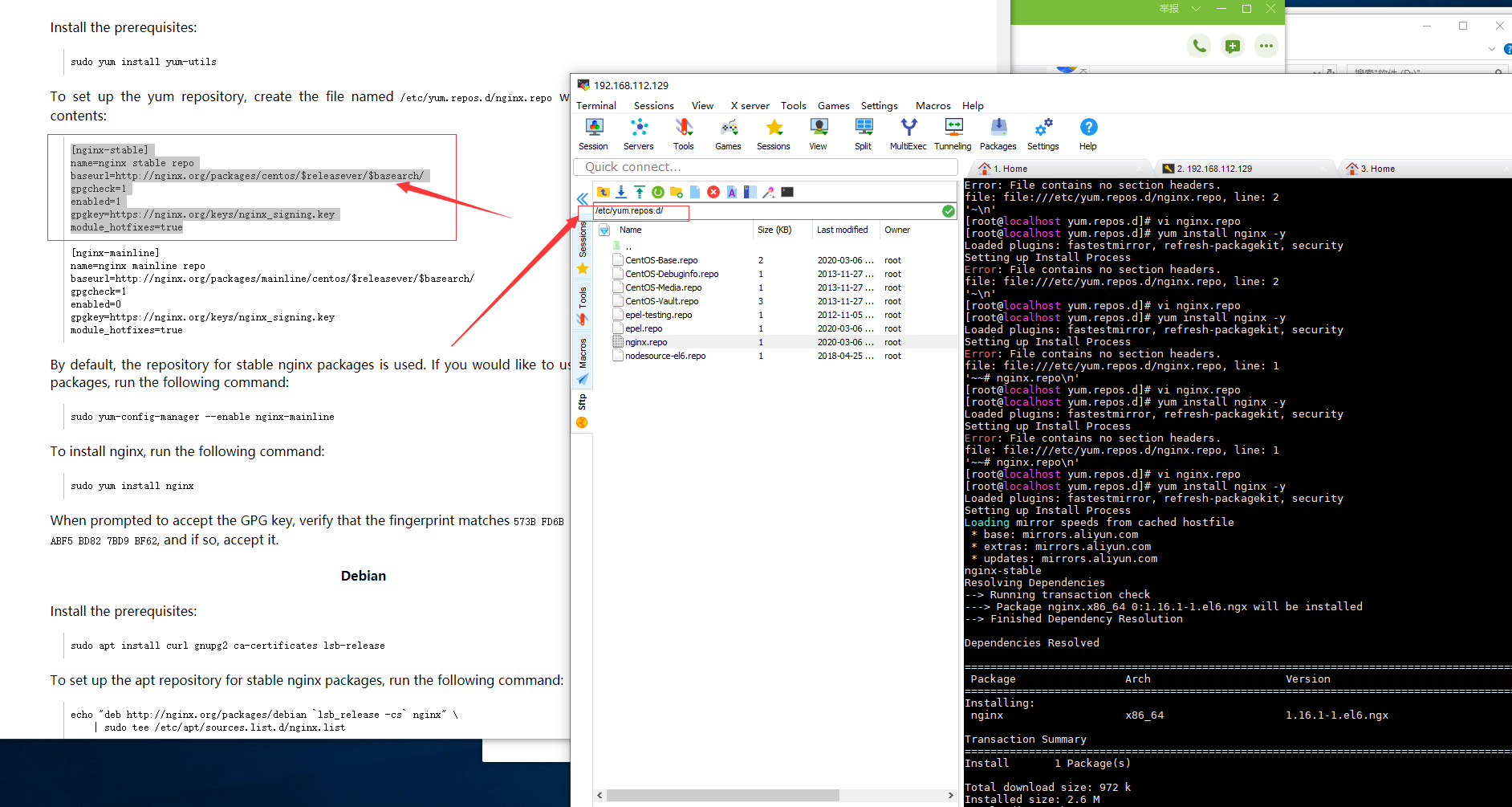
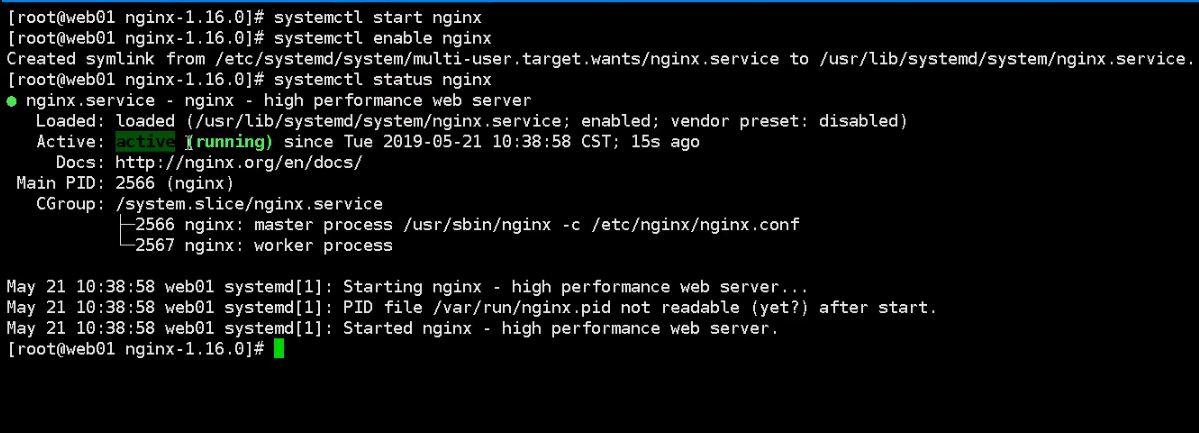
nginx 启动
nginx -s reload 重启
nginx -s stop 关闭
echo $? 返回非0 就是启动成功,也可以直接访问浏览器 localhost
配置文件:/etc/nginx/
文件地址:/usr/share/nginx/html/
查询 nginx在哪里: rpm -ql nginx
7、关闭虚拟机的防火墙:service iptables stop,然后宿主机就可以通过ip进行访问了。
8、start项目,在nginx配置转发的端口即可(例如,监听80,然后转发到3000,因为react脚手架默认是3000端口)

