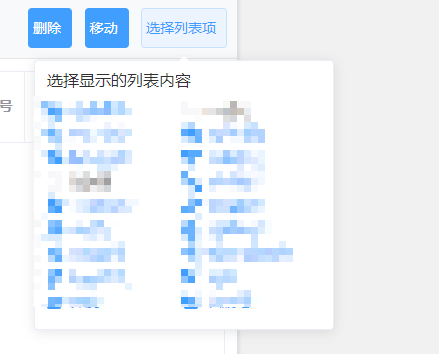
筛选框代码结构
 <el-col v-for="(item, index) in tableColumn" :key="index" :span="12">
                <el-checkbox v-model="column[item.prop]" @change="showHide(item.prop)">{{ $t(`device.${item.prop}`) }}</el-checkbox>
</el-col>
Table结构
 <template v-for="(item,index) in tableColumn">
    <el-table-column
    v-if="item.isShow"
    :key="index"
    align="center"
    :prop="item.prop"
    :show-overflow-tooltip="item.showOverflowTooltip"
    :label="item.prop"
    :formatter="item.formatter"
    />
</template>
Data 数据
这里默认写上isShow,用来控制table默认显示的列表项
column: {},  //用来记录复选框的状态
tableColumn: [
        { prop: 'id', label: '设备编号', showOverflowTooltip: true },
        { prop: 'ip', label: 'IP地址', showOverflowTooltip: true, isShow: true }
]
Method
// 选择列表项显示隐藏
showHide: function(prop) {
    this.tableColumn.filter(item => item.prop === prop)[0].isShow = this.column[prop];
    saveObjArr('terminalManageListItem', this.column);
    //这个很重要,不然会导致页面高度问题
    this.$nextTick(() => {
     this.$refs.multipleTable.doLayout();
    });
},
 // 从localstorage读取列表显示信息, 在页面进入时,调用一次即可,用来记录复选框的状态
getShowColumn() {
    const terminalManageListItem = getObjArr('terminalManageListItem');
    this.tableColumn.forEach(item => {
    if (terminalManageListItem) {
        if (terminalManageListItem[item.prop]) {
        item.isShow = true;
        } else {
        // 起一个默认值占位的作用
        item.isShow = false;
        }
    }
    this.$set(this.column, item.prop, !!item.isShow);
    });
}
效果如下