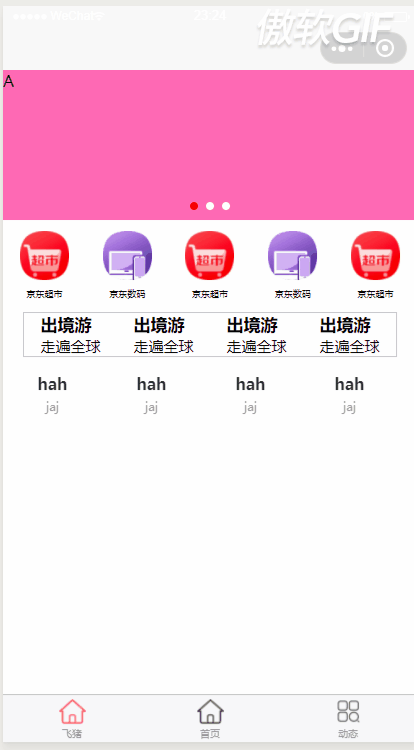
当往上滑动时,某一个区域会置顶。
往下滑动时,某个区域又变为原来的位置了。
<template>
	<view>
		<lunbo></lunbo>
		<picanddec></picanddec>
		<jiugong></jiugong>
		<huadong :class="{'hident':isFixed}" id="box"></huadong>
		<view class="demo">hah</view>
	</view>
</template>
<script>
	import comsearch from "../../components/search.vue";
	import lunbo from "../../components/lunbo.vue"
	import picanddec from "../../components/picanddec.vue"
	import jiugong from "../../components/jiugongge.vue"
	import huadong from "../../components/huadong.vue"
	export default {
		data() {
			return {
				isFixed: false,
				rect: 0,
				menutop: '',
			};
		},
		components: {
			comsearch,
			lunbo,
			picanddec,
			jiugong,
			huadong

		},
		        // uni-app上的  小程序上也有   在滚动页面的时候就出触发这个方法  距离顶部的距离
			onPageScroll(e) {
				console.log("也买你滚动", e.scrollTop)
				this.rect = e.scrollTop;
			},


		onLoad() {
			const query = wx.createSelectorQuery();
			query.select('#box').boundingClientRect();
			query.exec((res) => {
				console.log(res); //这个节点距离顶部的距离   和距离底部的距离
				this.menutop = res[0].top;
			})
		},

		computed:{
			hh(){
				// 如果距离顶部的大于这个节点的距离  就我那个它置顶
				if(this.rect>this.menutop){
					this.isFixed=true;
				}else{
					this.isFixed=false;
				}
			}
		}
	}
</script>

<style scoped>
	.demo {
		height: 1200upx;
	}

	.hident {
		position: fixed;
		top: 0;
		left: 0;
		right: 0;
	}
</style>