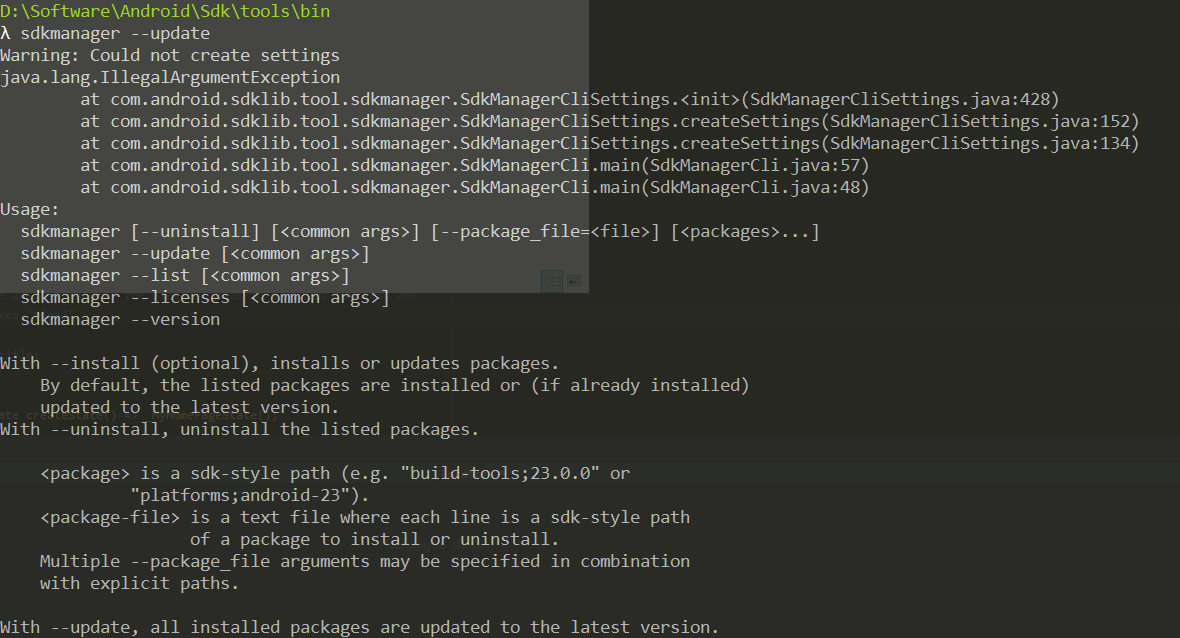
新版as下载后sdk里是没有tools文件夹的 需要自己手动下 然后在运行sdkmanager --update会报错 求大神指点
附源码 Warning: Could not create settings java.lang.IllegalArgumentException at com.android.sdklib.tool.sdkmanager.SdkManagerCliSettings.(SdkManagerCliSettings.java:428) at com.android.sdklib.tool.sdkmanager.SdkManagerCliSettings.createSettings(SdkManagerCliSettings.java:152) at com.android.sdklib.tool.sdkmanager.SdkManagerCliSettings.createSettings(SdkManagerCliSettings.java:134) at com.android.sdklib.tool.sdkmanager.SdkManagerCli.main(SdkManagerCli.java:57) at com.android.sdklib.tool.sdkmanager.SdkManagerCli.main(SdkManagerCli.java:48) Usage: sdkmanager [--uninstall] [] [--package_file=] [...] sdkmanager --update [] sdkmanager --list [] sdkmanager --licenses [] sdkmanager --version
With --install (optional), installs or updates packages. By default, the listed packages are installed or (if already installed) updated to the latest version. With --uninstall, uninstall the listed packages.
<package> is a sdk-style path (e.g. "build-tools;23.0.0" or
         "platforms;android-23").
<package-file> is a text file where each line is a sdk-style path
               of a package to install or uninstall.
Multiple --package_file arguments may be specified in combination
with explicit paths.
With --update, all installed packages are updated to the latest version.
With --list, all installed and available packages are printed out.
With --licenses, show and offer the option to accept licenses for all available packages that have not already been accepted.
With --version, prints the current version of sdkmanager.
Common Arguments: --sdk_root=: Use the specified SDK root instead of the SDK containing this tool
--channel=<channelId>: Include packages in channels up to <channelId>.
                       Common channels are:
                       0 (Stable), 1 (Beta), 2 (Dev), and 3 (Canary).

--include_obsolete: With --list, show obsolete packages in the
                    package listing. With --update, update obsolete
                    packages as well as non-obsolete.

--no_https: Force all connections to use http rather than https.

--proxy=<http | socks>: Connect via a proxy of the given type.

--proxy_host=<IP or DNS address>: IP or DNS address of the proxy to use.

--proxy_port=<port #>: Proxy port to connect to.

--verbose: Enable verbose output.
- If the env var REPO_OS_OVERRIDE is set to "windows", "macosx", or "linux", packages will be downloaded for that OS.