本文主要记录了: 1. 场景树的概念 2. 节点和节点的属性和方法 3. 事件系统
一. 场景树
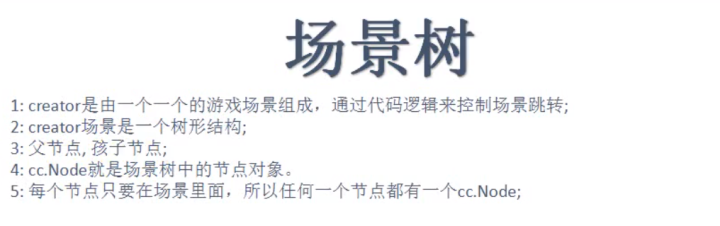
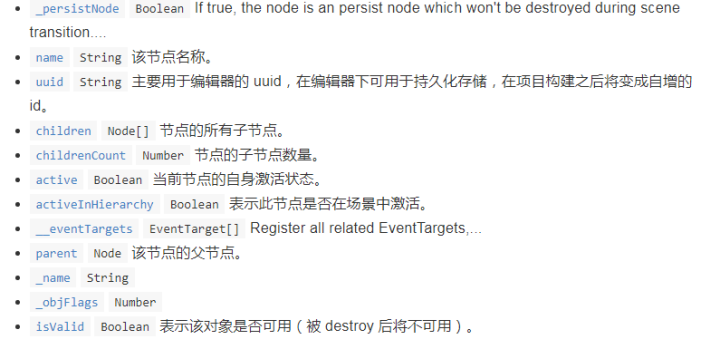
二. cc.Node 节点 属性
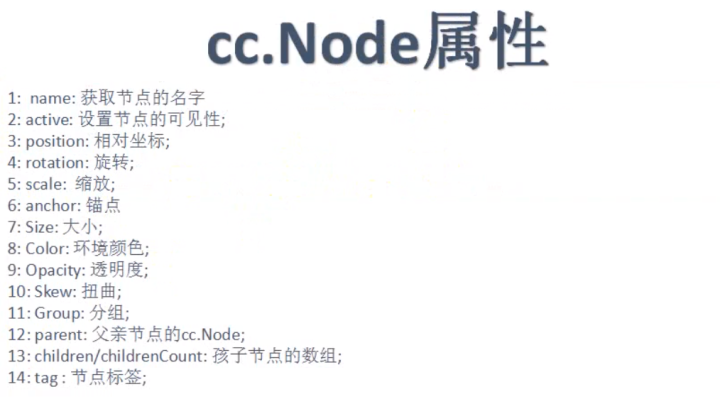
node的api
Node · GitBook
docs.cocos.com
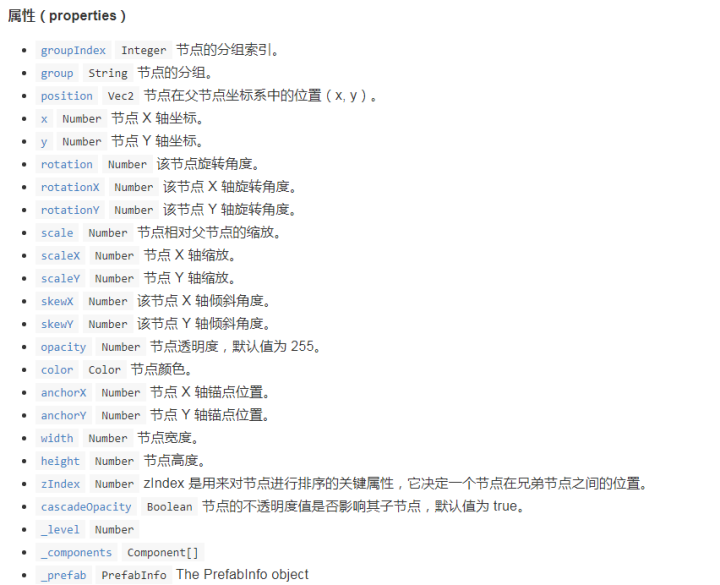
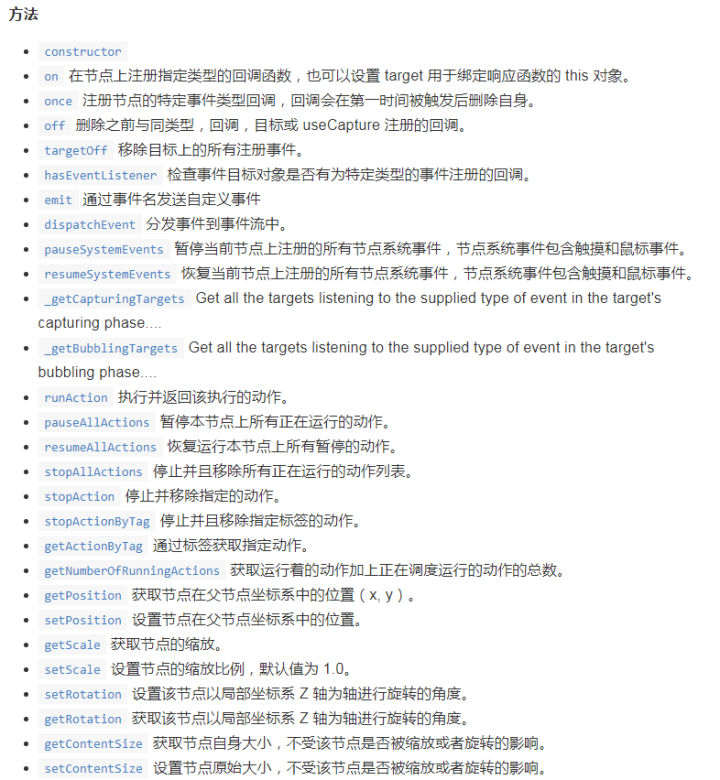
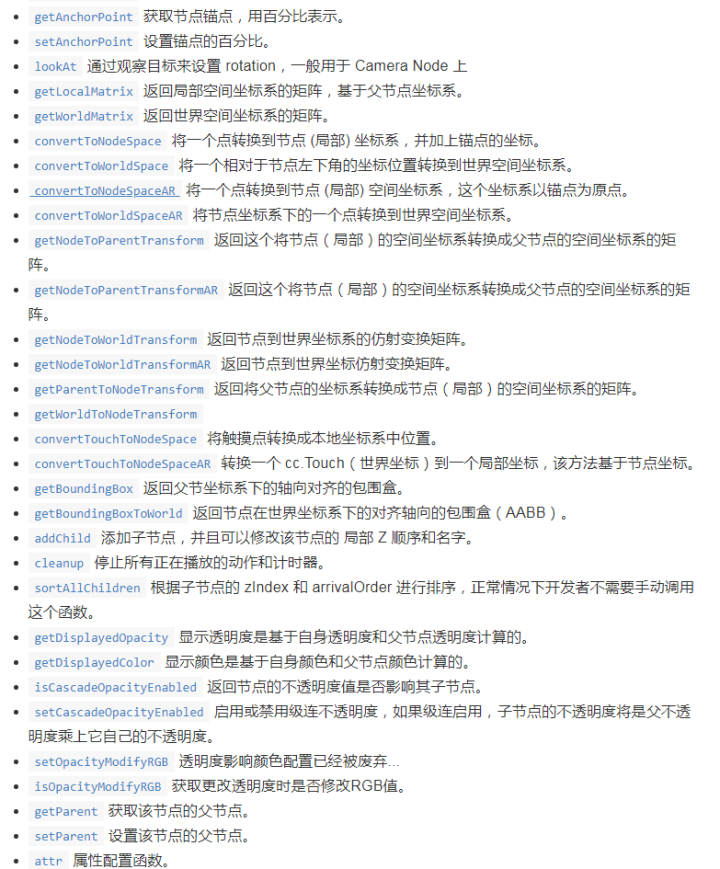
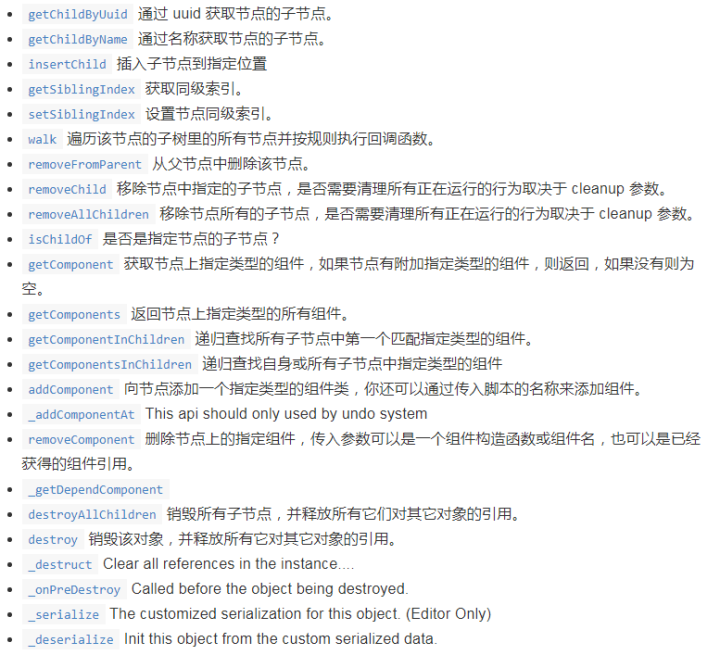
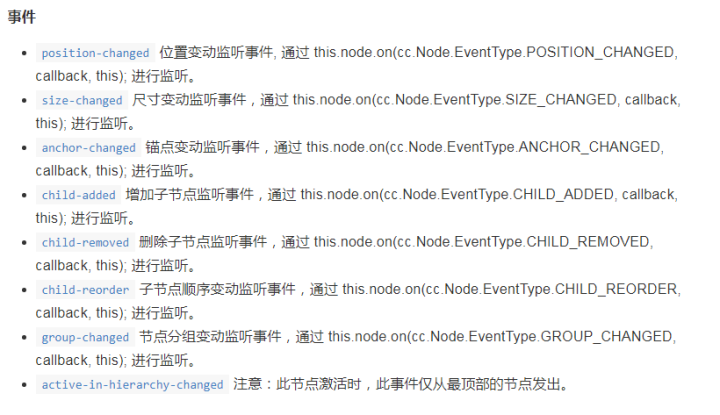
三. cc.Node 节点 方法
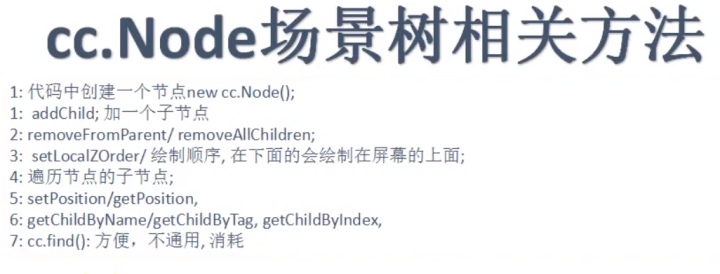
四. 组件 (后续有详细讲解)
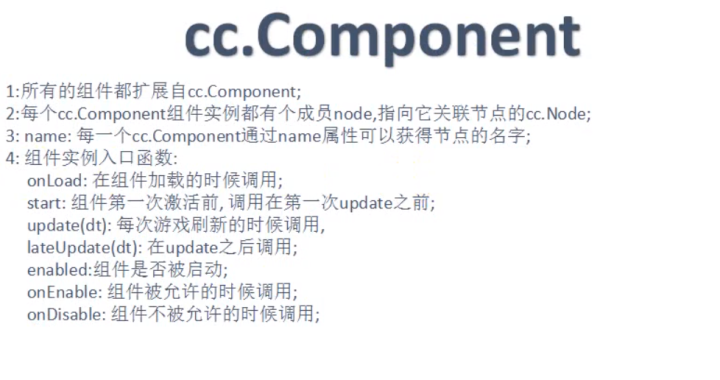
事件:
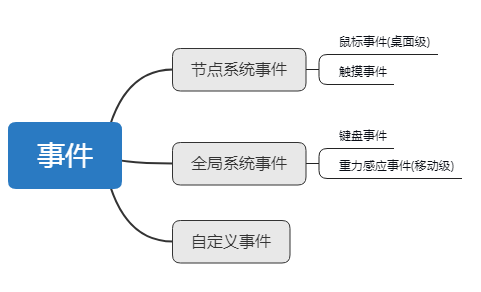
五. 触摸事件 (节点系统事件)
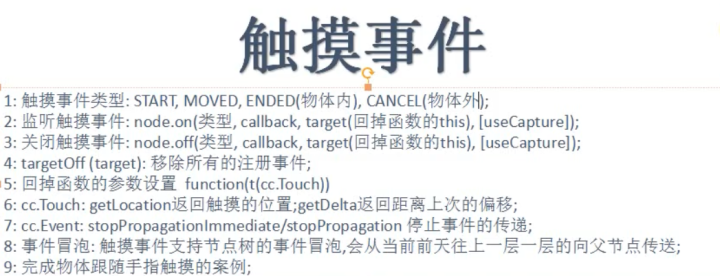
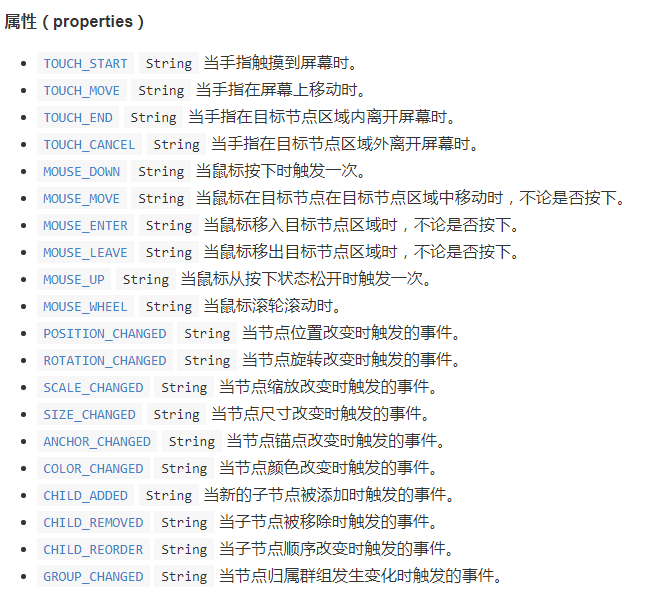
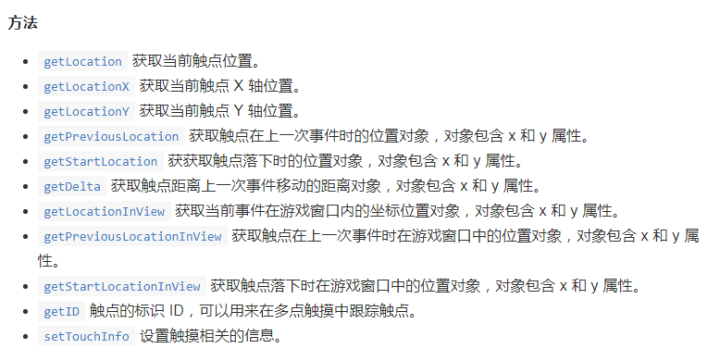
1.触摸事件自动传递Touch类型数据
回调函数中的t 用于接收引擎传回的cc.Touch类型对象


例:
    onLoad () {
        this.node.on(cc.Node.EventType.TOUCH_START,function(t){      //this.node.on(事件类型,回调函数,this)
            console.log("cc.Node.EventType.TOUCH_START");
        },this);
        this.node.on(cc.Node.EventType.TOUCH_END,function(t){
            console.log("cc.Node.EventType.TOUCH_end");
        },this);
        this.node.on(cc.Node.EventType.TOUCH_MOVE,this.on_touch_move,this);   //调用回调函数时 this.回调函数
        this.node.off(cc.Node.EventType.TOUCH_MOVE,this.on_touch_move,this);

        this.node.targetOff(this);    //
    },
    on_touch_move:function (t){                           //自己写回调函数
        console.log("cc.Node.EventType.TOUCH_MOVE");
    },
六. 键盘事件 (全局系统事件)
- SystemEvent 类型 (全局实例systemEvent //小写)
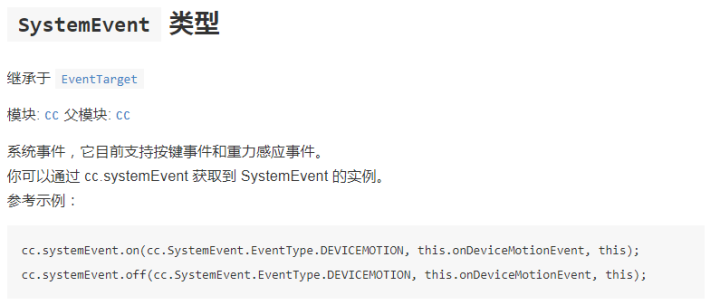
例:
        onLoad () {
        cc.systemEvent.on(cc.SystemEvent.EventType.KEY_DOWN,this.key_down,this);
        cc.systemEvent.on(cc.SystemEvent.EventType.KEY_UP,this.key_up,this);
        },
        key_down:function(event){
        cc.systemEvent.setAccelerometerEnabled(true);
        console.log(event.keyCode);
        switch (event.keyCode) {
            case 37:
                this.node.x--;
                break;
            case 38:
                this.node.y++;
                break;
            case 39:
                this.node.x++;
                break;
            case 40:
                this.node.y--;
                break;
            default:
                break;
            }
            if(event.keyCode==cc.macro.KEY.space){
                console.log("haha");
            }
        },
        key_up:function(event){
            console.log("key_up");
        },
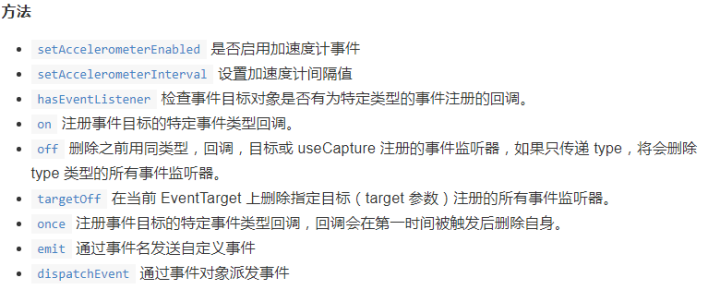
2. SystemEvent 类型方法
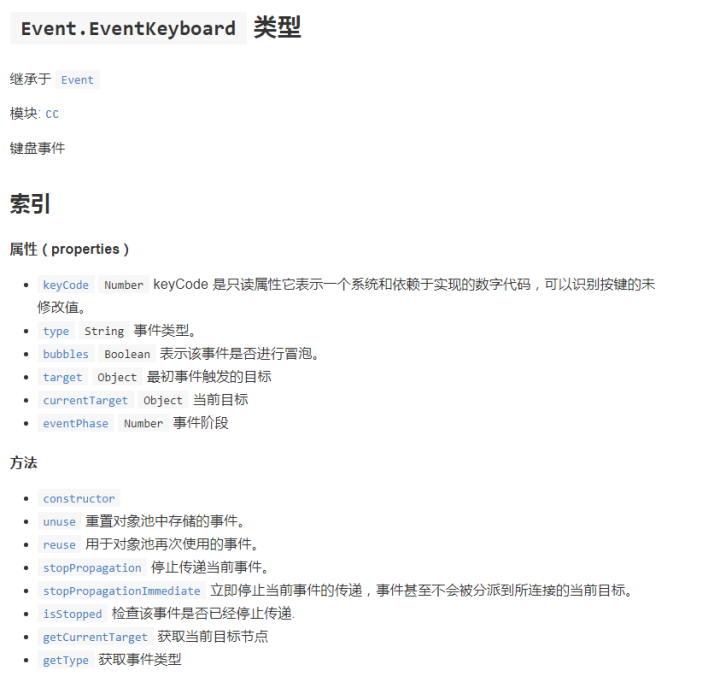
3. 回调自动传入Event.EventKeyboard类型 参数
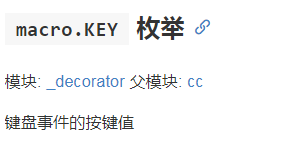
4. macro.KEY //keyCode的枚举
枚举值:
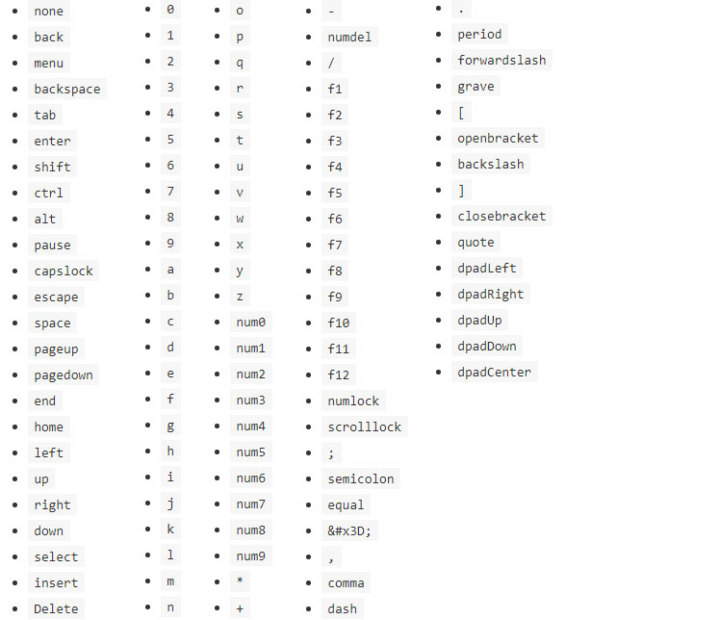
例:
if(event.keyCode==cc.macro.KEY.space){
            console.log("haha");
        }
七. 自定义事件 (事件的监听和发射)
格式:
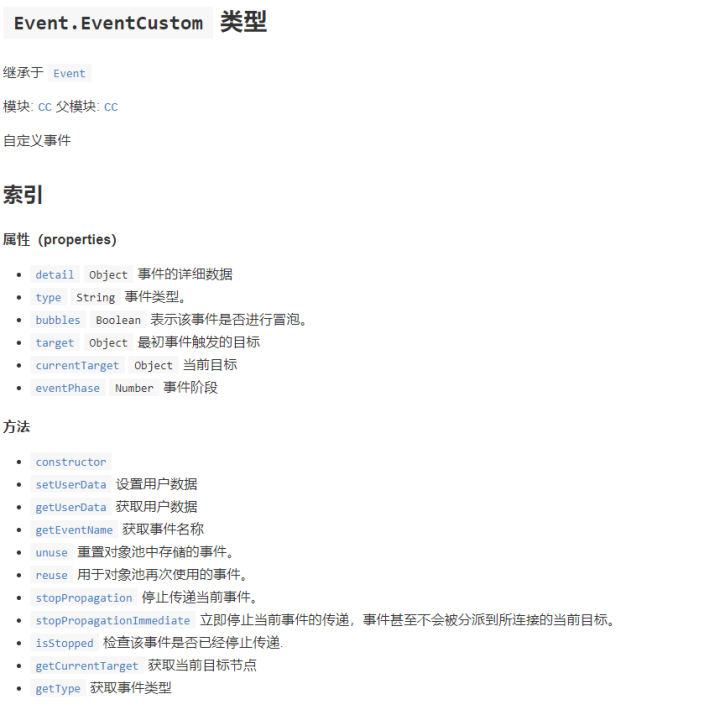
- 监听: 自动传递 Event.EventCustom 类型的事件数据对象
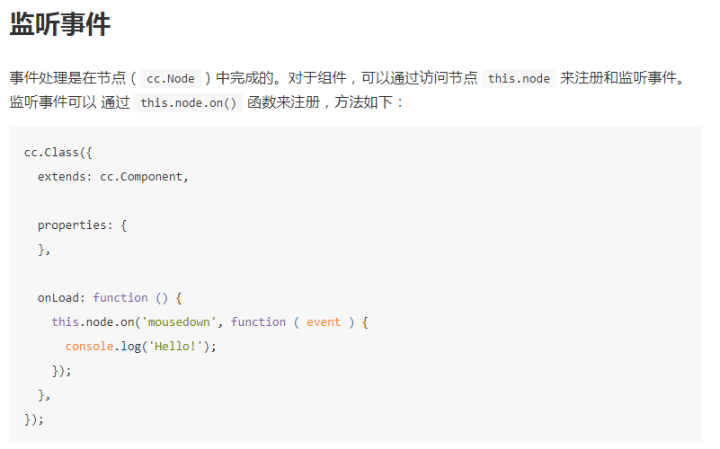

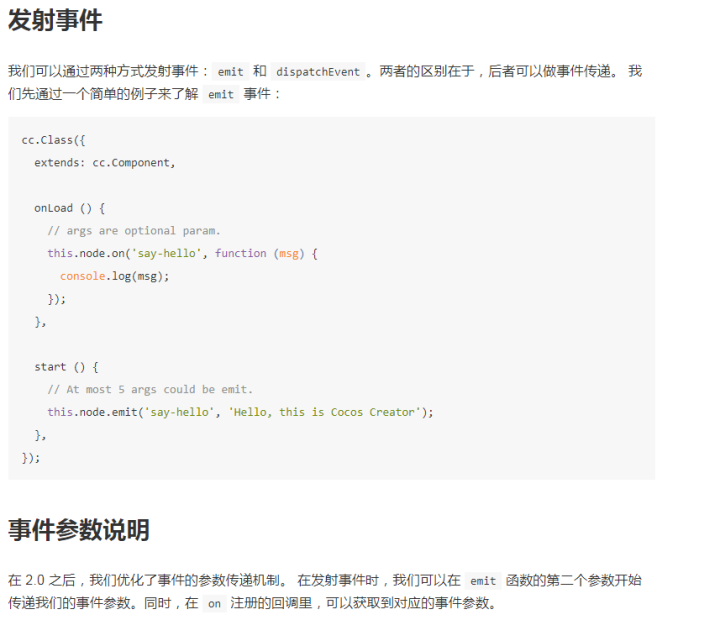
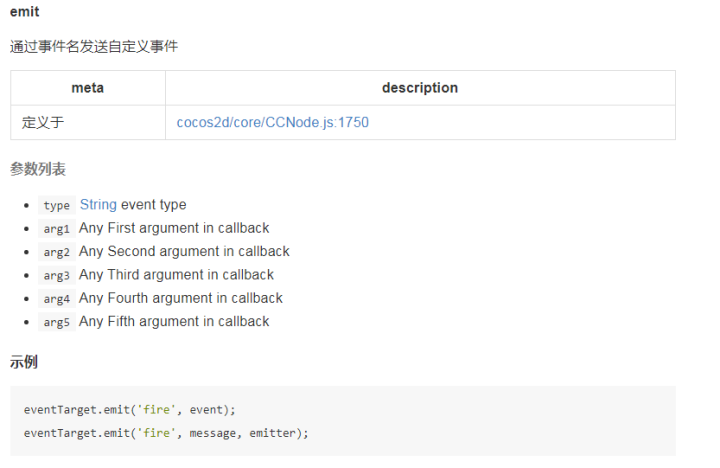
2.发射:
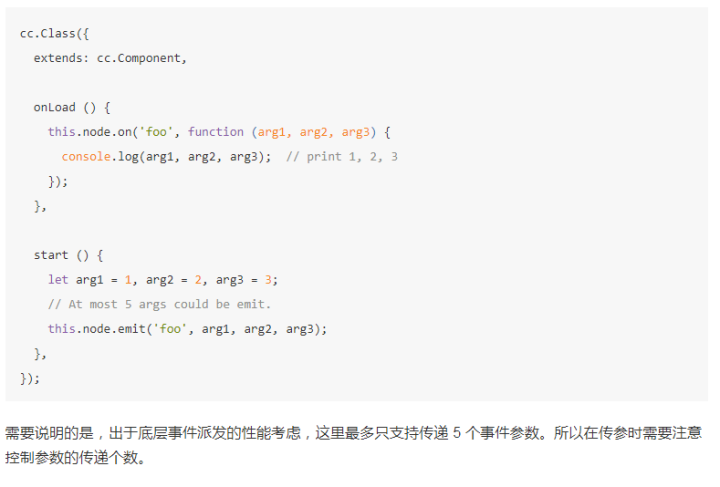
emit("事件名",arg1,arg2,.....); //arg参数可选,最多5个
举例: e , y 就对应了 emit里传递的2个参数
    onLoad () {
        this.node.on("my_first_Event",function(e,y){
            console.log(e,y);
        },this);
        this.node.emit("my_first_Event"," I'm fineday!",25);
    },
例子:
    onLoad () {
        this.node.on("my_first_Event",function(e){
            console.log("my_first_Event");
        },this);
        this.node.emit("my_first_Event");
    },
3. 派送事件 dispatchEvent
//带冒泡的发射 //上面的emit只能在本脚本中用,而dispatchEvent可以传递
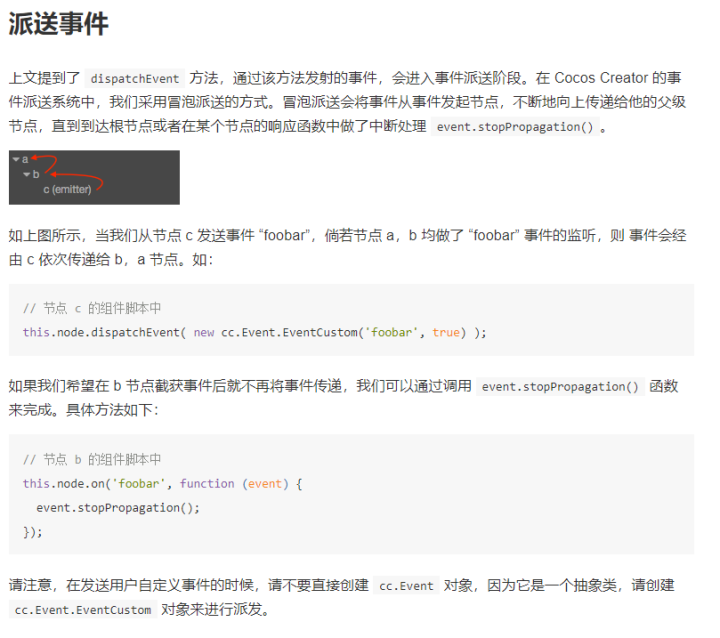
该方法传递的是EventCustom 类型对象