关于 vue 的 .sync 修饰符,许多小伙伴看了官方文档:vue .sync 修饰符之后,还是无法完全理解,本文先介绍一下 .sync 的历史,再用一个完整的示例帮助大家理解。
vue .sync的历史
vue .sync 修饰符最初存在于 vue 1.0 版本里,但是在 2.0 中被移除了。但是在 2.0 发布之后的实际应用中,vue 官方发现 .sync 还是有其适用之处,比如在开发可复用的组件库时。开发者需要做的只是让子组件改变父组件状态的代码更容易被区分。从 2.3.0 起官方重新引入了 .sync 修饰符,但是这次它只是作为一个编译时的语法糖存在。它会被扩展为一个自动更新父组件属性的 v-on 监听器。
完整示例
假设这么一个场景:假设小明的父亲有1000块钱,小明一次花掉100元,就是点击一次花钱按钮父亲的钱减少100。
不用.sync修饰符
让我们先不用.sync修饰符来实现这个简单需求,
父亲组件
<template>
  <div class="app">
    小明的爸爸现在有 {{ total }} 元
    <hr>
    <Child :money="total" v-on:update:money="total = $event"/>
  </div>
</template>

<script>
import Child from "./Child.vue";
export default {
  data() {
    return { total: 1000 };
  },
  components: {
    Child: Child
  }
};
</script>

<style>
.app {
  padding: 10px;
}
</style>
小明组件
<template>
  <div class="child">
    <span>小明每次花100元</span>
    <button @click="$emit('update:money', money - 100)">花钱</button>
    爸爸还剩 {{money}} 元
  </div>
</template>

<script>
export default {
  props: ["money"]
};
</script>

<style>
button {
  margin: 0 10px;
}
</style>
main.js
import Vue from "vue";
import App from "./App.vue";

Vue.config.productionTip = false;

new Vue({
  render: h => h(App)
}).$mount("#app");
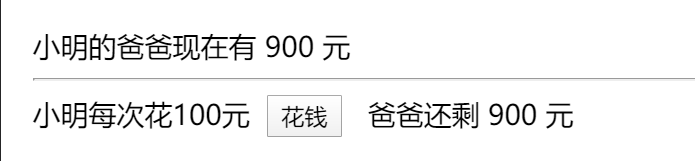
结果如下图,点击一次花钱,减少100元,因为emit()的第二个参数money - 100会被赋给$event,所以可以实现子组件更新父组件的数据。
使用.sync
让我们给小明爸爸加入.sync,
<template>
  <div class="app">
    小明的爸爸现在有 {{ total }} 元
    <hr>
    <Child :money.sync="total"/>
  </div>
</template>

<script>
import Child from "./Child.vue";
export default {
  data() {
    return { total: 1000 };
  },
  components: {
    Child: Child
  }
};
</script>

<style>
.app {
  padding: 10px;
}
</style>
.sync 为什么这么香?
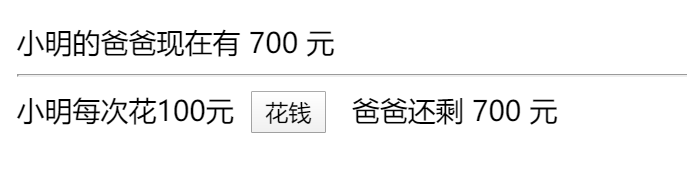
因为<Child :money.sync="total"/>这一句,其实经过vue的编译,变成了<Child :money="total" v-on:update:money="total = $event"/>,vue的编译器会把子组件$emit('update:money', money - 100)的第二个参数自动地绑定到父组件.sync修饰的变量上。
这就是一个vue的语法糖,而我更愿意把它叫做vue的一个隐藏技能,会用的人可以节省很多代码,使代码看起来更简洁。
编程语言的隐藏技能其实有很多,最典型就是python的lambda表达式, 有时候我们花时间学一些编程语言的语法糖,最终会发现,整体效率其实是上升的,这也印证了那句古话,磨刀不误砍柴工嘛!