

前言
app内字体大小调整应该是一个很常见的功能,绝大部分app里面都有可以设置字体大小的选项,网上实现方案也有很多,我这边给大家分享的是通过操作LayoutInflater.Factory2来实现
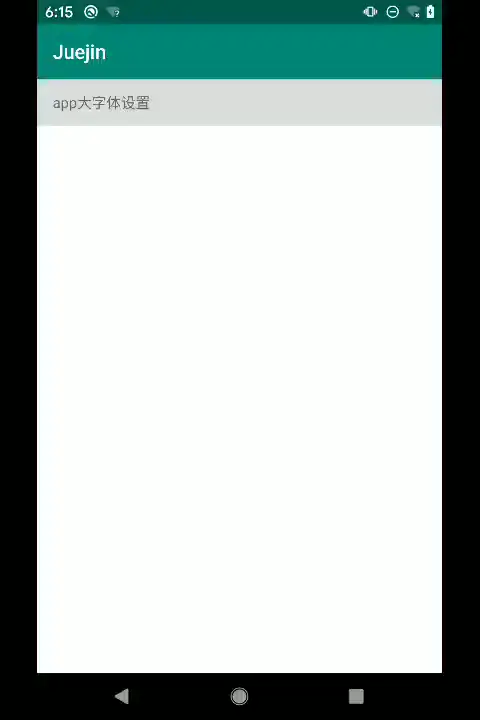
效果
设置完之后重启app字体全局生效【webp图有点简陋将就看下】
具体实现代码
主要实现类:
public class AppLayoutFactory implements LayoutInflater.Factory2 {
    private static final String[] prefix = {"android.widget.", "com.juejin.widget"};

    //系统inflater
    private LayoutInflater inflater;

    public AppLayoutFactory(Activity activity) {
        this(activity.getLayoutInflater());
    }

    AppLayoutFactory(LayoutInflater inflater) {
        this.inflater = inflater;
        Log.i("AppLayoutFactory", "AppLayoutFactory: " + inflater);
        LayoutInflaterCompat.setFactory2(inflater, this);
    }

    @Nullable
    @Override
    public View onCreateView(@Nullable View parent, @NonNull String name, @NonNull Context context, @NonNull AttributeSet attrs) {
        return onCreateView(name, context, attrs);
    }

    @Nullable
    @Override
    public View onCreateView(@NonNull String name, @NonNull Context context, @NonNull AttributeSet attrs) {
        Log.i("AppLayoutFactory", "onCreateView: name=====>" + name);
        try {
            View view;
            if (name.startsWith(prefix[1])) {
                view = getClazzView(context, name, attrs);
            } else {
                view = inflater.createView(name, prefix[0], attrs);
            }
            if (view instanceof TextView) {
                boolean stableTextView = view instanceof StableFontSizeTextView;
                Object tag = view.getTag();
                Log.i("AppLayoutFactory",
                        "onCreateView: tag = " + (tag == null ? null : tag.toString()) + ", stableTextView = " + stableTextView);
                    //通过tag或者自定义TextView的方式不受全局字体大小设置而控制
                if (!context.getString(R.string.stable_font_size).equals(tag)
                        && !stableTextView) {
                    Log.i("AppLayoutFactory", "onCreateView: class====>" + view.getClass().getSimpleName());
                    //设置字体大小
                    AppFontHelper.getInstance().setAppTextSize((TextView) view);
                }
            }
            return view;
        } catch (Exception e) {
            e.printStackTrace();
        }
        return null;
    }

    /////////////////////////反射获取View///////////////////////////

    //缓存构造方法
    private static final HashMap<String, Constructor<? extends View>> sConstructorMap =
            new HashMap<String, Constructor<? extends View>>();

    private static final Class<?>[] constructorSignature = new Class[]{
            Context.class, AttributeSet.class};

    /**
     * @param context
     * @param name
     * @param attrs
     * @return 返回view
     */
    private static View getClazzView(Context context, String name, AttributeSet attrs) {
        View view = null;
        try {
            Constructor<? extends View> constructor = sConstructorMap.get(name);
            if (constructor == null) {
                Class<? extends View> clazz = Class.forName(name, false,
                        context.getClassLoader()).asSubclass(View.class);
                constructor = clazz.getConstructor(constructorSignature);
                constructor.setAccessible(true);

                sConstructorMap.put(name, constructor);
            }

            view = constructor.newInstance(context, attrs);
        } catch (Exception e) {
            e.printStackTrace();
        }
        return view;
    }
}
处理不受系统大字体控制【放在基类里面】
     /**
     * 禁止app字体大小跟随系统字体大小调节
     */
    @Override
    public Resources getResources() {
        Resources resources = super.getResources();
        if (resources != null) {
            android.content.res.Configuration configuration = resources.getConfiguration();
            if (configuration != null && configuration.fontScale != 1.0f) {
                configuration.fontScale = 1.0f;
                resources.updateConfiguration(configuration, resources.getDisplayMetrics());
            }
        }
        return resources;
    }
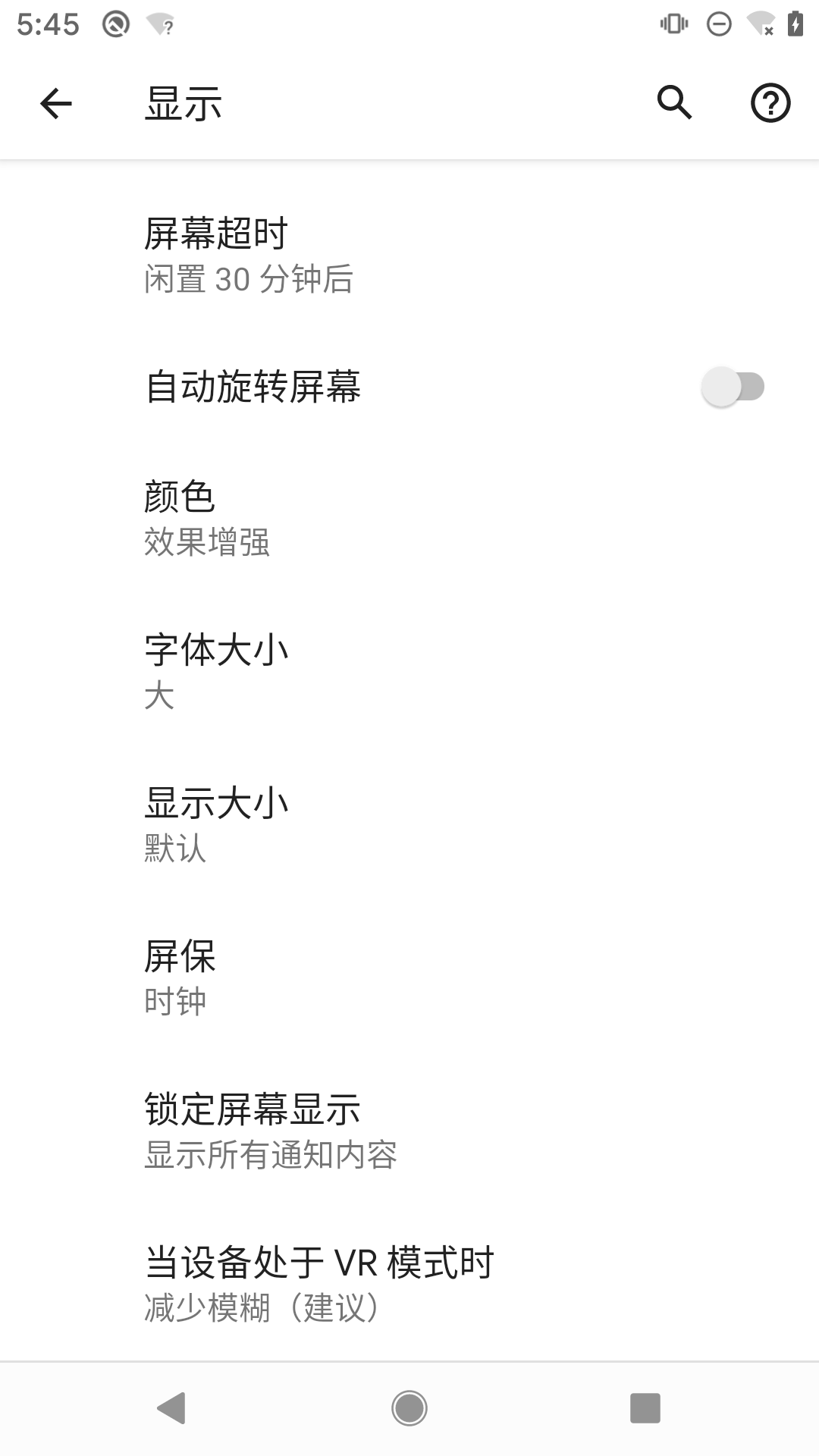
这里有个显示大小的选项还是会影响app内UI的显示,网上搜了一通暂时没找到解决方案,有方案的同学可以分享一下
基类的onCreate方法
这里插一句,网上有说法inflater是一个全局的单例,这个说法是有问题,下面是我两个activity中分别获得的inflater的实例,很明显是两个不一样的实例
2020-02-23 18:43:03.630 25223-25223/? I/AppLayoutFactory1: AppLayoutFactory: com.android.internal.policy.PhoneLayoutInflater@1dcf12f
2020-02-23 18:43:14.130 25223-25223/com.juejin I/AppLayoutFactory1: AppLayoutFactory: com.android.internal.policy.PhoneLayoutInflater@b3d0464
在基类初始化我们的inflater,设置定制的factory
     protected void onCreate(@Nullable Bundle savedInstanceState) {
        new AppLayoutFactory(this);//绑定每个inflater
        super.onCreate(savedInstanceState);
     }
new AppLayoutFactory(this);这行代码必须放在super之前否则会抛A factory has already been set on this LayoutInflater的错误;具体请看源码
activity的onCreate代码实现:
     protected void onCreate(@Nullable Bundle savedInstanceState) {
        final AppCompatDelegate delegate = getDelegate();
        delegate.installViewFactory();
        delegate.onCreate(savedInstanceState);
        super.onCreate(savedInstanceState);
     }
delegate.installViewFactory();此处会去初始化LayoutInflater的factory
     public void installViewFactory() {
        LayoutInflater layoutInflater = LayoutInflater.from(mContext);
        if (layoutInflater.getFactory() == null) {
            LayoutInflaterCompat.setFactory2(layoutInflater, this);
        } else {
            if (!(layoutInflater.getFactory2() instanceof AppCompatDelegateImpl)) {
                Log.i(TAG, "The Activity's LayoutInflater already has a Factory installed"
                        + " so we can not install AppCompat's");
            }
        }
     }
具体这个错误是在LayoutInflater中的setFactory2抛出来的
     /**
     * Like {@link #setFactory}, but allows you to set a {@link Factory2}
     * interface.
     */
    public void setFactory2(Factory2 factory) {
        if (mFactorySet) {
            throw new IllegalStateException("A factory has already been set on this LayoutInflater");
        }
        if (factory == null) {
            throw new NullPointerException("Given factory can not be null");
        }
        mFactorySet = true;
        if (mFactory == null) {
            mFactory = mFactory2 = factory;
        } else {
            mFactory = mFactory2 = new FactoryMerger(factory, factory, mFactory, mFactory2);
        }
     }
以上是基于compileSdkVersion=29 buildToolsVersion=29.0.2的代码,写的有问题的地方还望同学们指点一下
