背景:
Parchment是Quill的文档模型。是一个和DOM树对应的平行树结构,给内容编辑器Quill提供有用的功能。 一个Parchment 树是由Blots构成。Blot是一个DOM节点的对应物。Blots可以提供结构,格式化,或内容。Attributor可以提供轻量级的格式化信息。 Parchment tree是DOM tree的对应,二者关系紧密。
如何构造出一个parchment
- 基础抽象节点类型 :
import ContainerBlot from './blot/abstract/container';
import FormatBlot from './blot/abstract/format';
import LeafBlot from './blot/abstract/leaf';

import ScrollBlot from './blot/scroll';
import InlineBlot from './blot/inline';
import BlockBlot from './blot/block';
import EmbedBlot from './blot/embed';
import TextBlot from './blot/text';
- 基础Attributor: 可在parchment官网看到具体的配置
import Attributor from './attributor/attributor';
import ClassAttributor from './attributor/class';
import StyleAttributor from './attributor/style';
与Dom的关系如何建立?
新建Blot时,会调用static create() 创建DOM 节点,并设置blot.domNode= dom。 即建立关系
一个大概的流程:
1. static create () 创建DOM节点, 也就是新建了blot。
2. 可以添加样式属性等node = document.createElement(this.tagName);
3. 注册在Quill.register(此时DOM节点并没有插入到DOM树,也没有插入到parchment树中)会注册出formats/blod, formats/italic等
static register(path, target, overwrite = false) {
     this.imports[path] = target;
     Parchment.register(target);
 }
4. 当你点击加粗按钮时:会调用quill的format
4.1 然后调用this.editor.formatText (选中)
//选中文字 点击加粗调用
quill.format() --> 调用 this.editor.formatText --->
调用【this.scroll.formatAt,this.update(Delta)】--->
scrollBlot.formatAt -> parent.formatAt -> inline.formatAt -> inline.format(DOM修改)
4.2 this.selection.format(未选中)
//未选中
 this.selection.format -> this.cursor.format
5. insertEmbed基本流程:
quill.insertEmbed -> this.editor.insertEmbed -> [this.scroll.insertAt, this.update(delta)] -> 创建DOM,插到指定位置
具体源码:
quill.format('bold', true);
format(name, value, source = Emitter.sources.API) {
    console.log("点击格式化 加粗")
    return modify.call(this, () => {
      let range = this.getSelection(true);
      let change = new Delta();
      if (range == null) {
        return change;
      } else if (Parchment.query(name, Parchment.Scope.BLOCK)) {
        change = this.editor.formatLine(range.index, range.length, { [name]: value });
      } else if (range.length === 0) {
        this.selection.format(name, value); //光标之后的内容格式化
        return change;
      } else {// 格式化选中的部分
        change = this.editor.formatText(range.index, range.length, { [name]: value });
      }
      this.setSelection(range, Emitter.sources.SILENT);
      return change;
    }, source);
  }
  // this.editor.formatText
  formatText(index, length, formats = {}) {
    Object.keys(formats).forEach((format) => {
      this.scroll.formatAt(index, length, format, formats[format]);
    });
    return this.update(new Delta().retain(index).retain(length, clone(formats)));
  }
6.同步更新delta
const delta = new Delta().retain(index).retain(length, clone(formats));
return this.update(delta);`
7. 真实的修改了DOM:blot会有一些方法用来操作dom,比如添加appendChild等,insertBefore等
wrap(name: string | Parent, value?: any): Parent {
    let wrapper = typeof name === 'string' ? <Parent>Registry.create(name, value) : name;
    if (this.parent != null) {
      this.parent.insertBefore(wrapper, this.next);
    }
    wrapper.appendChild(this);
    return wrapper;
  }
源码分析:
- parchment.ts parchment 的入口
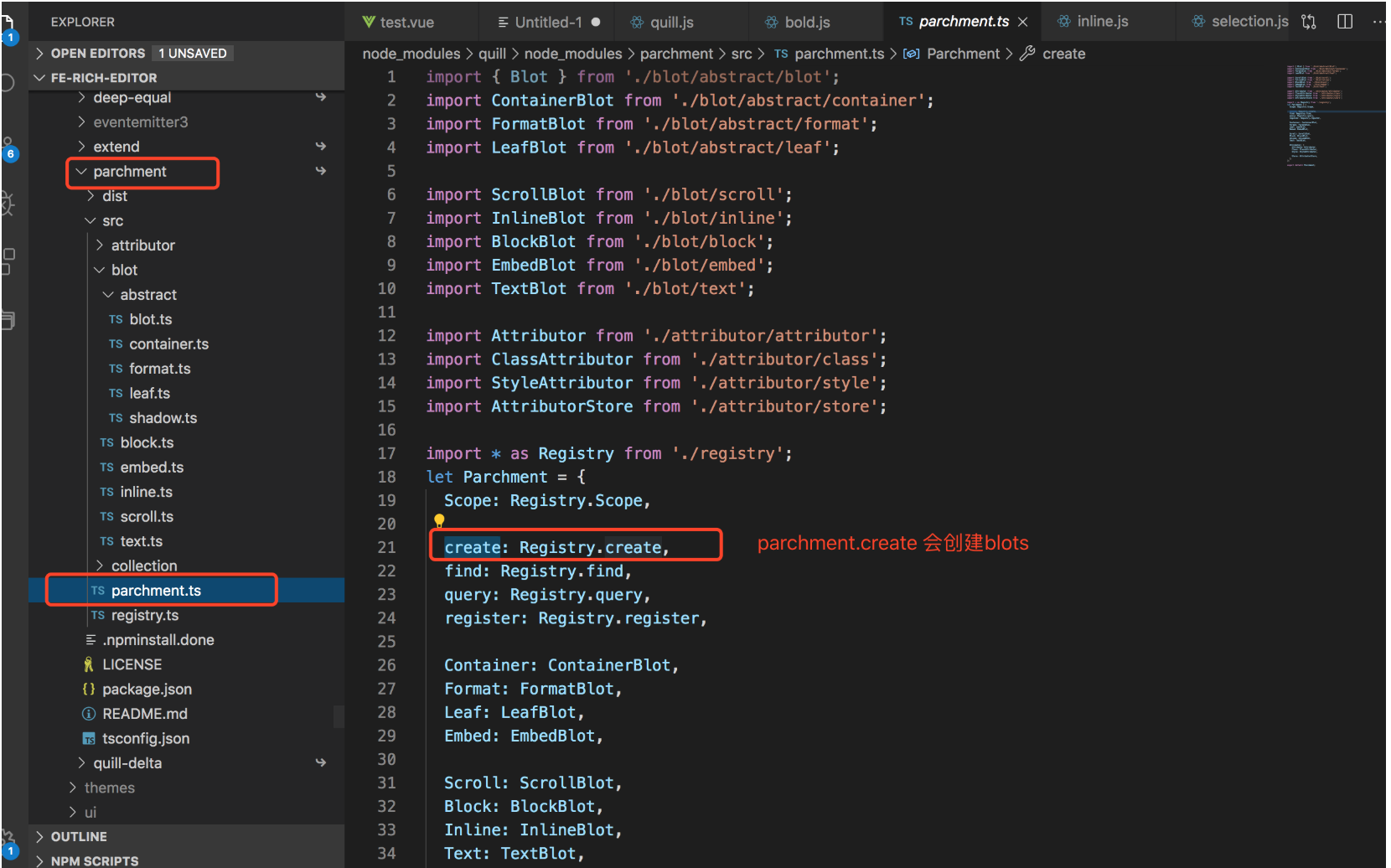
在parchment.ts中对外导出的有四类东西。
- 节点Blot
- ParentBlot 【父级节点】能对子节点进行增,删,改,移动,查
- ContainerBlot 【容器节点】
- LeafBlot 【叶节点】
- EmbedBlot 嵌入式节点 【可格式化的叶节点】
- ScrollBlot root【文档的根节点,不可格式化】
- BlockBlot 块级 【可格式化的父级节点】
- InlineBlot 内联 【可格式化的父级节点】
- TextBlot 文本【叶节点】
- 属性Attributor
- Attributor 【一种代表格式的方法】
- ClassAttributor 【使用classname模式来代表格式】
- StyleAttributor 【使用内联样式来代表格式】
- AttributorStore 【节点的attributes管理器】在BlockBlot
- InlineBlot中使用到了
- 注册中心
- Registry 【static blots = new WeakMap<Node,Blot>,attributes,classes,tags,types 】
- 类型常量Scope
- Scope
2. blot.ts
是个接口,继承了linkedNode链表结构
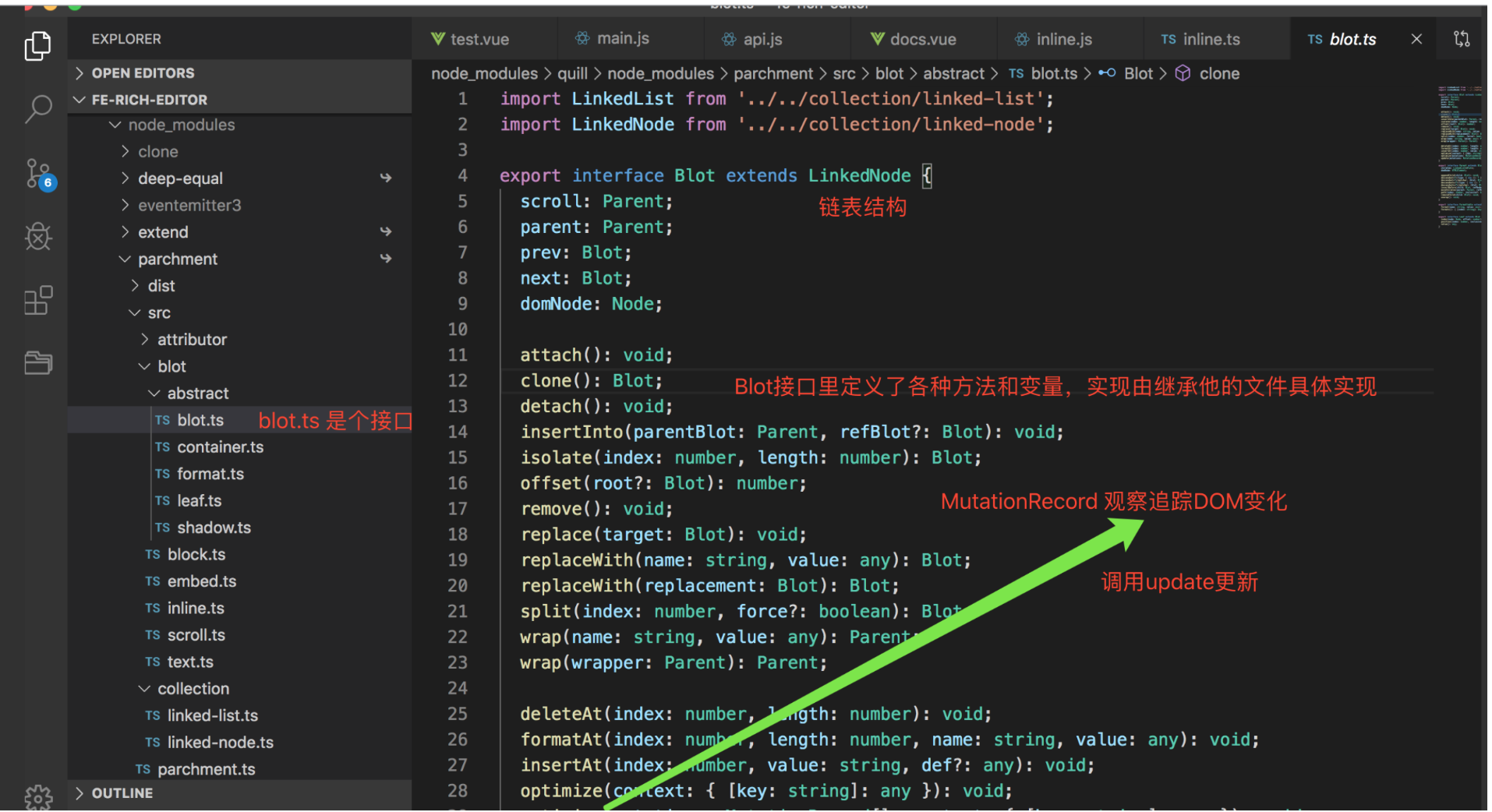
3. blot create() 创建
正确创建污点有多个步骤,但是Parchment.create()可以替换这些步骤
每个Blot都有一个static create()从初始值创建DOM节点的功能。这也是在DOM节点上设置与实际Blot实例无关的初始值的好地方。 此时返回的DOM节点实际上未附加在任何地方,并且blot也未创建。因为Blot是从 DOM节点创建的,因此这个函数把他们放在了一起。不一定总是使用create功能来构造污点。例如,当用户从Quill或其他来源复制/粘贴文本时,复制的HTML结构将传递到Parchment.create()。羊皮纸将跳过调用create()并使用传递的DOM节点,跳到下一步。
看下源码:
class FormatBlot extends ContainerBlot implements Formattable {}
class LeafBlot extends ShadowBlot implements Leaf {}
class ContainerBlot extends ShadowBlot implements Parent{}
========shadow.ts源码=====
class ShadowBlot implements Blot {
  static blotName = 'abstract';
  static className: string;
  static scope: Registry.Scope;
  static tagName: string;

  // @ts-ignore
  prev: Blot;
  // @ts-ignore
  next: Blot;
  // @ts-ignore
  parent: Parent;
  // @ts-ignore
  scroll: Parent;

  // Hack for accessing inherited static methods
  get statics(): any {
    return this.constructor;
  }

  static create(value: any): Node {
  // 如果没有tagName 则抛出错误,没有定义tagName
    if (this.tagName == null) {
      throw new Registry.ParchmentError('Blot definition missing tagName');
    }
    let node;
    //如果是数组  根据对应的值创建标签
    if (Array.isArray(this.tagName)) {
      if (typeof value === 'string') {
        value = value.toUpperCase();
        if (parseInt(value).toString() === value) {
          value = parseInt(value);
        }
      }
      if (typeof value === 'number') {
        node = document.createElement(this.tagName[value - 1]);
      } else if (this.tagName.indexOf(value) > -1) {
        node = document.createElement(value);
      } else {
        node = document.createElement(this.tagName[0]);
      }
    } else {
        // 如果是普通的,创建对应的tagName
      node = document.createElement(this.tagName);
    }
    //如果有className, 就添加className
    if (this.className) {
      node.classList.add(this.className);
    }
    // 返回一个node节点
    return node;
  }

  constructor(public domNode: Node) {
    // @ts-ignore
    this.domNode[Registry.DATA_KEY] = { blot: this };
  }


} //create的初始化就在这里
比如 Quill 的bold 加粗功能
node = document.createElement(this.tagName[0]);
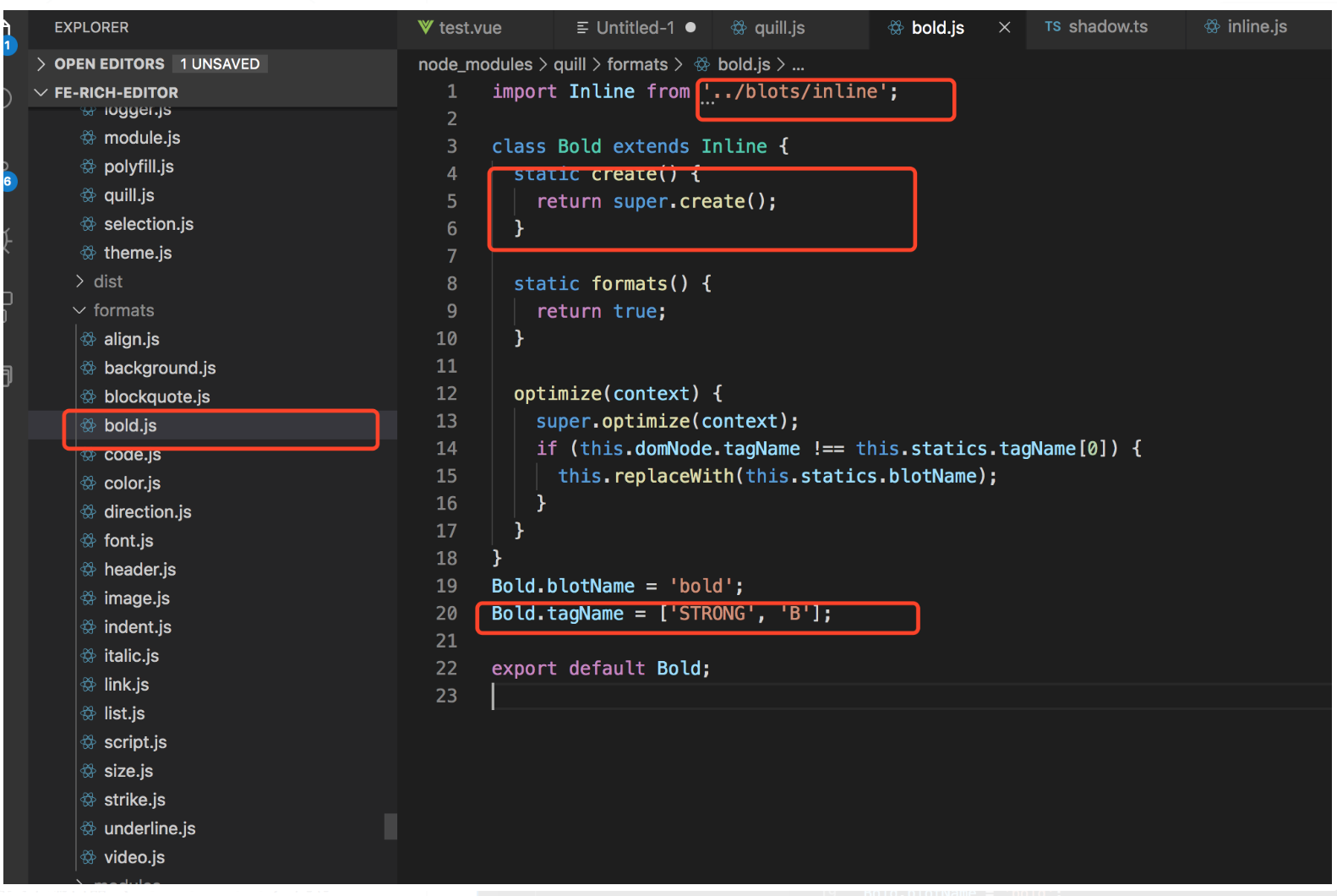
Inline 继承了parchment的Inline,
class Inline extends Parchment.Inline {}
parchment的 InlineBlot 继承了FormatBlot
class InlineBlot extends FormatBlot {}
class FormatBlot extends ContainerBlot implements Formattable {}
class ContainerBlot extends ShadowBlot implements Parent {
举个栗子:
testParchment.js
import Inline from 'quill/blots/inline';
import Quill from "quill";
class ClickableSpan extends Inline {
    static tagName = "span";
    static className = "ClickableSpan";
    static create(initialValue) { //创建一个DOM
      const node = super.create(initialValue);
      // node 此时就是<span class="ClickableSpan"></span>
      node.setAttribute("spellcheck", false);
      node.classList.add("otherClass");
      return node;
    }
}
Quill.register(ClickableSpan);
export default ClickableSpan;
test.vue
import ClickableSpan from '../assets/js/testParchment.js'
let dom = ClickableSpan.create();
 console.log(dom);
 // <span class="ClickableSpan otherClass" spellcheck="false"></span>