

在 tomcat 部署 vue 项目
1. 修改 vue.config.js 配置
module.exports = {
  /* 加入如下配置 */
  assetsDir: 'static',
  publicPath: './',
}
2. 打包 打开终端 运行 npm run build 或者 运行 vue ui 在图形界面打包
3. 转移文件 打包好 dist 文件夹中的 index.html 与其他静态文件 放入 tomcat 安装目录 webapps 文件夹下
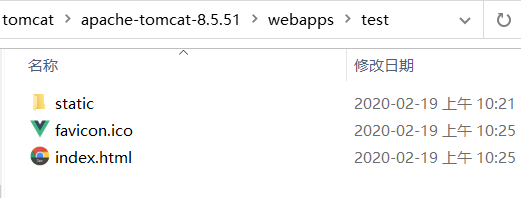
4. 开启 tomcat 容器 , 运行根目录 bin 文件夹中的 startup.bat
5. 测试 http://127.0.0.1:8080/test/
tips : tomcat 启动日志乱码 , 修改 tomcat 根目录 conf 文件夹的
logging.properties文件找到
java.util.logging.ConsoleHandler.encoding = UTF-8改为java.util.logging.ConsoleHandler.encoding = GBK

