新增一些Hexo中遇见的坑。
1. 新建 标签 和分类 页面
- 只要在 source 文件夹下新建.md文件,并且文章前面按如下格式表明所属分类和标签就行:
title: 自学编程成功概率有多少可能
date: 2017-05-26 19:57:47
tags: [编程,感悟]
categories: 技术
- 先根目录输入命令
hexo new page categories会自动新建 categorier 文件夹并生成一个index.md文件,里面的代码为:
title: categories
date: 2019-01-30 23:10:51
同理,「标签」也一样 hexo new page tags 生成 tags 文件夹,其中会自动生成一个index.md文件,代码为:
title: tags
date: 2019-01-30 23:14:51
2. 开始配置菜单,如「首页」、「分类」、「标签」等这些菜单
主题文件下的_config.yml
menu:
  home: / || home
  about: /about/ || user
  archives: /archives/ || archive
  tags: /tags/ || tags
  categories: /categories/ || th
  schedule: /schedule/ || calendar
  sitemap: /sitemap.xml || sitemap
 # commonweal: /404/ || heartbeat

# Enable/Disable menu icons.   #菜单图标
menu_icons:
    enable: true
然后跑去 language 文件夹 zh-Hans.yml 修改中文名字,菜单就以中文显示了。
menu:
  home: 首  页
  archives: 归  档
  categories: 分  类
  schedule: 日程表
  sitemap: 站点地图
  tags: 标  签
  about: 关于博主
  search: 站内搜索
  top: 最受欢迎
  # commonweal: 公益404
我们发表文章使用「tags」「categories」只需在文章开头添加如下代码:
---
title: 利用GitHub和HEXO免费搭建个人博客高级 美化篇
date: 2019-01-29 22:58:56
tags: [hexo建站,hexo部署,github部署,个人博客]      #添加的标签
categories: hexo博客                              #添加的分类
---
如此即可在菜单栏里的「tags」「categories」看见相应的效果。但是实际上打开是空白页面 本文的重点来了。 小tips:每次的手输入 categories 我们可以在D:\blog\scaffolds\post.md 添加如下代码,这样每次新建文章,就自动有了。
---
title: {{ title }}
date: {{ date }}
tags:           #新加
categories:     #新加
---
3. Hexo next 主题配置右侧栏的分类和标签打开的是空白
先前 categorier 文件夹(D:\blog\source\categories),里面的 index.md 文件打开,修改(即添加一行)为:
---
title: categories
date: 2018-01-23 17:14:51
type: "categories"   #新添加的
---
同理,「标签」
---
title: tags
date: 2018-01-23 17:14:51
type: "tags"     #新添加的
---
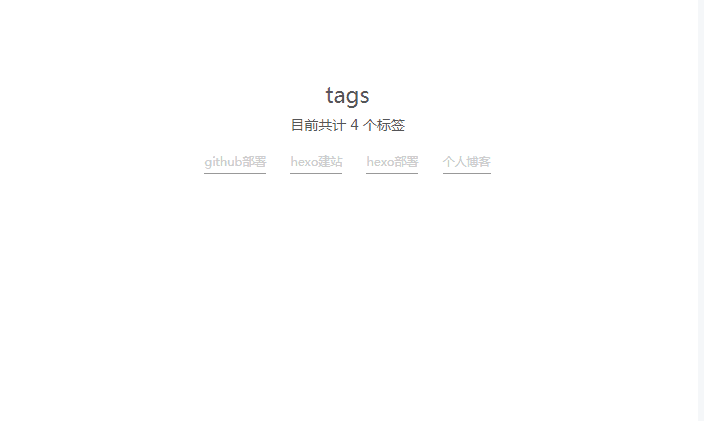
保存效果为:
4. 插播友链的设置方法
主题文件里,就在设置 menu 菜单的下面:
social:   #友链地址
  GitHub: https://github.com/condorheroblog || github
  E-Mail: mailto:2846124732@qq.com || envelope
  简书: https://www.jianshu.com/u/491bd4155f96
  QQ: http://sighttp.qq.com/authd?IDKEY=f67c919702f76aff21f09284308fe39875d3f6b466780165
social_icons:  #友链图标
  enable: true
  icons_only: false
  transition: false
写作时间:2019.01.20 23:11