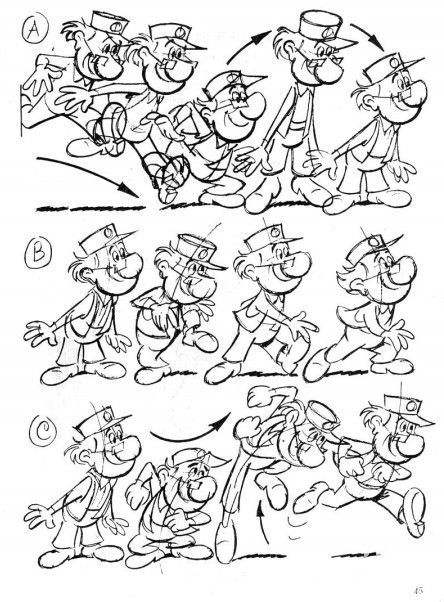
在 CSS 中,可以通过两种方式实现动画效果—— transitions 和 animation。
1. transitions
transitions 实现了改变元素 CSS 属性时控制动画速度的方法。 transitions 使得元素属性的变化成为一个持续的过程,比如,设置了 transitions 的元素,当该元素的颜色从白色改为黑色时,颜色的改变会按照一定的曲线速率变化。
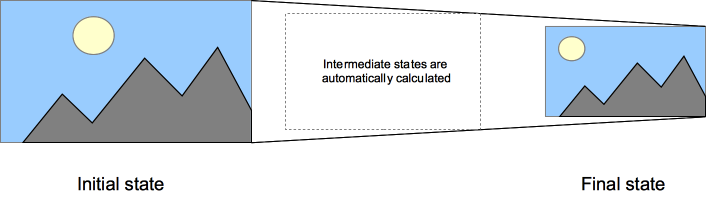
一般会设置 transitions 作为元素伪类的效果变化,比如:hover、:active,或者通过 JavaScript 实现的状态变化。
在下面的例子中,当鼠标悬停在box上时,盒子的多个属性(width, height, background-color)会一起改变。
.box {
    border-style: solid;
    border-width: 1px;
    display: block;
    width: 100px;
    height: 100px;
    background-color: #0000FF;
    transition:width 2s, height 2s, background-color 2s, transform 2s;
}
.box:hover {
    background-color: #FFCCCC;
    width:200px;
    height:200px;
    transform:rotate(180deg);
}
transitons 的标准语法
<single-transition>#
where
<single-transition> = [ none | <single-transition-property> ] || <time> || <timing-function> || <time>

where
<single-transition-property> = all | <custom-ident>
<timing-function> = linear | <cubic-bezier-timing-function> | <step-timing-function>

where
<cubic-bezier-timing-function> = ease | ease-in | ease-out | ease-in-out | cubic-bezier(<number>, <number>, <number>, <number>)
<step-timing-function> = step-start | step-end | steps(<integer>[, <step-position>]?)

where
<step-position> = jump-start | jump-end | jump-none | jump-both | start | end
一些语法范例:
/* Apply to 1 property */
/* property name | duration */
transition: margin-right 4s;

/* property name | duration | delay */
transition: margin-right 4s 1s;

/* property name | duration | timing function */
transition: margin-right 4s ease-in-out;

/* property name | duration | timing function | delay */
transition: margin-right 4s ease-in-out 1s;

/* Apply to 2 properties */
transition: margin-right 4s, color 1s;

/* Apply to all changed properties */
transition: all 0.5s ease-out;

/* Global values */
transition: inherit;
transition: initial;
transition: unset;
transiton 的各类属性
简写语法
div {
    transition: <property> <duration> <timing-function> <delay>;
}
transition-property
指定哪个或哪些 CSS 属性用于过渡。 只有指定的属性才会在过渡中发生动画,其它属性仍如通常那样瞬间变化。- transition-duration
指定过渡的时长。或者为所有属性指定一个值,或者指定多个值,为每个属性指定不同的时长。 - transition-timing-function
指定一个函数,定义属性值怎么变化。 缓动函数 Timing functions 定义属性如何计算。 多数 timing functions 由四点定义一个 bezier 曲线。 也可以从 Easing Functions Cheat Sheet 选择缓动效果。 - transition-delay
指定延迟,即属性开始变化时与过渡开始发生时之间的时长。
2. animation
CSS 中,animation 和 transitions 的功能类似,但 animation 并不是隐式过渡(implicit transitions),而是采用传统的动画技术,可以在变化的过程中加入关键帧。
创建动画序列,需要使用animation属性或其子属性,该属性允许配置动画时间、时长以及其他动画细节,但该属性不能配置动画的实际表现,动画的实际表现是由 @keyframes规则实现。
animation 的子属性有:
- animation-delay
设置延时,即从元素加载完成之后到动画序列开始执行的这段时间。 - animation-direction
设置动画在每次运行完后是反向运行还是重新回到开始位置重复运行。 - animation-duration
设置动画一个周期的时长。 - animation-iteration-count
设置动画重复次数,可以指定infinite无限次重复动画 - animation-name
指定由@keyframes描述的关键帧名称。 - animation-play-state
允许暂停和恢复动画。 - animation-timing-function
设置动画速度, 即通过建立加速度曲线,设置动画在关键帧之间是如何变化。 - animation-fill-mode
指定动画执行前后如何为目标元素应用样式。
一旦完成动画的时间设置, 就需要定义动画的表现。
使用@keyframes可以建立两个或两个以上关键帧,每一个关键帧都描述了动画元素在给定的时间点上应该如何渲染。
因为动画的时间设置是通过CSS样式定义的,关键帧使用percentage来指定动画发生的时间点。
0% 表示动画的第一时刻,100% 表示动画的最终时刻。因为这两个时间点十分重要,所以还有特殊的别名:from 和 to。若from/0%或to/100%未指定,则浏览器使用计算值开始或结束动画。
在下面的例子中,<p>元素由浏览器窗口右边滑至左边
p {
  animation-duration: 3s;
  animation-name: slidein;
}

@keyframes slidein {
  from {
    margin-left: 100%;
    width: 300%;
  }

  to {
    margin-left: 0%;
    width: 100%;
  }
}
animation-duration属性指定<p> 上的动画从开始到结束耗费3秒,@keyframes 指定使用名字为"slidein"的关键帧。
关键帧是用@keyframes定义的。该例中,只使用了两个关键帧。第一个出现在0%(此例中使用了别名from)处,此处元素的左边距为100%(即位于容器的右边界),宽为300%(即容器宽度的3倍),使得在动画的第一帧中标题位于浏览器窗口右边界之外。
第二帧出现在100%(此例中使用了别名to)。元素的左边距设为0%,宽设为100%,使得动画结束时元素与窗口左边界对齐。
animation 的标准语法
<single-animation>#
where
<single-animation> = <time> || <timing-function> || <time> || <single-animation-iteration-count> || <single-animation-direction> || <single-animation-fill-mode> || <single-animation-play-state> || [ none | <keyframes-name> ]

where
<timing-function> = linear | <cubic-bezier-timing-function> | <step-timing-function>
<single-animation-iteration-count> = infinite | <number>
<single-animation-direction> = normal | reverse | alternate | alternate-reverse
<single-animation-fill-mode> = none | forwards | backwards | both
<single-animation-play-state> = running | paused
<keyframes-name> = <custom-ident> | <string>

where
<cubic-bezier-timing-function> = ease | ease-in | ease-out | ease-in-out | cubic-bezier(<number>, <number>, <number>, <number>)
<step-timing-function> = step-start | step-end | steps(<integer>[, <step-position>]?)

where
<step-position> = jump-start | jump-end | jump-none | jump-both | start | end