

[toc]
从进程间通信说到Service以及进程的启动
首先来看看进程间通信
为什么需要进程间通信
进程间通信,俗称IPC(全称Inter-Process Communication),顾名思义,进程间既然需要通信机制,也就是说进程间本来是无法通信的。操作系统在分配的资源(CPU、内存等)的时候是以进程为单位来划分的,将内存划分为了内核空间和用户空间。用户空间是没有办法直接通信的,如果需要通信需要借助IPC机制来实现,如Socket、信号量、共享内存等。
传统的进程间通信有哪些问题
- 效率问题 传统的如Socket、信号量等都需要两次内核函数调用,copy_from_user将数据从用户空间拷贝到内核空间,copy_to_user将数据从内核空间拷贝到用户空间来完成一次数据传递(共享内存虽然不需要拷贝但是它存在其他问题)
- 安全性问题 如Socket和共享内存等都没有办法确保数据的安全性,这些通信机制都依赖于使用方协议自行确保数据安全。
- 共享内存的问题 共享内存虽然不需要拷贝就能够共享数据,首先安全性问题它没有保障,而且使用起来过于复杂,由于共享数据两端都可能修改数据,那么就必须要有同步机制。
Binder是什么?
Binder是Android提供的一套基于C/S架构的IPC通信机制。
Binder做了哪些事情?
- 效率 Binder传递一份数据只需要经历一次copy_to_user的内核调用,它在服务端通过memory map(map)将服务端的一段虚拟地址映射到内核空间的一段内存中,所以只需要经历一次拷贝
- 安全性 Binder会对调用者的userid和pid等数据进行检查,来判定调用者是否有权限
- Binder提供了一套完整的工具来帮助开发者来实现进程间通信,如aidl,大大降低了开发的难度,同时符合Java的面向对象编程的思想。
- Binder的限制
- 系统给Binder分配的内存应该是2M,Binder内部维护的线程池有16条,所以每一条线程可用的内存不多,不能传递过大的数据。
- 如果需要传递非基本数据类型的对象,需要该对象实现了Parcelable接口
客户端和服务端是如何通信的
这里就通过源码来分析整个流程
从Client端开始分析
bindService(intent, new ServiceConnection() {
            @Override
            public void onServiceConnected(ComponentName name, IBinder service) {

            }

            @Override
            public void onServiceDisconnected(ComponentName name) {

            }
        }, Context.BIND_AUTO_CREATE);
首先客户端会调用bindService去绑定一个Service,传递的参数有intent(告诉系统我要绑定哪个服务)、ServiceConnection(用于接收Server端返回的IBinder)、Context.BIND_AUTO_CREATE(一个标识,如果服务Service未创建则创建)
跟随Context#bindService(...)接口,我们来看看ContextImpl#bindService(...)(Context是个大骗子),如下:
 @Override
    public boolean bindService(Intent service, ServiceConnection conn, int flags) {
        warnIfCallingFromSystemProcess();
        return bindServiceCommon(service, conn, flags, null, mMainThread.getHandler(), null,
                getUser());
    }
再看ContextImpl#bindServiceCommon
private boolean bindServiceCommon(Intent service, ServiceConnection conn, int flags,
        String instanceName, Handler handler, Executor executor, UserHandle user) {
    // Keep this in sync with DevicePolicyManager.bindDeviceAdminServiceAsUser.
    IServiceConnection sd;
    //删除无用代码 手动狗头
    if (mPackageInfo != null) {
      //下面这个if..else..很关键,这里给IServiceConnection赋值了,很明显这
      //个IServiceConnection也是个AIDL接口,没错 它就是用来接收服务端的		          //      IBinder对象的 这个IServiceConnection赋值后就是一个IBinder对象
        if (executor != null) {
            sd = mPackageInfo.getServiceDispatcher(conn, getOuterContext(), executor, flags);
        } else {
            sd = mPackageInfo.getServiceDispatcher(conn, getOuterContext(), handler, flags);
        }
    } else {
        throw new RuntimeException("Not supported in system context");
    }
			.......
    try {
        ......
          // 这里通过ActivityManager.getService().bindIsolateService()将数据转发出去了 我们下面就看看这里做了什么
        int res = ActivityManager.getService().bindIsolatedService(
            mMainThread.getApplicationThread(), getActivityToken(), service,
            service.resolveTypeIfNeeded(getContentResolver()),
            sd, flags, instanceName, getOpPackageName(), user.getIdentifier());
       ......
    } catch (RemoteException e) {
        throw e.rethrowFromSystemServer();
    }
}
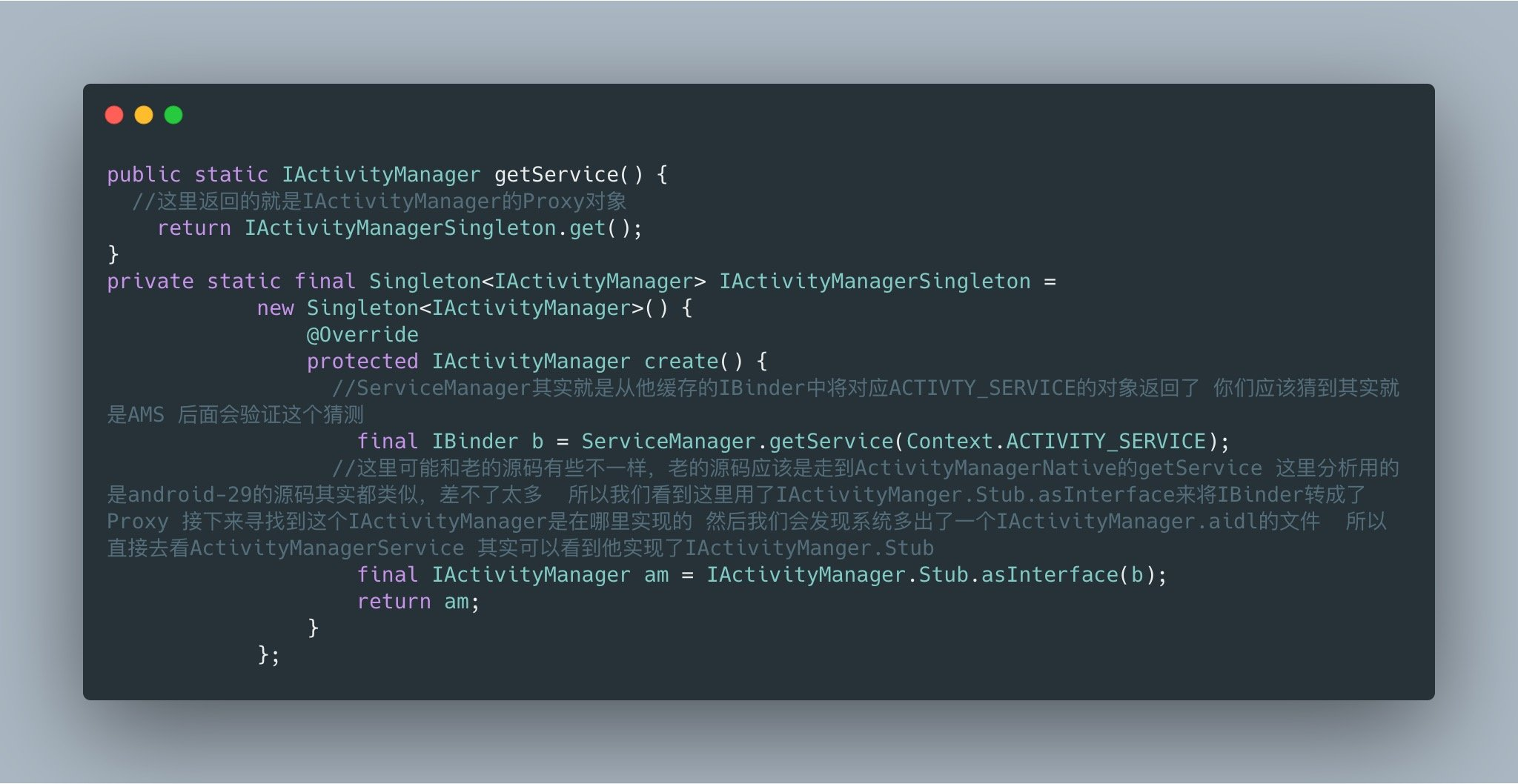
再看ActivityManager#getService()#bindIsolatedService()
首先看ActivityManager#getService()
再看AMS#bindIsolatedService()
public int bindIsolatedService(IApplicationThread caller, IBinder token, Intent service,
        String resolvedType, IServiceConnection connection, int flags, String instanceName,
        String callingPackage, int userId) throws TransactionTooLargeException {
    enforceNotIsolatedCaller("bindService");
//......省略代码
    synchronized(this) {
      //mServices 这里和以前的源码其实是一样的 是ActivityServices类
        return mServices.bindServiceLocked(caller, token, service,
                resolvedType, connection, flags, instanceName, callingPackage, userId);
    }
}
再看 ActivityServices#bindServiceLocked 这个方法很长 我会过滤掉很多代码
int bindServiceLocked(IApplicationThread caller, IBinder token, Intent service,
        String resolvedType, final IServiceConnection connection, int flags,
        String instanceName, String callingPackage, final int userId)
        throws TransactionTooLargeException {

   //.......省略代码

  //我们可以看到这里是新增的内容 看注释的意思是如果将要绑定的服务需要进行权限验证,将通过Intent启动一个权限验证页面 通过用户同意验证后返回才会进行下一步的动作
    boolean permissionsReviewRequired = false;

    if (mAm.getPackageManagerInternalLocked().isPermissionsReviewRequired(
            s.packageName, s.userId)) {

        permissionsReviewRequired = true;

        // Show a permission review UI only for binding from a foreground app
        if (!callerFg) {
            Slog.w(TAG, "u" + s.userId + " Binding to a service in package"
                    + s.packageName + " requires a permissions review");
            return 0;
        }

        final ServiceRecord serviceRecord = s;
        final Intent serviceIntent = service;

        RemoteCallback callback = new RemoteCallback(
                new RemoteCallback.OnResultListener() {
            @Override
            public void onResult(Bundle result) {
                synchronized(mAm) {
                    final long identity = Binder.clearCallingIdentity();
                    try {
                        if (!mPendingServices.contains(serviceRecord)) {
                            return;
                        }
                        // If there is still a pending record, then the service
                        // binding request is still valid, so hook them up. We
                        // proceed only if the caller cleared the review requirement
                        // otherwise we unbind because the user didn't approve.
                        if (!mAm.getPackageManagerInternalLocked()
                                .isPermissionsReviewRequired(
                                        serviceRecord.packageName,
                                        serviceRecord.userId)) {
                            try {
                                bringUpServiceLocked(serviceRecord,
                                        serviceIntent.getFlags(),
                                        callerFg, false, false);
                            } catch (RemoteException e) {
                                /* ignore - local call */
                            }
                        } else {
                            unbindServiceLocked(connection);
                        }
                    } finally {
                        Binder.restoreCallingIdentity(identity);
                    }
                }
            }
        });

        final Intent intent = new Intent(Intent.ACTION_REVIEW_PERMISSIONS);
        intent.addFlags(Intent.FLAG_ACTIVITY_NEW_TASK
                | Intent.FLAG_ACTIVITY_MULTIPLE_TASK
                | Intent.FLAG_ACTIVITY_EXCLUDE_FROM_RECENTS);
        intent.putExtra(Intent.EXTRA_PACKAGE_NAME, s.packageName);
        intent.putExtra(Intent.EXTRA_REMOTE_CALLBACK, callback);

        if (DEBUG_PERMISSIONS_REVIEW) {
            Slog.i(TAG, "u" + s.userId + " Launching permission review for package "
                    + s.packageName);
        }

        mAm.mHandler.post(new Runnable() {
            @Override
            public void run() {
                mAm.mContext.startActivityAsUser(intent, new UserHandle(userId));
            }
        });
    }
    try {
       //.....省略代码


      	//这一步将我们Client传过来的IServiceConnection转成Proxy进行了存储
        IBinder binder = connection.asBinder();
        s.addConnection(binder, c);
        b.connections.add(c);
        if (activity != null) {
            activity.addConnection(c);
        }
        b.client.connections.add(c);

       	//......省略代码

        if ((flags&Context.BIND_AUTO_CREATE) != 0) {
            s.lastActivity = SystemClock.uptimeMillis();
          	//这个函数走进去可以看到是Server进程如果还没有启动的绑定逻辑
            if (bringUpServiceLocked(s, service.getFlags(), callerFg, false,
                    permissionsReviewRequired) != null) {
                return 0;
            }
        }


      //这里是Server进程已经启动的流程 这里通过s.app来判断是否进程已经启动呢?这里s是ServiceRecord 而app是processRecord
        if (s.app != null) {

            mAm.updateLruProcessLocked(s.app,
                    (callerApp.hasActivitiesOrRecentTasks() && s.app.hasClientActivities())
                            || (callerApp.getCurProcState() <= ActivityManager.PROCESS_STATE_TOP
                                    && (flags & Context.BIND_TREAT_LIKE_ACTIVITY) != 0),
                    b.client);
            mAm.updateOomAdjLocked(OomAdjuster.OOM_ADJ_REASON_BIND_SERVICE);
        }
        if (s.app != null && b.intent.received) {
            // Service is already running, so we can immediately
            // publish the connection.
            try {
                c.conn.connected(s.name, b.intent.binder, false);
            } catch (Exception e) {
                Slog.w(TAG, "Failure sending service " + s.shortInstanceName
                        + " to connection " + c.conn.asBinder()
                        + " (in " + c.binding.client.processName + ")", e);
            }

            // If this is the first app connected back to this binding,
            // and the service had previously asked to be told when
            // rebound, then do so.
            if (b.intent.apps.size() == 1 && b.intent.doRebind) {
                requestServiceBindingLocked(s, b.intent, callerFg, true);
            }
        } else if (!b.intent.requested) {
            requestServiceBindingLocked(s, b.intent, callerFg, false);
        }

        getServiceMapLocked(s.userId).ensureNotStartingBackgroundLocked(s);

    } finally {
        Binder.restoreCallingIdentity(origId);
    }

    return 1;
}
ActivityServices真正绑定流程
第一种情况,绑定的Sever进程还未启动,走ActivityServices#bringUpServiceLocked()第二种情况不做分析了 和第一种情况走到绑定这一步的逻辑一样
private String bringUpServiceLocked(ServiceRecord r, int intentFlags, boolean execInFg,
        boolean whileRestarting, boolean permissionsReviewRequired)
        throws TransactionTooLargeException {
  //如果app已经启动 直接返回null 走进程已经启动的流程
    if (r.app != null && r.app.thread != null) {
        sendServiceArgsLocked(r, execInFg, false);
        return null;
    }

    //......省略代码

    ProcessRecord app;


    // Not running -- get it started, and enqueue this service record
    // to be executed when the app comes up.
    if (app == null && !permissionsReviewRequired) {
      //开始通过AMS启动Server进程
        if ((app=mAm.startProcessLocked(procName, r.appInfo, true, intentFlags,
                hostingRecord, false, isolated, false)) == null) {
            String msg = "Unable to launch app "
                    + r.appInfo.packageName + "/"
                    + r.appInfo.uid + " for service "
                    + r.intent.getIntent() + ": process is bad";
            Slog.w(TAG, msg);
            bringDownServiceLocked(r);
            return msg;
        }
        if (isolated) {
            r.isolatedProc = app;
        }
    }

//   ......省略代码

    return null;
}

//接下来省略掉了一部分代码 因为实在新的系统源码太多了 全部搞下来篇幅太长
//这是最后真正启动进程的地方 对应的Class是ProcessList 原来是在AMS中启动的进程
 private Process.ProcessStartResult startProcess(HostingRecord hostingRecord, String entryPoint,
            ProcessRecord app, int uid, int[] gids, int runtimeFlags, int mountExternal,
            String seInfo, String requiredAbi, String instructionSet, String invokeWith,
            long startTime) {

            final Process.ProcessStartResult startResult;
            if (hostingRecord.usesWebviewZygote()) {
                startResult = startWebView(entryPoint,
                        app.processName, uid, uid, gids, runtimeFlags, mountExternal,
                        app.info.targetSdkVersion, seInfo, requiredAbi, instructionSet,
                        app.info.dataDir, null, app.info.packageName,
                        new String[] {PROC_START_SEQ_IDENT + app.startSeq});
            } else if (hostingRecord.usesAppZygote()) {
                final AppZygote appZygote = createAppZygoteForProcessIfNeeded(app);

                startResult = appZygote.getProcess().start(entryPoint,
                        app.processName, uid, uid, gids, runtimeFlags, mountExternal,
                        app.info.targetSdkVersion, seInfo, requiredAbi, instructionSet,
                        app.info.dataDir, null, app.info.packageName,
                        /*useUsapPool=*/ false,
                        new String[] {PROC_START_SEQ_IDENT + app.startSeq});
            } else {
              //这里就是Server进程启动的地方了 通过Process类与Zygote进程进行Socket通讯,这个Socket使用的是文件节点,这个节点是在init进程设置的,所以Zygote由init进程fork而来,而framework系统进程和应用进程又是Zygote进程fork出来的,所以都有这个文件节点的环境变量 Zygote进程收到AMS的启动进程消息之后 先fork一个子进程,然后在子进程通过反射调用Server进程的ActivityThread.main() Zygote知道要反射ActivityThread类是因为在AMS中(现在是在ProcessList中)通过Process经过socket传给了ZygoteServer
                startResult = Process.start(entryPoint,
                        app.processName, uid, uid, gids, runtimeFlags, mountExternal,
                        app.info.targetSdkVersion, seInfo, requiredAbi, instructionSet,
                        app.info.dataDir, invokeWith, app.info.packageName,
                        new String[] {PROC_START_SEQ_IDENT + app.startSeq});
            }
            checkSlow(startTime, "startProcess: returned from zygote!");
            return startResult;
        } finally {
            Trace.traceEnd(Trace.TRACE_TAG_ACTIVITY_MANAGER);
        }
    }
ActivityThread.main启动
public static void main(String[] args) {
//   ......省略代码
  //将主线程消息循环Looper prepare
    Looper.prepareMainLooper();


    ActivityThread thread = new ActivityThread();
  //这一步做的事情看后面代码
    thread.attach(false, startSeq);

  	//创建主线程Handler
    if (sMainThreadHandler == null) {
        sMainThreadHandler = thread.getHandler();
    }


    // End of event ActivityThreadMain.
		//开启主线程的消息循环 之后所有AMS的消息都将通过这个消息池转发到进程的主线程
    Looper.loop();

    throw new RuntimeException("Main thread loop unexpectedly exited");
}

 private void attach(boolean system, long startSeq) {
        sCurrentActivityThread = this;
        mSystemThread = system;
        if (!system) {
            android.ddm.DdmHandleAppName.setAppName("<pre-initialized>",
                                                    UserHandle.myUserId());
            RuntimeInit.setApplicationObject(mAppThread.asBinder());
            final IActivityManager mgr = ActivityManager.getService();
            try {
              //这行代码是重点 将IApplicationThread传递给AMS 接下来我们看AMS#attachApplication()
                mgr.attachApplication(mAppThread, startSeq);
            } catch (RemoteException ex) {
                throw ex.rethrowFromSystemServer();
            }

        } else {//这个分支是framework也就是系统进程(system_process)逻辑
            // Don't set application object here -- if the system crashes,
            // we can't display an alert, we just want to die die die.
            android.ddm.DdmHandleAppName.setAppName("system_process",
                    UserHandle.myUserId());
            try {
                mInstrumentation = new Instrumentation();
                mInstrumentation.basicInit(this);
                ContextImpl context = ContextImpl.createAppContext(
                        this, getSystemContext().mPackageInfo);
                mInitialApplication = context.mPackageInfo.makeApplication(true, null);
                mInitialApplication.onCreate();
            } catch (Exception e) {
                throw new RuntimeException(
                        "Unable to instantiate Application():" + e.toString(), e);
            }
        }

//       ......省略代码
    }
再看AMS#attachApplication()
@Override
public final void attachApplication(IApplicationThread thread, long startSeq) {
    synchronized (this) {
//        ...... 再看attachApplicationLocked
        attachApplicationLocked(thread, callingPid, callingUid, startSeq);
      // ......
    }
}
 private final boolean attachApplicationLocked(IApplicationThread thread,
            int pid, int callingUid, long startSeq) {

      //......省略代码


        // Find any services that should be running in this process... 这里才是重点  这里将重新恢复ActivityServices中因为进程未启动而缓存的pending任务
        if (!badApp) {
            try {
                didSomething |= mServices.attachApplicationLocked(app, processName);//就是这里重新启动了绑定Server的流程
                checkTime(startTime, "attachApplicationLocked: after mServices.attachApplicationLocked");
            } catch (Exception e) {
                Slog.wtf(TAG, "Exception thrown starting services in " + app, e);
                badApp = true;
            }
        }

        return true;
    }
再看ActivityServices#attachApplicationLocked
boolean attachApplicationLocked(ProcessRecord proc, String processName)
        throws RemoteException {
    boolean didSomething = false;
    // Collect any services that are waiting for this process to come up.
    if (mPendingServices.size() > 0) {
        ServiceRecord sr = null;
        try {
            for (int i=0; i<mPendingServices.size(); i++) {
                sr = mPendingServices.get(i);
                if (proc != sr.isolatedProc && (proc.uid != sr.appInfo.uid
                        || !processName.equals(sr.processName))) {
                    continue;
                }

                mPendingServices.remove(i);
                i--;
                proc.addPackage(sr.appInfo.packageName, sr.appInfo.longVersionCode,
                        mAm.mProcessStats);
              //重新开始启动Service了 接下来看realStartServiceLocked
                realStartServiceLocked(sr, proc, sr.createdFromFg);
                didSomething = true;
                if (!isServiceNeededLocked(sr, false, false)) {
                    // We were waiting for this service to start, but it is actually no
                    // longer needed.  This could happen because bringDownServiceIfNeeded
                    // won't bring down a service that is pending...  so now the pending
                    // is done, so let's drop it.
                    bringDownServiceLocked(sr);
                }
            }
        } catch (RemoteException e) {
            Slog.w(TAG, "Exception in new application when starting service "
                    + sr.shortInstanceName, e);
            throw e;
        }
    }
    //...省略代码
    return didSomething;
}

 private final void realStartServiceLocked(ServiceRecord r,
            ProcessRecord app, boolean execInFg) throws RemoteException {
      //...省略代码
        try {
//            ...省略代码
          //没错  就是这里 这里的app.thread就是ActivityThread创建的IApplicationThread的代理类Proxy 接下来看 scheduleCreateService
            app.thread.scheduleCreateService(r, r.serviceInfo,
                    mAm.compatibilityInfoForPackage(r.serviceInfo.applicationInfo),
                    app.getReportedProcState());
            r.postNotification();
            created = true;
        } catch (DeadObjectException e) {
            Slog.w(TAG, "Application dead when creating service " + r);
            mAm.appDiedLocked(app);
            throw e;
        }
   //...省略代码

   //而这里则是继续进行绑定 继续看 requestServiceBindingsLocked
           requestServiceBindingsLocked(r, execInFg);

 }
private final void requestServiceBindingsLocked(ServiceRecord r, boolean execInFg)
            throws TransactionTooLargeException {
        for (int i=r.bindings.size()-1; i>=0; i--) {
            IntentBindRecord ibr = r.bindings.valueAt(i);
          //继续看 requestServiceBindingLocked
            if (!requestServiceBindingLocked(r, ibr, execInFg, false)) {
                break;
            }
        }
    }
 private final boolean requestServiceBindingLocked(ServiceRecord r, IntentBindRecord i,
            boolean execInFg, boolean rebind) throws TransactionTooLargeException {
       //......省略代码
        if ((!i.requested || rebind) && i.apps.size() > 0) {
            try {
                bumpServiceExecutingLocked(r, execInFg, "bind");
                r.app.forceProcessStateUpTo(ActivityManager.PROCESS_STATE_SERVICE);

              // 这里真正的执行bindService
                r.app.thread.scheduleBindService(r, i.intent.getIntent(), rebind,
                        r.app.getReportedProcState());
                if (!rebind) {
                    i.requested = true;
                }
                i.hasBound = true;
                i.doRebind = false;
            } catch (TransactionTooLargeException e) {
                // Keep the executeNesting count accurate.
               //......省略代码
                return false;
            }
        }
        return true;
    }
回到ActivityThread类了
我们来看ActivityThread#scheduleCreateService()以及ActivityThread#scheduleBindService()
public final void scheduleCreateService(IBinder token,
        ServiceInfo info, CompatibilityInfo compatInfo, int processState) {
    updateProcessState(processState, false);
    CreateServiceData s = new CreateServiceData();
    s.token = token;
    s.info = info;
    s.compatInfo = compatInfo;
		//这里通过Handler切换到主线程创建Service了 然后handleMessage其实调用了ActivityThread的handleCreateService函数 我们直接看handleCreateService
    sendMessage(H.CREATE_SERVICE, s);
}

 private void handleCreateService(CreateServiceData data) {
        //...省略代码
        Service service = null;
        try {
          //通过classloader加载创建service实例
            java.lang.ClassLoader cl = packageInfo.getClassLoader();
            service = packageInfo.getAppFactory()
                    .instantiateService(cl, data.info.name, data.intent);
        } catch (Exception e) {
            if (!mInstrumentation.onException(service, e)) {
                throw new RuntimeException(
                    "Unable to instantiate service " + data.info.name
                    + ": " + e.toString(), e);
            }
        }

        try {

            ContextImpl context = ContextImpl.createAppContext(this, packageInfo);
            context.setOuterContext(service);

            Application app = packageInfo.makeApplication(false, mInstrumentation);
            service.attach(context, this, data.info.name, data.token, app,
                    ActivityManager.getService());
            service.onCreate();
            mServices.put(data.token, service);
            try {
              //  通知AMS service已经启动好了
                ActivityManager.getService().serviceDoneExecuting(
                        data.token, SERVICE_DONE_EXECUTING_ANON, 0, 0);
            } catch (RemoteException e) {
                throw e.rethrowFromSystemServer();
            }
        } catch (Exception e) {
            if (!mInstrumentation.onException(service, e)) {
                throw new RuntimeException(
                    "Unable to create service " + data.info.name
                    + ": " + e.toString(), e);
            }
        }
    }
}
//同样的经过Handler转换之后走到ActivityThread的handleBindService
private void handleBindService(BindServiceData data) {
        Service s = mServices.get(data.token);
        //这里因为前面已经启动过了 所以缓存的service肯定不为空
        if (s != null) {
            try {
                data.intent.setExtrasClassLoader(s.getClassLoader());
                data.intent.prepareToEnterProcess();
                try {
                    if (!data.rebind) {
                      //第一次绑定 调用Server的onBind拿到IBinder
                        IBinder binder = s.onBind(data.intent);
                      //通知AMS 将IBinder给到AMS 接下来看publishService接口
                        ActivityManager.getService().publishService(
                                data.token, data.intent, binder);
                    } else {
                      //再次绑定的逻辑
                        s.onRebind(data.intent);
                        ActivityManager.getService().serviceDoneExecuting(
                                data.token, SERVICE_DONE_EXECUTING_ANON, 0, 0);
                    }
                } catch (RemoteException ex) {
                    throw ex.rethrowFromSystemServer();
                }
            } catch (Exception e) {
                if (!mInstrumentation.onException(s, e)) {
                    throw new RuntimeException(
                            "Unable to bind to service " + s
                            + " with " + data.intent + ": " + e.toString(), e);
                }
            }
        }
    }
再看AMS#publishService()
public void publishService(IBinder token, Intent intent, IBinder service) {
    // Refuse possible leaked file descriptors
    if (intent != null && intent.hasFileDescriptors() == true) {
        throw new IllegalArgumentException("File descriptors passed in Intent");
    }

    synchronized(this) {
        if (!(token instanceof ServiceRecord)) {
            throw new IllegalArgumentException("Invalid service token");
        }
        //再看ActivityServices#publishServiceLocked
        mServices.publishServiceLocked((ServiceRecord)token, intent, service);
    }
}
ActivityServices#publishServiceLocked
void publishServiceLocked(ServiceRecord r, Intent intent, IBinder service) {
    final long origId = Binder.clearCallingIdentity();
    try {
        if (DEBUG_SERVICE) Slog.v(TAG_SERVICE, "PUBLISHING " + r
                + " " + intent + ": " + service);
        if (r != null) {
            Intent.FilterComparison filter
                    = new Intent.FilterComparison(intent);
            IntentBindRecord b = r.bindings.get(filter);
            if (b != null && !b.received) {
                b.binder = service;
                b.requested = true;
                b.received = true;
                ArrayMap<IBinder, ArrayList<ConnectionRecord>> connections = r.getConnections();
                for (int conni = connections.size() - 1; conni >= 0; conni--) {
                    ArrayList<ConnectionRecord> clist = connections.valueAt(conni);
                    for (int i=0; i<clist.size(); i++) {
                        ConnectionRecord c = clist.get(i);
                        if (!filter.equals(c.binding.intent.intent)) {
                            if (DEBUG_SERVICE) Slog.v(
                                    TAG_SERVICE, "Not publishing to: " + c);
                            if (DEBUG_SERVICE) Slog.v(
                                    TAG_SERVICE, "Bound intent: " + c.binding.intent.intent);
                            if (DEBUG_SERVICE) Slog.v(
                                    TAG_SERVICE, "Published intent: " + intent);
                            continue;
                        }
                        if (DEBUG_SERVICE) Slog.v(TAG_SERVICE, "Publishing to: " + c);
                        try {
                        // 通过之前缓存记录下来对应该app的IServiceConnection将IBinder传递过去 最终通过IServiceConnection传递给了客户端bindService传给IServiceConnection的ConnectionService实例
                            c.conn.connected(r.name, service, false);
                        } catch (Exception e) {
                            Slog.w(TAG, "Failure sending service " + r.shortInstanceName
                                  + " to connection " + c.conn.asBinder()
                                  + " (in " + c.binding.client.processName + ")", e);
                        }
                    }
                }
            }

            serviceDoneExecutingLocked(r, mDestroyingServices.contains(r), false);
        }
    } finally {
        Binder.restoreCallingIdentity(origId);
    }
}
到这里 我们的Client端已经从服务端获取到了服务端的IBinder对象了,接下来看AIDL
AIDL
什么是AIDL
AIDL全称是Android Interface Define Language。它主要用来定义客户端和服务单的调用接口,用来客户端和服务端进行IPC通信。从官方的介绍来看,提供AIDL的主要原因是编写操作系统能够操作的数据(二进制),再将分解后的数据组装成可供操作的对象这部分是个繁琐的工作(这个工作其实由Parcelable完成),所以Android设计了AIDL以及用来生成.java文件的aidl工具(sdk/build-tools下面)。
关于AIDL的线程切换
官方介绍:AIDL的接口调用是直接函数调用,使用者不需要去关心调用线程,中间唯一的差异就是客户端和服务端是来自同一个进程还是不同的进程。具体如下:
- 同一个进程调用线程不管是UI线程还是子线程,都将在同一线程中执行
- 来自远程进程调用将从线程池分配线程执行,并且你需要处理可能出现同时有多个调用进来,也就是线程安全问题。如果调用来自同一远程对象上的某个线程,则该调用将依次抵达接收器端。
- oneway关键字可以改变远程调用的行为,被oneway修饰的方法不能有返回值,使用了oneway后远程调用将只发送数据并直接返回,接收方将在Binder线程池的线程运行,如果oneway发生本地调用,则还是同步调用(因为本地根本就不会走Binder)。
AIDL支持传递的数据及流向
AIDL默认支持Java的基本数据类型,以及String、CharSequence、List、Map,注意List、Map只能存储Java基本数据类型,接收方收到的是ArrayList和HashMap。同时AIDL还支持自定义的数据类型,只要这些类实现了Parcelable接口,使用自定义数据则另外需要import进来并且在参数声明处指明数据流向
关于数据流向,默认为in表示数据流向服务端,out表示数据流向客户端(服务端收到的数据为null),inout则表示客户端和服务端的修改双方都能收到。注意,这里的客户端和服务端是相对的,如果使用Callback,那么服务端和客户端的关系将发生对调,所以这里客户端应该理解为调用方,服务端应该理解为被调用方或者接收方。所以in表示数据流向接收方,out表示数据流向调用方,inout表示调用方和接收方都能收到。AIDL这样设计是为了减少传递数据的开销。
AIDL生成类如何判定是否同进程调用?
这里首先注意Stub的asInterface方法,直接看代码。
public static Callback asInterface(android.os.IBinder obj) {
    if ((obj == null)) {
        return null;
    }
  //queryLocalInterface 返回的iin是否为空决定了是Proxy还是返回原对象,也就是对应的是否是同一个进程 Proxy对应非同进程。我们去看obj.queryLocalInterface 由于这个obj是IBinder类的 这个类是个Interface 所以找到他的实现类Binder类
    android.os.IInterface iin = obj.queryLocalInterface(DESCRIPTOR);
    if (((iin != null) && (iin instanceof Callback))) {
        return ((Callback) iin);
    }
    return new Proxy(obj);
}
public @Nullable IInterface queryLocalInterface(@NonNull String descriptor) {
  			//可以看到这里是拿mDescriptor来确定是返回null还是本地对象的 再看mDescriptor是什么时候赋值的 我们发现是在attachInterface进行的赋值,而这个方法是在Stub构造的时候进行的调用 所以也就是说谁创建了Stub 谁就是作为服务方的角色,其他都是作为Client
        if (mDescriptor != null && mDescriptor.equals(descriptor)) {
            return mOwner;
        }
        return null;
    }

public void attachInterface(@Nullable IInterface owner, @Nullable String descriptor) {
        mOwner = owner;
        mDescriptor = descriptor;
    }
