小程序前言
- 小程序的宽,任何机型都是750rpx
- 动态获取机型高度: wx.getSystemInfoSync().windowWidth和 wx.getSystemInfoSync().windowHeight分别获取到窗口的宽高,请注意获取到的宽高单位都是px,所以需要利用宽度和750的比值转换一下;
- rpx和px单位换算计算公式:750rpx /windowWidth=屏幕高度rpx/windowHeight;
- 原理:通过动态获取到的窗口高度和宽度,计算scroll-view 标签的动态适配高度;
scroll-view 动态适配不同机型高度
-
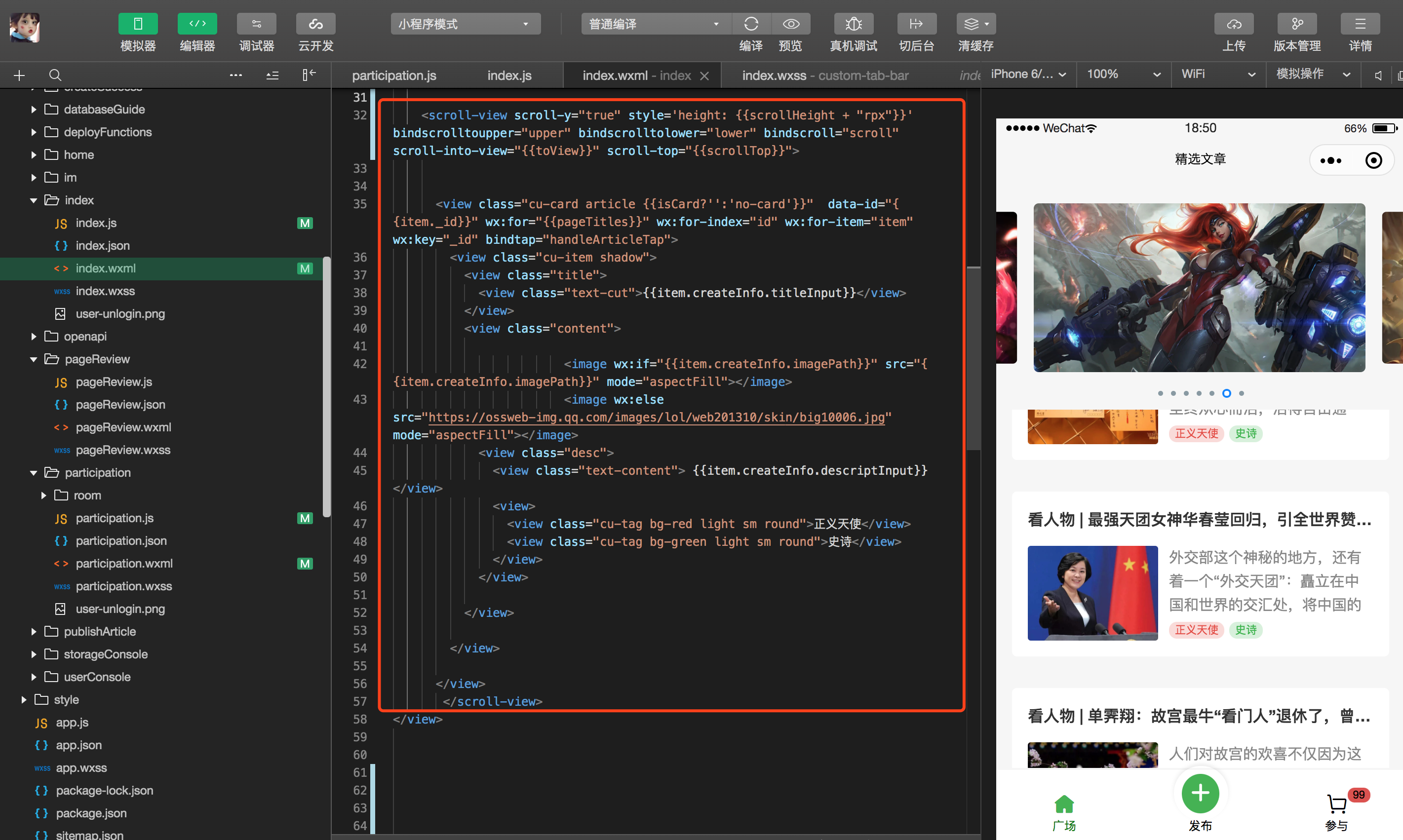
如图所示wxml中中间部分的scroll-view标签 渲染效果如右图所示;
-
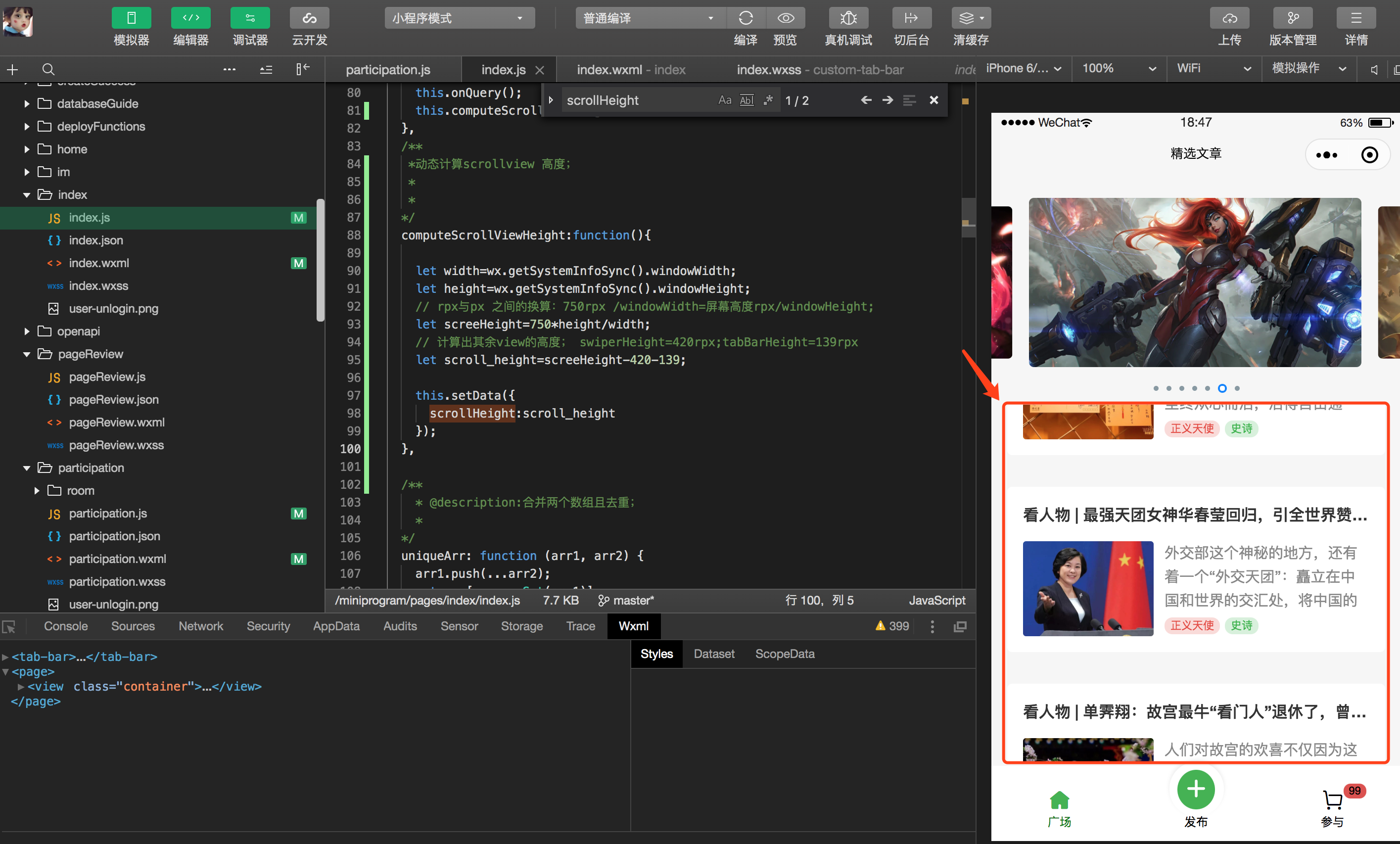
对应渲染如下图所示:
-
在onload()加载函数调用的时候,调用获取scrollHeight高度;
/** *动态计算scrollview 高度; * * */ computeScrollViewHeight:function(){ // 获取当前机型的 宽度和高度; let width=wx.getSystemInfoSync().windowWidth; let height=wx.getSystemInfoSync().windowHeight; // rpx与px 之间的换算:750rpx /windowWidth=屏幕高度rpx/windowHeight; let screeHeight=750*height/width; // 设置其余view的高度; swiperHeight=420rpx;tabBarHeight=139rpx let scroll_height=screeHeight-420-139; this.setData({ scrollHeight:scroll_height }); }, -
index.wxml scroll-view高度动态渲染标签如下所示:
<scroll-view scroll-y="true" style='height: {{scrollHeight + "rpx"}}' bindscrolltoupper="upper" bindscrolltolower="lower" bindscroll="scroll" scroll-into-view="{{toView}}" scroll-top="{{scrollTop}}">