背景
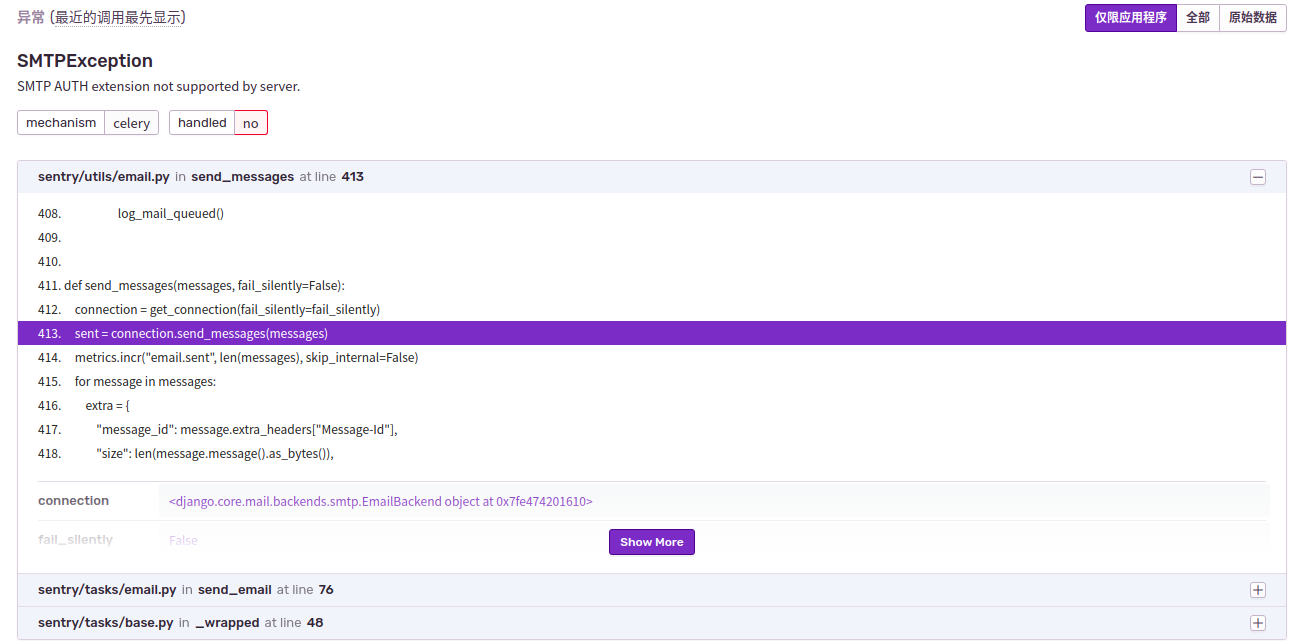
原本觉得配置邮件是个简单的活,网上也有相应的资料可以参考,就没打算写了。但是我在配置邮件通知过程中遇到了不少的坑,所以感觉还是需要记录一下,让其他人少花点时间。
遇到的问题:
SMTPAuthenticationError
SMTPAuthenticationError: (535, 'Error: \xc7\xeb\xca\xb9\xd3\xc3\xca\xda\xc8\xa8\xc2\xeb\xb5\xc7\xc2\xbc\xa1\xa3\xcf\xea\xc7\xe9\xc7\xeb\xbf\xb4: http://service.mail.qq.com/cgi-bin/help?subtype=1&&id=28&&no=1001256')
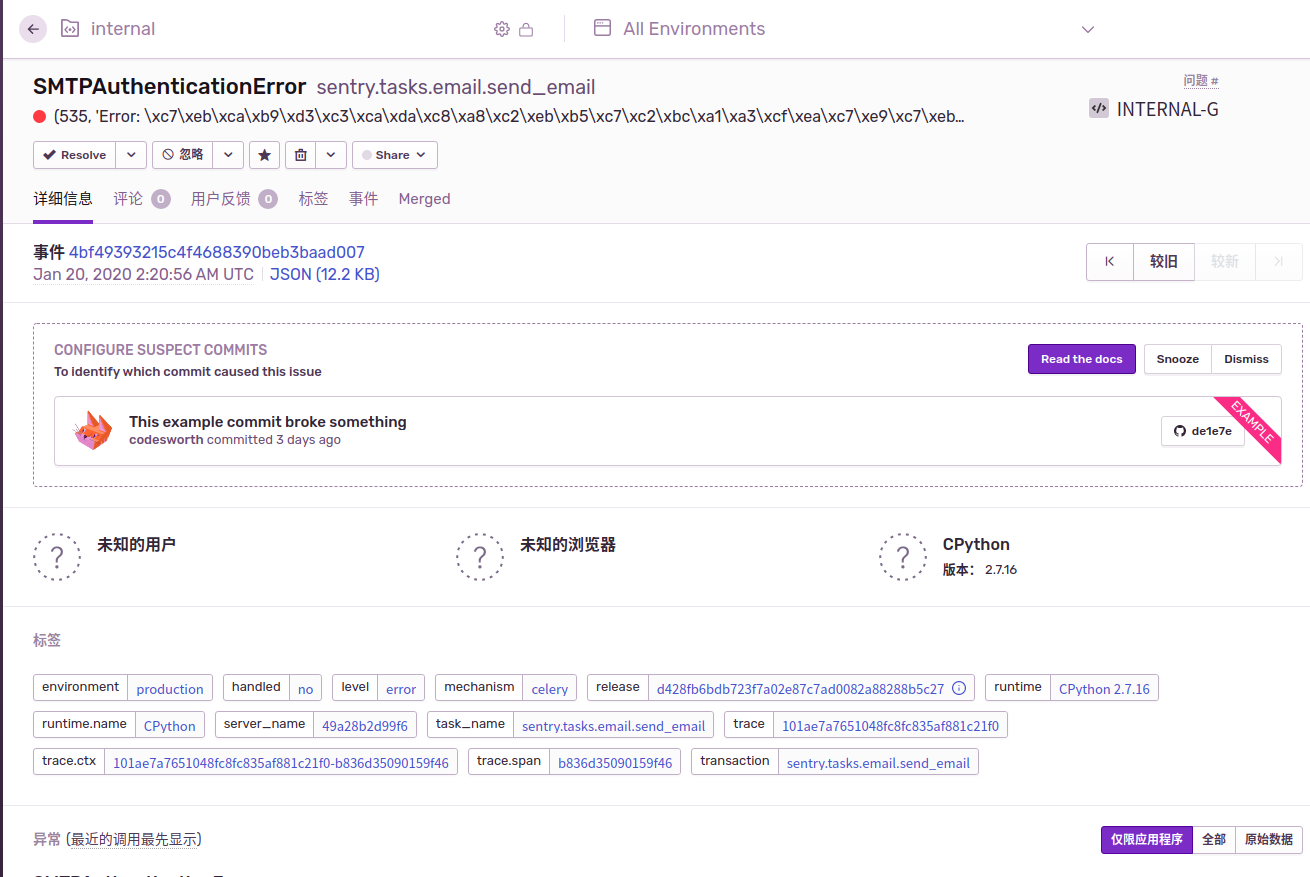
问题原因在于两个点:
- qq邮箱没有开启stmp服务
- stmp地址不对
可以自己写个demo测试一下
// .test.py
#coding: utf-8
import smtplib
from email.mime.text import MIMEText
from email.header import Header
sender = '875982361@qq.com'
receiver = '875982361@qq.com'
subject = 'python email test'
smtpserver = 'smtp.qq.com'
username = '875982361@qq.com'
password = '************'
msg = MIMEText( 'Hello Python', 'text', 'utf-8' )
msg['Subject'] = Header( subject, 'utf-8' )
smtp = smtplib.SMTP()
smtp.connect( smtpserver )
smtp.login( username, password )
smtp.sendmail( sender, receiver, msg.as_string() )
smtp.quit()
python test.py
如果不能发邮件需要检查stmp地址,以及邮箱是否开启了stmp服务
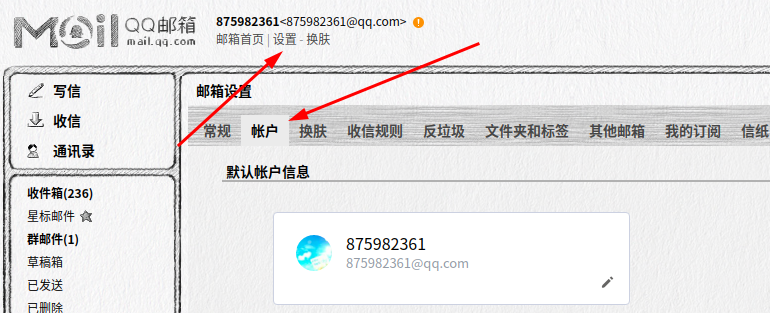
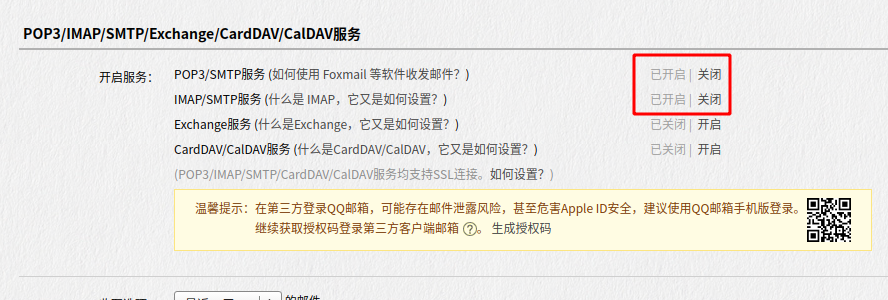
配置文件地址: ./sentry/config.yml
# **** 省略一堆
mail.backend: 'smtp'  # Use dummy if you want to disable email entirely
mail.host: 'smtp.qq.com'
mail.port: 25
mail.username: '875982361@qq.com'
mail.password: '********'
mail.use-tls: false
# The email address to send on behalf of
mail.from: '875982361@qq.com'
# 备注: host 就是stmp服务地址, qq的是这个 其他需要自己去找一下
# 我之前在网上找到一个 stmp.exmail.qq.com 这个是无效的
# port 端口和 tls对应 port  25 对应 tls false  port 587 对应 tls true
# 这里的密码 对应的是授权码 在上图中生成的
这是个只读文件 最好复制,修改完再覆盖回去 修改后重现build一下
sudo cp ./sentry/my.config.yml ./sentry/config.yml
sudo docker-compose build
sudo docker-compose run --rm web upgrade
sudo docker-compose up -d
SMTPException
SMTP AUTH extension not supported by server.