用掌阅iReader看小说时注意到一个文件夹内文件的拖动效果,秉着对未知事物的好奇心态自己试着做了做类似效果^_^,类似下图
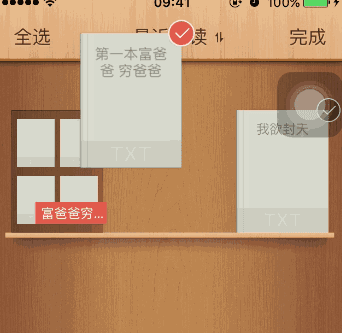
1、原来效果是这样的
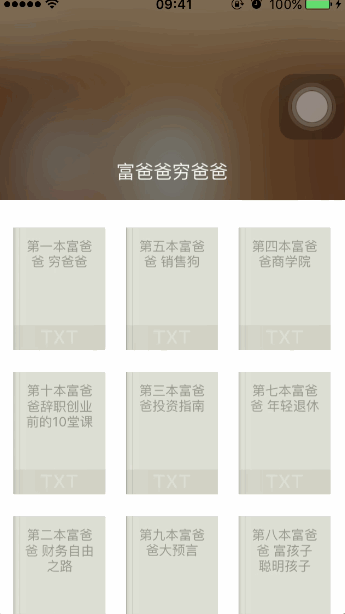
2、我实现的效果是这样的
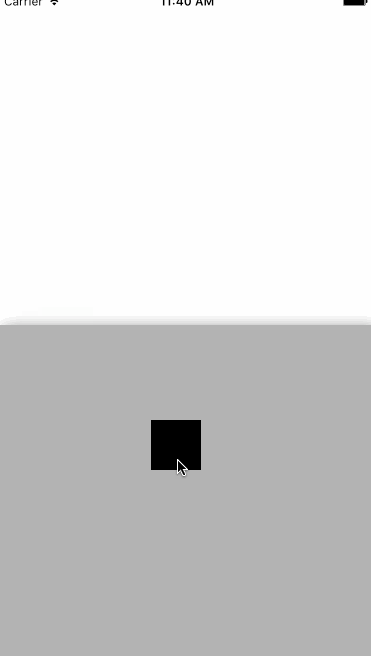
图块拖出灰色视图时灰色视图自动隐藏,不过我们可以将图块拖到底端唤出灰色视图。
3、实现很简单,废话不多说了直接上代码
@interface ViewController ()
{
    CGPoint startPoint;
    UIView *drag;
    UIView *dragBac;
}
@end
#define screenWidth self.view.frame.size.width
#define screenHeight self.view.frame.size.height
- (void)viewDidLoad {
    [super viewDidLoad];
    dragBac=[[UIView alloc]initWithFrame:CGRectMake(0, screenHeight/2, screenWidth, screenHeight/2)];
    dragBac.userInteractionEnabled=YES;
    dragBac.backgroundColor=[UIColor lightGrayColor];
    dragBac.layer.shadowColor = [UIColor blackColor].CGColor;//shadowColor阴影颜色
    dragBac.layer.shadowOffset = CGSizeMake(6,6);//shadowOffset阴影偏移,x向右偏移4,y向下偏移4,默认(0, -3),这个跟shadowRadius配合使用
    dragBac.layer.shadowOpacity = 0.8;//阴影透明度,默认0
    dragBac.layer.shadowRadius = 10;//阴影半径,默认3

    [self.view addSubview:dragBac];

    drag=[[UIView alloc]initWithFrame:CGRectMake(0, screenHeight/2, 50, 50)];
    drag.backgroundColor=[UIColor blackColor];
    [self.view addSubview:drag];
}
- (void) touchesBegan:(NSSet *)touches withEvent:(UIEvent *)event
{
    //保存触摸起始点位置
    CGPoint point = [[touches anyObject] locationInView:self.view];
    startPoint = point;
}
-(void) touchesMoved:(NSSet *)touches withEvent:(UIEvent *)event
{

    CGPoint point = [[touches anyObject] locationInView:self.view];
    //判断是不是出了左右边界
    point.x=MIN(point.x, screenWidth-25);
    point.x=MAX(point.x, 25);

    CGPoint newcenter = CGPointMake(point.x, point.y);
    //移动view
    drag.center = newcenter;

    if ((point.y+25)<screenHeight/2) {

        [UIView animateWithDuration:0.5 animations:^{
            dragBac.alpha=0;

        }];
    }

    //底端唤出视图
    if ((point.y+25)>screenHeight) {

        [UIView animateWithDuration:0.5 animations:^{
            dragBac.alpha=1;

        }];
    }
}
- (void)touchesEnded:(NSSet<UITouch *> *)touches withEvent:(nullable UIEvent *)event
{
    CGPoint point = [[touches anyObject] locationInView:self.view];

    //未全部拖出,返回原位置
    if (((point.y+25)>screenHeight/2&&(point.y-25)<screenHeight/2)||((point.y+25)>screenHeight&&(point.y-25)<screenHeight)) {

        [UIView animateWithDuration:0.5 animations:^{
            drag.frame=CGRectMake(0, screenHeight/2, 50, 50);

        }];
    }
}