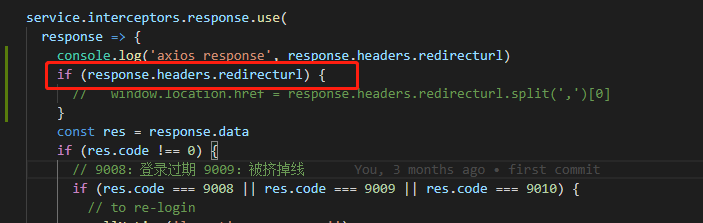
XMLHttpRequest.withCredentials
- 是boolean类型,默认值是false
- 他指示了是否使用资格证书来创建一个跨站点访问控制(cross-site Access-Control),同一个站点下该参数无效。
- 其中资格证书有:cookie、authorization headers(头部授权)或TLS客户端证书等
实践
前提:跨域情况(同域下无效)
使用vue的代理proxy
vue项目中使用proxy代理服务,会转为同域,设置withCredentials=true,将不会造成影响,但发布到服务器出现跨域,将无法访问服务端接口,因此发布服务器不要采用代理。
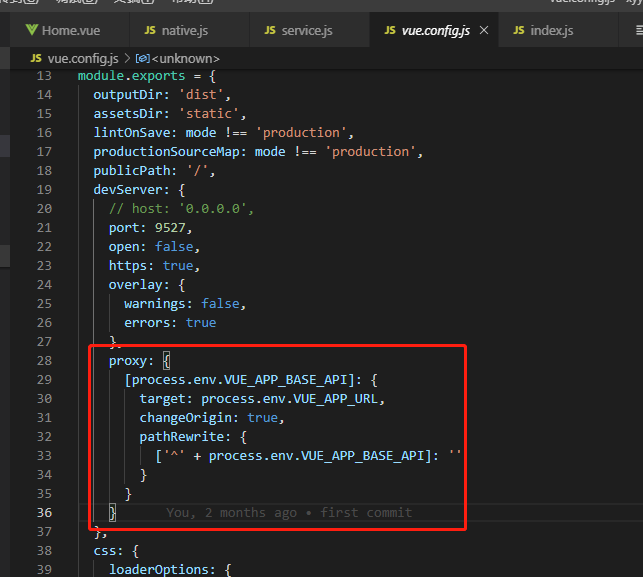
设置withCredentials=true
1、Access-Control-Allow-Origin不能为*,否则将报错,如下:
Failed to load http://localhost:3000/login: Response to preflight request doesn't pass access control check: The value of the 'Access-Control-Allow-Origin' header in the response must not be the wildcard '*' when the request's credentials mode is 'include'. Origin 'https://192.168.125.15:9527' is therefore not allowed access. The credentials mode of requests initiated by the XMLHttpRequest is controlled by the withCredentials attribute.
解决办法:需要在后端增加Access-Control-Allow-Origin的需要跨域地址

Failed to load http://localhost:3000/login: Response to preflight request doesn't pass access control check: The value of the 'Access-Control-Allow-Credentials' header in the response is '' which must be 'true' when the request's credentials mode is 'include'. Origin 'https://192.168.125.15:9527' is therefore not allowed access. The credentials mode of requests initiated by the XMLHttpRequest is controlled by the withCredentials attribute.
解决办法:增加Access-Control-Allow-Credentials

Access-Control-Allow-Headers
用于预检请求中,列出了将会在正式请求的Access-Control-Request-Headers字段中出现的首部信息
注意以下这些特定的首部是一直允许的:Accept, Accept-Language, Content-Language, Content-Type (但只在其值属于 MIME 类型 application/x-www-form-urlencoded, multipart/form-data 或 text/plain中的一种时)。这些被称作simple headers,你无需特意声明它们。
如果请求中含有Access-Control-Request-Headers,那么这个首部是必要的
OPTIONS请求
options请求中含有Access-Control-Request-Headers: content-type,则需要增加Access-Control-Allow-Headers:content-type配置
若有其他自定义头部,也需要增加配置
自定义请求头
实践
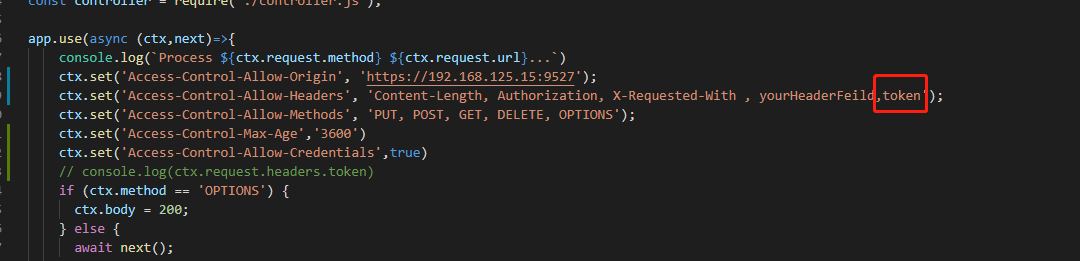
- 添加自定义头部变量token,Access-Control-Allow-Headers中并没有添加允许的token将会报错
Failed to load http://localhost:3000/login: Request header field token is not allowed by Access-Control-Allow-Headers in preflight response.
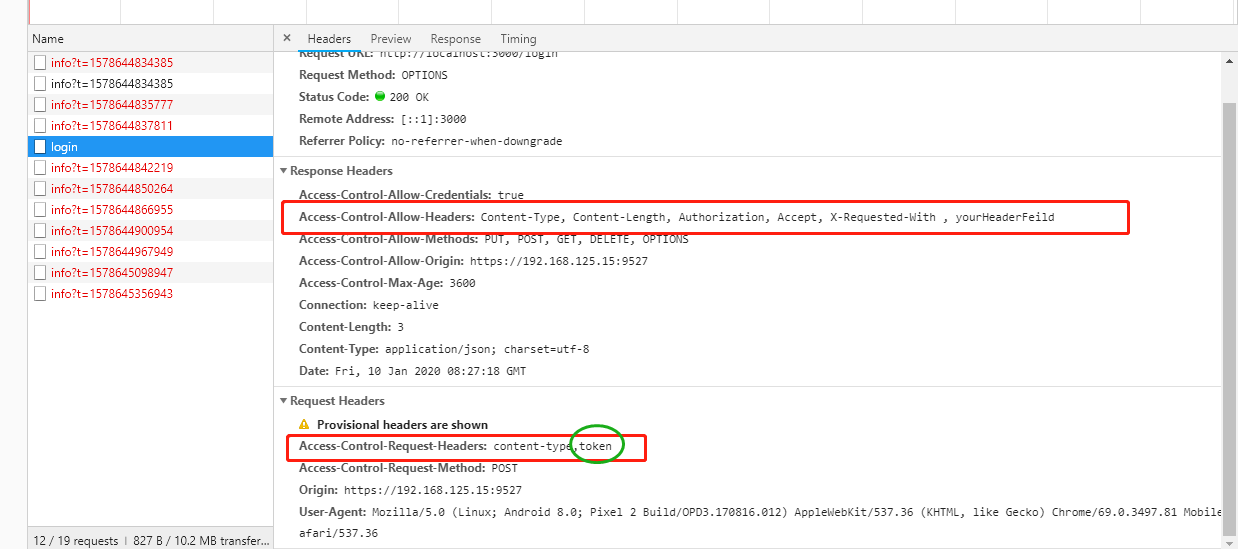
- 解决办法:后端增加Access-Control-Allow-Headers的token配置
Access-Control-Expose-Headers
列出哪些首部可以作为响应的一部分暴露给外部
默认情况下,只有六种简单响应首部暴露给外部:
- Cache-Control
- Content-Language
- Content-Type
- Expires
- Last-Modified
- Pragma
若想要让客户端可以访问到其他首部信息,可以在Access-Control-Expose-Headers中列出
实践
前端需要获取响应头部中的自定义redirecturl信息
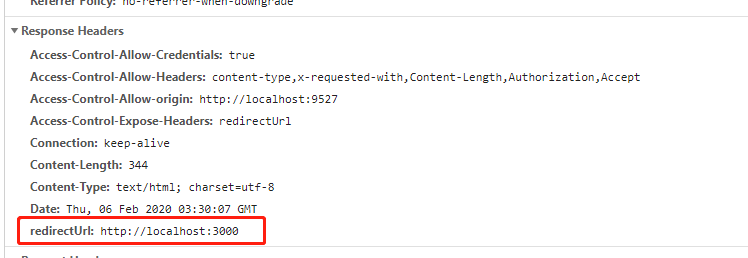
- 解决办法
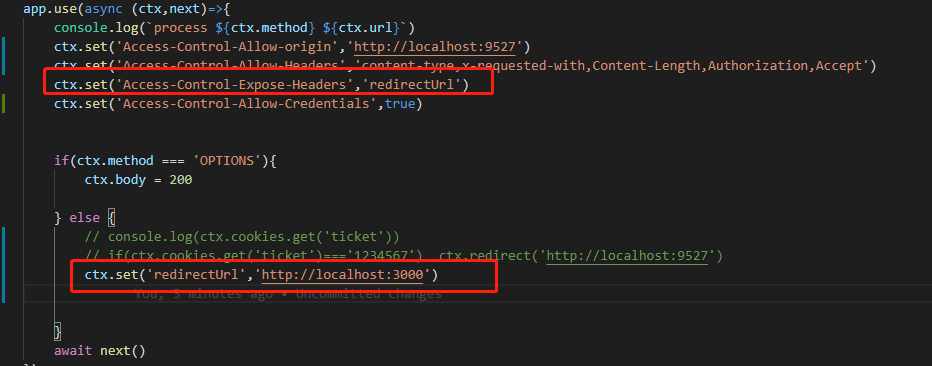
后端配置
Access-Control-Expose-Headers:redirecturl redirectUrl:'http://localhost:3000'
前端获取