1、class声明类;
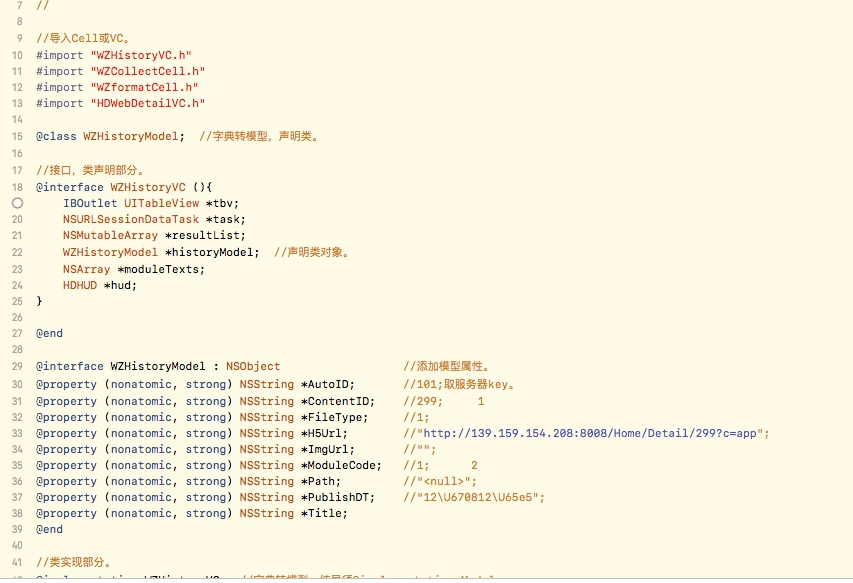
代码:@class WZHistoryModel。
2、根据以上声明,接下来可在接口处,interface再次声明。
代码:WZHistoryModel *historyModel。
3、添加模型属性。
@interface WZHistoryModel : NSObject //添加模型属性。
@property (nonatomic, strong) NSString *AutoID;
@property (nonatomic, strong) NSString *ContentID;
@property (nonatomic, strong) NSString *FileType;
@property (nonatomic, strong) NSString *H5Url;
@property (nonatomic, strong) NSString *ImgUrl;
@property (nonatomic, strong) NSString *ModuleCode;
@property (nonatomic, strong) NSString *Path;
@property (nonatomic, strong) NSString *PublishDT;
@property (nonatomic, strong) NSString *Title;
@end
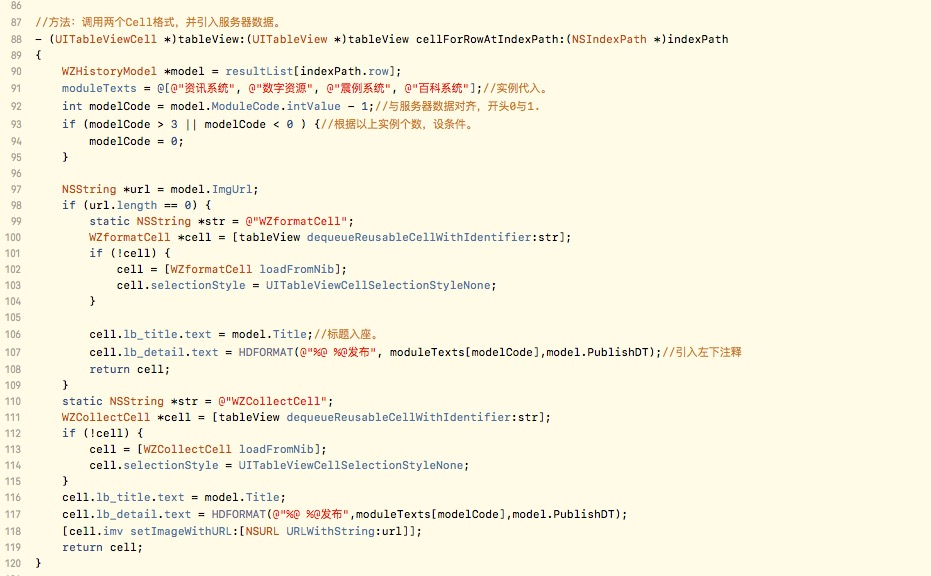
4、原先方法里使用字典处须全部改为使用模型。
改过例子:
NSString *url = model.ImgUrl;
if (url.length == 0) {
    static NSString *str = @"WZformatCell";
    WZformatCell *cell = [tableView
    dequeueReusableCellWithIdentifier:str];
    if (!cell) {
        cell = [WZformatCell loadFromNib];
        cell.selectionStyle = UITableViewCellSelectionStyleNone;
    }
    cell.lb_title.text = model.Title;//标题入座。
    cell.lb_detail.text = HDFORMAT(@"%@ %@发布", moduleTexts[modelCode],model.PublishDT);//引入左下注释
    return cell;
}
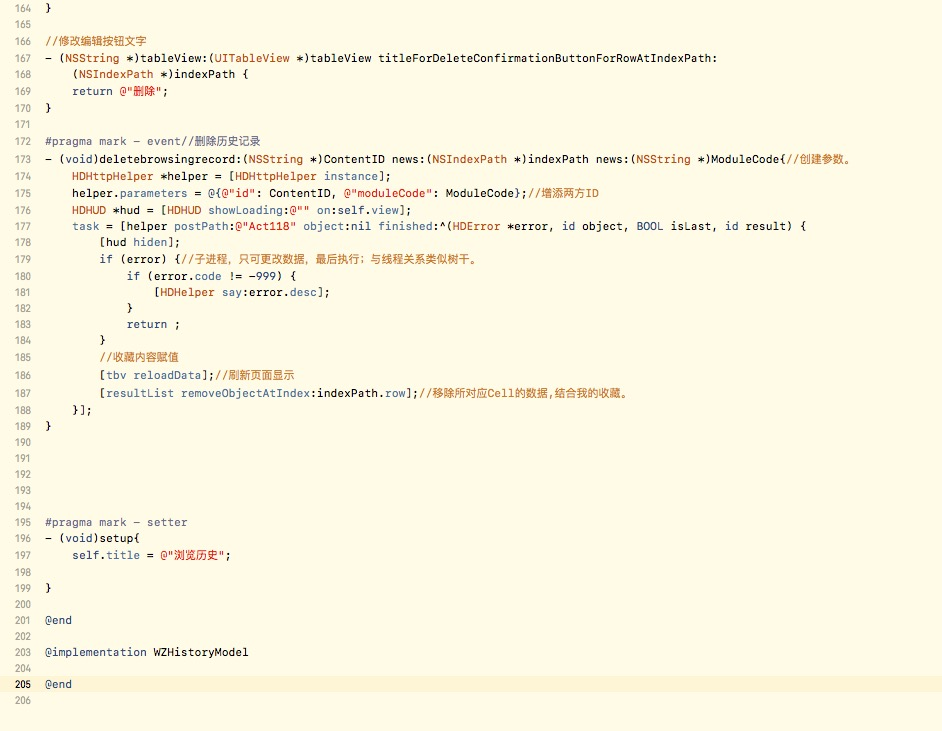
5、末尾处须加@implementation WZHistoryModel。