WebSocket 是 HTML5 开始提供的一种在单个TCP连接上进行全双工通讯的协议。
WebSocket 使得客户端和服务器之间的数据交互变得更加简单,允许服务端主动向客户端推送数据。在WebSocket API 中,浏览器和服务器只需要完成一次握手,两者之间就直接可以创建持久性的连接,并进行双向数据传输。
在WebSocket API中,浏览器和服务器只需要做一个握手的动作,然后,浏览器和服务器之间就形成一条快速通道。两者之间就直接可以数据相互传送。
WebSocket 是一种先进的技术。它可以在用户的浏览器和服务器之间打开交互式通信会话。使用此API,您可以向服务器发送消息,并接收事件驱动的相应,而无需通过轮询服务器的方式以获得响应。
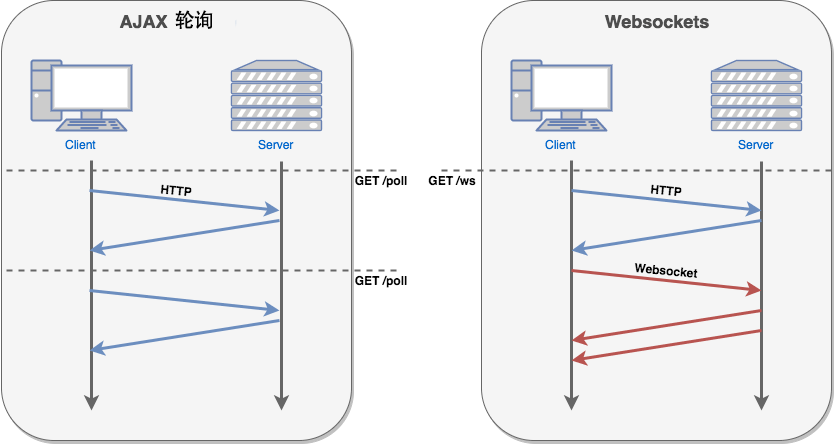
现在,很多网站为了实现推送技术,所用的技术都是Ajax轮询。轮询是在特定的时间间隔,由浏览器主动对服务器发出HTTP请求,然后由服务器返回最新的数据给客户端的浏览器。这种传统的模式又很明显的缺点,即浏览器对需要不断的向服务器发出请求,然后HTTP请求可能包含较长的头部,其中真正有效的数据可能只是很少的一部分,显然这样会浪费很多的带宽等资源。
HTML5 定义的WebSocket 协议,能更好的节省服务器资源和带宽,并且能够更实时地进行通讯。
接口
WebSocket 用于连接WebSocket 服务器的主要接口,之后可以在这个连接上发送和接收数据。
CloseEvent 连接关闭时WebSocket对象发送的事件。
MessageEvent 当从服务器获取到消息的时候WebSocket对象解除的事件。
WebSocket 对象提供了用于创建和管理 WebSocket 连接,以及可以通过该链接发送和接收数据的API。
readyState
通常在实例化一个websocket对象之后,客户端就会与服务器进行连接。但是连接的状态是不确定的,于是用readyState属性来进行标识。它有四个值,分别对应不同的状态:
- CONNECTING:值为0,表示正在连接(尚未连接);
- OPEN:值为1,表示连接成功,可以通信了;
- CLOSING:值为2,表示连接正在关闭;
- CLOSED:值为3,表示连接已经关闭,或者打开连接失败。
本意: 通常有一些监控页面,然后实时去查询数据,如果使用轮询简直是一个特别笨的方法了,为了实现后端推送数据时,前端主动获取后端数据的功能,特此实验webSocket Demo。这里只实现了简单的接收和发送数据。
下面整理了几种方式,实现webSocket连接,但是其实都是webSocket的基础上。
1. WebSocket(比较详细,后面的比较简单)
1. 客户端
WebSocket 客户端应用程序使用WebSocket API 通过 WebSocket 协议与WebSocket服务器通信。
import React, { Component } from 'react';
import { Card, Tabs, Button, Input } from 'antd';

const { TabPane } = Tabs;
const { Search } = Input;

class Index extends Component {
  constructor(props) {
    super(props);
    this.state = {};
    this.ws = undefined;
  }

  handleGetServer = () => {
    if ('WebSocket' in window) {
      console.log('你的浏览器支持webSocket!', this.ws);
      if (this.ws !== undefined && this.ws !== 'undefined') {
        console.log('销毁或关闭close');
        this.ws.send('客户端销毁socket');
        this.ws.close();
        delete this.ws;
      }

      // const ws = new WebSocket('http://10.1.70.160:3000/blog/websocket');
      // Uncaught DOMException: Failed to construct 'WebSocket': The URL's scheme must be either 'ws' or 'wss'. 'http' is not allowed.
      // 意思是要使用 ws或wss协议,不能使用 http, 原因在 js 中没有写协议导致,
      this.ws = new WebSocket('ws://10.1.70.160:3131');
      console.log(this.ws);

      this.ws.onopen = () => {
        console.log('连接服务器成功');
        this.ws.send('连接服务器成功')
      }

      this.ws.onmessage = function (evt) {
        const received_msg = evt.data;
        console.log('客户端接受信息', received_msg);
      }

      this.ws.onclose = function() {
        console.log('连接关闭...');
      }
    } else {
      alert('您的浏览器不支持WebScoket');
    }
  }

  handleSend = (value) => {
    console.log(value, this.ws.readyState);
    this.ws.send(value);
  }

  render() {
    return (
      <Card bordered={false}>
        <Tabs defaultActiveKey="1" tabPosition="top">
          <TabPane tab="test" key="1">
            <Button onClick={() => this.handleGetServer()}>连接服务器</Button>
            <br />
            <br />
            <Search
              placeholder="输入数据"
              enterButton="发送"
              size="large"
              onSearch={value => this.handleSend(value)}
              style={{ width: 300 }}
            />
          </TabPane>
        </Tabs>
      </Card>
    );
  }
}

export default Index;
1.1. 首先创建WebSocket 对象
为了使用WebSocket 协议通信,你需要创建一个 WebSocket 对象,这将会自动地尝试建立与服务器的连接。
WebSocket 构造函数接受一个必传参数和一个可选参数
new WebSocket(url: string, protocols: string|array<string>)
url
要连接的URL,这应当是WebSocket 服务器会响应的URL。
protocols 一个协议字符串或者一个协议字符串数组。这些字符串用来指定子协议,这样一个服务器就可以实现多个WebSocket协议。默认情况认为空字符串。
this.ws = new WebSocket('ws://10.1.70.160:3131');
返回后,this.ws.readyState 参数为 CONNECTING,一旦连接可以传送数据,readyState 就会变成OPEN.
在连接websocket,需要使用ws 替代http, wss替代https。
然后分别监听onopen、onClose、onmessage 来监听连接的状态用来执行相应的操作。
1.2. 向服务器发送数据
一旦连接打开完成,就可以向服务器发送数据了。对每一个要发送的消息使用WebSocket对象的send()方法:
this.ws.send('连接服务器成功');
也可以吧数据作为字符串、Bolb、或者ArrayBuffer来发送
因为连接的建立是异步的,而且容易失败,所以不能保证刚创建WebSocket对象时使用send()方法成功。 我们在可以确定连接已经建立之后立马发送数据,可以通过注册onopen事件处理器解决:
this.ws.onopen = () => {
  console.log('连接服务器成功');
  this.ws.send('连接服务器成功')
}
也可以发送JSON对象到服务器。
// 服务器向所有用户发送文本
function sendText() {
  // 构造一个 msg 对象, 包含了服务器处理所需的数据
  var msg = {
    type: "message",
    text: document.getElementById("text").value,
    id:   clientID,
    date: Date.now()
  };

  // 把 msg 对象作为JSON格式字符串发送
  this.ws.send(JSON.stringify(msg));

  // 清空文本输入元素,为接收下一条消息做好准备。
  document.getElementById("text").value = "";
}
1.3. 接收服务器发送的消息
WebSockets 是一个基于事件的API,收到消息的时候,一个message 消息会被发送到 onmessage 函数。为了开始监听传入的数据,可以进行如下操作:
this.ws.onmessage = function (evt) {
  const received_msg = evt.data;
  console.log('客户端接受信息', received_msg);
}
1.4. 关闭服务
当你不再需要WebSocket连接时,可以调用WebSocket的close()方法
关闭连接前最好检查一下 socket 的 bufferedAmount 属性,以防还有数据要传输。
2. 服务端
WebSocket服务器是一个TCP应用程序,监听服务器上任何遵循特定协议的端口。
WebSocket服务器可以用很多语言编写,如C/C++、PHP、Python、服务器端JavaScript(Node.js)等。 我们演示的是Node.js 实现
const http = require('http');
const express = require('express');
// 通过 websocket 模块 简历WebSocket 服务器
const webSocketServer = require('websocket').server;
const webSocketsServerPort = 3131;

const app = express();

app.get('/', function(req, res, next) {
  res.send('启动成功1');
});

// 创建应用服务器
const server = http.createServer(app);

// 启动Http服务
server.listen(webSocketsServerPort, function() {
  console.log('listending 3131, 启动成功');
});

//
wss = new webSocketServer({
  httpServer: server,
  autoAcceptConnections: true // 默认:false
});
wss.on('connect', function(ws){
  console.log('服务端: 客户端已经连接');
  ws.on('message', function (message) {
    console.log(message);
    ws.send(`服务器接收消息成功。。。${message}`)
    setInterval(function(){
      ws.send(`服务器接收消息成功。。。${new Date().getTime()}`)
    }, 1000);
  })
})
wss.on('close', function(ws){
  console.log('服务端: 客户端发起关闭');
  // ws.on('message', function (message) {
  //   console.log(message);
  // })
})
const clients = {};
// This code generates unique userid for everyuser.
const getUniqueID = () => {
  const s4 = () => Math.floor((1 + Math.random()) * 0x10000).toString(16).substring(1);
  return s4() + s4() + '-' + s4();
};


wss.on('request', function(request) {
  console.log('发送请求');
  const userID = getUniqueID();
  console.log((new Date()) + ' Recieved a new connection from origin ' + request.origin + '.');
  const connection = request.accept(null, request.origin);
  clients[userID] = connection;
  console.log('connected: ' + userID + ' in ' + Object.getOwnPropertyNames(clients))
});
注意
2.1 autoAcceptConnections: true/false
系统默认为false, 可手动设置为true, 但是不推荐使用true
在源码中有这样一段话
// If this is true, websocket connections will be accepted
// regardless of the path and protocol specified by the client.
// The protocol accepted will be the first that was requested
// by the client.  Clients from any origin will be accepted.
// This should only be used in the simplest of cases.  You should
// probably leave this set to 'false' and inspect the request
// object to make sure it's acceptable before accepting it.
翻译过来大致含义,
如果这个字段为true, websocket 连接时不会考虑客户端指定的路径和含义。接收到请求的时候,会第一个接收协议。 接收任何来源的客户段请求。autoAcceptConnections 只在最简单的情况下使用。
在实际应用中,最好设置为“false”, 然后在接收请求对象之前进行检查确保请求可以接收。
这个时候就需要用到request
2.2 监听 request
使用request时,autoAccecptConnections不要设置或者设置为false
wsServer.on('request', function(request) {
    if (!originIsAllowed(request.origin)) {
      // Make sure we only accept requests from an allowed origin
      request.reject();
      console.log((new Date()) + ' Connection from origin ' + request.origin + ' rejected.');
      return;
    }

    var connection = request.accept('echo-protocol', request.origin);
    console.log((new Date()) + ' Connection accepted.');
    connection.on('message', function(message) {
        if (message.type === 'utf8') {
            console.log('Received Message: ' + message.utf8Data);
            connection.sendUTF(message.utf8Data);
        }
        else if (message.type === 'binary') {
            console.log('Received Binary Message of ' + message.binaryData.length + ' bytes');
            connection.sendBytes(message.binaryData);
        }
    });
    connection.on('close', function(reasonCode, description) {
        console.log((new Date()) + ' Peer ' + connection.remoteAddress + ' disconnected.');
    });
});
onrequest 是客户端请求连接时调用的。参数request 中包含了请求信息(IP等)
2. socket.io 连接成功
由客户端发送 信息, 服务器接收信息
- 客户端
import React, { Component } from 'react';
import { Card, Tabs, Button, Input } from 'antd';
import io from 'socket.io-client';

const { TabPane } = Tabs;
const { Search } = Input;

class Index extends Component {
  constructor(props) {
    super(props);
    this.state = {};
    this.ws = undefined;
  }

  handleGetServer = () => {
    if ('WebSocket' in window) {
      console.log('你的浏览器支持webSocket!', this.ws);
      if (this.ws !== undefined && this.ws !== 'undefined') {
        console.log('销毁或关闭close');
        this.ws.send('客户端销毁socket');
        this.ws.close();
        delete this.ws;
      }

      // const ws = new WebSocket('http://10.1.70.160:3000/blog/websocket');
      // Uncaught DOMException: Failed to construct 'WebSocket': The URL's scheme must be either 'ws' or 'wss'. 'http' is not allowed.
      // 意思是要使用 ws或wss协议,不能使用 http, 原因在 js 中没有写协议导致,
      // this.ws = new WebSocket('ws://10.1.70.160:3131/home/index');
      this.ws = io('ws://10.1.70.160:3131');

      console.log(this.ws);
      this.ws.on('connect', () => {
        console.log('连接成功');
      })

      this.ws.on('disconnect', () => {
        console.log('客户端连接关闭');
      })
    } else {
      alert('您的浏览器不支持WebScoket');
    }
  }

  handleSend = (value) => {
    console.log(value, this.ws);
    this.ws.send(value);
  }

  render() {
    return (
      <Card bordered={false}>
        <Tabs defaultActiveKey="1" tabPosition="top">
          <TabPane tab="test" key="1">
            <Button onClick={() => this.handleGetServer()}>连接服务器</Button>
            <br />
            <br />
            <Search
              placeholder="输入数据"
              enterButton="发送"
              size="large"
              onSearch={value => this.handleSend(value)}
              style={{ width: 300 }}
            />
          </TabPane>
        </Tabs>
      </Card>
    );
  }
}

export default Index;
- 服务端
const app = require('express')();
const http = require('http').Server(app);
const io = require('socket.io')(http);

app.get('/', function(req, res) {
  res.send('inc')
})

io.on('connection', function (socket) {
  console.log('服务器连接成功')
  socket.on('message', function(msg) {
    console.log('接收到消息', msg)
  })

  // 设置定时器,定时服务端发送消息,客户端接收
  setInterval(function() {
    socket.emit('message', new Date().getTime())
  }, 10000);

  socket.on('disconnect', function() {
    console.log('连接关闭')
  })
})
http.listen(3131, function () {
  console.log('listending 3131')
})
2.1 分别启动客户端和服务端项目,客户端这里用的是react,服务器是 express
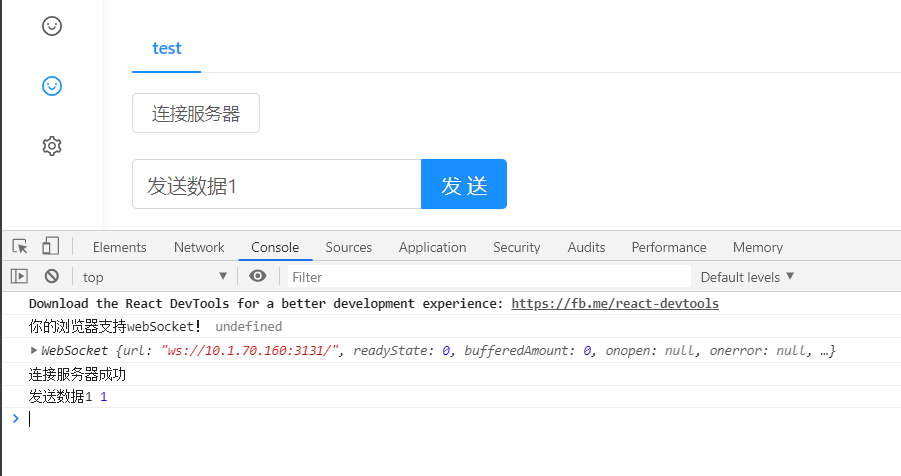
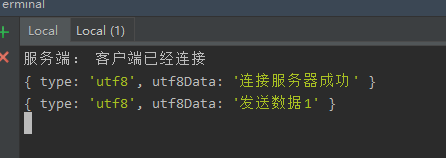
2.2 客户端: 点击 按钮“连接服务器”,然后发送消息
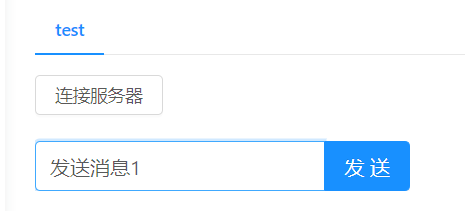
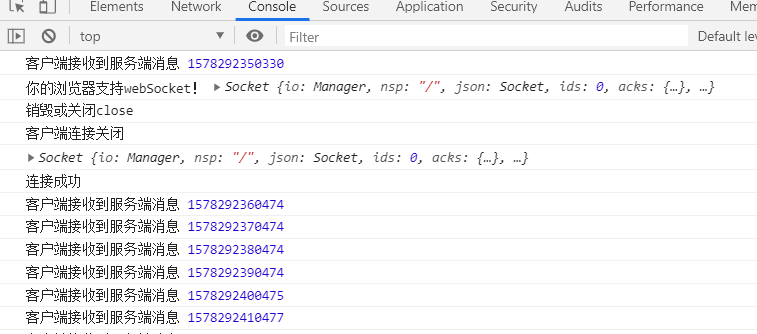
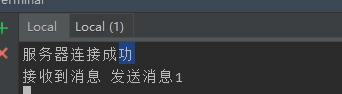
然后可以看到已经实现客户端和服务器之间的相互传递信息。
3. websocket -- ws
要使用WebSocket, 关键在于服务器端支持,这样,我们才有可能用支持WebSocket 的浏览器使用 WebSocket。
- 客户端
import React, { Component } from 'react';
import { Card, Tabs, Button, Input } from 'antd';

const { TabPane } = Tabs;
const { Search } = Input;

class Index extends Component {
  constructor(props) {
    super(props);
    this.state = {};
    this.ws = undefined;
  }

  handleGetServer = () => {
    if ('WebSocket' in window) {
      console.log('你的浏览器支持webSocket!', this.ws);
      if (this.ws !== undefined && this.ws !== 'undefined') {
        console.log('销毁或关闭close');
        this.ws.send('客户端销毁socket');
        this.ws.close();
        delete this.ws;
      }

      // const ws = new WebSocket('http://10.1.70.160:3000/blog/websocket');
      // Uncaught DOMException: Failed to construct 'WebSocket': The URL's scheme must be either 'ws' or 'wss'. 'http' is not allowed.
      // 意思是要使用 ws或wss协议,不能使用 http, 原因在 js 中没有写协议导致,
      this.ws = new WebSocket('ws://10.1.70.160:3131');
      console.log(this.ws);

      this.ws.onopen = () => {
        console.log('连接服务器成功');
        this.ws.send('连接服务器成功')
      }

      this.ws.onmessage = function (evt) {
        const received_msg = evt.data;
        console.log('数据已经接受', received_msg);
      }

      this.ws.onclose = function() {
        console.log('连接关闭...');
      }
    } else {
      alert('您的浏览器不支持WebScoket');
    }
  }

  handleSend = (value) => {
    console.log(value, this.ws);
    this.ws.send(value);
  }

  render() {
    return (
      <Card bordered={false}>
        <Tabs defaultActiveKey="1" tabPosition="top">
          <TabPane tab="test" key="1">
            <Button onClick={() => this.handleGetServer()}>连接服务器</Button>
            <br />
            <br />
            <Search
              placeholder="输入数据"
              enterButton="发送"
              size="large"
              onSearch={value => this.handleSend(value)}
              style={{ width: 300 }}
            />
          </TabPane>
        </Tabs>
      </Card>
    );
  }
}

export default Index;
- 服务端
// 导入 WebScoket 模块
const WebSocket = require('ws')
// 引用Server 类
const WebSocketServer = WebSocket.Server;
// 实例化,端口号3131
const wss = new WebSocketServer({ port: 3131 });
// 相应connection
wss.on('connection', function (ws) {
  console.log('服务端:客户端已连接');
  ws.on('message', function (message) {
    //打印客户端监听的消息
    console.log(message);
  });
  // 模拟 服务器向客户端发送消息,可注释掉
  setInterval(function(){
    ws.send('服务器发送消息')
  }, 5000);
});
2.1 问题1 启动项目,连接服务器报:Error in connection establishment: net::ERR_CONNECTION_REFUSED`
index.js:27 WebSocket connection to 'ws://10.1.70.160:3131/' failed: Error in connection establishment: net::ERR_CONNECTION_REFUSED
解决方案:
看了半天,原来是端口号搞错了

2.2 成功结果
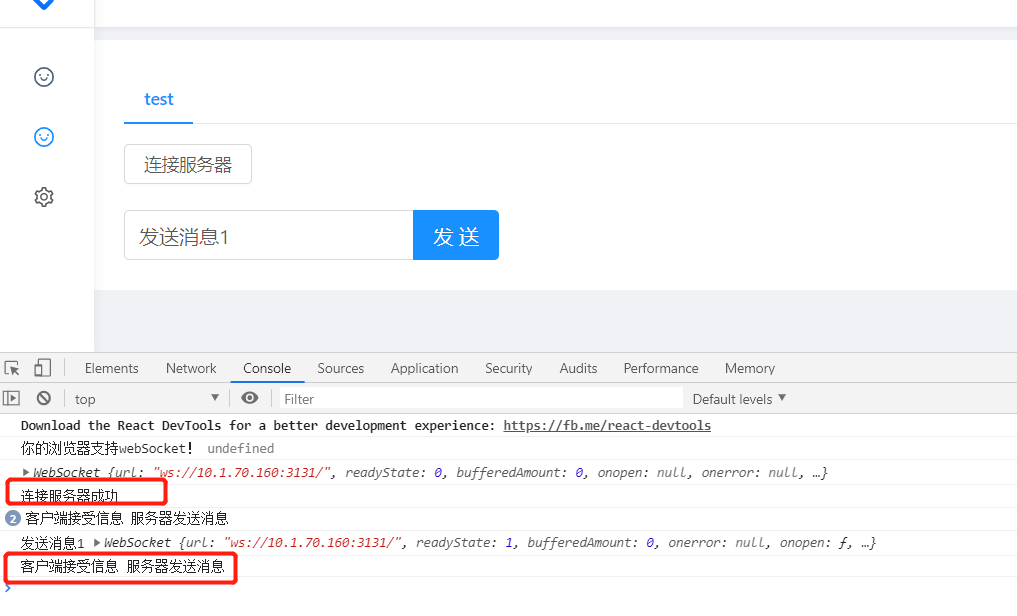
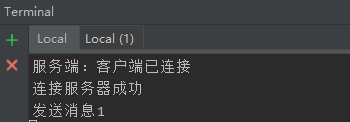
问题汇总
1. 问题1 不能用http,用ws 或者wss
export const WebSocketTest = () => {
  if ('WebSocket' in window) {
    console.log('你的浏览器支持webSocket!');
    const ws = new WebSocket('http://10.1.70.160:3000/blog/websocket');

    ws.onopen = function() {
      ws.send('发送数据');
      console.log('发送中');
    }

    ws.onmessage = function (evt) {
      const received_msg = evt.data;
      console.log('数据已经接受', received_msg);
    }

    ws.onclost = function() {
      console.log('连接关闭...');
    }
  } else {
    alert('您的浏览器不支持WebScoket');
  }
}
webSocket.js:5 Uncaught DOMException: Failed to construct 'WebSocket': The URL's scheme must be either 'ws' or 'wss'. 'http' is not allowed.
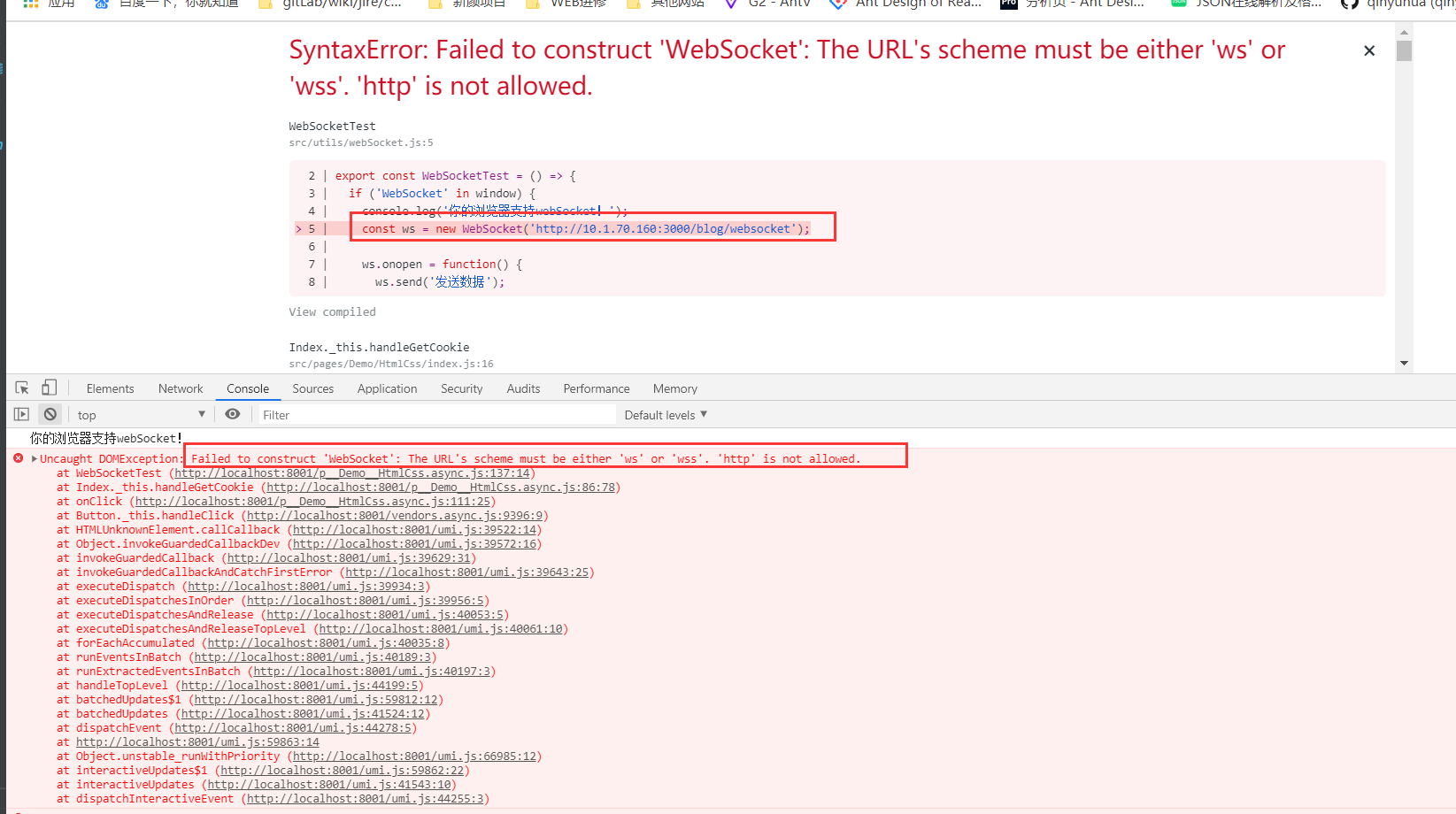
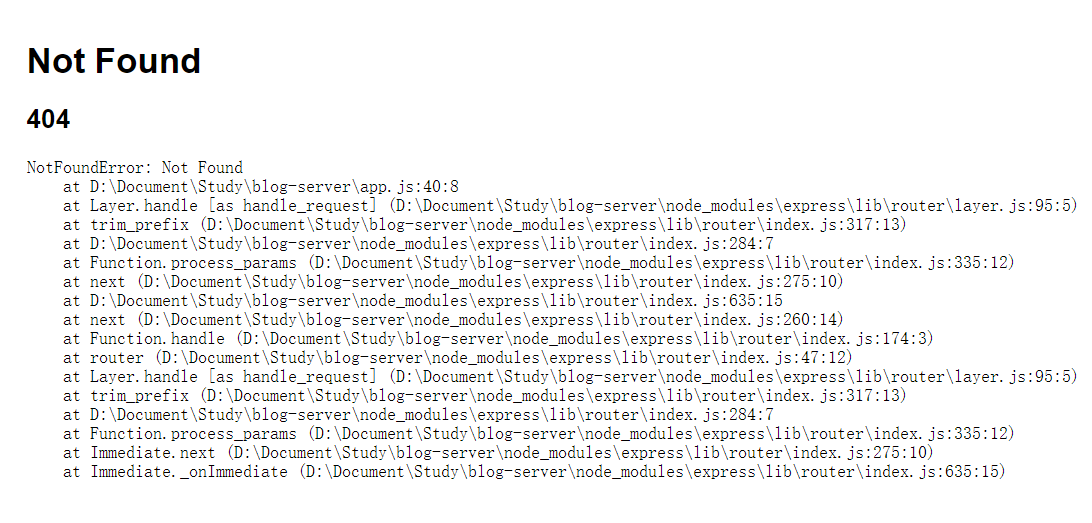
2. 问题二 express 使用post 会报404
3 问题三 单独访问后端成功,用ws访问报错Error during WebSocket handshake: Unexpected response code: 200
Error during WebSocket handshake: Unexpected response code: 200
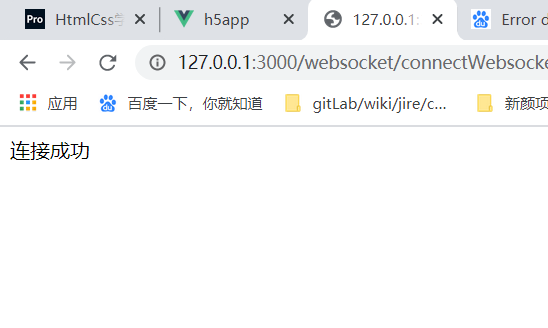
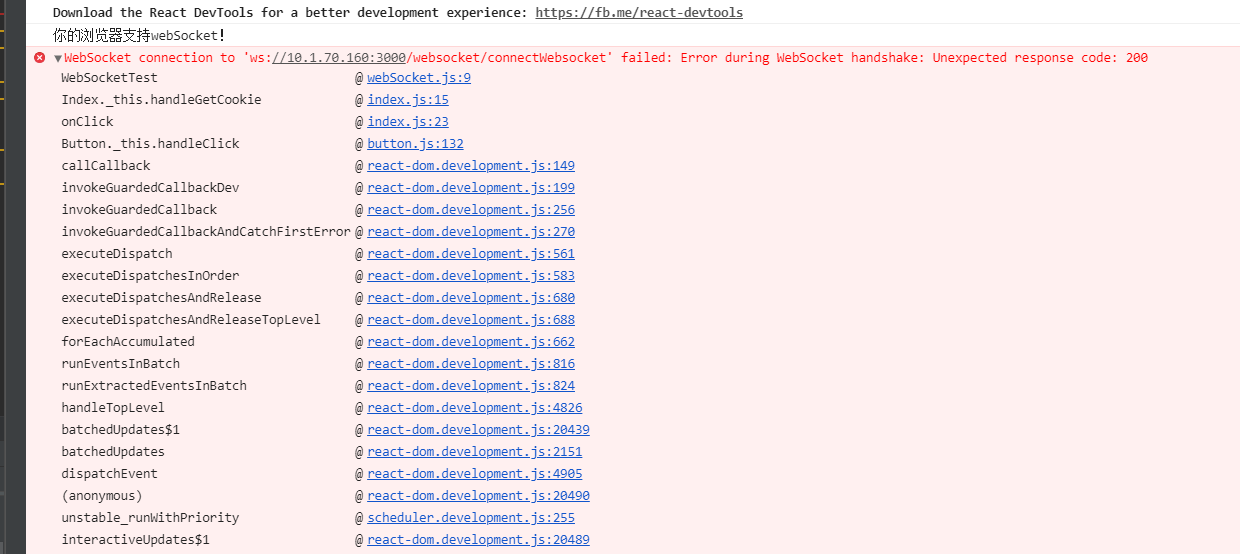
网上查了下,说是因为服务端的拦截器出了问题。要知道websocket是基于http的,建立websocket链接的时候也用经过握手,这个握手走的就是传统的http请求(好像不同浏览器实现的细节也不太一样,chrome应该是走的http),因此如果服务端有拦截器的话,是会把握手信息拦截下来的。
但是查看,好像并不是,正在查看
4. 问题四 Error during WebSocket handshake: Unexpected response code: 404
WebSocket connection to 'ws://10.1.70.160:3131/' failed: Error during WebSocket handshake: Unexpected response code: 404
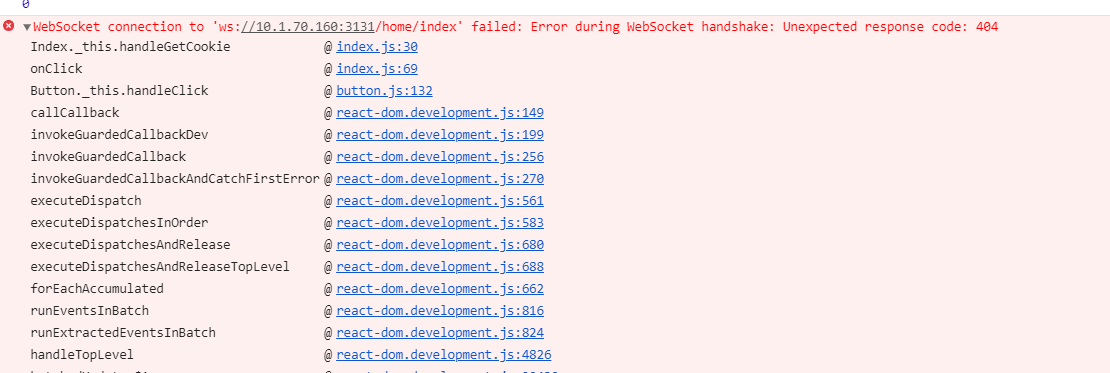
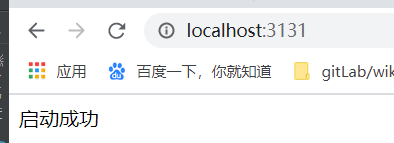
服务端代码单独访问ok
客户端代码:
import React, { Component } from 'react';
import { Card, Tabs, Button, Input } from 'antd';

const { TabPane } = Tabs;
const { Search } = Input;

class Index extends Component {
  constructor(props) {
    super(props);
    this.state = {};
    this.ws = undefined;
  }

  handleGetServer = () => {
    if ('WebSocket' in window) {
      console.log('你的浏览器支持webSocket!', this.ws);
      if (this.ws !== undefined && this.ws !== 'undefined') {
        console.log('销毁或关闭close');
        this.ws.send('客户端销毁socket');
        this.ws.close();
        delete this.ws;
      }

      // const ws = new WebSocket('http://10.1.70.160:3000/blog/websocket');
      // Uncaught DOMException: Failed to construct 'WebSocket': The URL's scheme must be either 'ws' or 'wss'. 'http' is not allowed.
      // 意思是要使用 ws或wss协议,不能使用 http, 原因在 js 中没有写协议导致,
      this.ws = new WebSocket('ws://10.1.70.160:3131');
      console.log(this.ws);

      this.ws.onopen = () => {
        console.log('连接服务器成功');
        this.ws.send('连接服务器成功')
      }

      this.ws.onmessage = function (evt) {
        const received_msg = evt.data;
        console.log('客户端接受信息', received_msg);
      }

      this.ws.onclose = function() {
        console.log('连接关闭...');
      }
    } else {
      alert('您的浏览器不支持WebScoket');
    }
  }

  handleSend = (value) => {
    console.log(value, this.ws.readyState);
    this.ws.send(value);
  }

  render() {
    return (
      <Card bordered={false}>
        <Tabs defaultActiveKey="1" tabPosition="top">
          <TabPane tab="test" key="1">
            <Button onClick={() => this.handleGetServer()}>连接服务器</Button>
            <br />
            <br />
            <Search
              placeholder="输入数据"
              enterButton="发送"
              size="large"
              onSearch={value => this.handleSend(value)}
              style={{ width: 300 }}
            />
          </TabPane>
        </Tabs>
      </Card>
    );
  }
}

export default Index;
- 服务端
const http = require('http');
const express = require('express');
const webSocketServer = require('websocket').server;
const webSocketsServerPort = 3131;

const app = express();

app.get('/', function(req, res, next) {
  res.send('启动成功');
})

const server = http.createServer(app);

server.listen(webSocketsServerPort, function() {
  console.log('listending 3131');
});

wss = new webSocketServer({
  httpServer: server,
});
wss.on('connect', function(ws){
  console.log('服务端: 客户端已经连接');
  ws.on('message', function (message) {
    console.log(message);
  })
})
问题:因为没有配置autoAcceptConnections: true 或者没有监听 request
5. index.js:31 WebSocket connection to 'ws://10.1.70.160:3131/' failed: Connection closed before receiving a handshake response
const app = require('express')();
const http = require('http').Server(app);
const io = require('socket.io')(http);

app.get('/', function(req, res) {
  res.send('inc')
})

io.on('connection', function (socket) {
  console.log('connect')
  socket.on('message', function(msg) {
    console.log(msg)
  })

  socket.emit('message', 'hello')

  socket.on('disconnect', function() {
    console.log('disconnect')
  })
})
http.listen(3131, function () {
  console.log('listending 3131')
})
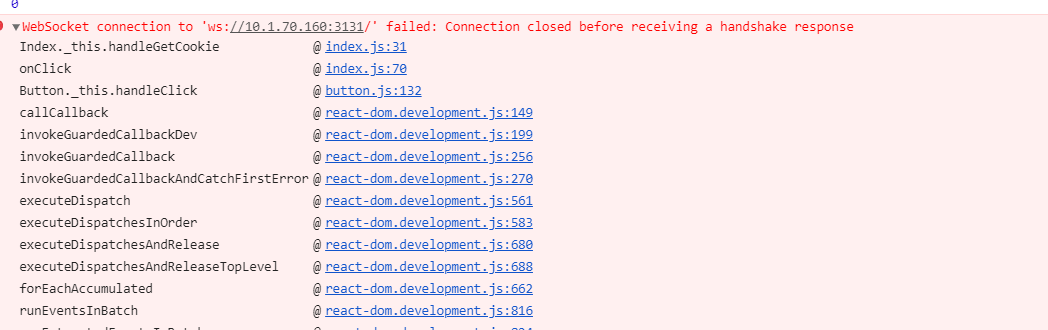
解决: 客户端也要用 socket.io 相应的 socket.io-client 这个包