需求
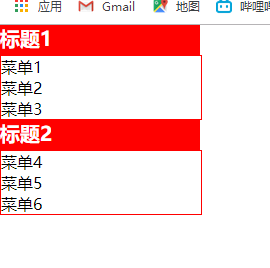
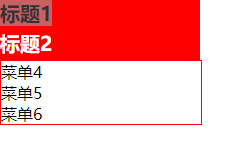
点击会展示和隐藏下拉菜单
步骤
- 首先需要对所有的ul都进行隐藏
- 对标题标签进行循环
- 设置tag = false
- 对标签进行点击操作
- 根据this.tag 判断是display:none还是block
- 对tag取反
代码如下
<!DOCTYPE html>
<html lang="en">
<head>
<meta charset="UTF-8">
<meta name="viewport" content="width=device-width, initial-scale=1.0">
<meta http-equiv="X-UA-Compatible" content="ie=edge">
<title>Document</title>
<style>
*{
margin: 0px;
padding: 0px;
}
h1{
width: 200px;
height: 30px;
background:
color:
font-size: 18px;
text-align: center;
line-height: 30px;
}
ul{
width: 200px;
border: 1px red solid;
display: none;
}
ul>li{
list-style: none;
height: 20px;
width: 200px;
text-align: center;
line-height: 20px;
}
</style>
</head>
<body>
<h1>标题一</h1>
<ul>
<li>内容一</li>
<li>内容二</li>
<li>内容三</li>
</ul>
<h1>标题二</h1>
<ul>
<li>内容一</li>
<li>内容二</li>
<li>内容三</li>
</ul>
<script>
var ah = document.getElementsByTagName("h1");
var aul = document.getElementsByTagName("ul");
// 注意这里面是最ah进行一个循环
for(var i = 0; i<ah.length;i++){
ah[i].index = i;
ah[i].tag = false;
// 给ah绑定点击事件
ah[i].onclick = function(){
if(this.tag){
aul[this.index] .style.display = "none"
}else{
aul[this.index].style.display = "block"
}
this.tag = !this.tag;
}
}
</script>
</body>
</html>