1.版本信息
react-native: 0.61.4
react-native-spalash-screen: 3.2.0
2.安装
yarn add react-native-spalash-screen
android配置:
1./android/app/src/main/java/com/xx/MainActivity.java
import android.os.Bundle; // here
// react-native-splash-screen >= 0.3.1
import org.devio.rn.splashscreen.SplashScreen; // here
 @Override
  protected void onCreate(Bundle savedInstanceState) {
      SplashScreen.show(this);  // here
      super.onCreate(savedInstanceState);
  }
2.Create a file called launch_screen.xml in app/src/main/res/layout (create the layout-folder if it doesn't exist). The contents of the file should be the following(create drable folder if it doesn't exit):
<?xml version="1.0" encoding="utf-8"?>
<RelativeLayout xmlns:android="http://schemas.android.com/apk/res/android"
    android:orientation="vertical" android:layout_width="match_parent"
    android:layout_height="match_parent">
    <ImageView android:layout_width="match_parent" android:layout_height="match_parent" android:src="@drawable/launch_screen" android:scaleType="centerCrop" />
</RelativeLayout>
3.配置启动图
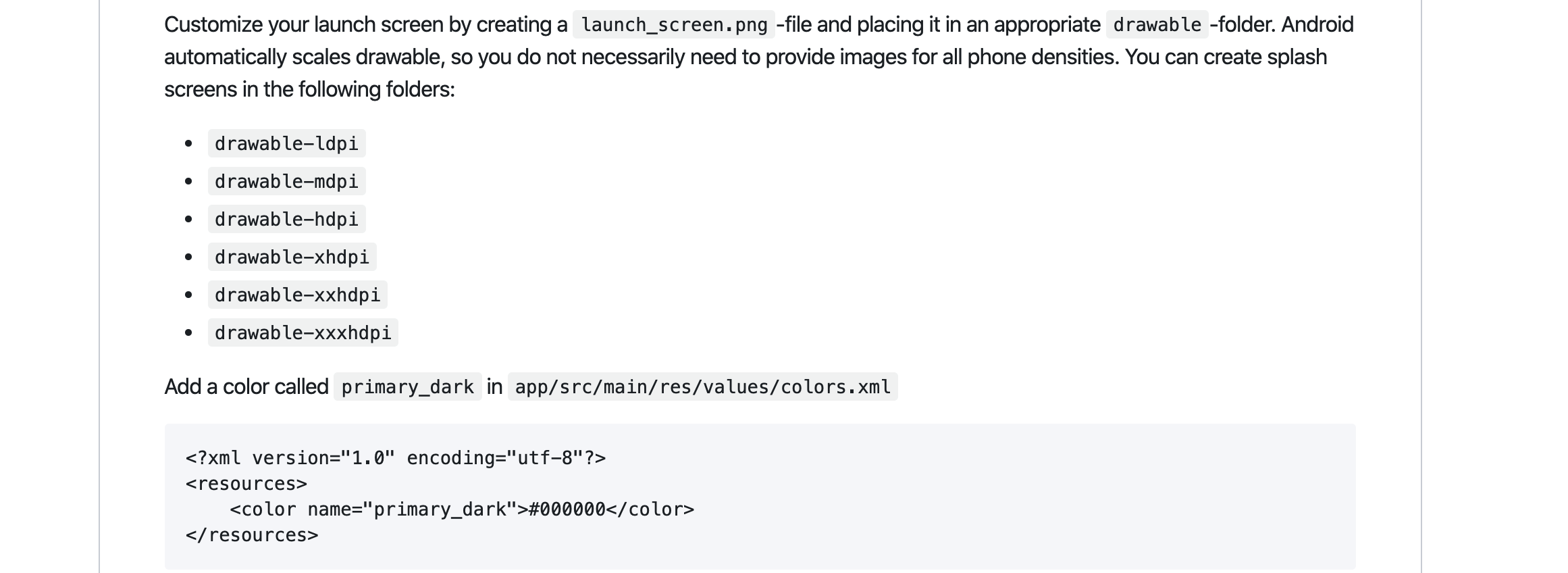
4. 解决android 回到后台后再打开app启动图再次出现并卡死(在旧款android机器和模拟器上可能出现)
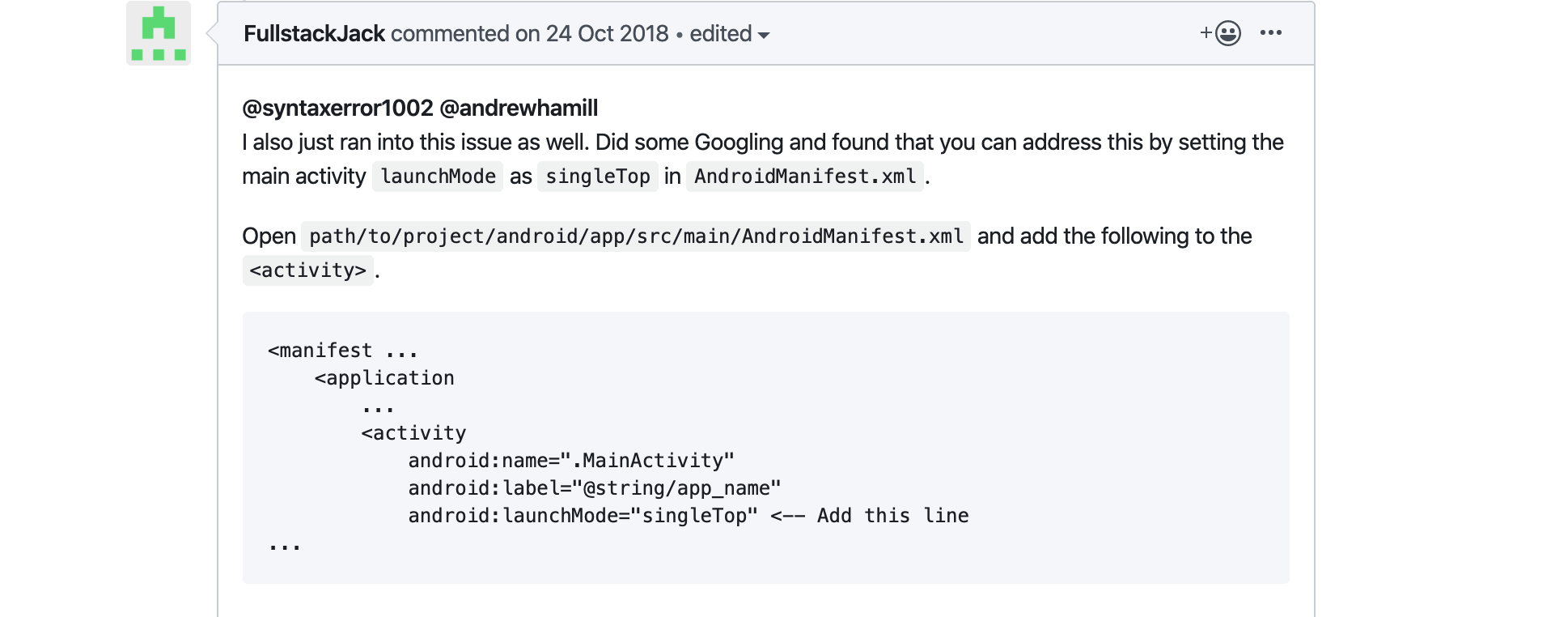
<manifest ...
    <application
        ...
        <activity
            android:name=".MainActivity"
            android:label="@string/app_name"
            android:launchMode="singleTop" <-- Add this line
...
这里是该issue
iOS配置
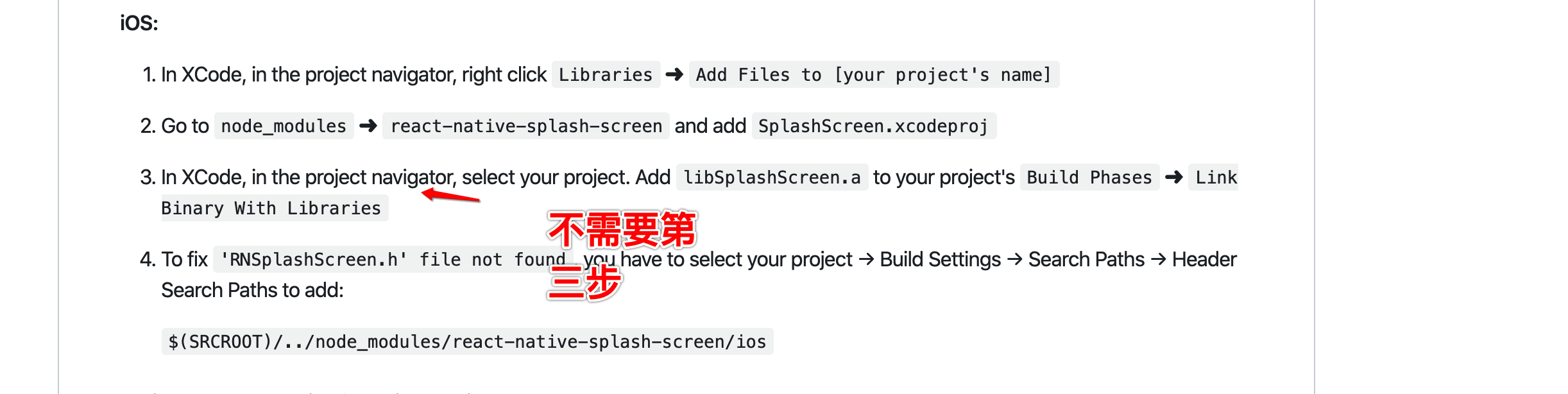
在AppDelegate.m中, 引用代码如下
#import <react-native-splash-screen/RNSplashScreen.h>
instead of
#import "RNSplashScreen.h"
该问题的具体讨论 连接