WPF MVVM
一 创建新项目
1 新建

2 从NuGet安装MvvmLight
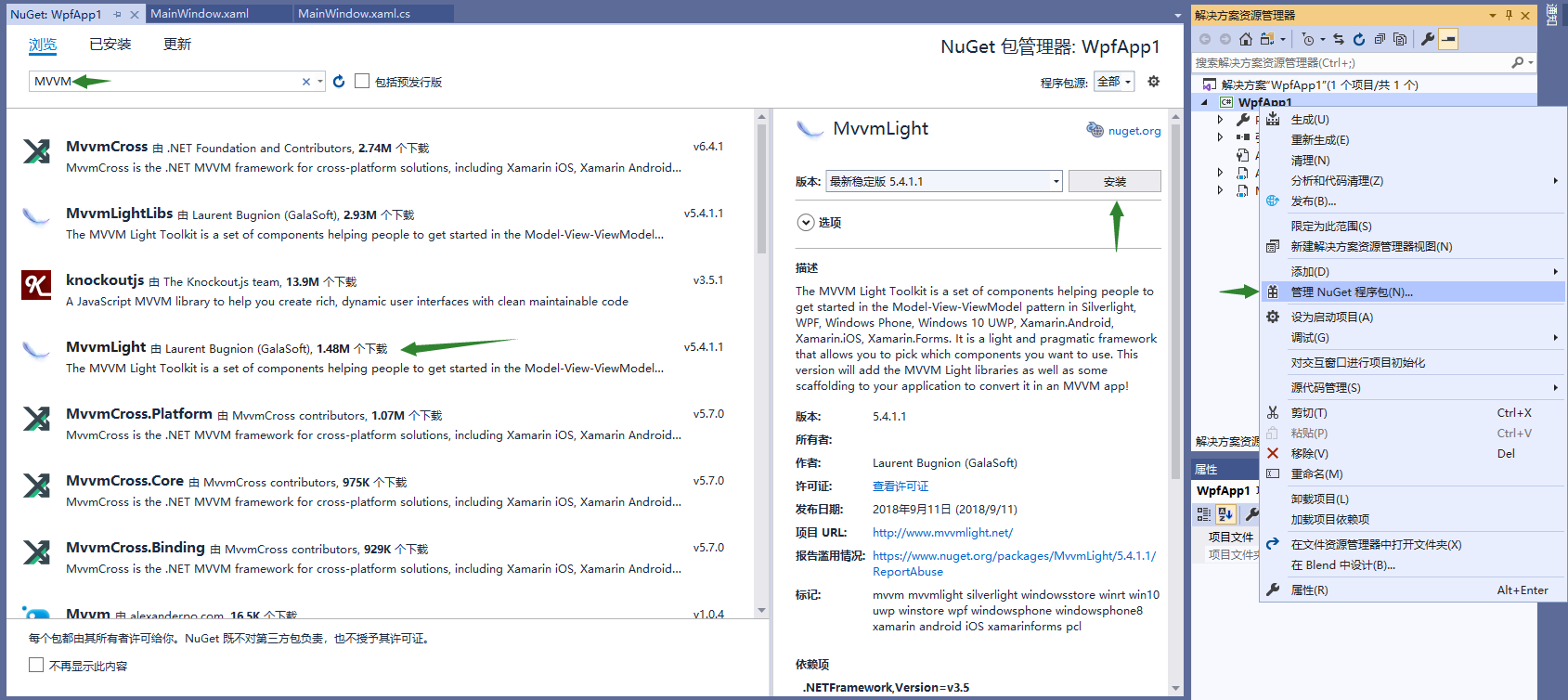
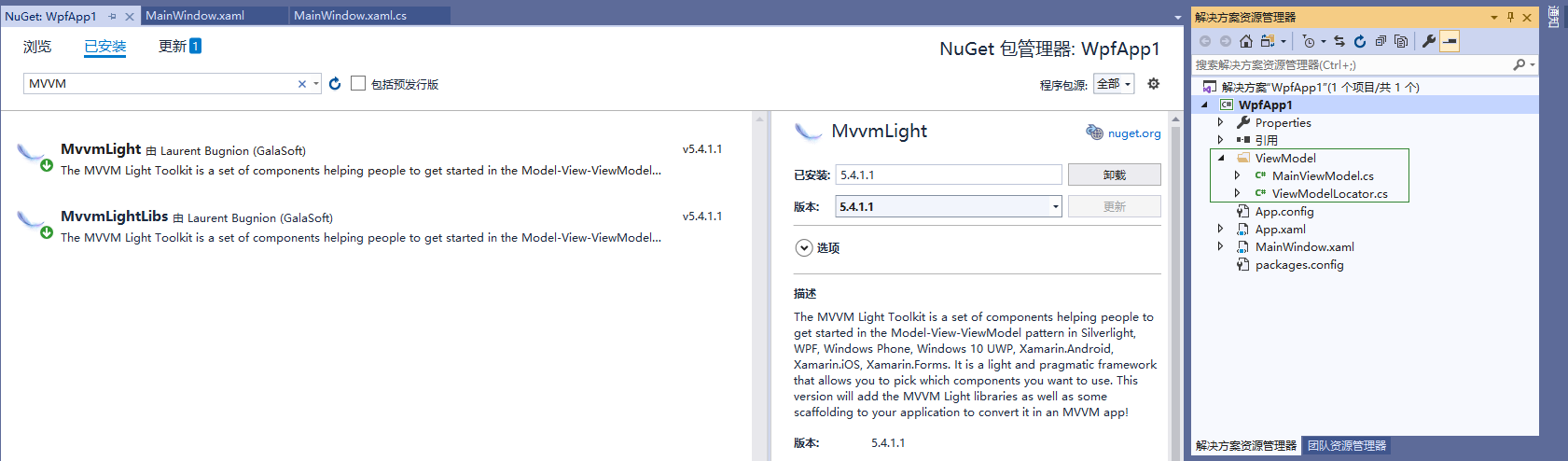
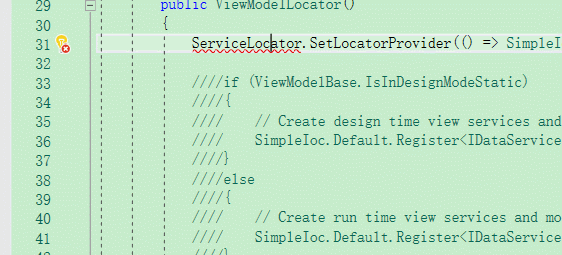
刚创建就报错???
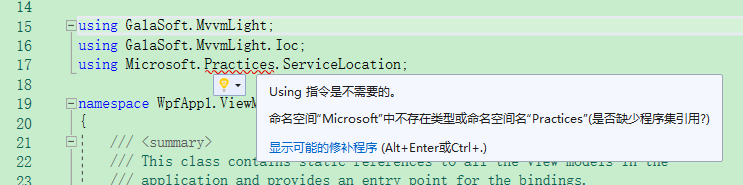
处理方法
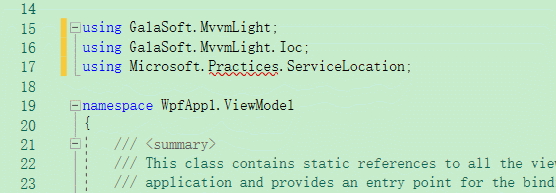


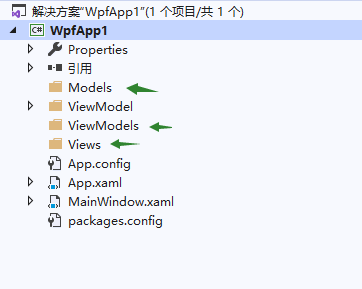
3 添加几个文件夹
二 Hello World
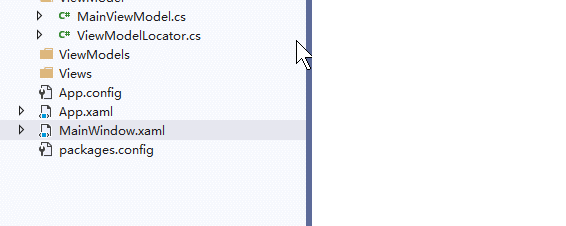
皮这一下就很舒服了
二 开始
MVVM = Model + View + ViewModel
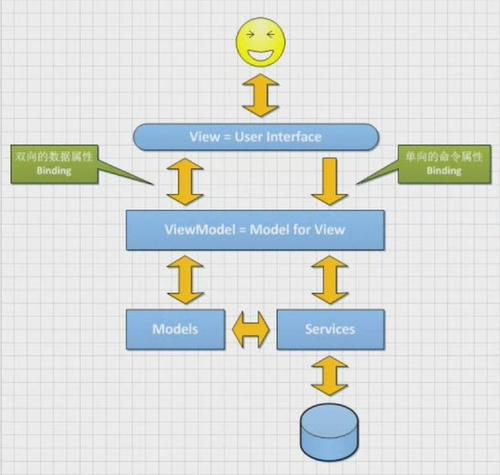
目录结构差不多是这个样子的
📦 wpfApp1
        📁 Models
                📄 PModel.cs
        📁 View
                📄 Page1.xaml
        📁 ViewModels
                📄 PModelViewModel.cs
                📄 MainViewModel.cs
                📄 ViewModelLocator.cs
        📄 MainWindow.xaml
        📄 App.config
1 View 和 ViewModel 数据交互
View 也就是.xaml文件 ,只和ViewModel层交互,绑定数据 和 绑定事件 靠 {Binding xxx}来实现双向绑定
具体来说就是 viewModel 里 写好get和set ,在页面上用Content="{Binding Msg}"这种写法绑定到页面上,后台数据变化会直接更新到页面上,页面上的修改也会更新后台数据
举个例子:
<!-- Pages/Page1.xaml -->
<Page x:Class="WpfApp1.Pages.Page1"
      xmlns="http://schemas.microsoft.com/winfx/2006/xaml/presentation"
      xmlns:x="http://schemas.microsoft.com/winfx/2006/xaml"
      xmlns:mc="http://schemas.openxmlformats.org/markup-compatibility/2006"
     xmlns:d="http://schemas.microsoft.com/expression/blend/2008"
      xmlns:local="clr-namespace:WpfApp1.Pages"
      mc:Ignorable="d"
      Title="Page1"
      DataContext="{Binding PModels,Source={StaticResource Locator}}">
    <Grid>
        <Grid>
            <ListBox ScrollViewer.CanContentScroll="True"   ItemsSource="{Binding DataList}"  >
                <ListBox.ItemTemplate>
                    <DataTemplate>
                        <Label   Content="{Binding Msg}" Tag="{Binding}"  />
                    </DataTemplate>
                </ListBox.ItemTemplate>
            </ListBox>
        </Grid>

    </Grid>
</Page>
/// ViewModels/PModelViewModel.cs


        /// <summary>
        ///     数据列表
        /// </summary>
        private IList<PModel> _dataList;

        /// <summary>
        ///     数据列表
        /// </summary>
        public IList<PModel> DataList
        {
            get => _dataList;
#if netle40
            set => Set(nameof(DataList), ref _dataList, value);
#else
            set => Set(ref _dataList, value);
#endif
        }

        /// <summary>
        ///  构造函数
        /// </summary>
        public PModelListViewModel()
        {
            DataList = GetDjtDataList();
        }

        internal ObservableCollection<PModel> GetDjtDataList()
        {
            return new ObservableCollection<PModel>(){
                new PModel
                {
                     Talker="0",
                     Content="JO太郎!",
                     Spektime=""
                },
                new PModel
                {
                     Talker="1",
                     Content="Dio!",
                     Spektime=""
                },
                new PModel
                {
                     Talker="0",
                     Content="木大木大木大",
                     Spektime=""
                },
                new PModel
                {
                     Talker="1",
                     Content="欧拉欧拉欧拉",
                     Spektime=""
                }
            };
        }
    }
}
意思大概是这个意思,不过要先在ViewModelLocator.cs里注册才能用
    public ViewModelLocator()
    {
        //这个是项目给生成的,下面的模仿着写就行
        SimpleIoc.Default.Register<MainViewModel>();

        SimpleIoc.Default.Register<PModelViewModel>();
    }

    //这个是项目给生成的,下面的模仿着写就行
    public MainViewModel Main
    {
        get
        {
            return ServiceLocator.Current.GetInstance<MainViewModel>();
        }
    }

    public PModelViewModel PModel
    {
        get
        {
            return ServiceLocator.Current.GetInstance<PModelViewModel>();
        }
    }
2 View 绑定事件
也是一样的在View里,通过Command="{Binding AddCommand}"来触发ViewModel里的委托事件
<Button Command="{Binding AddCommand}" CommandParameter="你们不要再打了啦!" >
    /// <summary>
    /// 命令:传递参数
    /// </summary>
    public RelayCommand<string> AddCommand =>
        new Lazy<RelayCommand<string>>(() =>
            new RelayCommand<string>(Add)).Value;

    /// <summary>
    /// 页面跳转
    /// </summary>
    /// <param name="param"></param>
    private void Add(string param)
    {
        ///这里我传了一个string类型的参数
        ///多个参数可以Newtonsoft.Json来解析JSON字符串
        ///直接传多个参数的方法,还没看,等之后有空再说
        DataList.Add(
            new PModel
            {
                Index = 0,
                Btn_txt = "0",
                Msg = param,
                Starttime = 0
            }
        );
    }
3 跨页面数据交互
直接交互的方法我没搜到,难受...不过有其他方法
///发送消息
Messenger.Default.Send<String>("有内鬼,终止交易!", "add");

///订阅消息
Messenger.Default.Register<String>(this, "AddTab", msg => {
    // 处理接收到的msg
});
傻瓜式操作,用前using GalaSoft.MvvmLight.Messaging;就OK了