一、2019年git提交统计

二、统计方式汇总
2.1 使用 git log 统计
查看git上个人代码量
git log --author="username" --pretty=tformat: --numstat | awk '{ add += $1; subs += $2; loc += $1 - $2 } END { printf "added lines: %s, removed lines: %s, total lines: %s\n", add, subs, loc }' -
统计每个人的增删行数
git log --format='%aN' | sort -u | while read name; do echo -en "$name\t"; git log --author="$name" --pretty=tformat: --numstat | awk '{ add += $1; subs += $2; loc += $1 - $2 } END { printf "added lines: %s, removed lines: %s, total lines: %s\n", add, subs, loc }' -; done
查看仓库提交者排名前 5
git log --pretty='%aN' | sort | uniq -c | sort -k1 -n -r | head -n 5
贡献者统计:
git log --pretty='%aN' | sort -u | wc -l
提交数统计:
git log --oneline | wc -l
回滚代码:
git reset --hard cad0324fc462898033e1372724c0418ee651b1f7
2.2:使用 git_stats统计
1.首先,我们需要全局安装 git_stats
sudo gem install git_stats

2.接下来,运行
git_stats generate

3.打开 git_stats 目录
cd git_stats && open index.html

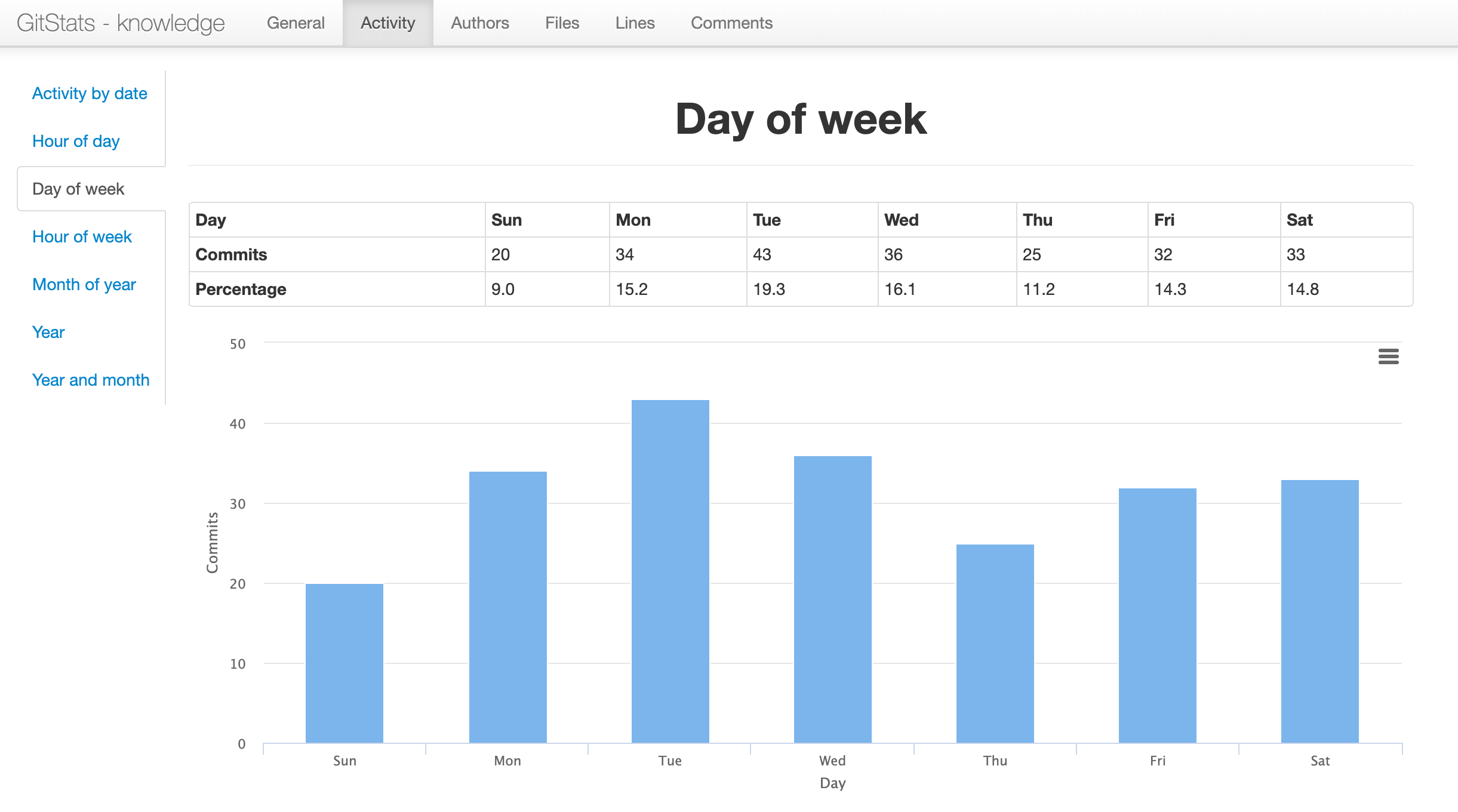
4. 效果展示
2.3使用 cloc 进行统计
npm install -g cloc

cloc .
1 参考文章