

Fiddler匹配规则总结
Fiddler的autoResponder可以将请求远程的文件重定向到本地文件。方便我们在不同的环境中调试本地代码。其中的正则匹配规则也是十分的方便,简直开发利器。
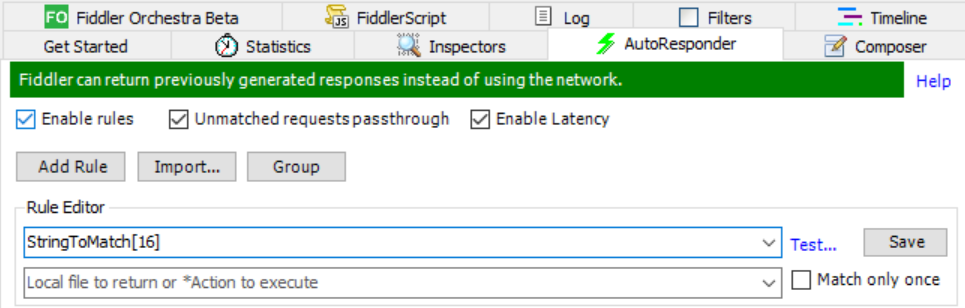
无任何前缀:
*会匹配任何请求EXAMPLE匹配
http://www.example.com/Path1/http://www.something.com/Path1/query=Example
此时是不区分大小写的,只要是有对应字母就会匹配。
有前缀:
NOT:当地址不符合给出匹配规则时会匹配NOT:example会匹配
http://www.test.com/Path1/query=test
而不会匹配
http://www.example.com/Path1/
Exact:绝对匹配
EXACT:http://www.example.com/path
会匹配
http://www.example.com/path
Regex:正则匹配
.+匹配一个或多个字符
.*匹配零个或多个字符
^在正则匹配最前面表示url的起始位置
$在正则匹配结尾表示url的结尾
(?insx):
i不区分大小写;
n 表示指定的唯一有效的捕获是显式命名或编号的形式。也就是说如果使用了“n”修正符,想在表达式中使用括号,在下面使用变量接受是收不到的。
例如期望匹配值为:
http://127.0.0.1:8020/abba/lyb/lyblist
表达式为:
regex:(?inx)^http://127.0.0.1:\d*/(\w*)/lyb/lyblist
下面如果想用变量接收括号中内容是收不到的。
http://127.0.0.1:8080/$1/lyb/lyblist
这样输出的结果是 http://127.0.0.1:8080/$1/lyb/lyblist ,而不是期望的http://127.0.0.1:8080/abba/lyb/lyblist;
s单行语法,换行字符作为普通字符。
x表示将模式中的空白忽略。
正则匹配例子
regex:.+
http://www.example.com/Path1/query=example //匹配
regex:.+.jpg
http://www.example.com/Path1/query=foo.jpg&bar //匹配
http://www.example.com/Path1/query=example.jpg //匹配
regex:.+.jpg$
http://www.example.com/Path1/query=foo.jpg&bar //不会匹配
http://www.example.com/Path1/query=example.jpg //匹配
regex:.+.(jpg|gif|bmp)$
http://www.example.com/Path1/query=foo.bmp&bar //不会匹配
http://www.example.com/Path1/query=example.gif // 匹配
http://www.example.com/Path1/query=example.Gif // 匹配
http://www.example.com/Path1/query=example.bmp // 匹配
regex:(?insx).+.(jpg|gif|bmp)$
http://www.example.com/Path1/query=foo.bmp&bar //不会匹配
http://www.example.com/Path1/query=example.gif  // 匹配
http://www.example.com/Path1/query=example.Gif // 匹配(不区分大小写)
http://www.example.com/Path1/query=example.bmp // 匹配
