spring-boot swagger2 设置全局token,解决接口需要token验证的问题
问题背景
- 项目中需要在header中进行校验传入token,导致swagger不能调试
具体实现
@Configuration
@EnableSwagger2
public class SwaggerConfig implements WebMvcConfigurer {

    @Bean
    public Docket createRestApi() {
        return new Docket(DocumentationType.SWAGGER_2)
            .apiInfo(apiInfo())
            .select()
            //加了ApiOperation注解的类,才生成接口文档
            .apis(RequestHandlerSelectors.withMethodAnnotation(ApiOperation.class))
            //包下的类,才生成接口文档
            .paths(PathSelectors.any())
            .build()
            .securitySchemes(security());
    }

    private ApiInfo apiInfo() {
        return new ApiInfoBuilder()
            .title("XXXX后台管理")
            .description("接口文档")
            .build();
    }

    private List<ApiKey> security() {
        return newArrayList(
            new ApiKey("token", "token", "header")
        );
    }

}
配置完成后刷新页面则会显示

点击Authorize
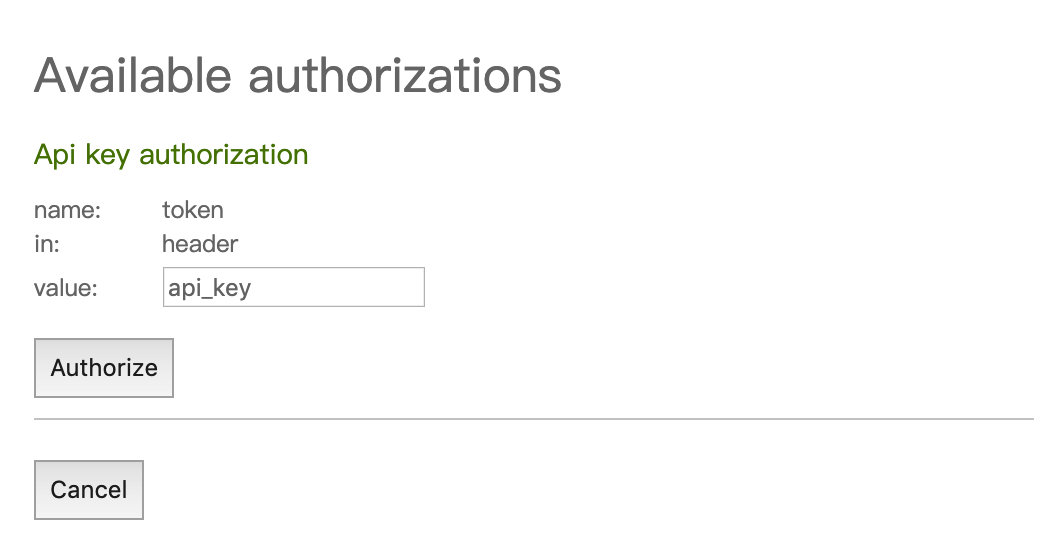
填入你生成的token并按authorize则完成了全局的token校验问题,又能够愉快的联调了。