

settings.xml有什么用?
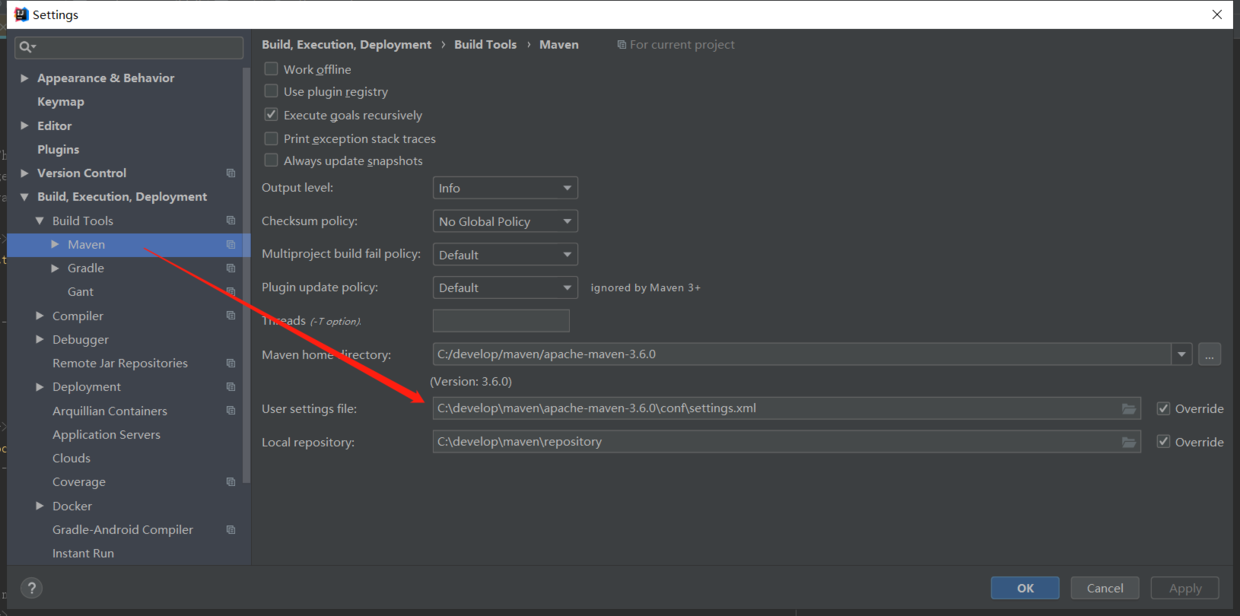
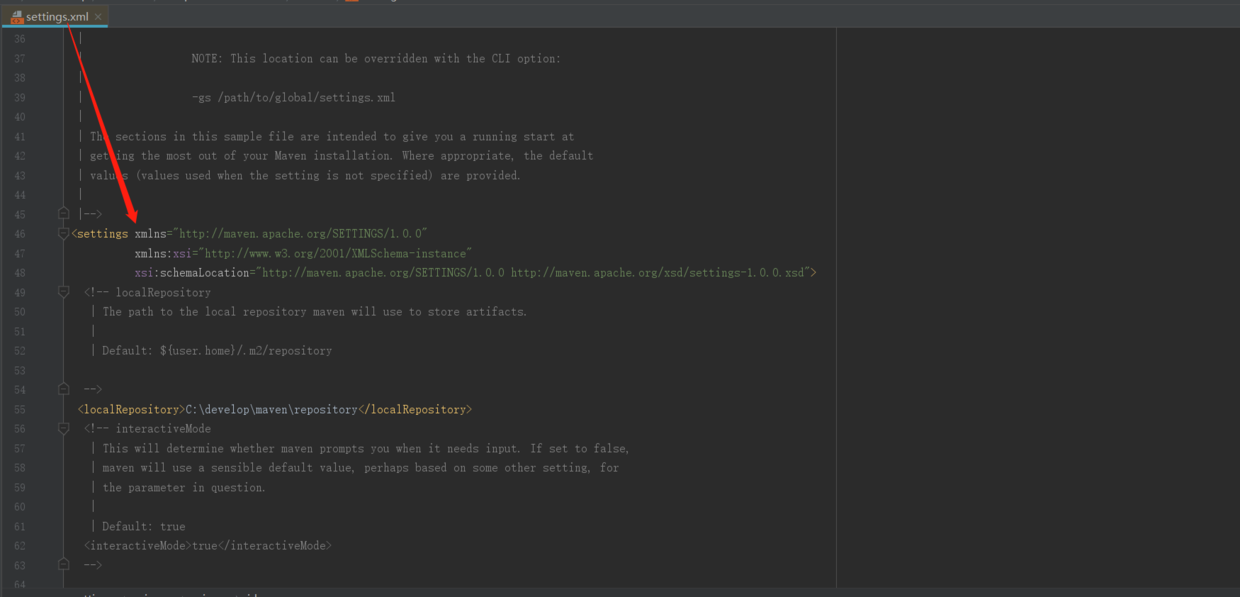
settings.xml文件是干什么的,为什么要配置它呢? settings.xml的文件名就可以看出,它是用来设置maven参数的配置文件。 settings.xml是maven的全局配置文件。 pom.xml文件是所在项目的局部配置。 Settings.xml中包含类似本地仓储位置、修改远程仓储服务器、认证信息等配置。 ######settings.xml文件位置
settings.xml文件一般存在于两个位置:
全局配置: ${M2_HOME}/conf/settings.xml
用户配置: ${user.home}/.m2/settings.xml
note:用户配置优先于全局配置。${user.home} 和和所有其他系统属性只能在3.0+版本上使用。请注意windows和Linux使用变量的区别。
######配置优先级 需要注意的是:局部配置优先于全局配置。 配置优先级从高到低:pom.xml> user settings > global settings 如果这些文件同时存在,在应用配置时,会合并它们的内容,如果有重复的配置,优先级高的配置会覆盖优先级低的。
settings.xml元素详解
顶级元素概览 下面列举了settings.xml中的顶级元素
<settings xmlns="http://maven.apache.org/SETTINGS/1.0.0"
      xmlns:xsi="http://www.w3.org/2001/XMLSchema-instance"
      xsi:schemaLocation="http://maven.apache.org/SETTINGS/1.0.0
                          https://maven.apache.org/xsd/settings-1.0.0.xsd">
  <localRepository/>
  <interactiveMode/>
  <usePluginRegistry/>
  <offline/>
  <pluginGroups/>
  <servers/>
  <mirrors/>
  <proxies/>
  <profiles/>
  <activeProfiles/>
</settings>
######LocalRepository 作用:该值表示构建系统本地仓库的路径。 其默认值:~/.m2/repository。
<localRepository>${user.home}/.m2/repository</localRepository>
######Offline 作用:表示maven是否需要在离线模式下运行。 如果构建系统需要在离线模式下运行,则为true,默认为false。 当由于网络设置原因或者安全因素,构建服务器不能连接远程仓库的时候,该配置就十分有用。
<offline>false</offline>
######Mirrors 作用:为仓库列表配置的下载镜像列表。
<settings xmlns="http://maven.apache.org/SETTINGS/1.0.0" xmlns:xsi="http://www.w3.org/2001/XMLSchema-instance"
  xsi:schemaLocation="http://maven.apache.org/SETTINGS/1.0.0
                      https://maven.apache.org/xsd/settings-1.0.0.xsd">
  ...
  <mirrors>
    <!-- 给定仓库的下载镜像。 -->
    <mirror>
      <!-- 该镜像的唯一标识符。id用来区分不同的mirror元素。 -->
      <id>planetmirror.com</id>
      <!-- 镜像名称 -->
      <name>PlanetMirror Australia</name>
      <!-- 该镜像的URL。构建系统会优先考虑使用该URL,而非使用默认的服务器URL。 -->
      <url>http://downloads.planetmirror.com/pub/maven2</url>
      <!-- 被镜像的服务器的id。例如,如果我们要设置了一个Maven中央仓库(http://repo.maven.apache.org/maven2/)的镜像,就需要将该元素设置成central。这必须和中央仓库的id central完全一致。 -->
      <mirrorOf>central</mirrorOf>
    </mirror>
  </mirrors>
  ...
</settings>
当然还有很多标签,用到的时候可以具体在查O(∩_∩)O
