

[TOC]
Elasticsearch配置
在elasticsearch安装目录的config文件下,是和es相关的所有配置文件
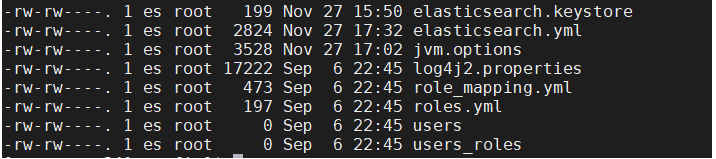
1. elasticsearch.yml(es相关配置)
#集群名称:
#cluster.name: my-application
#节点名称
#node.name: node-1
# Add custom attributes to the node:
# 为该节点新增一个属性
#node.attr.rack: r1
# Path to directory where to store the data (separate multiple locations by comma):
# 存放es数据的位置
#path.data: /path/to/data
# es 存放日志的位置
#path.logs: /path/to/logs
# 网络相关配置,如果需要外网访问则需要打开此配置,并配置为0.0.0.0
network.host: 0.0.0.0
#http 访问的端口
http.port: 9200
# Bootstrap the cluster using an initial set of master-eligible nodes:
# 集群初始化node节点,如果需要外网访问,此配置也必须打开
cluster.initial_master_nodes: ["node-1", "node-2"]
#允许跨域
http.cors.enabled:true
http.cors.allow-origin:"*"
2. jvm.options(jvm相关配置)
如果es启动的占用的内存过大,可以修改-Xms256m -Xmx256m.默认为1g
3. log4j2.properties(es日志相关文件)
4. 修改为外网访问启动会遇到的问题
4.1. max file descriptors [4096] for elasticsearch process is too low, increase to at least [65536]
修改/etc/security/limits.conf,增加配置,用户退出后重新登录生效
* soft nofile 655350
* hard nofile 655350
4.2. max number of threads [3818] for user [es] is too low, increase to at least [4096]
修改/etc/security/limits.conf,增加配置,用户退出后重新登录生效
* hard nproc 4096
* soft nproc 4096
4.3. max virtual memory areas vm.max_map_count [4096] is too low, increase to at least [65536]
修改/etc/sysctl.conf,增加如下配置
vm.max_map_count=262144
保存后执行sysctl -p 生效
4.4. the default discovery settings are unsuitable for production use; at least one of [discovery.seed_hosts, discovery.seed_providers, cluster.initial_master_nodes] must be configured
修改elasticsearch.yml文件,放开下面这行代码即可
cluster.initial_master_nodes: ["node-1", "node-2"]
4.5. max file descriptors [65535] for elasticsearch process is too low, increase to at least [65536]
修改/etc/sysctl.conf,增加如下配置
fs.file-max=655350
保存后执行sysctl -p 生效
