   夫美质难得而易坏,
   至道难闻而易失,
   盛年难遇而易过,
   习俗难革而易流。

        ——王阳明
说明
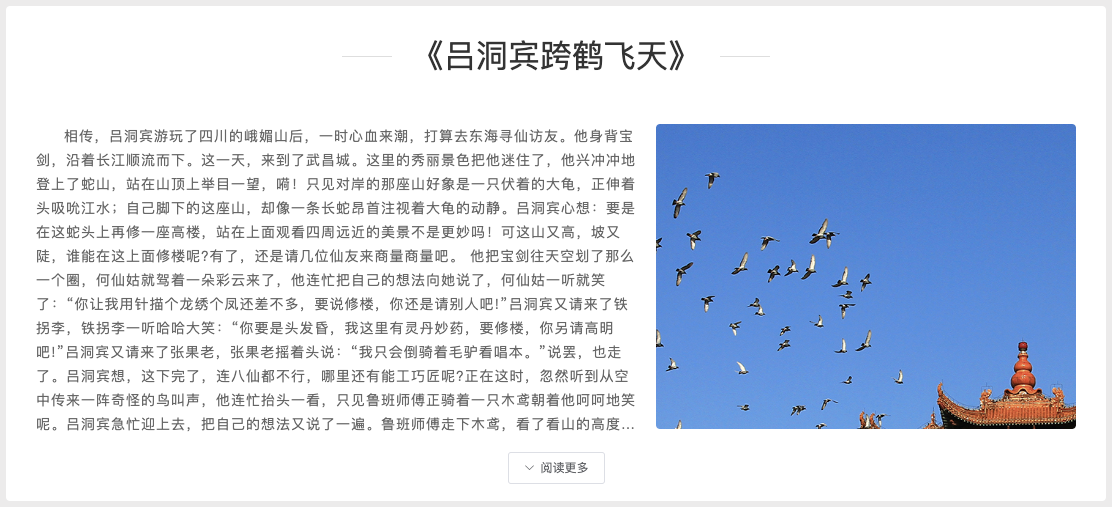
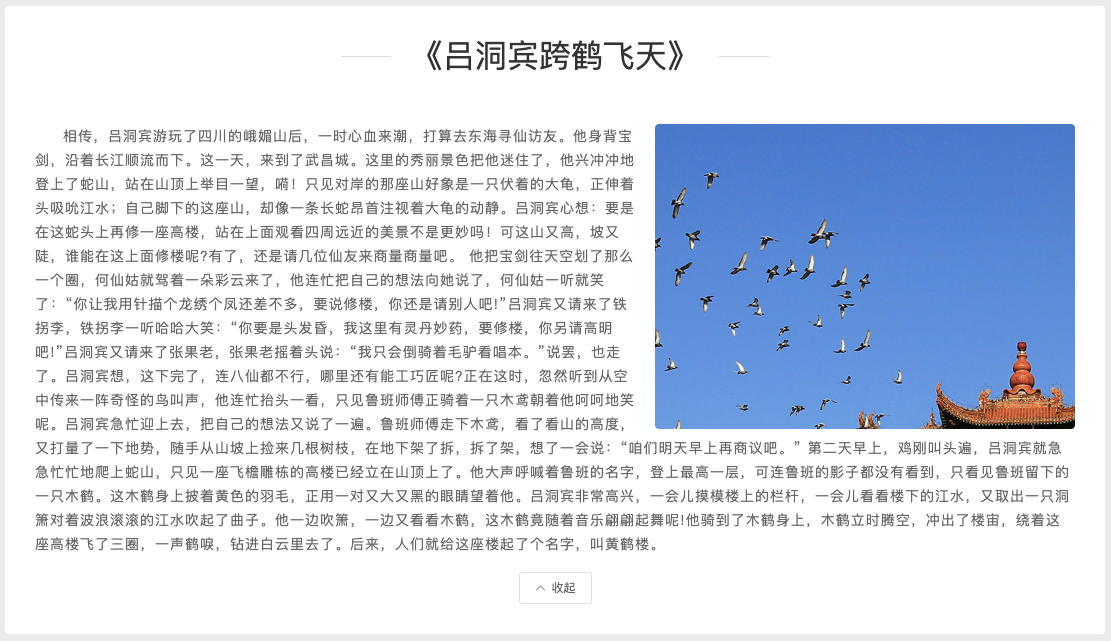
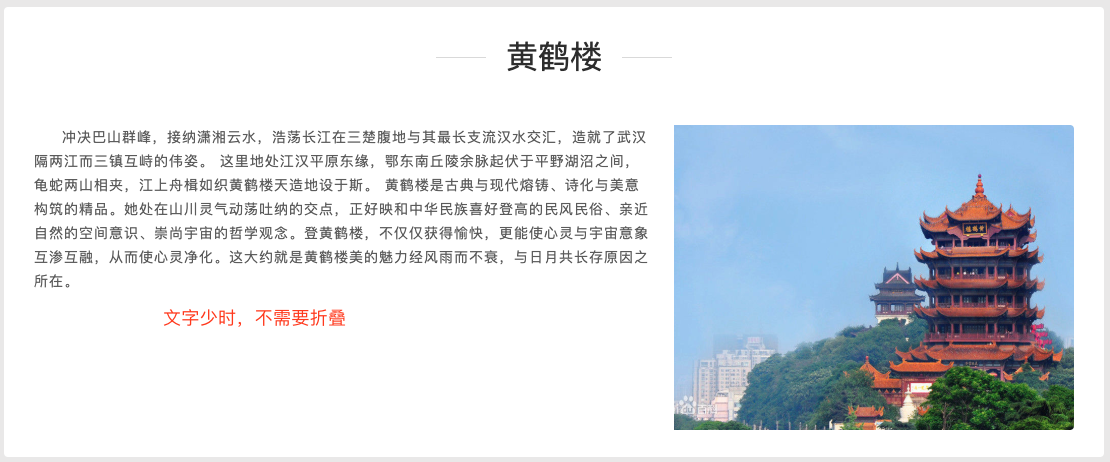
最近遇到一个需求,当一个DOM中的文字显示行数过多时,需要折叠,并显示阅读更多按钮,点击按钮后会显示全部文字,再点击按钮会折叠文字,但是文字字数少的情况下,不需要折叠。
所以,需要判断包含概述文字的p标签的高度来做判断处理,关键点是使用$nextTick这个方法,来等待DOM全部加载完毕后在获取p的高度,否则会出错。再根据不同参数值设置类的样式即可。
$nextTick简介
Vue.nextTick( [callback, context] )
-
参数:
- {Function} [callback]
- {Object} [context]
-
用法:
在下次 DOM 更新循环结束之后执行延迟回调。在修改数据之后立即使用这个方法,获取更新后的 DOM。
// 修改数据
vm.msg = 'Hello'
// DOM 还没有更新
Vue.nextTick(function () {
// DOM 更新了
})

// 作为一个 Promise 使用 (2.1.0 起新增,详见接下来的提示)
Vue.nextTick()
.then(function () {
 // DOM 更新了
})
参考资料:关于Vue.nextTick()的使用
实现步骤
- 设置read-more-btn按钮默认隐藏;
- 在获取p标签填充字段的函数里,使用$nextTick等待DOM加载完毕获取p的高度;
- 当p的高度超过一定范围后,显示read-more-btn按钮;
- 切换read-more-btn按钮的展开/显示功能。
代码如下:
- html代码
<div class="item intro-box" id="abstract" v-bind:class="showMore">
  <div class="display_center flex">
    <span class="item_line item_line_left"></span>
    <span class="item-name head_1">{{ item.name }}</span>
    <span class="item_line item_line_right"></span>
  </div>
  <div id="abstract_container">
    <img v-img="item.picSrc" class="image-fill" />
    <p
      id="abstract_text"
      class="text_normal_main_min item-text text_indent" v-bind:class="toggleText"
    >{{ item.abstract || "暂无简介"}}</p>
    <div class="mt-2">
      <el-button size="small" icon="el-icon-arrow-down" v-if="readMoreBtn&&!toggleMoreBtn"  @click="toggleMore(true)">阅读更多</el-button>
      <el-button size="small" icon="el-icon-arrow-up" v-if="readMoreBtn&&toggleMoreBtn" @click="toggleMore(false)">收起</el-button>
    </div>
  </div>
</div>
- css代码
/* 1.设置#abstract容器的高度 */
.notmore {
  height: 450px;
}

.showmore {
  height: 495px;
}

.togglemore {
  height: auto;
}

/* 2.设置文本折叠展开的样式 */

/* 折叠时显示13行文字 */
.hidetext {
  display: -webkit-box;
  -webkit-box-orient: vertical;
  -webkit-line-clamp: 13;
  overflow: hidden;
}

/* 展开式设为默认值 */
.showtext {
  overflow: initial;
}
- js代码
export default {
 data() {
  readMoreBtn: false,
  toggleMoreBtn: false
 },
 //计算属性中设置不同状态时元素对应的类
 computed: {
  //根据参数值设置容器#abstract的高度
  showMore: function() {
    return {
      notmore: !this.readMoreBtn,
      showmore: this.readMoreBtn && !this.toggleMoreBtn,
      togglemore: this.readMoreBtn && this.toggleMoreBtn
    }
  },
  //根据参数值设置容器文字是否折叠,折叠情况下默认显示13行,与图片等高
  toggleText: function() {
    return {
      hidetext: this.readMoreBtn && !this.toggleMoreBtn,
      showtext: this.readMoreBtn && this.toggleMoreBtn
    }
  }
 },
 methods: {
  //切换折叠展开状态
  toggleMore(flag) {
    if(flag){
      this.toggleMoreBtn = true;
    } else {
      this.toggleMoreBtn = false;
    }
  },
  getItem() {
      GetItem(this.tid)
        .then(res => {
          this.item = res.result;
          //在获取概述文本的函数中,使用$nextTick
          //因为mounted钩子内是异步操作,不能保证init()执行完毕
          this.$nextTick(() => {
            if ($("#abstract_text").height() > 310) {
              this.readMoreBtn = true;
            }
          });
          return;
        })
        .catch(err => {
          this.$message({
            showClose: true,
            type: "error",
            message: `条目数据加载出错。${err.message}`
          });
        });
    },
    init() {
      this.tid = this.$route.params.id;
      this.getItem();
      this.getItemRelation();
      this.getItemImage();
      this.getItemMention();
      this.getItemWork();
    }
 },
 mounted() {
  this.init();
 }
}
注意,需要在获取概述文本的函数中,使用$nextTick,而不是在mounted钩子中,因为mounted钩子内是异步操作,不能保证init()执行完毕。
最终效果
-
文字少时,不显示按钮
-
文字多时,显示按钮