1,安装homebrew,选择官网链接安装,网络不好会导致失败
命令行工具下输入:
/usr/bin/ruby -e "$(curl -fsSL https://raw.githubusercontent.com/Homebrew/install/master/install)"
失败可以重复安装,或者去官网查看最新链接重试
官网地址:brew.sh/index_zh-cn
2,安装lrzsz
brew install lrzsz3,将iterm2-send-zmodem.sh和iterm2-recv-zmodem.sh保存到/usr/local/bin目录下
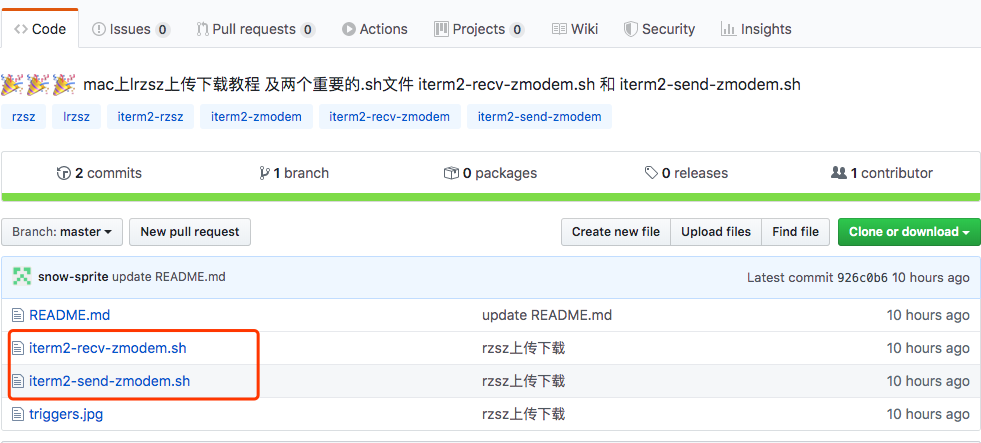
下载以上两个文件地址:github.com/snow-sprite…
路径失效可以自己创建如下两个文件
iterm2-send-zmodem.sh文件内容
#!/bin/bash
# Author: Matt Mastracci (matthew@mastracci.com)
# AppleScript from http://stackoverflow.com/questions/4309087/cancel-button-on-osascript-in-a-bash-script
# licensed under cc-wiki with attribution required
# Remainder of script public domain
 FILE=`osascript -e 'tell application "iTerm" to activate' -e 'tell application "iTerm" to set thefile to choose file with prompt "Choose a file to send"' -e "do shell script (\"echo \"&(quoted form of POSIX path of thefile as Unicode text)&\"\")"`
if [[ $FILE = "" ]]; then
	echo Cancelled.
	# Send ZModem cancel
	echo -e \\x18\\x18\\x18\\x18\\x18
	echo \# Cancelled transfer
	echo
else
	echo $FILE
	/usr/local/bin/sz "$FILE"
	echo \# Received $FILE
	echo
fi
iterm2-recv-zmodem.sh文件内容
#!/bin/bash
# Author: Matt Mastracci (matthew@mastracci.com)
# AppleScript from http://stackoverflow.com/questions/4309087/cancel-button-on-osascript-in-a-bash-script
# licensed under cc-wiki with attribution required
# Remainder of script public domain
 FILE=`osascript -e 'tell application "iTerm" to activate' -e 'tell application "iTerm" to set thefile to choose folder with prompt "Choose a folder to place received files in"' -e "do shell script (\"echo \"&(quoted form of POSIX path of thefile as Unicode text)&\"\")"`
if [[ $FILE = "" ]]; then
	echo Cancelled.
	# Send ZModem cancel
	echo -e \\x18\\x18\\x18\\x18\\x18
	echo \# Cancelled transfer
	echo
else
	echo $FILE
	cd "$FILE"
	/usr/local/bin/rz
	echo \# Received $FILE
	echo
fi
4,cd /usr/local/bin到该目录下给以上两个文件添加权限
chmod 777 /usr/local/bin/iterm2-*4,下载item2工具
链接:https://pan.baidu.com/s/1kdvw-838qBrDwzUIkNjkGw 密码:csa5
5,配置环境,打开item2工具,
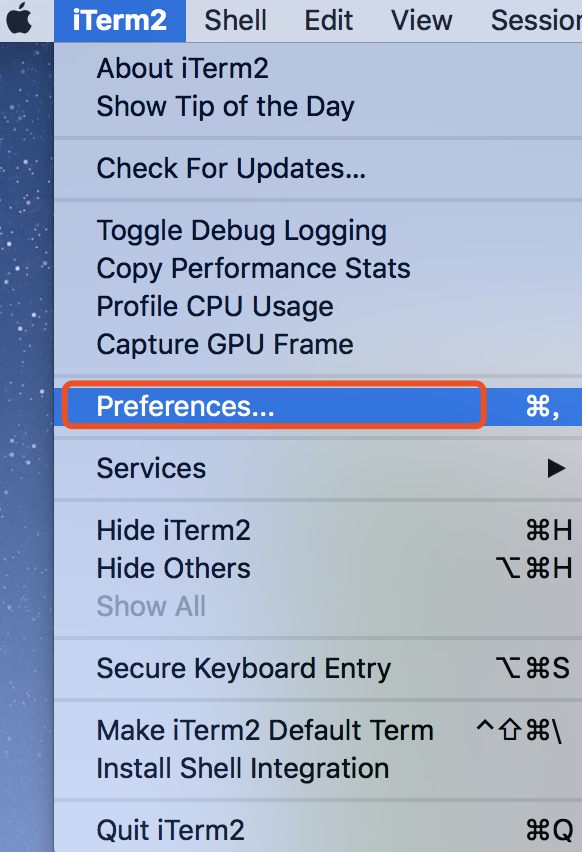
设置Iterm2的Tirgger特性,profiles->default->Advanced中的Tirgger
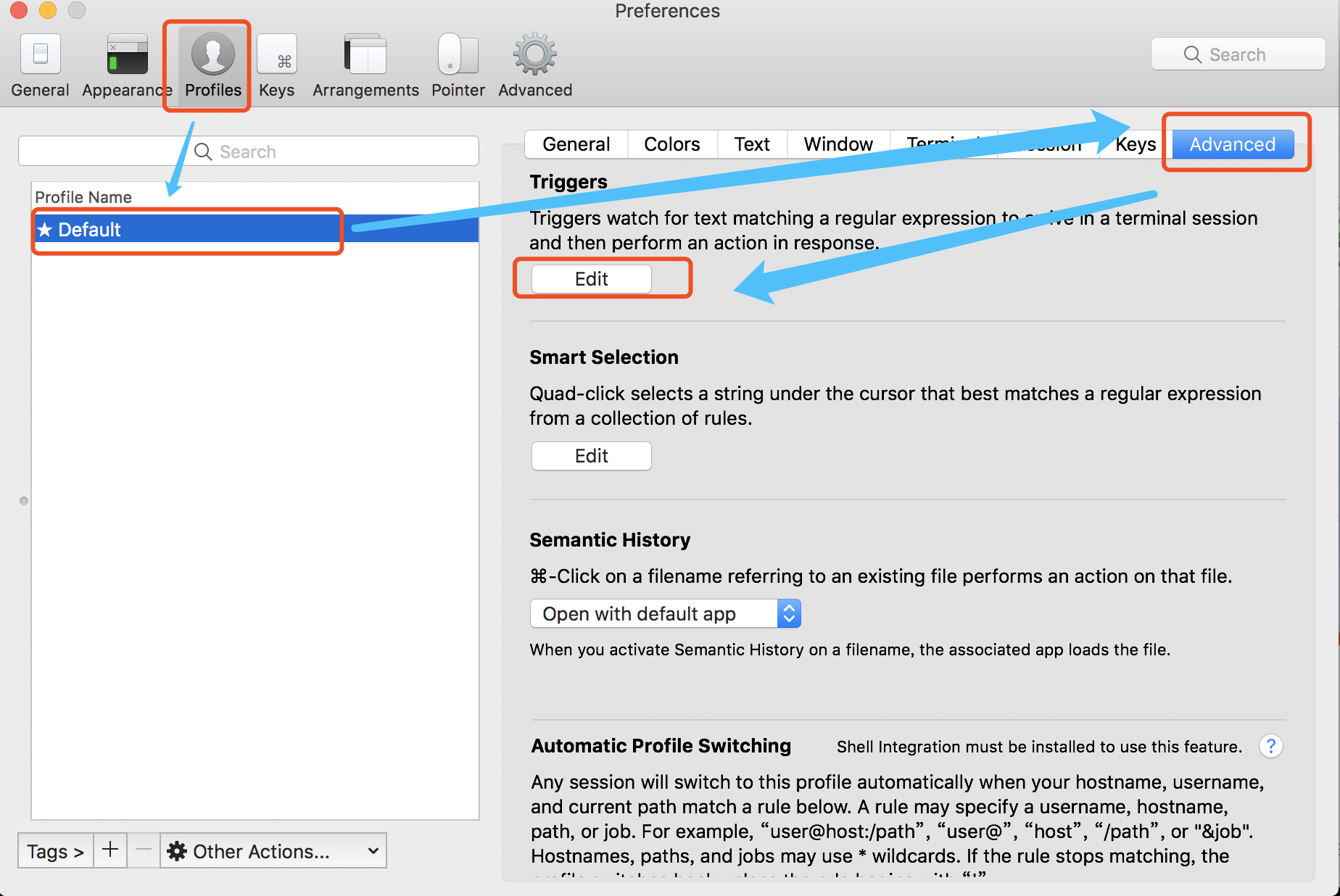
添加两条trigger,分别设置 Regular expression,Action,Parameters,Instant如下:
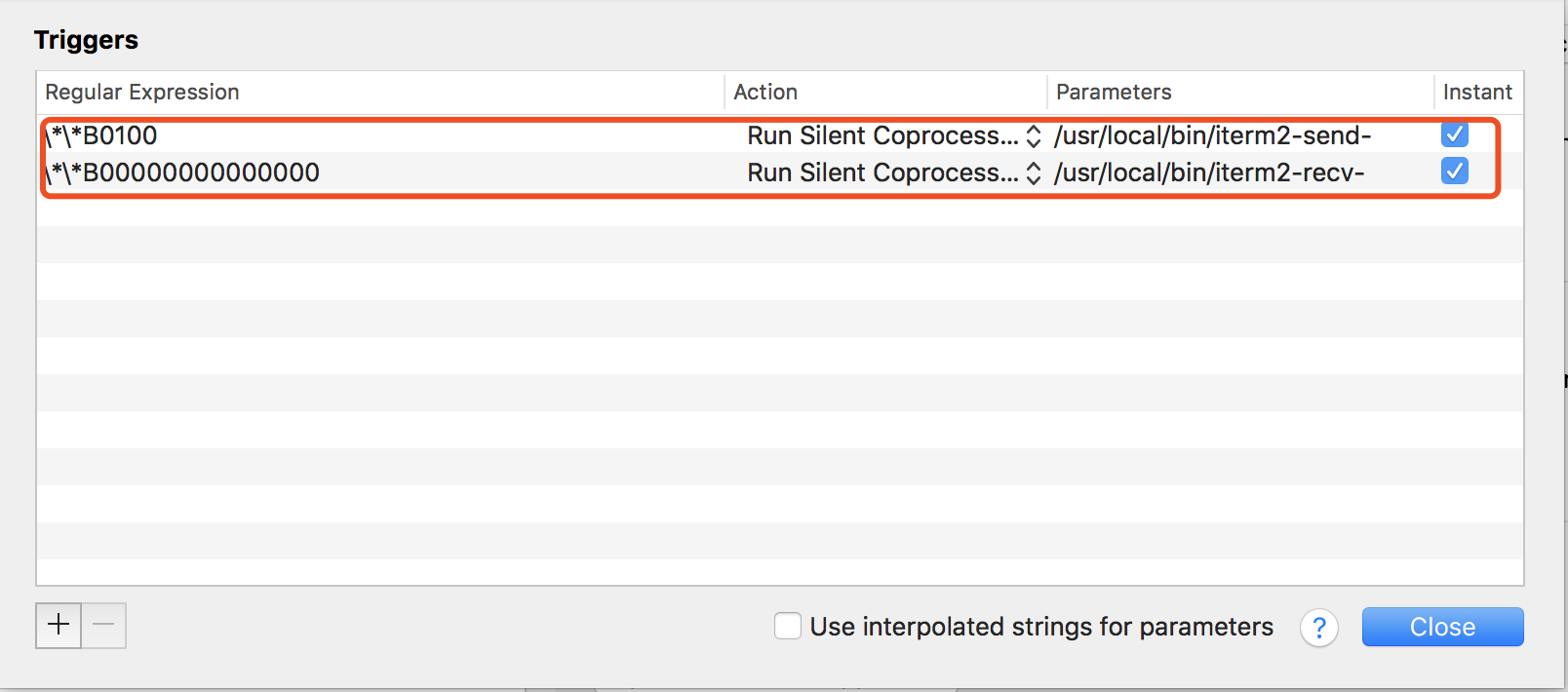
Regular expression: rz waiting to receive.\*\*B0100
Action: Run Silent Coprocess
Parameters: /usr/local/bin/iterm2-send-zmodem.sh
Instant: checked

Regular expression: \*\*B00000000000000
Action: Run Silent Coprocess
Parameters: /usr/local/bin/iterm2-recv-zmodem.sh
Instant: checked
配置完成后如下图
6,打开iterm2,通过ssh登陆机器
ssh root@172.1.1.1
rz -y:上传文件
移动文件,mv 文件路径 目标文件路径
复制文件夹下所有文件到另一个文件加下:cp -r /data/node/dist/* /data/node/
sz: 下载文件