注册企业微信
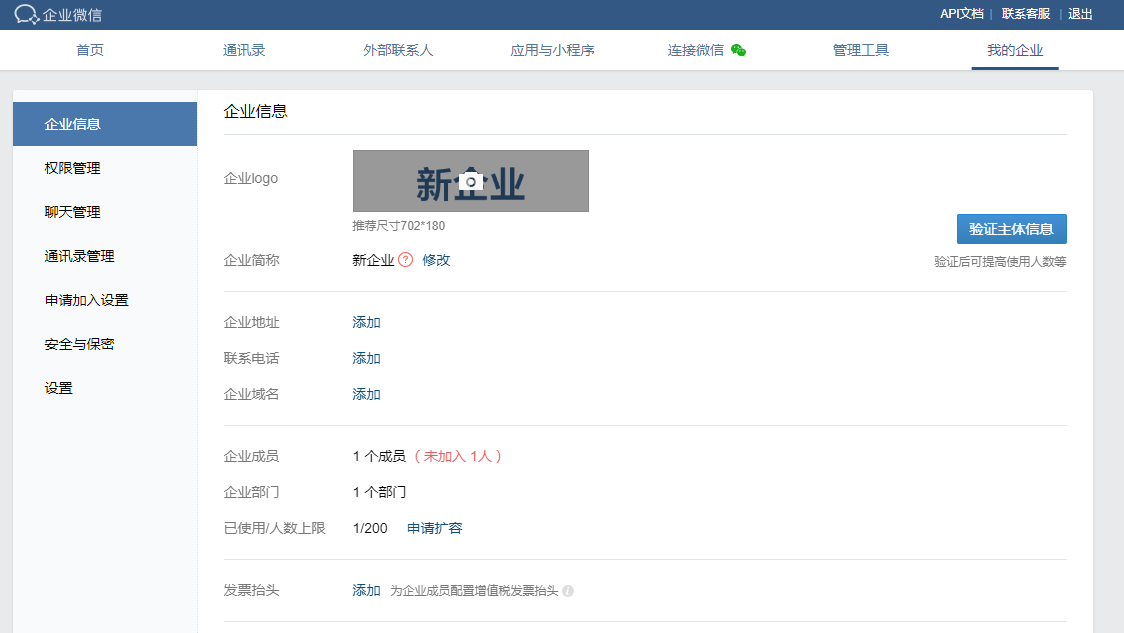
企业微信提供灵活的对外接口,可以通过调用相关接口,在联网的条件下,向企业微信中部分或者全部用户发送信息通知。第一步就是要注册企业微信,并将通知的用户邀请进来。
调用接口发送微信
可以使用java程序或者python脚本等多种方式实现,这里介绍python脚本的方式。
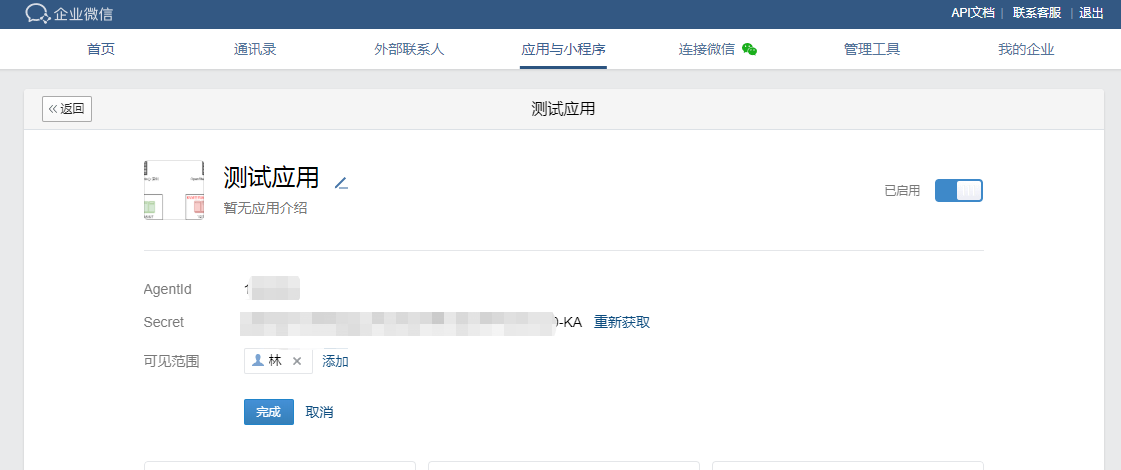
通过企业微信要获取三个参数:
corpid: 企业微信id,注册一个账号,就会有对应的一个id
agentid: 应用id,一个企业微信可以有多个应用,可以根据应用对用户进行分组
corpsecret:应用的密码id,与应用相绑定
此后根据这些参数获取token并保存:
ACCESS_TOKEN_URL = "https://qyapi.weixin.qq.com/cgi-bin/gettoken?corpid="+CORPINFO['corpid']+"&corpsecret="+CORPINFO['corpsecret']

 resp = urllib2.urlopen(url=ACCESS_TOKEN_URL, timeout=10)

 data = resp.read()
发送信息
SEND_URL = "https://qyapi.weixin.qq.com/cgi-bin/message/send?access_token="
def sendMessage(self, toparty=None, touser=None, msg="no msg set"):
   if not self.is_token_valid():
       self._get_access_token()
   body = copy.deepcopy(MSG_TEMPLATE)
   text = body.setdefault("text", {})
   text["content"] = msg

   if toparty != None:
       body["toparty"] = toparty

   if touser != None:
       body["touser"] = touser

   url = SEND_URL + self.token
   data = self._post(url, json.dumps(body))
   if data == None:
       print("request wechat server falied")
       return
   resp = json.loads(data)
   if resp == None:
       print("request wechat server falied")
   elif resp["errcode"] != 0:
       print("get wechat access token error, msg: %s", resp["errmsg"])
   else:
       pass