他其实跟之前说的redux实现的功能类似,不过它用起来更加的方便。直接上代码。 我们在pubspec中添加依赖scoped_model: ^1.0.1 首先我们需要定义一个model类,这个类要继承自model
// Start by creating a class that has a counter and a method to increment it.
// Note: It must extend from Model.
class CounterModel extends Model {
  int _counter = 0;
  int get counter => _counter;
  void increment() {
// First, increment the counter
    _counter++;
// Then notify all the listeners.
    notifyListeners();
  }
}
看到上面的notifyListeners大致可以判断出来,这个scoped_model其实采用的是观察者模式,在状态发生改变时,通知所有的订阅者,至于具体细节我们在分析源码时再细说。接着使用 一般我们要做到全局共享状态,那么他就跟Redux一样,在顶层初始化,比如这里的materialApp
void main() {
  runApp(MyApp(
    model: CounterModel(),
  ));
}

class MyApp extends StatelessWidget {
  final CounterModel model;

  const MyApp({Key key, @required this.model}) : super(key: key);

  @override
  Widget build(BuildContext context) {
// At the top level of our app, we'll, create a ScopedModel Widget. This

// will provide the CounterModel to all children in the app that request it

// using a ScopedModelDescendant.

    return ScopedModel<CounterModel>(
      model: model,
      child: MaterialApp(
        title: 'Scoped Model Demo',
        home: CounterHome('Scoped Model Demo'),
      ),
    );
  }
}
最后在用到该model的地方通过ScopedModelDescendant来获取,比如下面
class CounterHome extends StatelessWidget {
  final String title;

  CounterHome(this.title);

  @override
  Widget build(BuildContext context) {
    return Scaffold(
      appBar: AppBar(
        title: Text(title),
      ),

      body: Center(
        child: Column(
          mainAxisAlignment: MainAxisAlignment.center,
          children: <Widget>[
            Text('You have pushed the button this many times:'),

// Create a ScopedModelDescendant. This widget will get the

// CounterModel from the nearest parent ScopedModel<CounterModel>.

// It will hand that CounterModel to our builder method, and

// rebuild any time the CounterModel changes (i.e. after we

// `notifyListeners` in the Model).

            ScopedModelDescendant<CounterModel>(
              builder: (context, child, model) {
                return Text(
                  model.counter.toString(),
                  style: Theme.of(context).textTheme.display1,
                );
              },
            ),
          ],
        ),
      ),

// Use the ScopedModelDescendant again in order to use the increment

// method from the CounterModel

      floatingActionButton: ScopedModelDescendant<CounterModel>(
        builder: (context, child, model) {
          return FloatingActionButton(
            onPressed: model.increment,
            tooltip: 'Increment',
            child: Icon(Icons.add),
          );
        },
      ),
    );
  }
}
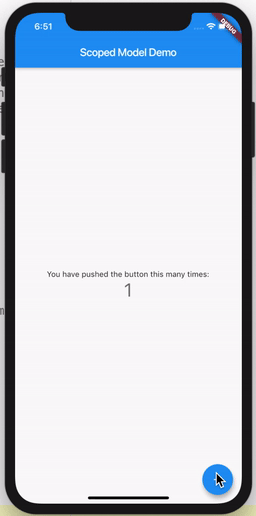
这里实现的效果为