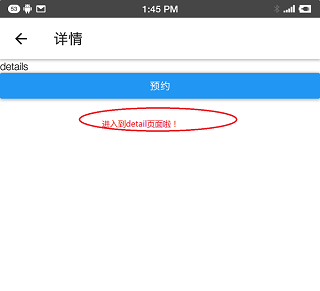
本文使用 TabNavigator 和StackNavigator 对底部导航和页面跳转进行封装
1.导入依赖库
yarn add react-navigation --save
yarn add react-navigation-stack --save
yarn add react-navigation-tabs --save
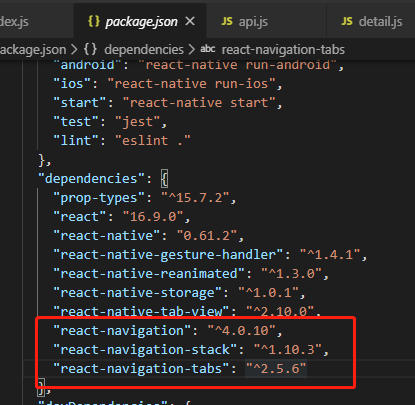
然后再package.json 文件中查看红框中三个是否安装成功
2.App.js
//  ****引入以下三个******
import { createAppContainer } from 'react-navigation';
import { createStackNavigator } from 'react-navigation-stack';
import { createBottomTabNavigator } from 'react-navigation-tabs';

//其他按需导入
import React from 'react';
import { StyleSheet, Image } from 'react-native';
//一些已经编辑好的页面
import home from './src/pages/home'
import me from './src/pages/me'
import notice from './src/pages/notice'
import Detail from './src/pages/detail';
import order from './src/pages/order';
import Login from './src/pages/login';
//导航栏的图标,也可引入第三方图标库
const ic_home_select = require('./src/assets/tab_icon_K_select_new.png');
const ic_notice_select = require('./src/assets/tab_icon_schedule_select_new.png');
const ic_me_select = require('./src/assets/tab_icon_me_select_new.png');
const ic_me = require('./src/assets/tab_icon_me_normal.png');
const ic_home = require('./src/assets/tab_icon_K_normal.png');
const ic_notice = require('./src/assets/tab_icon_schedule_normal.png');

//底部导航栏 ----- start ---------
const BottomContainer = createBottomTabNavigator({
  Home: {
    screen: home,
    navigationOptions: {
      tabBarLabel: '首页',
      tabBarIcon: ({ tintColor, focused }) => (
        focused ? <Image source={ic_home_select} style={styles.iconStyle} /> : <Image source={ic_home} style={styles.iconStyle} />
      )
    }
  },
  Notice: {
    screen: notice,
    navigationOptions: {
      tabBarLabel: '消息',
      tabBarIcon: ({ focused, tintColor }) => (
        focused ? <Image source={ic_notice_select} style={styles.iconStyle} /> : <Image source={ic_notice} style={styles.iconStyle} />
      )
    }
  },
  Me: {
    screen: me,
    navigationOptions: {
      tabBarLabel: '消息',
      tabBarIcon: ({ focused, tintColor }) => (
        focused ? <Image source={ic_me_select} style={styles.iconStyle} /> : <Image source={ic_me} style={styles.iconStyle} />
      )
    }
  },
},
  {
    defaultNavigationOptions: ({ navigation }) => {
      const { routeName } = navigation.state;
      let headerTitle = routeName;
      return {
        headerTitle,
      };
    },
    tabBarOptions: {
      activeTintColor: '#3DA8F5',
      inactiveTintColor: '#808080',
      labelStyle: {
        fontSize: 12,

      },
      style: {
        backgroundColor: "#FFFFFF",
        borderColor:"white"
      },
    },
  }
)

//将底部导航栏和其他页面组合在一起---------
const stackMain = createStackNavigator({
  Tab:{
      screen:BottomContainer,
      navigationOptions:{
          header:null
      }
  },

  // 需要跳转的新页面
  Detail:{
      screen:Detail,
      navigationOptions:{
        headerTitle:'详情',
      }
  },
  Order: {
    screen: order,
    navigationOptions:{
      headerTitle:'预定',
    }
  },
  Login:{
    screen:Login,
    navigationOptions:{
      header:null,
    }
  },
});
//最后一步导出----- end ---------
export default createAppContainer(stackMain);

//样式自定义
const styles = StyleSheet.create({
  iconStyle: {
    width: 30,
    height: 30
  },
});
3.页面中跳转实现
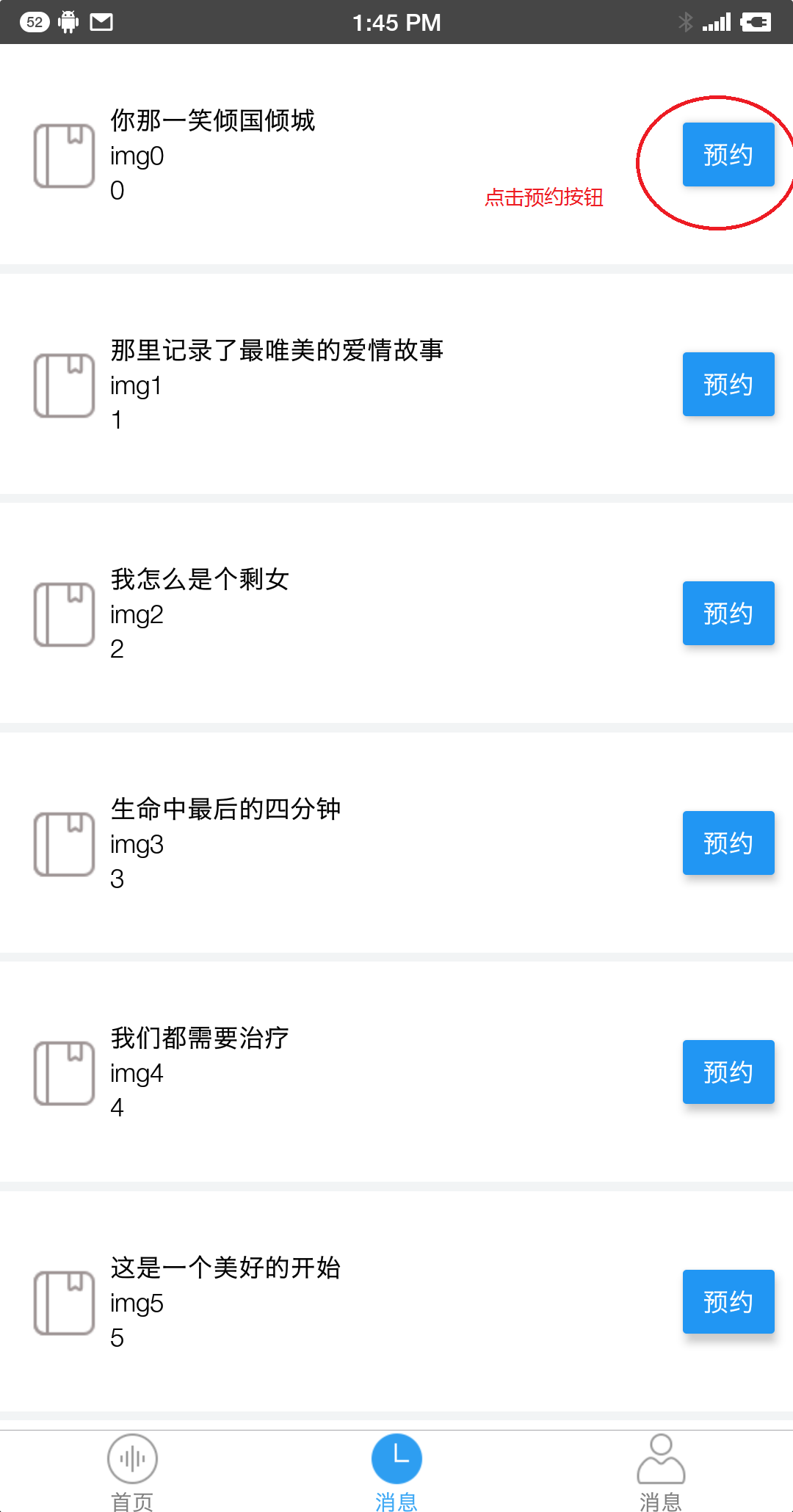
从导航页跳转到子页面detail中, 打开导航页notice.js:
 //点击预约 跳转到页面‘detail'中
//this.props.navigation.navigate('定义好的页面名称')
checkDetail = () => {
    this.props.navigation.navigate('Detail')
 }
4.效果图
不能发视频,只能截图了。
然后