

spring boot提供了自动化配置,只需要少量的配置即可开箱即用,但是当你的项目集成了越来越多的插件以后,会有越来越多的配置项堆积在你的application.properties里,就比如你想要初始化建立一个spring boot + mybatis项目,你需要配置数据库地址,mybatis配置,mapper配置,如果引入druid连接池,就还需要配置一堆连接池选项,后续还需要分页设置。
最近公司在从spring MVC升级刀spring boot,由于原先的框架继承了各种各样的第三方包,XML文件就5.6个,升级到spring boot也就依旧需要配置一堆东西,这时候就需要将一个application.properties进行拆分。
查阅资料我通过继承EnvironmentPostProcessor编写配置类,使spring boot 可以动态添加外部的配置项。EnvironmentPostProcessor可以加载内部resource文件的内容,也可以根据你给的路径加载外部的配置文件。
我选择加载内部resource文件的内容
1.在resource文件下建立db.properties文件
根据原先application.properties里的DB配置,将DB配置写入db.properties中。
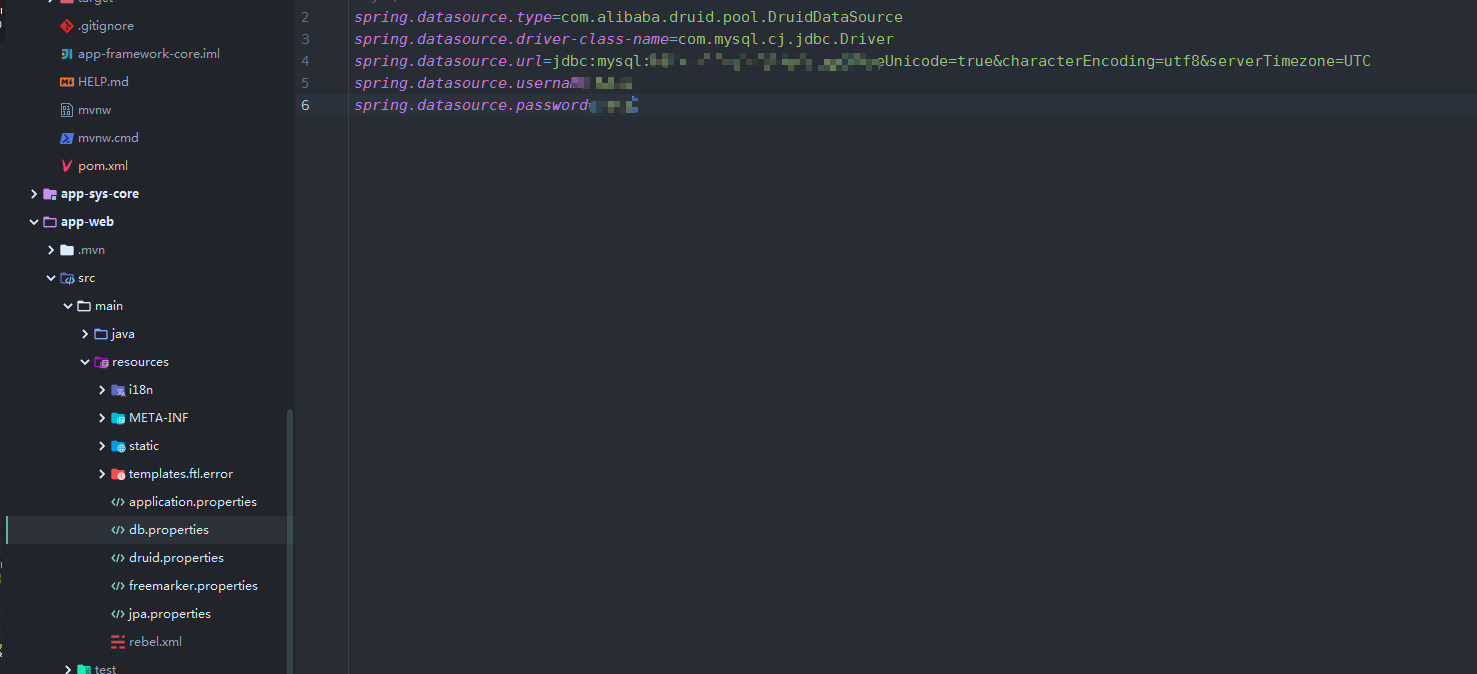
2.编写自定义的加载类MyEnvironmentPostProcessor,实现EnvironmentPostProcessor接口,重写postProcessEnvironment方法
public class MyEnvironmentPostProcessor implements EnvironmentPostProcessor {

    private final Properties properties = new Properties();

    /**
     * 存放properties文件名
     */
    private String[] profiles = {
            "db.properties",
            "freemarker.properties",
            "druid.properties",
            "jpa.properties"
    };


    @Override
    public void postProcessEnvironment(ConfigurableEnvironment environment, SpringApplication application) {
        //遍历profiles,加载配置文件
        for (String profile : profiles) {
            Resource resource = new ClassPathResource(profile);
            environment.getPropertySources().addLast(loadProfiles(resource));
        }
    }
    //加载配置文件
    private PropertySource<?> loadProfiles(Resource resource) {
        if (!resource.exists()) {
            throw new IllegalArgumentException("file" + resource + "not exist");
        }
        try {
            properties.load(resource.getInputStream());
            return new PropertiesPropertySource(resource.getFilename(), properties);
        } catch (IOException ex) {
            throw new IllegalStateException("load resource exception" + resource, ex);
        }
    }
}
3.配置spring.factories 使MyEnvironmentPostProcessor生效
在resource下创建META-INF文件夹,在META-INF下创建spring.factories,并且引入刚刚编写的MyEnvironmentPostProcessor 类
org.springframework.boot.env.EnvironmentPostProcessor=com.wolf.web.EnvironmentPostProcessor.MyEnvironmentPostProcessor
4.启动项目,验证数据库配置是否可用
数据库连接成功,并且执行SQL成功,大功告成

