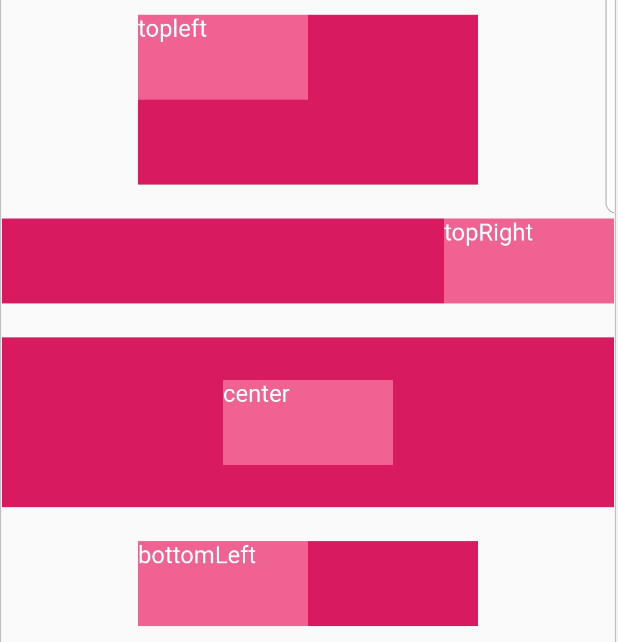
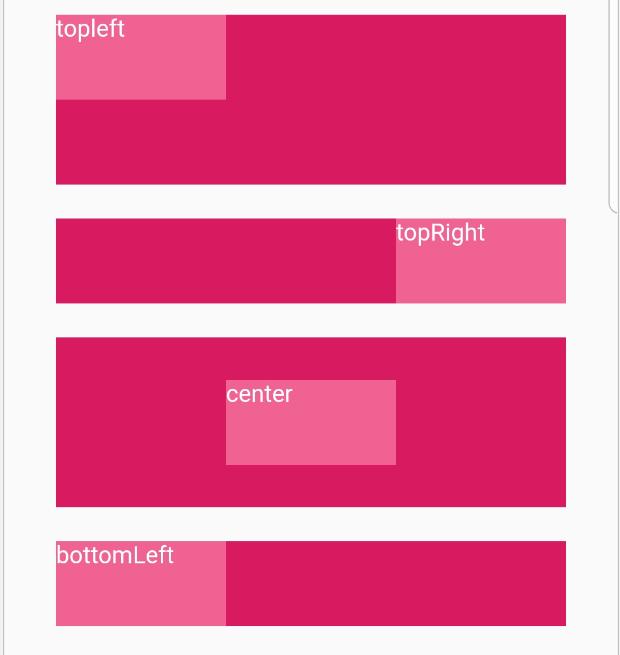
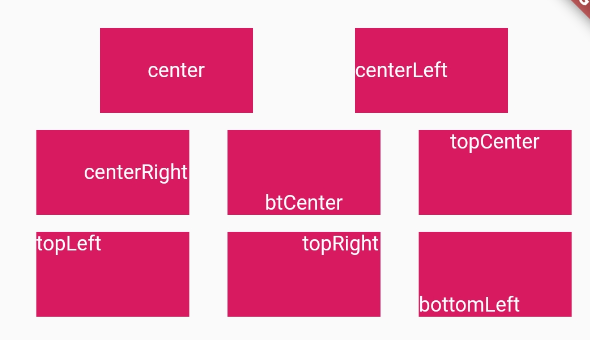
Align是一个对齐控件,能将子控件所指定方式对齐,并根据子控件的大小调整自己的大小。所以它是一个布局组件,类似于为子view设置layout_gravity,这个align值一共有九种: topLeft、 topCenter 、 topRight、 centerLeft 、 center、 centerRight 、 bottomLeft、 bottomCenter、 bottomRight 。 具体展示如下,其中每一个布局如下
Widget defaultAlign(BuildContext context, Alignment status, String dec) {
 return Container(
   color: Color(0xffd81b60),
   width: 90.0,
   height: 50.0,
   child: Align(
     alignment: status,
     child: Text(
       dec,
       style: TextStyle(fontSize: 12.0, color: Color(0xffffffff)),
     ),
   ),
 );
}
Widget factorAlign(BuildContext context, Alignment status, String dec,
    double wFactor, double hFactor) {
  return  Container(
    margin:  EdgeInsets.only(top: 10.0, bottom: 10.0),
    color: Color(0xffd81b60),
    child:  Align(
      alignment: status,
      widthFactor: wFactor,
      heightFactor: hFactor,
      child: Container(
        color: Color(0xfff06292),
        width: 100.0,
        height: 50.0,
        child: Text(
          dec,
          style: TextStyle(color: Color(0xffffffff)),
        ),
      ),
    ),
  );
}
比如生成四个
factorAlign(context, Alignment.topLeft, 'topleft', 2.0, 2.0),
factorAlign(context, Alignment.topRight, 'topRight', null,null),
factorAlign(context, Alignment.center, 'center',null, 2.0),
factorAlign(context, Alignment.bottomLeft, 'bottomLeft', 2.0, null)