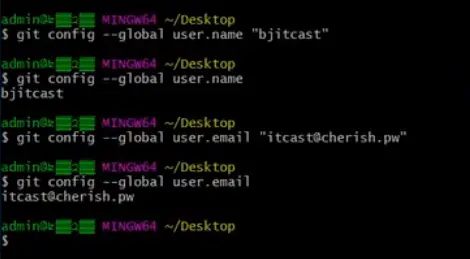
一、全局配置
git config --global user.name "用户名"
git config --global user.email "邮箱地址"
ssh-keygen -t rsa -C "邮箱地址"
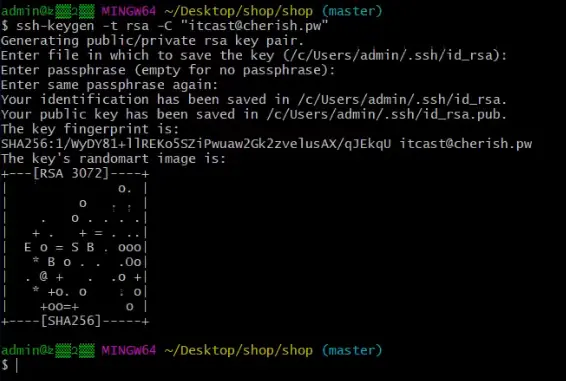
- 通过存放路径找到id_rsa.pub文件,复制所有内容
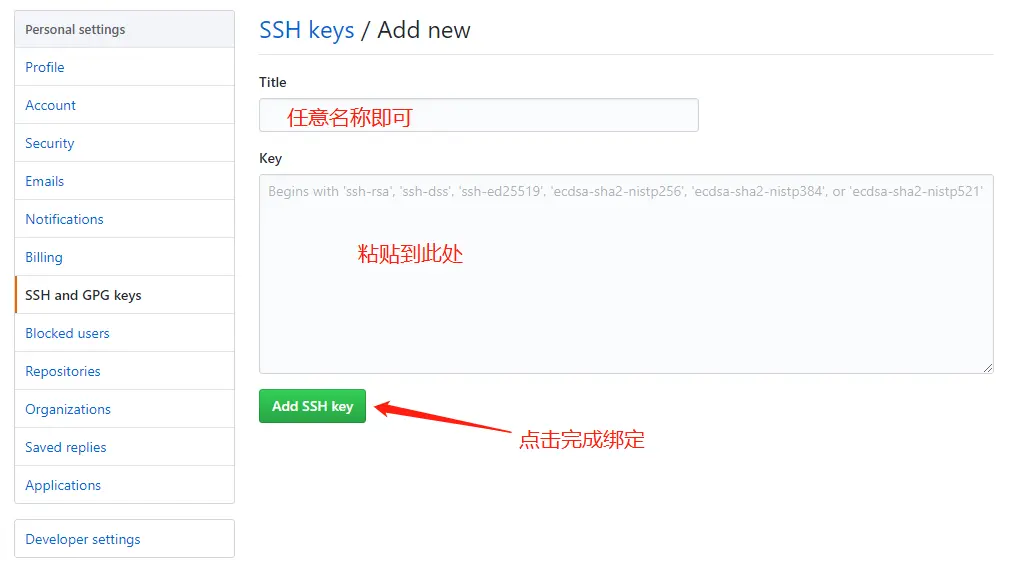
- 登陆github点击settings->SSH and GPG keys,将复制的内容粘贴到key文本域中,title任意输入即可
- 点击Add SSH key,再次验证github登陆密码后完成公钥绑定步骤
二、创建线上仓库
github方式
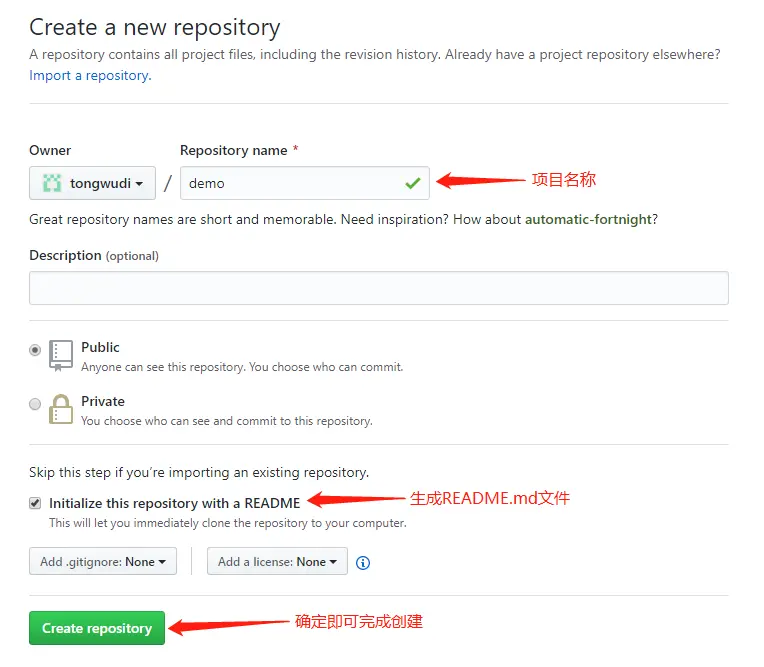
- 新建线上仓库
- 复制线上仓库地址
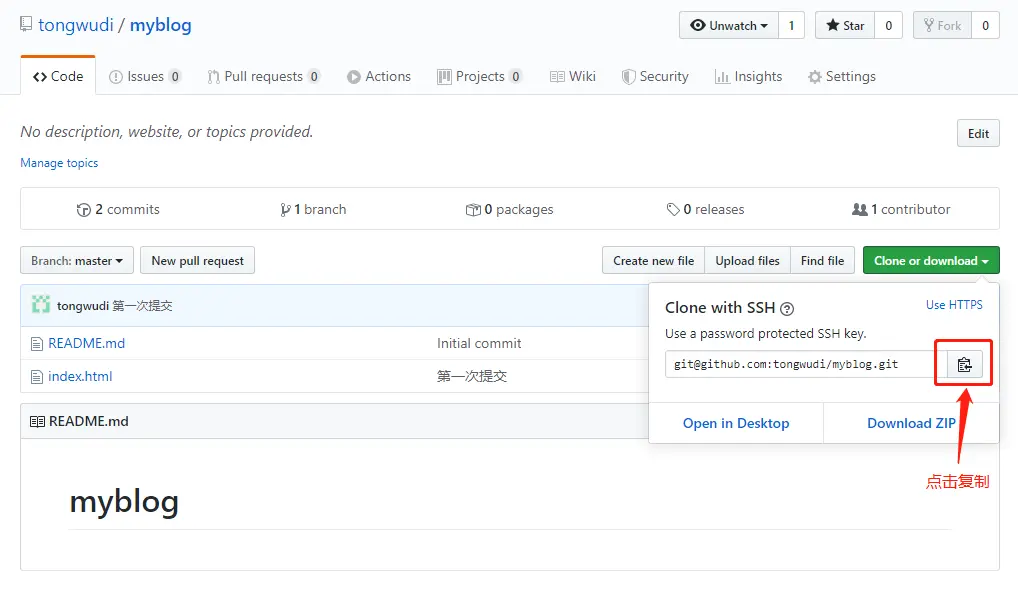
- 克隆线上仓库到本地
git clone "线上仓库地址"(最好基于ssh协议)
本地方式
- 创建本地项目目录
mkdir demo
- 进入项目目录
cd demo
- 初始化git仓库
git init
- 创建README.md文件
- 提交到暂存区
git add README.md
- 提交到版本库(本地仓库)
git commit -m ”生成README文件“
- 提交到线上仓库
git push
三、常用指令
- 查看当前状态
git status
- 提交到暂存区
git add index.html
git add git add index.html index.js index.css
git add .
- 提交到版本库(本地仓库)
git commit -m ”备注信息“
- 查看版本库(本地仓库)
git log
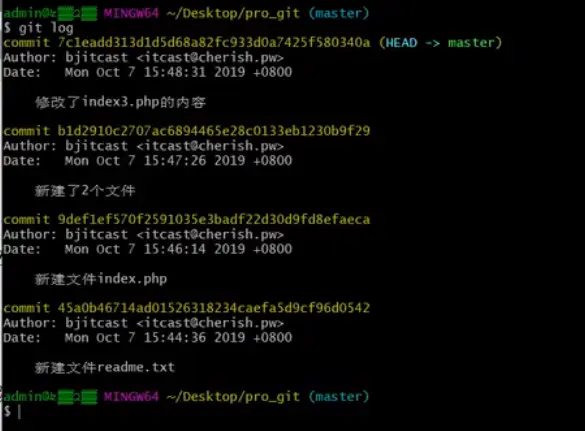
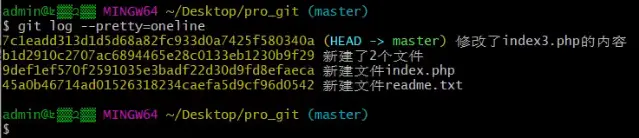
git log --pretty=oneline
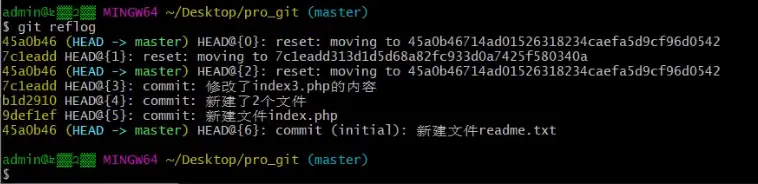
- 显示所有分支的所有操作记录(包括已经被删除的 commit 记录和 reset 的操作)
git reflog
5. 版本回退
git reset --hard 提交编号

6. 提交到线上仓库
git push
- 拉取线上仓库代码
git pull