背景
今天接到需求要在LaunchScreen显示版本号,然额,LaunchScreen.stortboard 里面的文本必须是静态的,每次在pubspec.yaml修改版本号后还要手动修改LaunchScreen.stortboard,打包几次后决定将其做成自动化的。
思路
参考了stackoverflow的思路,不过又和纯ios项目不太一样,脚本打算用dart 来写。基本就是读取pubspec.yaml文件中的版本号,然后替换LaunchScreen.stortboard文件
步骤
1.添加代码
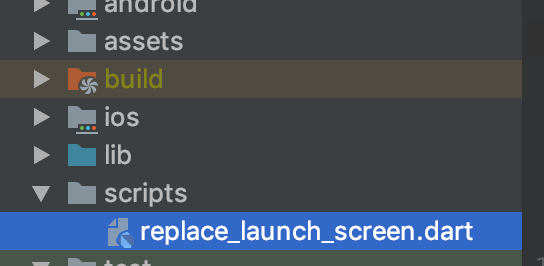
replace_launch_screen.dart
import 'dart:io';
main() {
    File launchScreenFile = File("../ios/Runner/Base.lproj/LaunchScreen.storyboard");
    File pubSpecFile = File("../pubspec.yaml");

     // 1.从pubspec读取版本号
    String pubSpecFileContent = pubSpecFile.readAsStringSync();
    RegExp versionReg = new RegExp("[\r\n]\\s*version:\\s*(\\S+)\\+(\\d+)");
    RegExpMatch versionMatch = versionReg.firstMatch(pubSpecFileContent);
    print(versionMatch.group(1) + ":" + versionMatch.group(2));

     // 2.从lauchScreen获取替换字符串
    String launchScreenFileContent = launchScreenFile.readAsStringSync();
    // print(launchScreenFileContent);
    RegExp versionTextReg = new RegExp('text="\\S+"');
    RegExpMatch versionTextMatch = versionTextReg.firstMatch(launchScreenFileContent);
    // print(versionReg.hasMatch(launchScreenFileContent));
    print(versionTextMatch.group(0));
    String strToBeReplaced = versionTextMatch.group(0);
    String replacedLacunchScreen = launchScreenFileContent.replaceFirst(versionTextReg, "text=\"${versionMatch.group(1)}\"");
    launchScreenFile.writeAsString(replacedLacunchScreen, mode: FileMode.writeOnly);
}
2.xcode项目添加执行
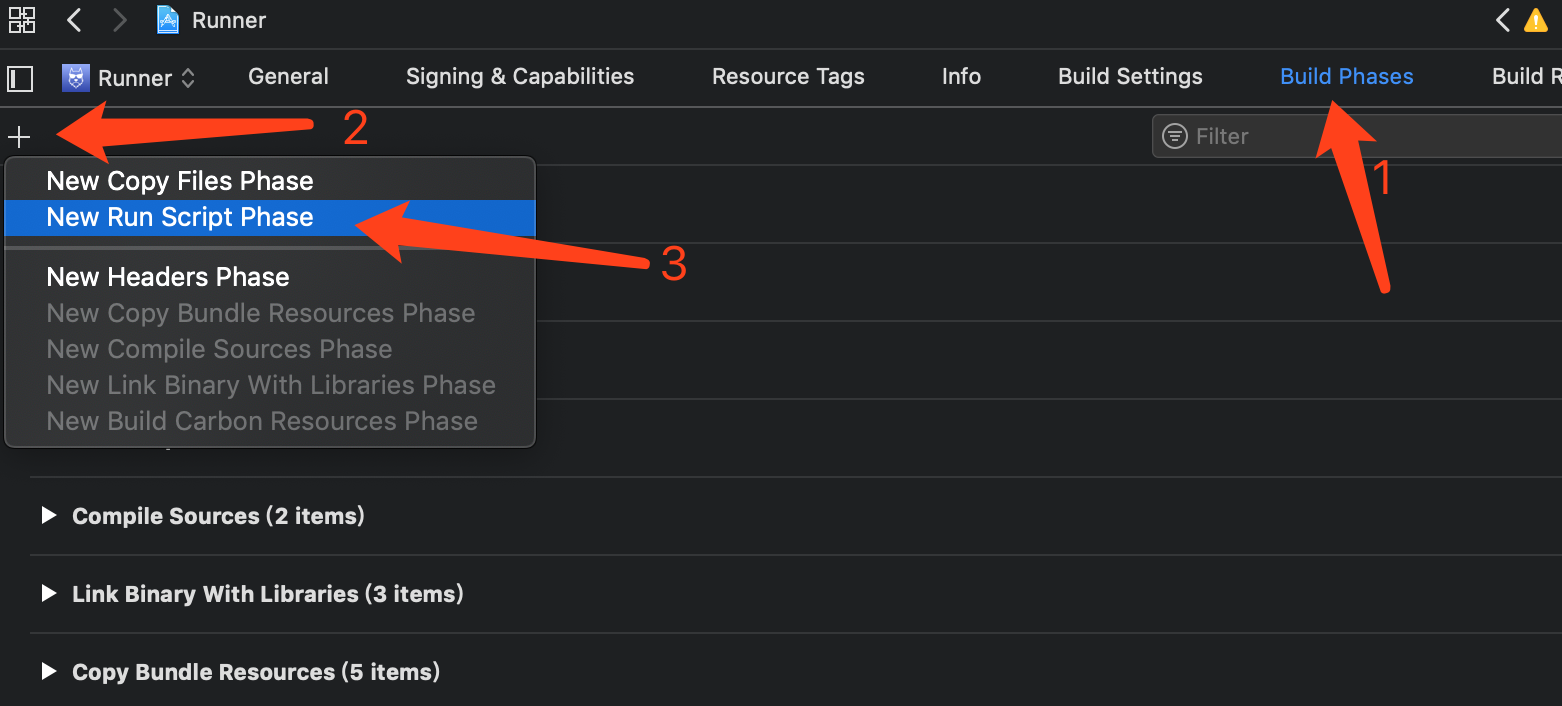
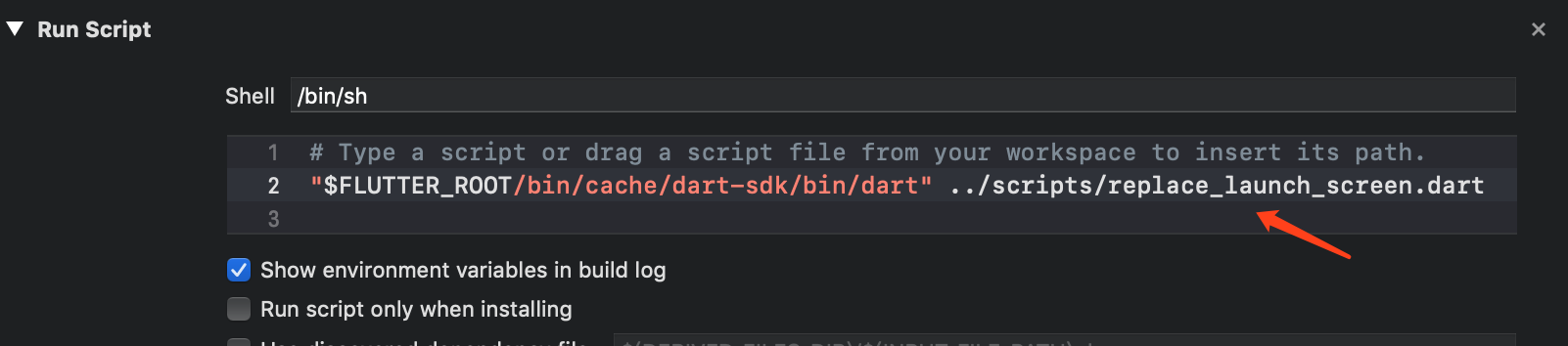
"$FLUTTER_ROOT/bin/cache/dart-sdk/bin/dart" ../scripts/replace_launch_screen.dart 说明:
总体来说代码简单,步骤也不复杂,不过用dart 来替换,和项目代码保持统一了,通俗易懂,需要的可以参考一下。