hello,大家好,今天在读文章的时候,发现了两个比较好用的node包(inquirer 和 yargs),闲话不多少,直接上手:
今天先和大家说一下:inquirer(NodeJs交互式命令行工具)
参数介绍:
type:表示提问的类型,包括:input/confirm/list/rawlist/expand/checkbox/password/editor
name:存储当前回答问题的变量
message:问题的描述
default:默认值
choices:列表选项,在某些type下可用
validate:对用户回答进行校验
filter:对用户的回答进行过滤处理,返回处理后的值
transformer:对用户回答的显示效果进行处理(如:修改回答的字体或背景颜色,但不会影响最终的答案)
when:根据前面问题的回答,判断当前问题是否需要被回答(promptList里面的值最少两个)
pageSize:修改某些type类型下的渲染行数
prefix:修改message默认前缀
suffix:修改message默认后缀
好了,参数说完了,进入咱们的正题,说一下用法:
首先呢,说一下语法结构:
const inquirer = require('inquirer');
const promptList = [
    // 交互内容(以下介绍全是这的内容)
];
inquirer.prompt(promptList).then(res => {
    console.log(res); // 返回的结果
})
promptList交互内容:
-
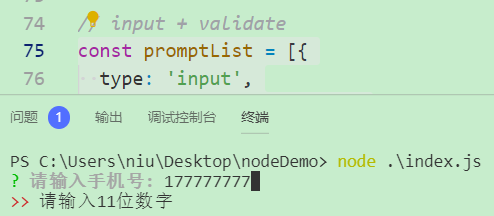
input + validate (password和这一样)
const promptList = [{
  type: 'input',
  message: '请输入手机号:',
  name: 'phone',
  validate: function (val) {
    if (val.match(/\d{11}/g)) { // 校验位数
      return true;
    }
    return "请输入11位数字";
  },
}]
-
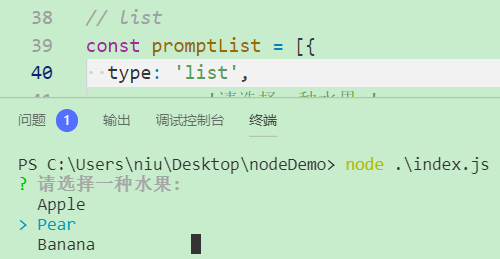
list
const promptList = [{
  type: 'list',
  message: '请选择一种水果:',
  name: 'fruit',
  choices: [
    "Apple",
    "Pear",
    "Banana"
  ],
}]
-
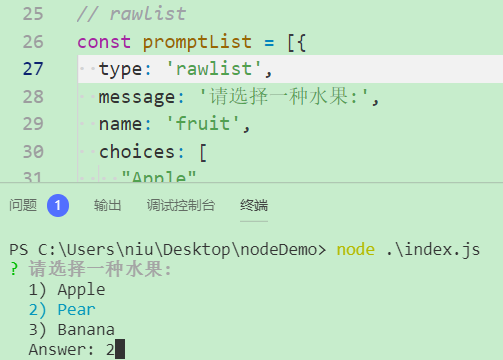
rawlist
const promptList = [{
  type: 'rawlist',
  message: '请选择一种水果:',
  name: 'fruit',
  choices: [
    "Apple",
    "Pear",
    "Banana"
  ],
}];
-
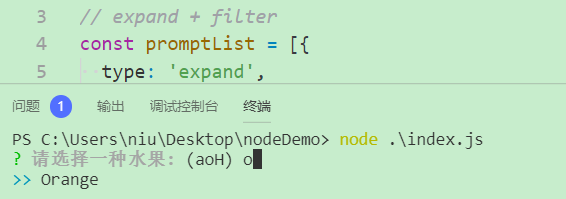
expand + filter
const promptList = [{
  type: 'expand',
  message: '请选择一种水果:',
  name: 'fruit',
  choices: [
    {
      key: "a",
      name: "Apple",
      value: "apple"
    },
    {
      key: "O",
      name: "Orange",
      value: "orange"
    },
  ],
  filter: function (val) { // 使用filter将回答变为小写
    return val.toLowerCase();
  }
}];
-
checkbox
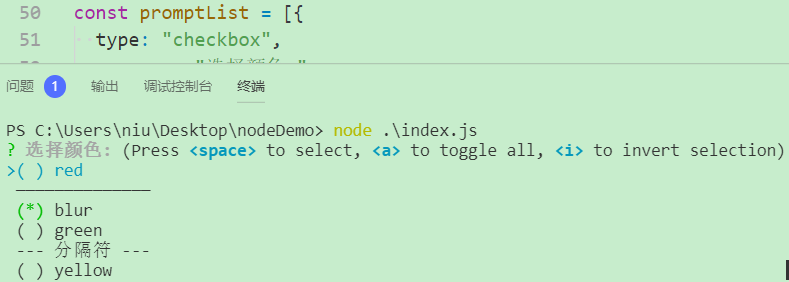
const promptList = [{
  type: "checkbox",
  message: "选择颜色:",
  name: "color",
  choices: [
    {
      name: "red"
    },
    new inquirer.Separator(), // 添加分隔符
    {
      name: "blur",
      checked: true // 默认选中
    },
    {
      name: "green"
    },
    new inquirer.Separator("--- 分隔符 ---"), // 自定义分隔符
    {
      name: "yellow"
    }
  ]
}];
按空格键选择