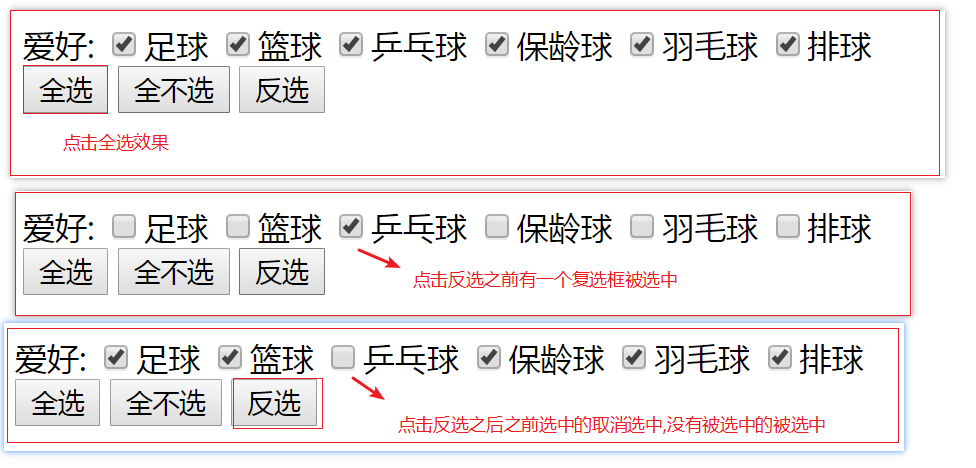
一般属性值为true
或
false
的时候,建议直接使用
prop
方法来控制。
主要应用于单选框、复选框的
checked属性,下拉框的
selected
属性和
disabled
等选中状态。
代码如下:
[HTML]
纯文本查看
复制代码
01 02 03 04 05 06 07 08 09 10 11 12 13 14 15 16 17 18 19 20 21 22 23 24 25 26 27 28 29 30 31 32 33 34 35 36 | <!doctype html><html lang="en"><head> <meta charset="UTF-8"> <title>Document</title> <script src="./jquery.min.js"></script></head><body> 爱好: <input type="checkbox" name="hobby[]">足球 <input type="checkbox" name="hobby[]">篮球 <input type="checkbox" name="hobby[]">乒乓球 <input type="checkbox" name="hobby[]">保龄球 <input type="checkbox" name="hobby[]">羽毛球 <input type="checkbox" name="hobby[]">排球 <br> <button id="btn">全选</button> <button id="btn1">全不选</button> <button id="btn2">反选</button> <script> //设置文本输入框不可用,设置能够使用就将true改成false $("input[type='text']").prop("disabled",true); $("#btn").click(function(){ $("input[type='checkbox']").prop('checked',true); }); $("#btn1").click(function(){ $("input[name='hobby[]']").prop("checked",false); }); $("#btn2").click(function(){ var lis=$("input[type='checkbox']"); for(var i=0,sum=lis.length;i<sum;i++){ $(lis[i]).prop('checked',!$(lis[i]).prop('checked')); } }); </script></body></html> |
效果: