自己写的一个react缩放组件,主要通过CSS3的动画来实现的,有对应的介绍和使用方法。 这是之前发布的一个JQ版的缩放旋转切换demo,原理差不多。 JQ版本:blog.csdn.net/weixin_4364…
==新增github==:demo地址:github.com/babybrother…
先看效果 我这里的缩小和放大比例都是一倍,旋转角度90°,可以自己调整,跟JQ版的效果是一样的。
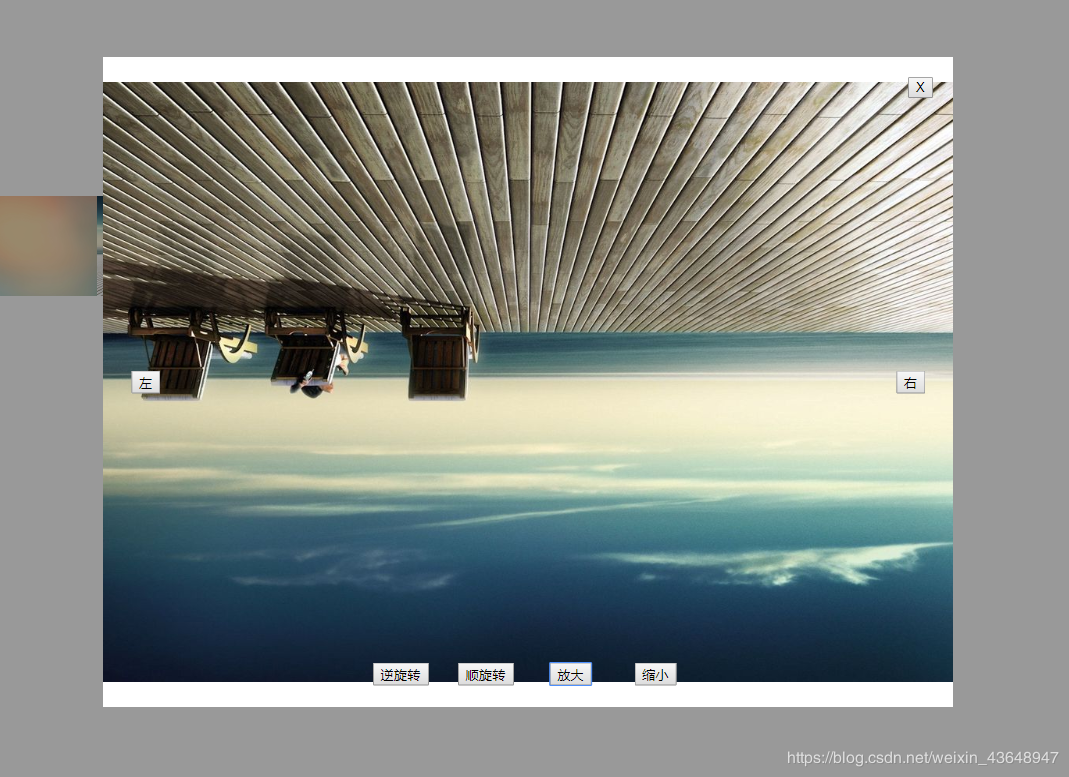
一、新建的文件夹 ==newimg.jsx== 这个里面是处理图片的子组件
import React, {Component} from 'react';
import './style.scss'

export default class ShowImg extends Component {
    constructor (props){
        super(props)
        this.state = {  f:this.props.firstIndex,
                        R:0 ,
                        S:1 ,
                        i:0 ,
                        SS:1,
                        data:this.props.data,
                        showimgs:this.props.showimgs
                    }
    }
    componentDidMount(){

    }
    componentWillReceiveProps(props){
        this.setState({f:props.firstIndex})
    }
    //向左预览
    leftshow = () =>{
        if(this.state.f==0){
            this.setState({f:4,R:0,S:1,i:0,SS:1})
        }else{
            this.setState({f:this.state.f-1,R:0,S:1,i:0,SS:1})
        }
        this.refs.imgstyle.setAttribute('src',this.props.data[this.state.f])
    }

    //向右预览
    rightshow = () =>{
        if(this.state.f==4){
            this.setState({f:0,R:0,S:1,i:0,SS:1})
        }else{
            this.setState({f:this.state.f+1,R:0,S:1,i:0,SS:1})
        }
        this.refs.imgstyle.setAttribute('src',this.props.data[this.state.f])
    }

    //顺时针旋转
    rotateright = () =>{
        this.setState({R:this.state.R+90})
        this.refs.imgstyle.style.transform ="translate(-50% ,-50%) rotate("+this.state.R+"deg) scale("+this.state.SS+","+this.state.SS+")"
    }

    //逆时针旋转
    rotateleft = () =>{
        this.setState({R:this.state.R-90})
        this.refs.imgstyle.style.transform ="translate(-50% ,-50%) rotate("+this.state.R+"deg) scale("+this.state.SS+","+this.state.SS+")"
    }

    //放大
    showbig = () =>{
        if(this.state.i>=0){
            this.setState({S:this.state.S+1,i:this.state.i+1,SS:1*(this.state.S+1)})
          }else{
            this.setState({S:this.state.S-1,i:this.state.i+1,SS:1/(this.state.S-1)})
          }
        this.refs.imgstyle.style.transform ="translate(-50% ,-50%) rotate("+this.state.R+"deg) scale("+this.state.SS+","+this.state.SS+")"
    }

    //缩小
    showmin = () =>{
        if(this.state.i<=0){
            this.setState({S:this.state.S+1,i:this.state.i-1,SS:1/(this.state.S+1)})
          }else{
            this.setState({S:this.state.S-1,i:this.state.i-1,SS:1*(this.state.S-1)})
          }
        this.refs.imgstyle.style.transform ="translate(-50% ,-50%) rotate("+this.state.R+"deg) scale("+this.state.SS+","+this.state.SS+")"
    }

    render (){
        const {toggleshow,showimgs} = this.props
        const {data,f,R,SS} = this.state
        return (
            <div>
            {
                showimgs?
                    <div>
                    <div className="dilong toggleshow" onClick={toggleshow}></div>
                    <div className="bigimg toggleshow">
                        <p className="close"  onClick={toggleshow} ><i className="icon icon-close" style={{fontSize:'20px'}}></i></p>
                        <img src={data[f]} className="imgstyle" style={{'transform':"translate(-50% ,-50%) rotate("+R+"deg) scale("+SS+","+SS+")"}} ref='imgstyle'/>
                        <p className="left" onClick={this.leftshow}><i className="icon icon-left" style={{fontSize:'30px'}}></i></p>
                        <p className="right" onClick={this.rightshow}><i className="icon icon-right" style={{fontSize:'30px'}}></i></p>
                        <p className="rotateright" onClick={this.rotateright}><i className="icon icon-rturn" style={{fontSize:'30px'}}></i></p>
                        <p className="rotateleft" onClick={this.rotateleft}><i className="icon icon-lturn" style={{fontSize:'30px'}}></i></p>
                        <p className="showbig" onClick={this.showbig}><i className="icon icon-imgbig" style={{fontSize:'30px'}}></i></p>
                        <p className="showmin" onClick={this.showmin}><i className="icon icon-imgmin" style={{fontSize:'30px'}}></i></p>
                    </div>
                    </div>
                :null
             }
            </div>
        )
    }
}
二、再建一个文件夹叫 ==index.jsx== 这个就是原来未预览的图片文件
import React, {Component} from 'react';
import './style.scss'
import ShowImg from './newimg'
export default class PassPort1 extends Component {
    constructor(props){
        super(props)
        this.state = {data:['http://img.s.youfenba.com/material_thumb/BYX6Mm67ba.jpg',
                        'http://img.s.youfenba.com/material_thumb/8nzxJwpsPX.jpg',
                        'http://img.s.youfenba.com/material_thumb/SaNktASjmp.jpg',
                        'http://img.s.youfenba.com/material_thumb/cTma2FTPEC.jpg',
                        'http://img.s.youfenba.com/material_thumb/KnNc6D4sGs.jpg'],
                       _html:'',
                       showimgs:false,//必须字段控制弹框显示隐藏
                       firstIndex:0,//点击时默认下标
                    }
    }
    componentDidMount(){

    }
    showimg = (i) =>{
        this.setState({showimgs:true,firstIndex:i})
        console.log(this.state.firstIndex)
    }
    toggleshow = () =>{
        this.setState({showimgs:false})
    }
    render () {
        const {firstIndex,showimgs,data} = this.state
        return (
            <div className='custcontent'>
             <div className="showimg">{this.state.data.map((item,i) =>{
                 return (<img style={{width:'200px',height:'100px'}} src={item} onClick={()=>this.showimg(i)} key={item}/>)
             })}
             </div>
            <ShowImg
            data={data}
            firstIndex={firstIndex}
            showimgs={showimgs}
            toggleshow = {this.toggleshow}
            ></ShowImg>
            </div>
        )
    }
}
三、css样式 ==style.less== 本来想用阿里图标的,没显示,部分样式随意修改
@font-face {
    font-family: 'icon';  /* project id 942104 */
    src: url('//at.alicdn.com/t/font_942104_lhzztf6om6j.eot');
    src: url('//at.alicdn.com/t/font_942104_lhzztf6om6j.eot?#iefix') format('embedded-opentype'),
    url('//at.alicdn.com/t/font_942104_lhzztf6om6j.woff') format('woff'),
    url('//at.alicdn.com/t/font_942104_lhzztf6om6j.ttf') format('truetype'),
    url('//at.alicdn.com/t/font_942104_lhzztf6om6j.svg#iconfont') format('svg');
  }
  .icon {
    font-family:"icon" !important;
    font-size:16px;
    font-style:normal;
    -webkit-font-smoothing: antialiased;
    -moz-osx-font-smoothing: grayscale;
}
.icon-close:before { content: "\eaf2"; }
.icon-left:before { content: "\e77f"; }
.icon-right:before { content: "\e783"; }
.icon-lturn:before { content: "\e787"; }
.icon-rturn:before { content: "\e788"; }
.icon-imgbig:before { content: "\e781"; }
.icon-imgmin:before { content: "\e780"; }
//图片缩放
.dilong{
    position: absolute;
    top: 0px;
    bottom: 0px;
    left: 0px;
    right: 0px;
    background: #000;
    opacity: 0.4;
    z-index: 2
}
.bigimg{
    position: absolute;
    overflow: hidden;
    top: 50%;
    left: 50%;
    transform: translate(-50% ,-50%);
    width: 850px;
    height: 650px;
    background: #fff;
    z-index: 3
}
.bigimg p i{
    cursor: pointer
}
.close{
    position:absolute;
    top: 20px;
    right: 20px;
    z-index: 66;
}
.left{
    position: absolute;
    top: 50%;
    left:5%;
    transform: translate(-50% ,-50%);
    z-index: 66;
}
.right{
    position: absolute;
    top: 50%;
    left: 95%;
    transform: translate(-50% ,-50%);
    z-index: 66;
}
.rotateright{
    position: absolute;
    top: 95%;
    left: 45%;
    transform: translate(-50% ,-50%);
    z-index: 66;
}
.rotateleft{
    position: absolute;
    top: 95%;
    left: 35%;
    transform: translate(-50% ,-50%);
    z-index: 66;
}
.showbig{
    position: absolute;
    top: 95%;
    left: 55%;
    transform: translate(-50% ,-50%);
    z-index: 66;
}
.showmin{
    position: absolute;
    top: 95%;
    left: 65%;
    transform: translate(-50% ,-50%);
    z-index: 66;
}
.imgstyle{
    width: 500px;
    height: 300px;
    position: absolute;
    top: 50%;
    left: 50%;
    transform: translate(-50% ,-50%) rotate(0deg) scale(1,1);
    z-index: 6
}
四、使用说明 ==READEME==
一、直接把newimg.jsx 和style.scss放到自己项目中
二、仿照index.jsx
1.引入 import ShowImg from './newimg'
- 传入四个必要参数 <ShowImg data={data} //图片数组 firstIndex={firstIndex} //点击预览的index showimgs={showimgs} //判断是否显示 toggleshow = {this.toggleshow} //弹框的回调事件 >
3.在父组件(这里是index.jsx)添加 toggleshow 方法
toggleshow = () =>{ this.setState({showimgs:false}) }
代码没整理,有些乱多多支持
==新增github==:demo地址:github.com/babybrother…