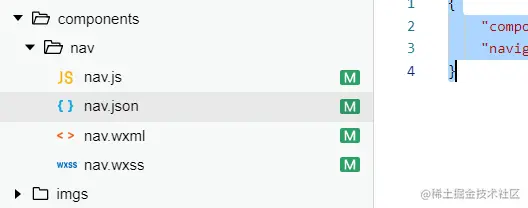
描述:之前项目有需要自定义微信小程序的底部菜单栏,因此编写了此组件,以下是组件代码。
1.nav.wxml
<view class="navBar">
    <view class="tabbar_item" wx:for="{{dataList}}" wx:key="{{index}}" bindtap="handleItemTap" data-idx="{{index}}">
        <view class="tabItem_icon">
            <image class="" src="{{activeIdx===index?item.selectedIconPath:item.iconPath}}"></image>
        </view>
        <view class="tabItem_text {{activeIdx===index?'active':''}}">
            {{item.text}}
        </view>
    </view>
</view>
2、nav.wxss
.navBar {
    position: fixed;
    bottom: 0;
    left: 0;
    right: 0;
    height: 100rpx;
    border-top: 0.5px solid #d5d5d5;
    display: flex;
    font-size: 0;
    background: #fff;
}
.tabbar_item {
    flex: 1;
    text-align: center;
    overflow: hidden;
    box-sizing: border-box;
    padding: 8rpx 10rpx 0;
    color: #333333;
}
.tabbar_item:nth-child(3){
    position: relative;
    bottom: 50rpx;
    height:150rpx;
    flex: 0.7;
}
.tabbar_item:nth-child(3) .tabItem_icon{
    height: 100rpx;
    background: #fff;
    border-radius: 50%;
    border-top: solid 1px gray;
}
.tabbar_item:nth-child(3) .tabItem_icon image{
    width: 100rpx;
    height: 106rpx;
    padding-top: 6rpx;
}
.tabbar_item:nth-child(3) .tabItem_text{
    line-height: 0;
    font-size: 28rpx;
    margin-top: 8px;
}
.tabItem_icon {
    margin-bottom: 6rpx;
    height: 56rpx;
}
.tabItem_icon image {
    width: 56rpx;
    height: 56rpx;
}
.tabItem_text {
    font-size: 28rpx;
    line-height: 20rpx;
    color: #808080;
}
.active {
    color: #23ac38;
}
3、nav.js
Component({
    properties:{
        activeIdx:{
            type:Number,
            value:0
        },
        auth:{
            type:Number,
            value:0
        },
        dataList:{
            type:Array,
            value:()=>[]
        }
    },
    methods: {
        handleItemTap(e){
            this.triggerEvent('tapItem',e.currentTarget.dataset.idx);
        }
    },
    lifetimes:{
        attached(){

        }
    }
})
4、nav.json
{
    "component": true,
    "navigationBarTitleText":"导航"
}
以上就是全部组件代码,下边是效果展示