首先简单说下目录结构
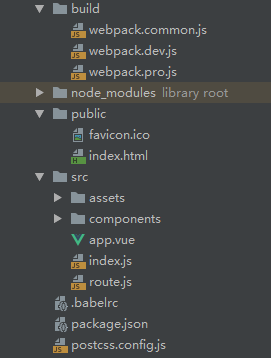
public:index模板
src:vue的入口以及页面
其它的配置在稍后细细道来~~~
环境:node8.9.4 、vue2.6.10、webpack4.41.2
1.vue页面路由入口等(不多略过)
import Vue from 'vue'
import App from './app.vue'
import router from './route.js'
import './assets/app.styl'


new Vue({
    router,
    render: h => h(App)
}).$mount("#app");
样式主要是用stylus,当然你也可以用sass、less等,页面只有两个。
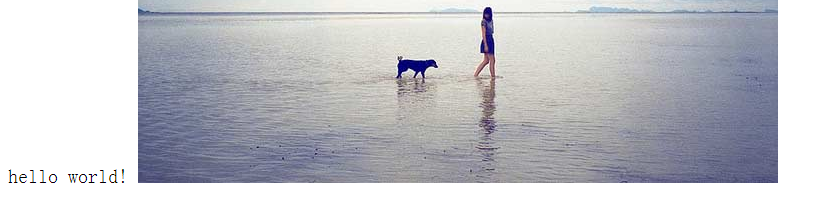
home.vue
<template>
    <div class="container">
        <span>hello world!</span>
        <img src="@/assets/bghtml_1.jpg" alt="">
    </div>
</template>
<style scoped lang="stylus">
    .container
        span
            color yellow
</style>
test.vue
<template>
    <div class="container">
        <span>hello test!!!!</span>
    </div>
</template>

<style scoped lang="stylus">
    .container
        span
            color green
</style>
讲几个我配置的时候遇到的问题或应用(探索总是这么的~~)
1.启动项目服务vue页面空白?
配置好了一切信心满满的启动开发调试,发现vue的页面没有展示出来(白板),我以为是路由问题,路由就只有两个(应该没有问题啊~~)。于是我去查了一下vue-loade。vue-template-compiler(vue-loader有详细介绍) 就是这个东西,安装后去webpack的plugin中引用,如下



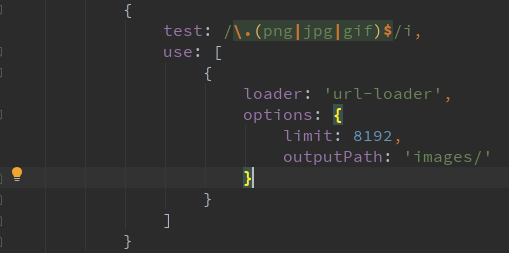
3.处理静态资源只引入url-loader报错?

4.提取css为单独的文件?
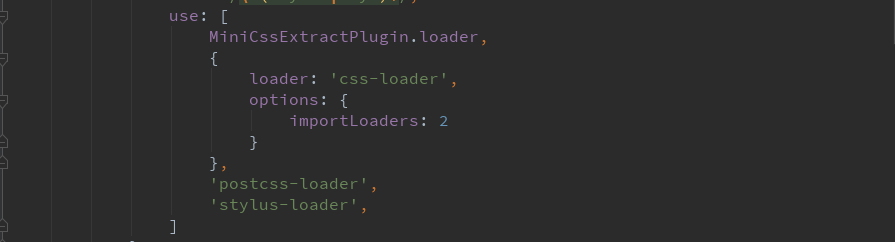

按照官方的安装、配置,一切看起来都是那么的完美,但是webpack打包的时候也没报错,也没warning。找来找去找不到问题所在,这个时候只有求助于google搜索引擎,看见一篇贴子说如果webpack做tree shaking(通常用于描述移除 JavaScript上下文中的未引用代码)的时候,一定要把css文件标记为无副作用,否则打包会移除css文件。

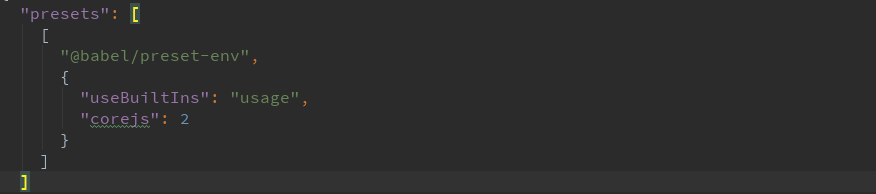
5.babel中.babelrc的配置。
如果要使用es6的语法,必须要用babel转译为游览器可运行的代码。你要使用一些includes方法等,必须要使用@ babel / polyfill或者@babel/plugin-transform-runtime,自行查询babel知识。 当然也可以:
完整配置webpack.dev.js开发环境,webpack.pro.js生产环境,webpack.common.js公用配置
webpack.dev.js
const webpackMerge = require('webpack-merge');
const common = require('./webpack.common');
const webpack = require('webpack');
const path = require('path');

module.exports = webpackMerge({
    mode: 'development',
    devServer: {
        // contentBase: '../dist',
        publicPath: '/',
        compress: true,
        hot: true,
        hotOnly: true,
        port: 8080,
        overlay: true,
        clientLogLevel: 'none'
    },
    devtool: 'cheap-module-eval-source-map',
    module: {
        rules: [
            {
                test: /\.(stylus|styl)$/,
                use: [
                    'style-loader',
                    {
                        loader: 'css-loader',
                        options: {
                            importLoaders: 2
                        }
                    },
                    'postcss-loader',
                    'stylus-loader',
                ]
            },
            {
                test: /\.css$/,
                use: [
                    'style-loader',
                    'css-loader',
                    'postcss-loader'
                ]
            }
        ]
    },
    plugins: [
        new webpack.HotModuleReplacementPlugin()
    ]
}, common);
webpack.pro.js
const webpackMerge = require('webpack-merge');
const common = require('./webpack.common');
const MiniCssExtractPlugin = require("mini-css-extract-plugin");
const {CleanWebpackPlugin} = require('clean-webpack-plugin');

module.exports = webpackMerge({
    mode: 'production',
    module:{
        rules:[
            {
                test: /\.(stylus|styl)$/,
                use: [
                    MiniCssExtractPlugin.loader,
                    {
                        loader: 'css-loader',
                        options: {
                            importLoaders: 2
                        }
                    },
                    'postcss-loader',
                    'stylus-loader',
                ]
            },
            {
                test: /\.css$/,
                use: [
                    MiniCssExtractPlugin.loader,
                    'css-loader',
                    'postcss-loader'
                ]
            }
        ]
    },
    plugins:[
        new MiniCssExtractPlugin({
            // Options similar to the same options in webpackOptions.output
            // both options are optional
            filename: "css/[name].[hash].css",
        }),
        // 每次打包删除上次的包文件
        new CleanWebpackPlugin()
    ]
}, common);
webpack.common.js
const path = require('path');
const VueLoaderPlugin = require('vue-loader/lib/plugin');
const htmlWebpackPlugin = require('html-webpack-plugin');

module.exports = {
    entry: {
        app: './src/index.js'
    },
    output: {
        path: path.resolve(__dirname, '../dist'),
        filename: 'js/[name].[hash].js'
    },
    resolve:{
        alias: {
            '@': path.resolve(__dirname, '../src/'),
        }
    },
    optimization: {
        // 生产环境默认启用tree shaking
        usedExports: true,
        // 用于代码分离
        splitChunks: {
            chunks: 'all'
        }
    },
    module: {
        rules: [
            {
                test: /\.js$/,
                exclude: /node-modules/,
                use: [
                    {
                        loader: 'babel-loader'
                    }
                ]
            },
            {
                test: /\.vue$/,
                use: [
                    'vue-loader'
                ]
            },
            {
                test: /\.(png|jpg|gif)$/i,
                use: [
                    {
                        loader: 'url-loader',
                        options: {
                            limit: 8192,
                            outputPath: 'images/'
                        }
                    }
                ]
            }
        ]
    },
    plugins: [
        // 使用vue必要的plugins
        new VueLoaderPlugin(),
        // 自动生成index.html
        new htmlWebpackPlugin({
            template: 'public/index.html',
            favicon: 'public/favicon.ico',
            inject: true
        })
    ]
};
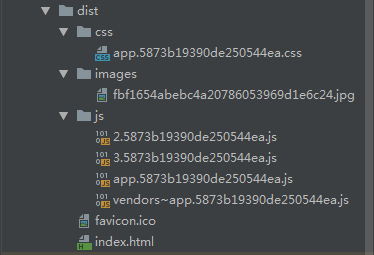
最终打包结果。