1.所使用材料 ,spring boot 项目 基于maven ,maven 工具, docker工具
ps:为啥使用 docker 公司微服务需要启动太多,有两个优点吧! 1.方便管理,2.减少服务占用内存量
2.上手
a.新建Dockerfile文件如下目录
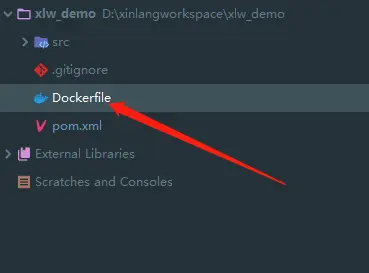
b.Dockerfile文件内容
                    FROM openjdk:8-jdk-alpine
                    VOLUME /tmp
                    ARG JAR_FILE
                    COPY ${JAR_FILE} app.jar
                    ENTRYPOINT ["java","-Djava.security.egd=file:/dev/./urandom","-jar","/app.jar"]
                    ps:
                            FROM: 第一条指令必须是FROM指令 (环境依赖 jdk 版本等)
                            VOLUME: 作用是创建在本地主机或其他容器可以挂载的数据卷,用来存放数据。
                            ARG: 定义一个变量
                            JAR_FILE: 为pom文件中项目定义的路径地址
                            COPY: 复制本地主机src目录或文件到容器的desc目录,desc不存在时会自动创建。
                            ENTRYPOINT: 每个Dockerfile中只能有一个ENTRYPOINT,当有多个时最后一个生效。
c.pom文件修改
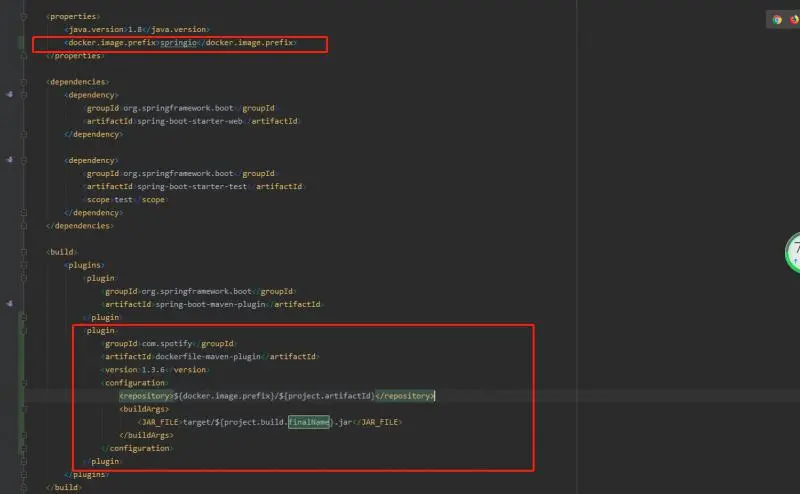
                 <properties>
                            <docker.image.prefix>springio</docker.image.prefix>
                    </properties>
                    <plugin>
                <groupId>com.spotify</groupId>
                <artifactId>dockerfile-maven-plugin</artifactId>
                <version>1.3.6</version>
                <configuration>
                    <repository>${docker.image.prefix}/${project.artifactId}</repository>
                    <buildArgs>
                        <JAR_FILE>target/${project.build.finalName}.jar</JAR_FILE>
                    </buildArgs>
                </configuration>
            </plugin>
        </plugins>
这个时候 项目中文件修改告一段落
d.需要在maven中添加配置(不加入可能会导致 docker:build 不识别) 否则会报 No plugin found for prefix 'docker' in the current project and in the plugin groups...
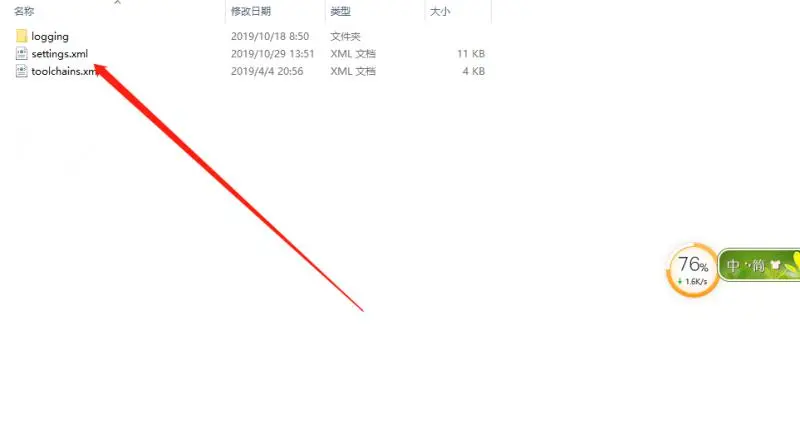

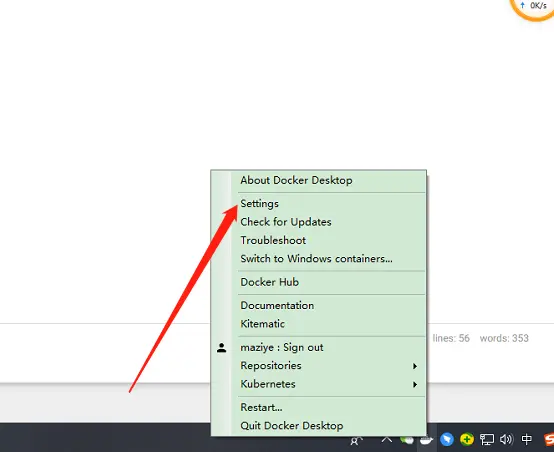
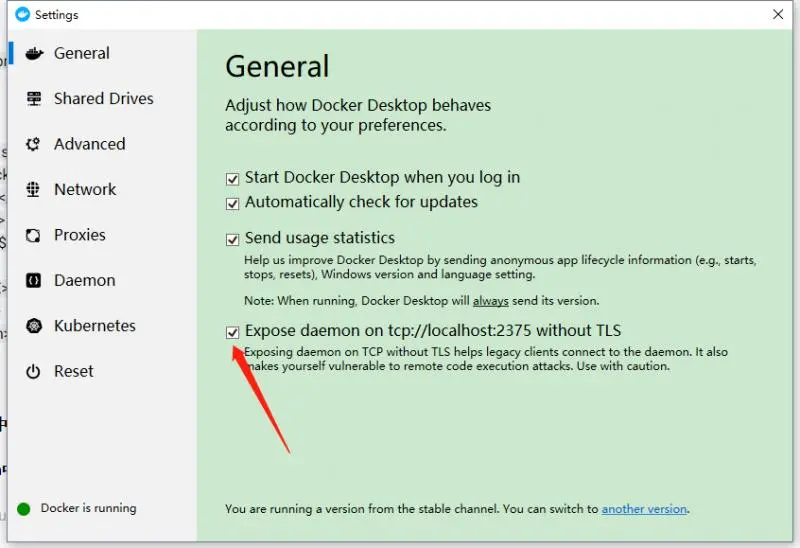
e.docker 配置需要更改(勾选)否则会报 localhost:2375 [localhost/127.0.0.1, localhost/0:0:0:0:0:0:0:1] failed: Connection refused: connect
3.最后命令
                a.mvn package dockerfile:build(项目路径下)
                b.docker 查看镜像 docker images
                c.运行项目 docker run -d -p 8099:8099 springio/xlw_demo
4.总结
                a.问题 如果代码更改,docker镜像中还是老代码,需要手动删除很不方便
                b.启动的时候需要命令号窗口启动不方便
                c.打开软件时能否跟随docker一起启动

公众号即可获得"Spring Cloud"教程