

简介forEach
forEach()方法用于调用数组的每个元素,并将元素传递给回调函数。注意:
forEach()对于空数组是不会执行回调函数的。
forEach()是ES5中操作数组的一种方法,主要功能是遍历数组。
语法
array.forEach(function(currentValue, index, arr), thisValue)
其中:
currentValue必需。当前元素index可选,当前元素的索引值arr可选,当前元素所属的数组对象thisValue可选,传递给函数的值一般用 "this" 值。如果这个参数为空, "undefined" 会传递给 "this" 值
返回值:undefined
在forEach()中return不会立马跳出函数,而是继续执行,在文章的后面会具体描述解决办法,先看一些实例:
实例
前面也说过,forEach()的主要功能是遍历数组
var arr=[1,2,3,4];
arr.forEach(alert);   //-> 在页面上弹出数组的值
上面也提到了函数的参数,这里写个例子便于理解:
var arr=[1,2,3,4];
arr.forEach(function(value,index,array){
   array[index] == value ;   //-> true
   sum+=value;
});
console.log(sum);  //-> 10
关于return的讨论
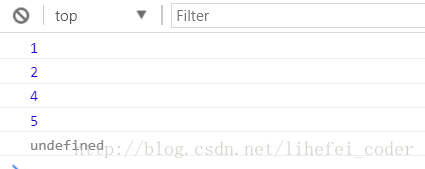
我们都知道,在for循环中,跳出循环可以用break,但是在forEach循环遍历中,break会报错,而return也无法跳出循环:
var arr=[1,2,3,4,5];
var num=3;
arr.forEach(function(value){
   if(value == num){
       return;
   }
   console.log(value);
});
那么咋中断这个forEach呢?
中断forEach的两种方法
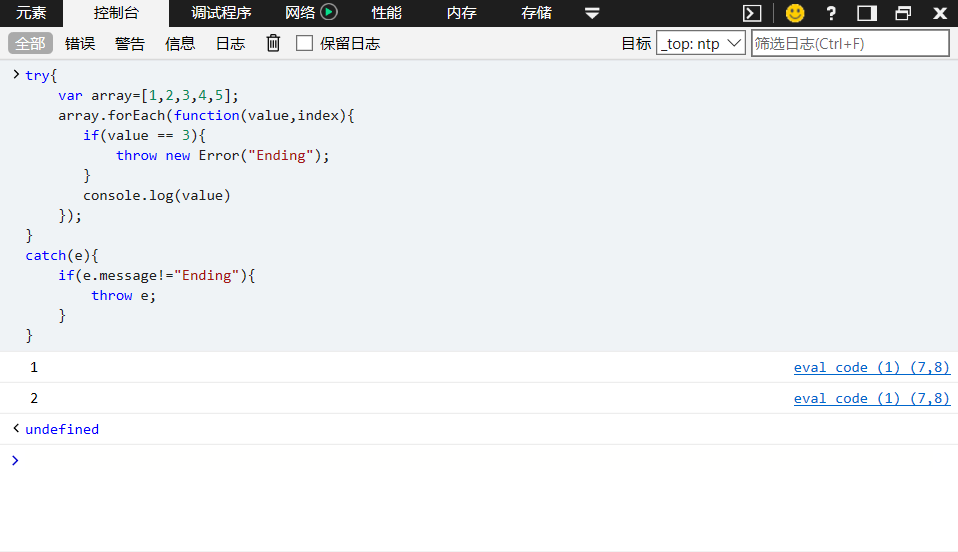
第一种:使用try···catch捕获异常实现
try{
    var array=[1,2,3,4,5];
    array.forEach(function(value,index){
       if(value == 3){
           throw new Error("Ending");
       }
       console.log(value)
    });
}
catch(e){
    if(e.message!="Ending"){
        throw e;
    }
}
第二种:使用数组中另外两个方法替代:
arr.sonme()和arr.every()
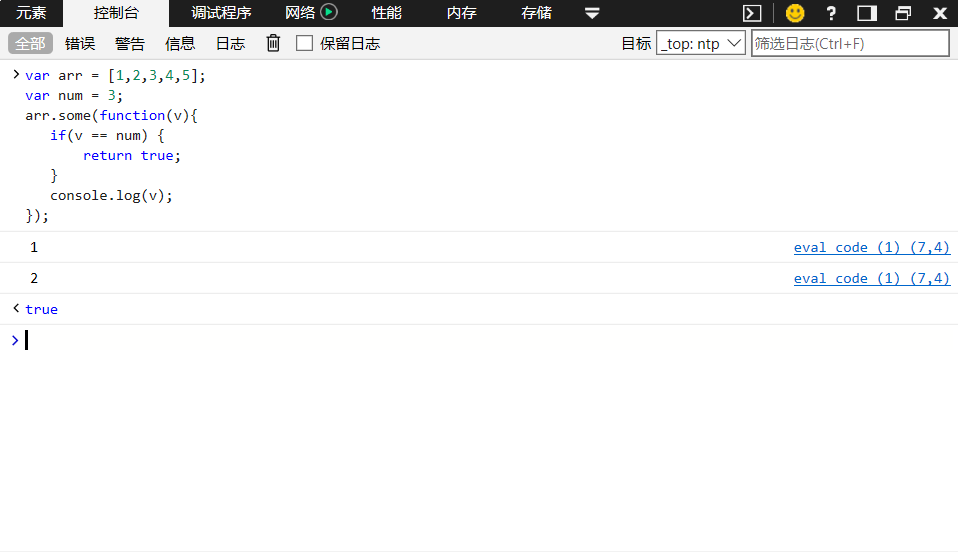
当some()内部return true时,跳出整个循环
var arr = [1,2,3,4,5];
var num = 3;
arr.some(function(v){
   if(v == num) {
       return true;
   }
   console.log(v);
});
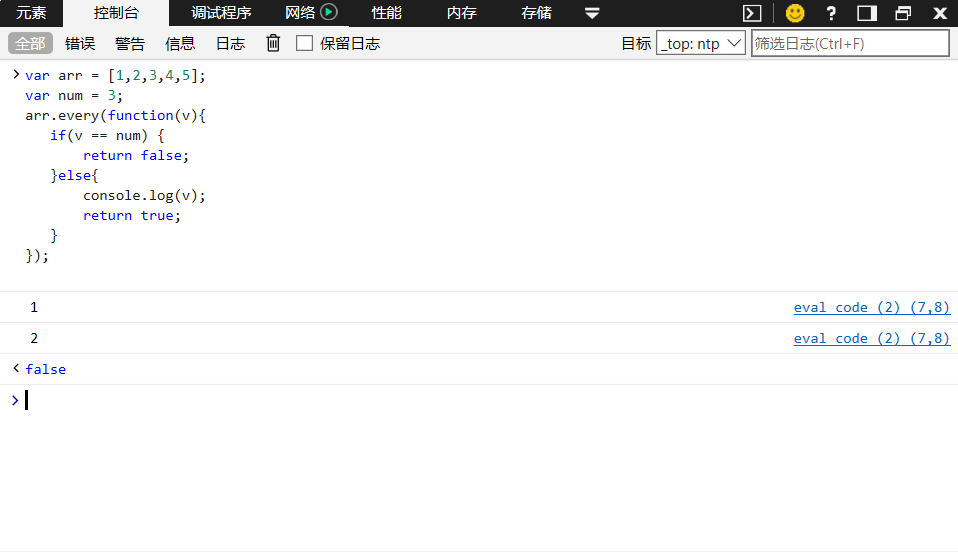
当every()内部return false时跳出整个循环
var arr = [1,2,3,4,5];
var num = 3;
arr.every(function(v){
   if(v == num) {
       return false;
   }else{
       console.log(v);
       return true;
   }
});
参考: Javascript Array forEach()中无法return和break,代替方法some()与every()
