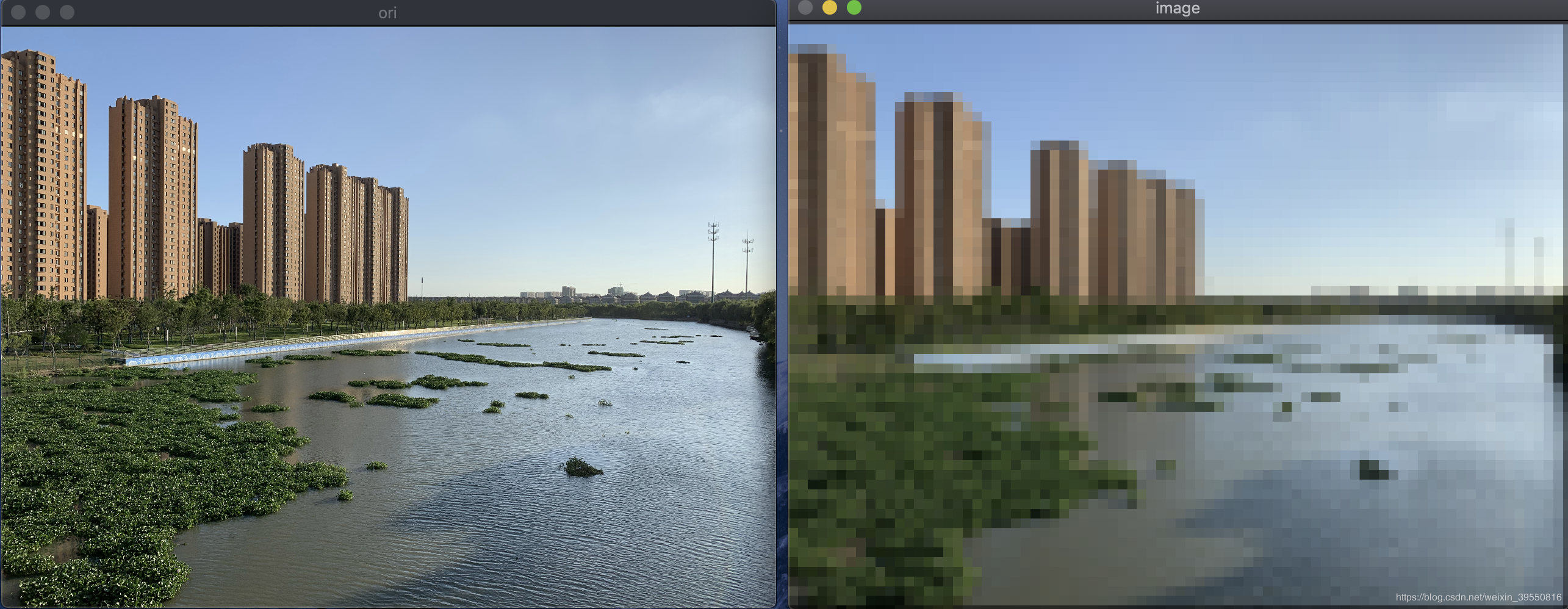
每次取blk_height*blk_width范围内的RGB值做平均,要注意边界条件。源码如下:
/**
 保持图片分辨率,将图像格子化
 */
void image_blocklized()
{
    Mat image = imread("/Users/ZZZ/Documents/mine/kunshan.jpeg");
    imshow("ori", image);
    cout << image.rows << ":" << image.cols << endl;
    int blk_width = 50, blk_height = 50;
    int total_B = 0, total_G = 0, total_R = 0;
    for(int i = 0; i < image.cols; i += blk_width)
    {
        for(int j = 0; j < image.rows; j += blk_height)
        {
            total_B = 0;
            total_G = 0;
            total_R = 0;
            for(int m = 0; m < blk_width; m++)
            {
                // 边界条件
                if(i + m >= image.cols)
                {
                    continue;
                }
                for(int n = 0; n < blk_height; n++)
                {
                    // 累计和
                    // 边界条件
                    if(j + n >= image.rows)
                    {
                        continue;
                    }
                    total_B += image.at<Vec3b>(j + n, i + m)[0];
                    total_G += image.at<Vec3b>(j + n, i + m)[1];
                    total_R += image.at<Vec3b>(j + n, i + m)[2];
                }
            }
            // 均值
            int area = blk_height * blk_width;
            total_B = total_B / area;
            total_G = total_G / area;
            total_R = total_R / area;

            for(int m = 0; m < blk_width; m++)
            {
                // 边界条件
                if(i + m >= image.cols)
                {
                    continue;
                }
                for(int n = 0; n < blk_height; n++)
                {
                    // 边界条件
                    if(j + n >= image.rows)
                    {
                        continue;
                    }
                    image.at<Vec3b>(j + n, i + m)[0] = total_B;
                    image.at<Vec3b>(j + n, i + m)[1] = total_G;
                    image.at<Vec3b>(j + n, i + m)[2] = total_R;
                }
            }
        }
    }
    imshow("image", image);
}
处理前与处理后的对比如下图: