

我是小又又,住在武汉,做了两年新媒体,准备用 6 个月时间转行前端。
今日学习目标
按照昨天的规划,基于昨天实现基础店铺页面上中半部分样式设计思路,实现页面下部的页面效果,今天就要将这个页面效果都写完~~~,加油,小又又!!!!
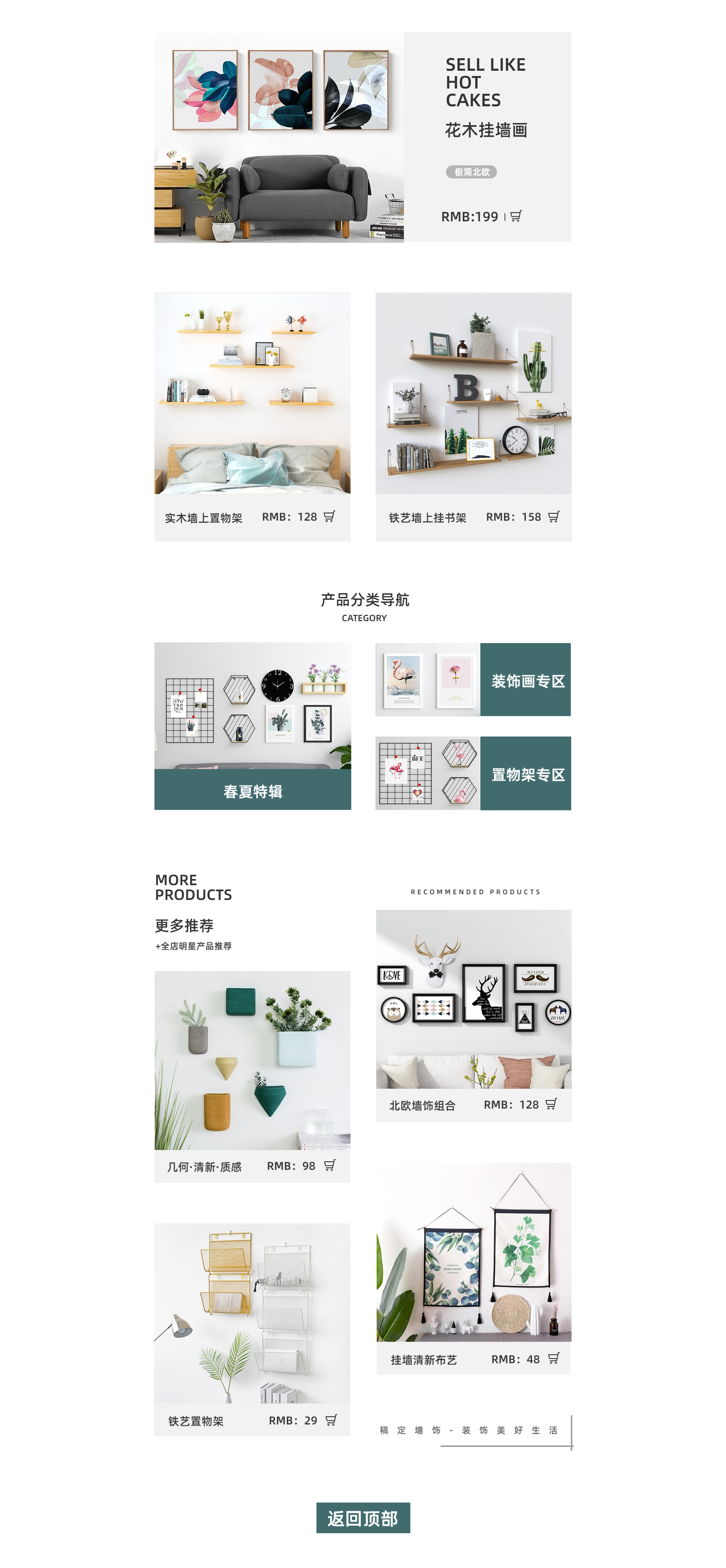
确认通用的 CSS 样式
CSS 变量
:root{
  --default-font-color: rgb(51, 51, 51);
  --default-active-bg-color: rgb(66, 107, 110);
  --default-good-bg-color: rgb(242, 242, 242);
  --default-good-font-color: rgb(254, 254, 254);
  --default-title--font-weight: bolder;
  --default-like-color: rgb(245, 61, 64);
}

body{
  color: var(--default-font-color);
  border-color: var(--default-font-color);
}
.bg-color-gray{
  background-color: var(--default-good-bg-color);
}
.bg-color-deep-blue{
  background-color: var(--default-active-bg-color);
}
CSS 工具样式
/*居中*/
.center{
  margin: 0 auto
}
/*    通用的页面布局居中   */
.contanier{
  max-width: 70vw;
  margin: 0 auto;
  height: 100%;
  padding: 2rem;
  box-sizing: border-box;
  overflow: hidden;
}

/*    背景图片相关样式   */
.bg-img-n-r{
  background-repeat: no-repeat;
}
.bg-img-c-s{
  background-size: 100% calc(100% - 5em);
}


/*    圆角相关帮助样式   */
.box-border-r-f{
  border-radius: 100%;
}

/*    字体相关帮助样式   */
.text-center{
  text-align: center;
}
.text-left{
  text-align: left;
}
.text-right{
  text-align: right;
}
.font-bolder{
  font-weight: bolder;
}
.font-bold{
  font-weight: bold;
}
实现商品部分五样式效果
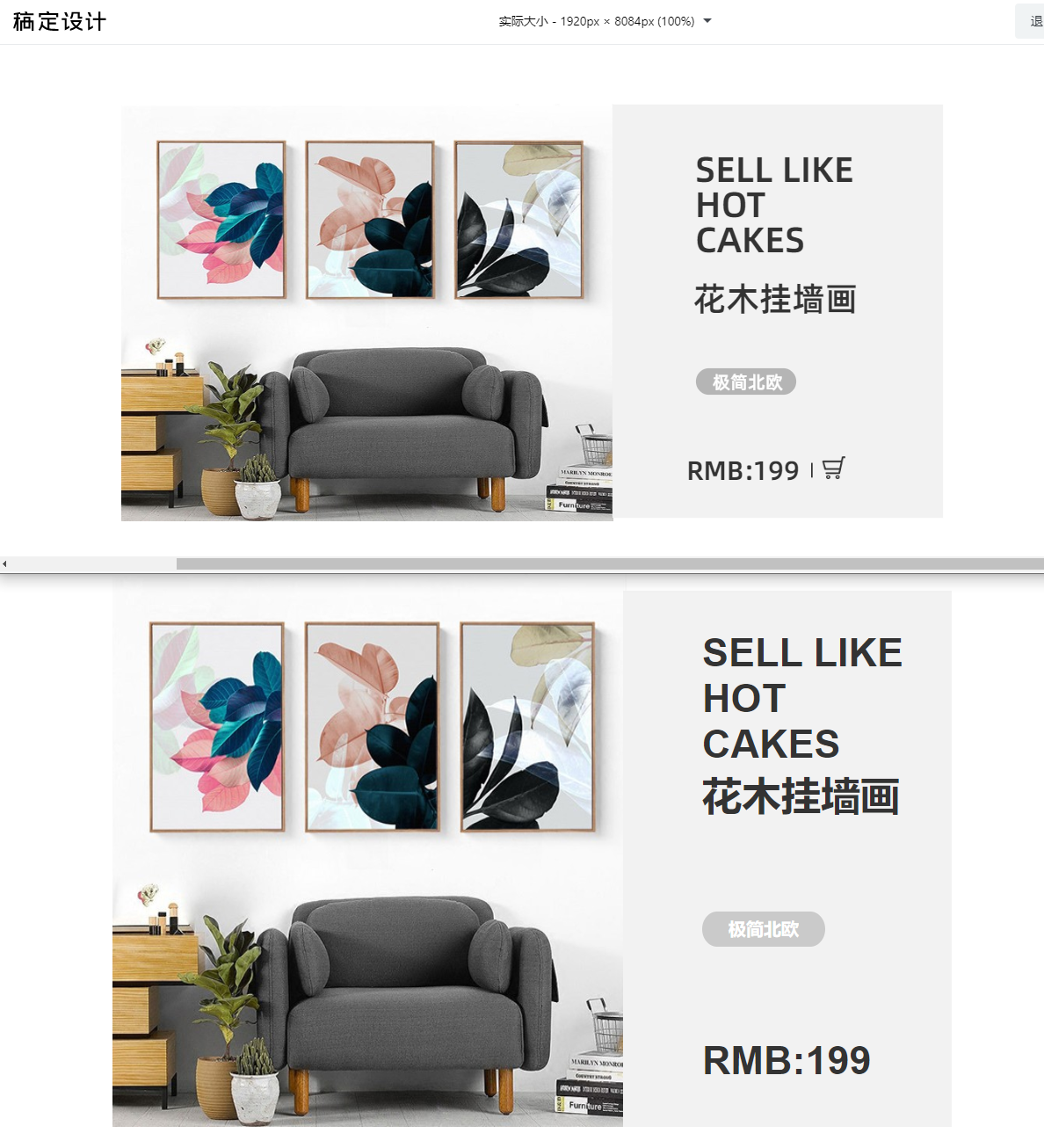
HTML标签结构
      <section class="section05 contanier font-bolder bg-img-n-r">
        <poster class="bg-color-gray">
          <p class="slogan">
            SELL LIKE<br />
            HOT<br />
            CAKES<br />
            花木挂墙画<br /><br /><br />
          </p>
          <p class="picture-style box-border-r-f">极简北欧</p><br/><br/>
          <p class="price ">
            RMB:199
          </p><br/>
        </poster>
      </section>
CSS样式
.section05{
  height: 45em;
  background-image: url('../images/good06.jpeg');
  background-size:60% 100%;
  background-position: left;
}
.section05 poster{
 display: block;
 width: 40%;
 margin-left: 60%;
 box-sizing: border-box;
 font-size: 45px;
 padding: 1em;
 padding-left: 2em;
}
.section05 poster .picture-style{
  font-size: 20px;
  background-color: rgb(202, 202, 202);
  border-radius: 25% / 100%;
  width: 7em;
  color:#fff;
  text-align: center;
  line-height: 2;
  vertical-align: middle;
}
核心知识点
background-imagefont-sizeline-heightborder-radius: 25% / 100%width
这个圆角真的是调整了好久~~~~
实现商品部分六样式效果
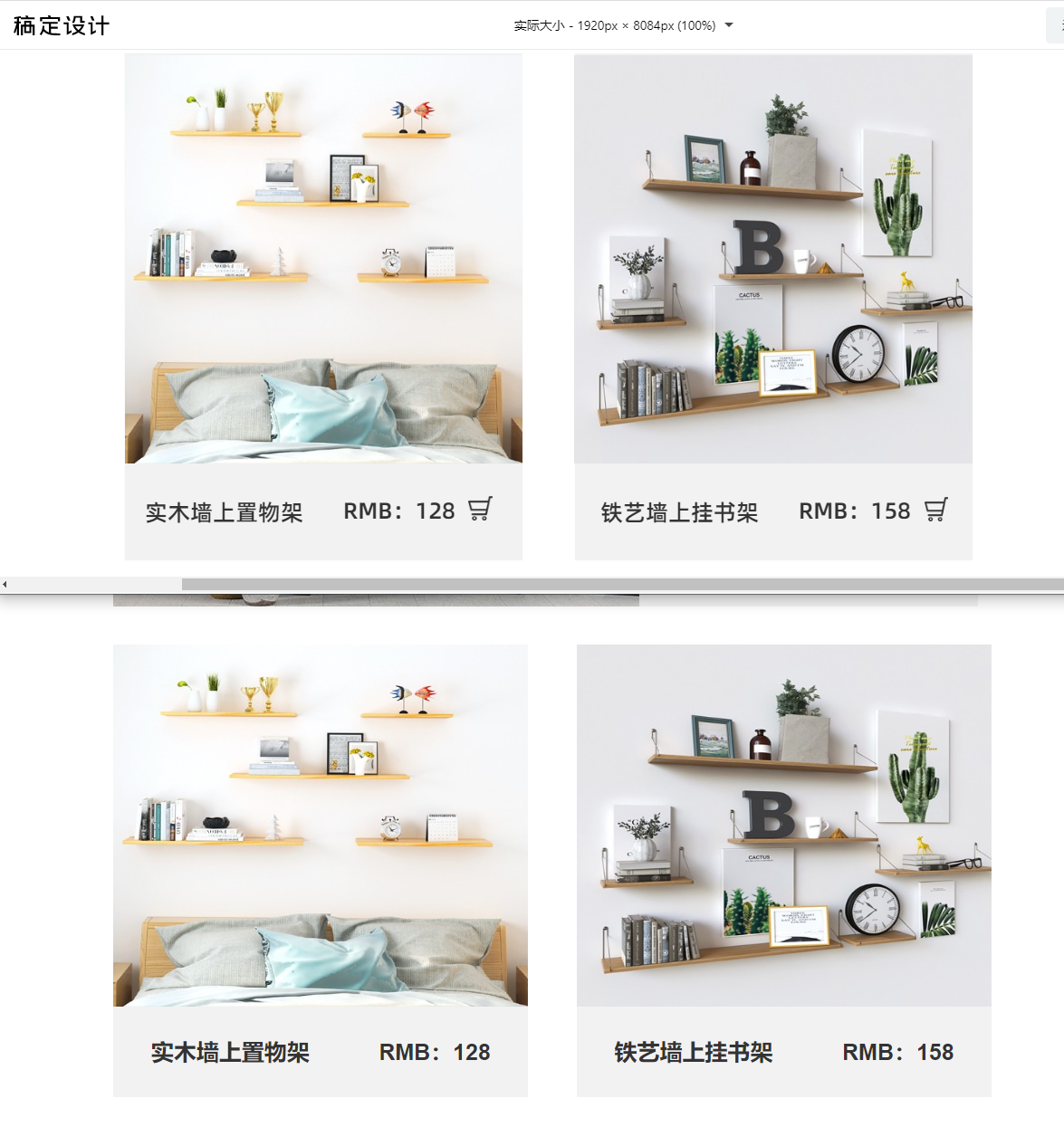
HTML标签结构
<section class="section06 contanier font-bold">
<aside class="good good01 bg-color-gray bg-img-n-r">
<p class="good-text">实木墙上置物架 RMB:128</p>
</aside>
<aside class="good good02 bg-color-gray bg-img-n-r">
<p class="good-text">铁艺墙上挂书架 RMB:158</p>
</aside>
</section>
CSS样式
.section06{
  padding: 3em 0;
}
.section06 .good{
  display: inline-block;
  width: 47%;
  background-size: 100% calc(100% - 4em);
  height:20em;
  text-align: center;
  font-size: 25px;
  vertical-align: text-bottom;
}
.section06 .good .good-text{
  margin-top: calc(100% - 1em);
}
.section06 .good01{
  background-image: url('../images/good07.jpeg');
}
.section06 .good02{
  margin-left: 2em;
  background-image: url('../images/good08.jpeg');
}
核心知识点
background-size: 100% calc(100% - 5em);vertical-alignmargin-top: calc(100% - 1em)
实现商品部分七样式效果
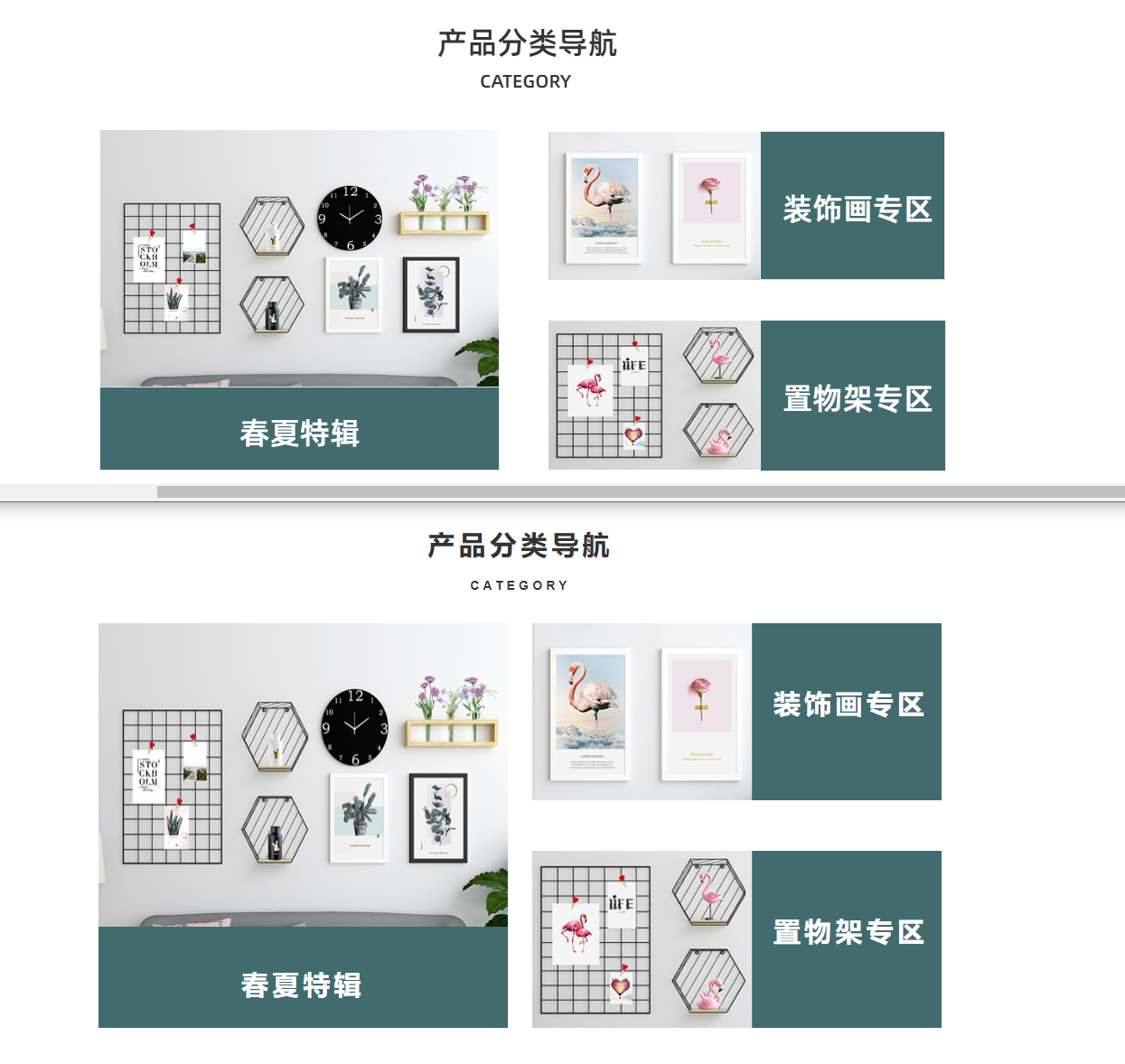
HTML标签结构
      <section class="section07 contanier font-bold">
        <p class="section-title text-center">
          产品分类导航
        </p>
        <p class="section-sub-title text-center">CATEGORY</p>
        <div class="gallery">
          <aside class="gallery-left gallery-aside good01 bg-img-n-r gallery-activity bg-color-deep-blue">
            <p class="good-title text-center">春夏特辑</p>
          </aside>
          <aside class="good gallery-right">
            <aside class="gallery-aside bg-img-n-r  bg-color-deep-blue">
              <p class="good-title text-right">装饰画专区</p>
            </aside>
            <aside class="gallery-aside bg-img-n-r  bg-color-deep-blue">
              <p class="good-title text-right">置物架专区</p>
            </aside>
          </aside>
        </div>
      </section>
CSS样式
.section07{
  margin: 3em 13%;
  line-height: 2;
  letter-spacing: 0.3em;
}
.section07 .section-title{
  font-size: 30px;
}
.section07 .section-subtitle{
  letter-spacing: 0;
}

.section07 .gallery{
  margin-top: 2em;
}
.section07 .gallery>*{
  display: inline-block;
  width: 48.5%;
  vertical-align: top;
}
.section07 .gallery .gallery-right{
  margin-left: 2%;
}
.section07 .gallery .gallery-aside{
  color: #fff;
}
.section07 .gallery-aside .good-title{
  font-size: 30px;
  line-height: 1.5;
}
.section07 .gallery .good01{
  height: 32em;
  background-size: 100% calc(100% - 8em);
  background-image: url('../images/good09.jpeg');
}
.section07 .gallery-left .good-title{
  margin-top: calc(100% - 2.5em);
}
.section07 .gallery-right .gallery-aside{
  height: 14em;
  vertical-align: bottom;
  background-position: left;
  background-size: calc(100% - 15em) 100%;
}
.section07 .gallery-right .good-title{
  line-height: 6em;
  margin-right: 0.5em;
  height: 14em;
  vertical-align: middle;
}
.section07 .gallery-right .gallery-aside:first-child{
  margin-bottom: 4em;
  background-image: url('../images/good10.jpeg');
}
.section07 .gallery-right .gallery-aside:last-child{
  background-image: url('../images/good11.jpeg');
}
核心知识点
background-size: 100% calc(100% - 8em)margin-top: calc(100% - 2.5em)background-size: calc(100% - 15em) 100%line-height
实现商品部分八样式效果
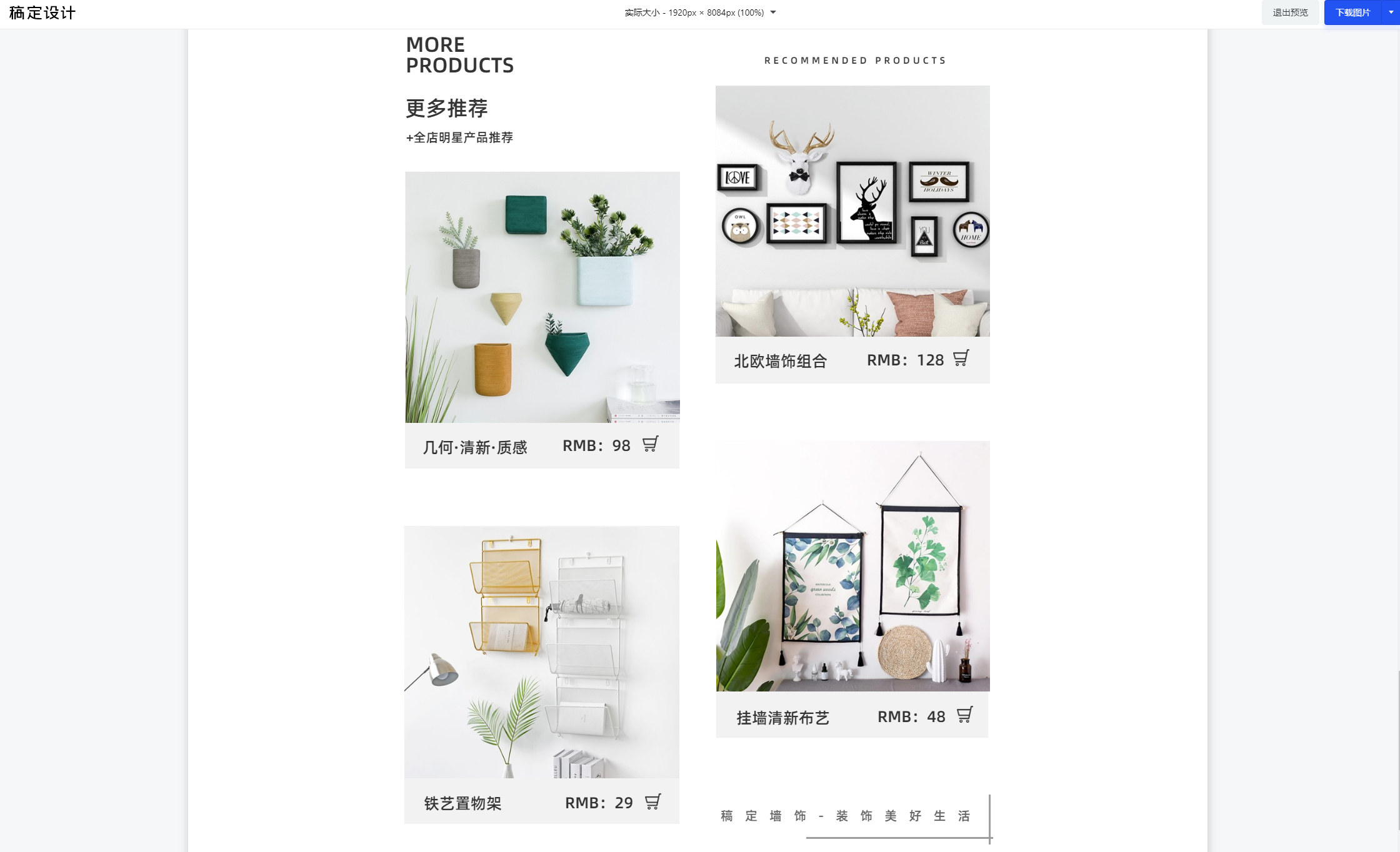
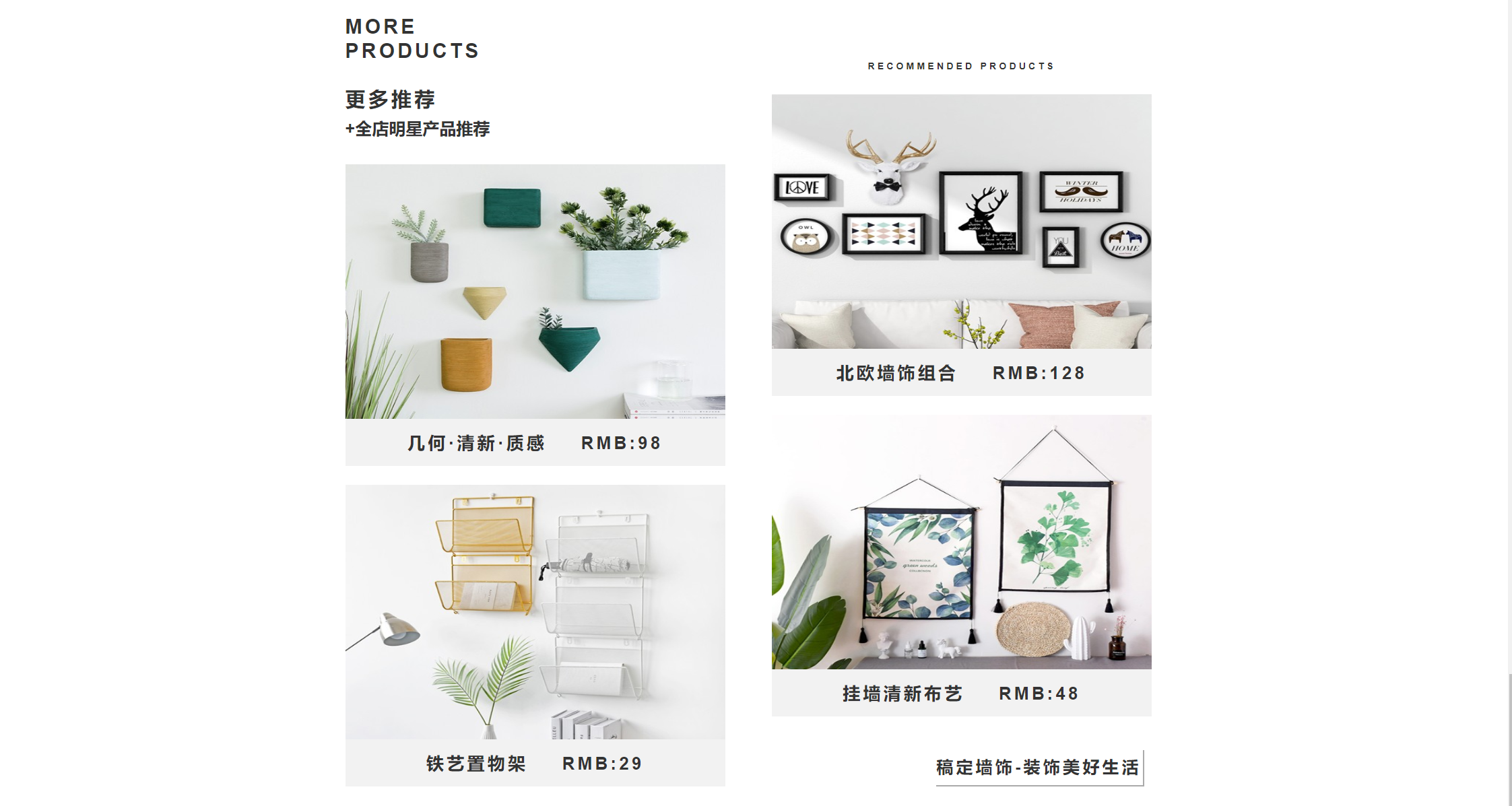
HTML标签结构
      <section class="section08 contanier">
        <div>
          <aside>
            <p class="section-title">
              MORE<br />
              PRODUCTS<br /><br />
              更多推荐<br />
            </p>
            <p class="section-subtitle">
              +全店明星产品推荐
            </p>
          </aside>
          <aside class="good good01 bg-color-gray bg-img-n-r">
            <p class="good-subtitle">几何·清新·质感 RMB:98</p>
          </aside>
          <aside class="good good02 bg-color-gray bg-img-n-r">
            <p class="good-subtitle">铁艺置物架 RMB:29</p>
          </aside>
        </div>
        <div>
          <aside>
            <p class="text-center">
              RECOMMENDED PRODUCTS
            </p>
          </aside>
          <aside class="good good03 bg-color-gray bg-img-n-r">
            <p class="good-subtitle">北欧墙饰组合 RMB:128</p>
          </aside>
          <aside class="good good04 bg-color-gray bg-img-n-r">
            <p class="good-subtitle">挂墙清新布艺 RMB:48</p>
          </aside>
          <aside class="slogan text-center">
            稿定墙饰-装饰美好生活
          </aside>
        </div>
      </section>
CSS样式
.section08{
  margin: 3em 22%;
  line-height: 2;
  letter-spacing: 0.3em;
  font-weight: 600;
}
.section08>*{
  display: inline-block;
  width: 46.5%;
  vertical-align: bottom;
}
.section08>*:last-child{
  margin-left: 3%;
}

.section08 .section-title{
  font-size: 30px;
  line-height: 1.2;
}
.section08 .good-subtitle{
  font-size: 26px;
}
.section08 .section-subtitle{
  letter-spacing: 0;
  font-size: 25px;
}

.section08 .good{
  margin-top: 2em;
  height: 32em;
  background-size: 100% calc(100% - 5em);
  text-align: center;
  vertical-align: baseline;
}
.section08 .good .good-subtitle{
  padding-top: calc(100% - 6.8em);
  vertical-align: baseline;
  word-spacing: 1.5em;
}
.section08 .good01{
  background-image: url('../images/good12.jpeg');
}
.section08 .good02{
  background-image: url('../images/good14.jpeg');
}
.section08 .good03{
  background-image: url('../images/good13.jpeg');
}
.section08 .good04{
  background-image: url('../images/good15.jpeg');
}
.section08 .slogan{
  display: inline-block;
  margin-top: 2em;
  font-size: 25px;
  margin-left: calc(100% - 12.8em);
  border-color: var(--default-good-font-color);
  border-width: 0 4px 4px 0;
  border-style: ridge;
}
核心知识点
vertical-alignmargin-left: calc(100% - 12.8em)displayfont-sizeborder-width&border-color&border-style
实现尾部样式效果
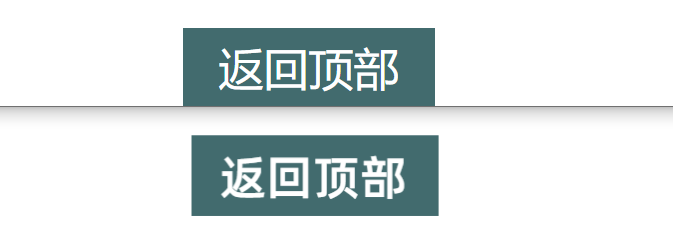
HTML标签结构
     <footer class="center">
      返回顶部
    </footer>
CSS样式
footer{
  color: #fff;
  font-size: 45px;
  background-color: var(--default-active-bg-color);
  padding: 0.2em 0.8em;
  width: 4em;
}
核心知识点
background-colorpaddingfont-size
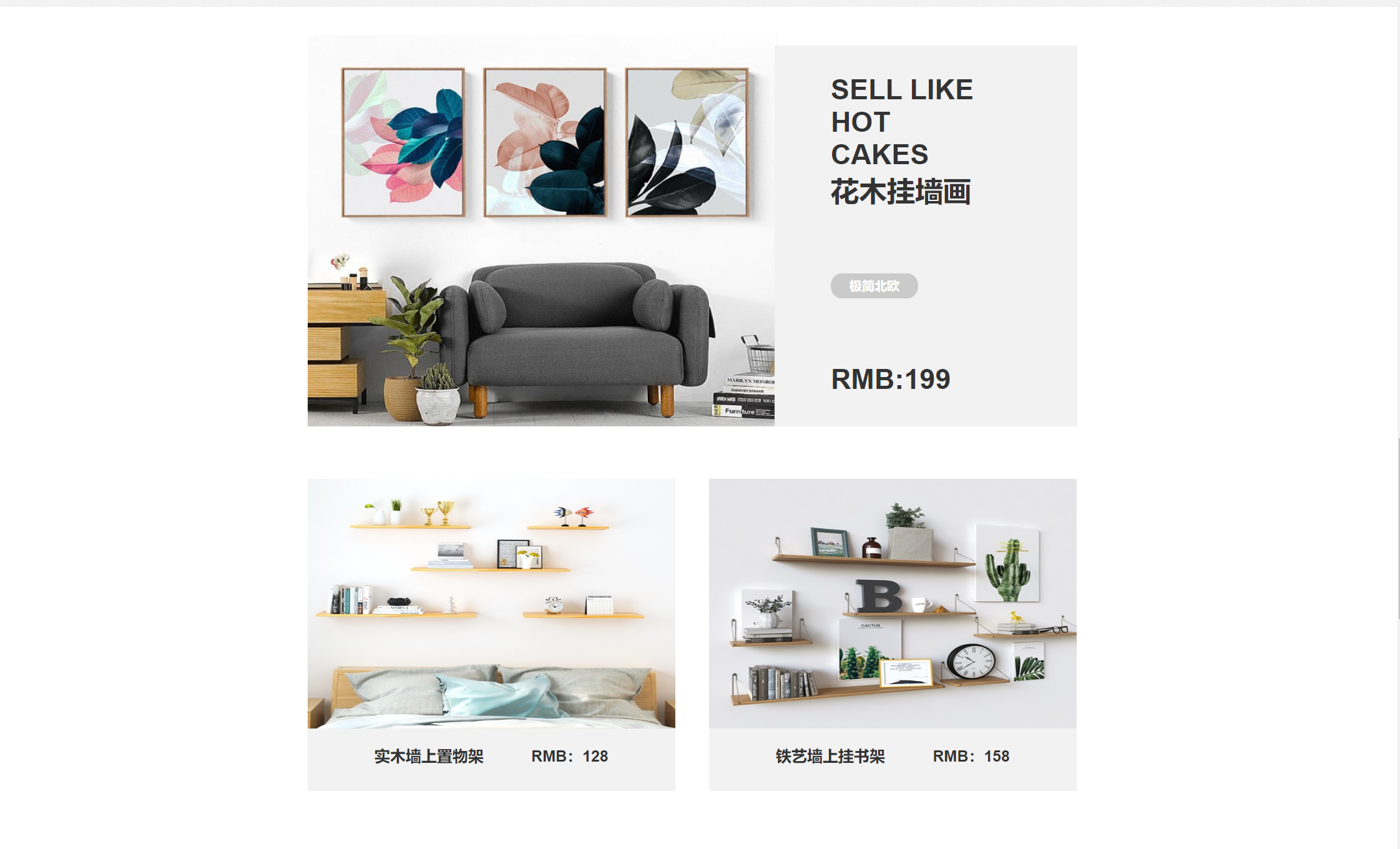
整体效果预览
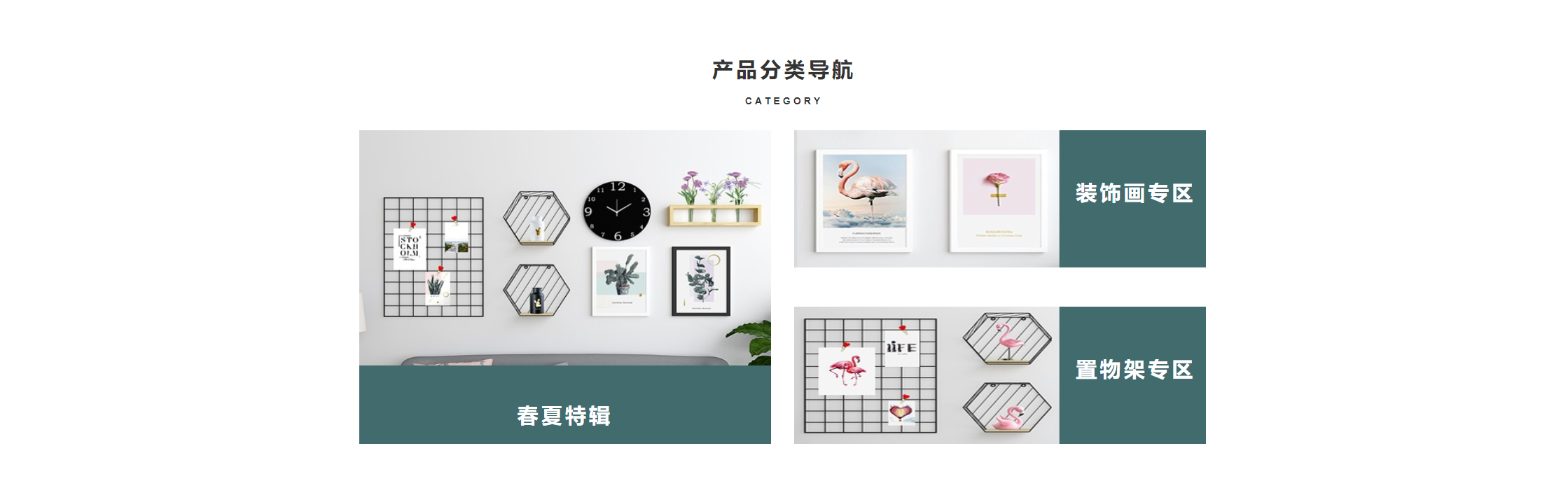
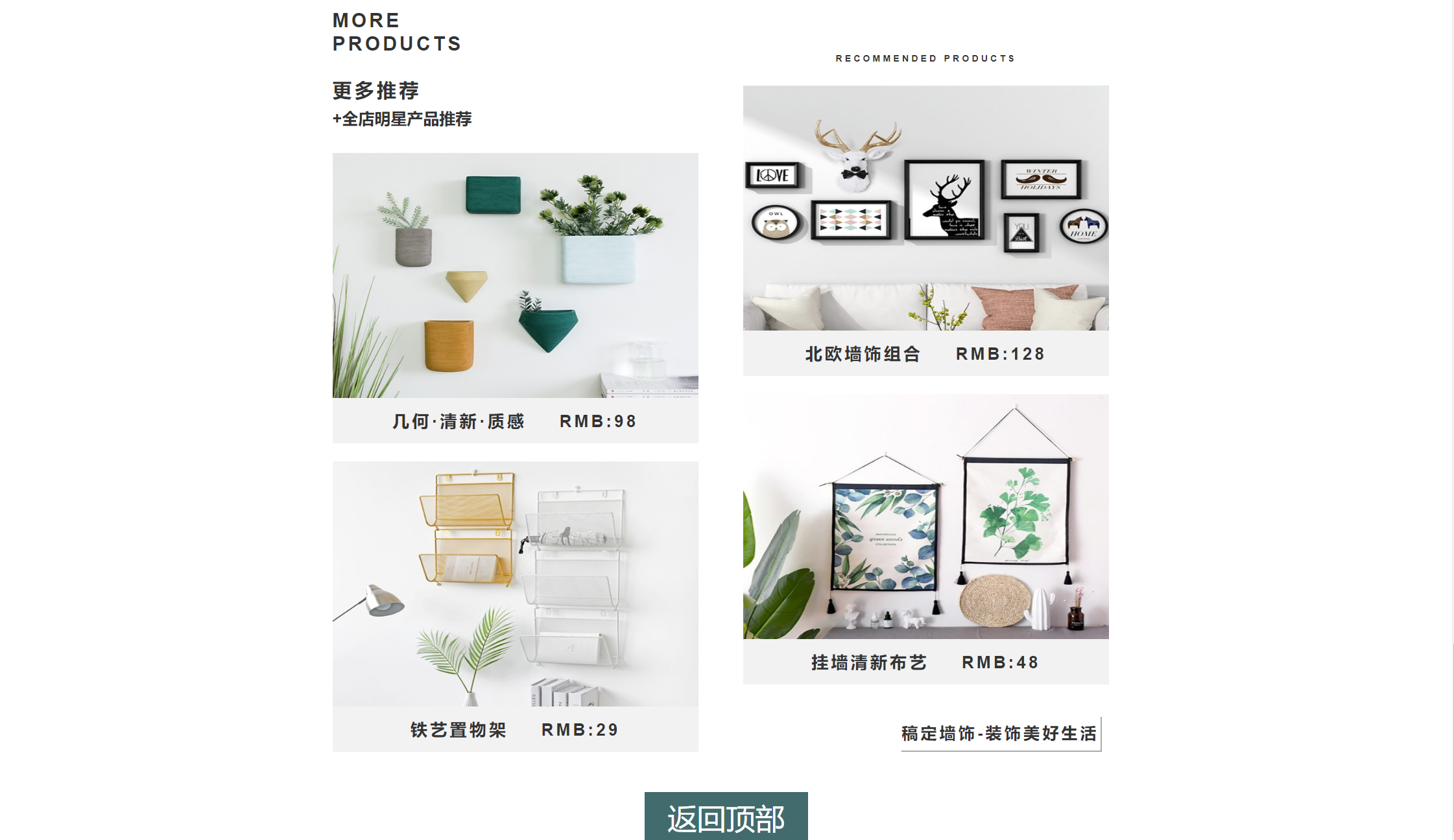
今日总结

今日心情
高兴,终于将页面写完了,花了三天,学习和使用了很多新的 CSS 样式 ,CSS 单位,CSS 变量 和 HTML 标签,发现其实目前样式中用的比较多的还是就那几个~~~
本文使用 mdnice 排版
